7 Best PhotoRoom Alternatives for E-commerce Product Photos in 2026
Looking for top PhotoRoom alternatives? We ranked 7 tools tailored for apparel sellers, covering background removal, virtual fitting, mobile editing and cross-border store needs.


PhotoRoom is no longer just a background remover. Its current platform includes AI product photography, batch editing, brand templates, AI fashion models, product video, API access, and Shopify workflows. It remains a practical general-purpose visual tool for many online sellers.
However, different sellers face different production problems. An apparel brand may need on-model images and fashion videos. A developer may prioritize API access. Another merchant may only need fast cutouts or lifestyle product scenes.
This guide compares seven PhotoRoom alternatives by capabilities, ideal users, strengths, and trade-offs.
Disclosure: Koozee is our own product. To keep this comparison transparent, we evaluate it using the same criteria as the other tools, based mainly on publicly available features, pricing, and use cases. We highlight where Koozee is useful while also explaining its scope and limitations, so readers can choose based on their own workflow.
Best PhotoRoom Alternatives at a Glance
| Product | Best for | Starting monthly price | Background removal | AI product scenes | Batch processing | Apparel try-on | AI fashion models | Product video | Marketing templates | API | Shopify product workflow |
| Koozee | Apparel e-commerce visual production | US$22.90/mo | ☑️ | ☑️ | ❌ | ☑️ | ☑️ | ☑️ | ☑️ | ❌ | ☑️ |
| Pixelcut | Mobile product photo editing | US$10/mo | ☑️ | ☑️ | ☑️ | ☑️ | ☑️ | ☑️ | ☑️ | ☑️ | ❌ |
| remove.bg | Background removal and automation | About US$9/mo | ☑️ | ❌ | ☑️ | ❌ | ❌ | ❌ | ☑️ | ☑️ | ❌ |
| Pebblely | Lifestyle product photography | US$9/mo | ❌ | ☑️ | ☑️ | ❌ | ❌ | ❌ | ☑️ | ❌ | ❌ |
| Canva | Brand design and marketing templates | About US$15/mo | ☑️ | ☑️ | ☑️ | ❌ | ❌ | ☑️ | ☑️ | ❌ | ❌ |
| FASHN AI | Virtual try-on and fashion APIs | US$19/mo | ☑️ | ☑️ | ❌ | ☑️ | ☑️ | ☑️ | ❌ | ☑️ | ❌ |
| Pic Copilot | Cross-border e-commerce content | About US$9.99/mo | ☑️ | ☑️ | ☑️ | ☑️ | ☑️ | ☑️ | ☑️ | ❌ | ❌ |
☑️ means the capability is available on the public product pages. ❌ means it is unavailable or not a native core feature. Starting prices refer to entry-level monthly plans and may vary by region, tax, or promotion.
No tool is right for every e-commerce team. Start by identifying the slowest step in your visual production process, then test two or three relevant products with the same source images.
Create apparel product images, on-model visuals, and fashion videos ➡️ Koozee
Edit product photos mainly on a phone ➡️ Pixelcut
Remove backgrounds in bulk or through an API ➡️ remove.bg
Create lifestyle scenes for beauty, food, jewelry, or home products ➡️ Pebblely
Design ads, posters, social posts, and brand templates ➡️ Canva
Add virtual try-on to a website or application ➡️ FASHN AI
Create translated cross-border images and short videos ➡️ Pic Copilot
Why Look for a PhotoRoom Alternative?
What PhotoRoom Does Well
PhotoRoom can take a product image through background removal, staging, shadows, template design, batch processing, and brand styling. It also offers AI Fashion Models, Shopify product production, and APIs, giving it a broader workflow than a focused cutout service.
Common Reasons Users Search for PhotoRoom Alternatives
Users don’t continue their search for alternatives not due to poor usability of PhotoRoom. They usually have a more specific requirement:
an apparel, footwear, or accessories-focused production process;
converting flat lays or mannequin photos into on-model images;
focused background removal without a larger editor;
a broader brand-design and marketing suite;
developer APIs or automated processing;
image translation and multi-market content;
a subscription model better matched to their volume.
Koozee — Best PhotoRoom Alternative for Apparel E-commerce
Overview:
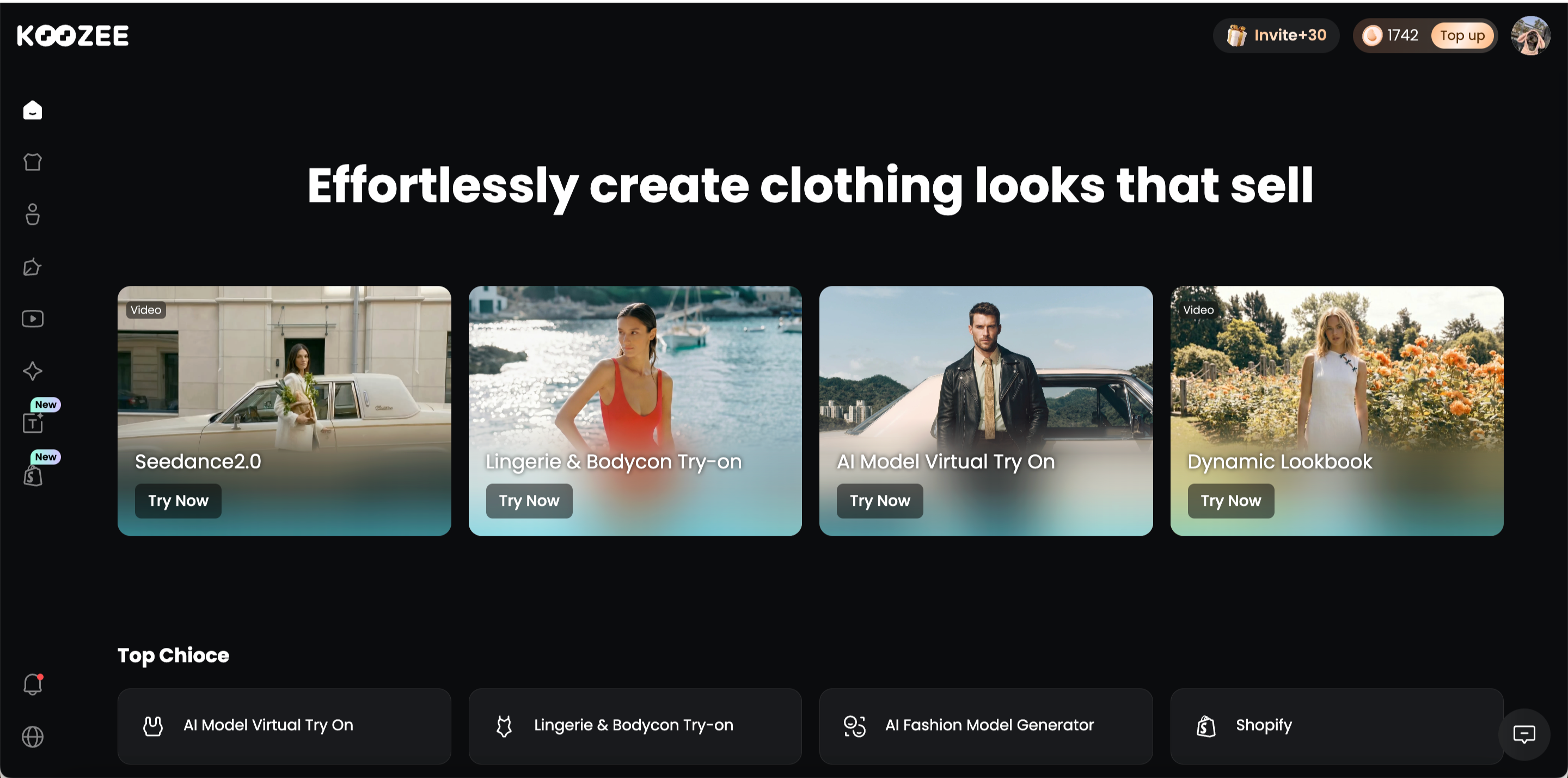
Koozee is an AI visual production platform built specifically for apparel e-commerce. It helps sellers turn existing clothing images into product photos, on-model visuals, model and scene variations, fashion videos, and listing assets. Its core purpose is to support the commercial process of selling clothing online rather than act as a general AI image generator.
Best for:
Shopify, Amazon, and independent apparel sellers.
Fashion brands, factories, and wholesalers with frequent SKU updates.
Sellers across apparel categories, including dresses, tops, outerwear, activewear, lingerie, swim wear, and more.
Key capabilities:
Create core product assets: generate main images, detail shots, flat lays, and ghost-mannequin visuals from clothing photos.
Create on-model images: generate apparel try-on visuals and change the model, scene, pose, angle, or composition.
Extend marketing content: turn approved images into dynamic lookbooks, fit-check videos, OOTD content, short outfit clips, posters, and listing-page visuals.
Connect products: upload product images or connect Shopify, inspect garment structure, prints, and details, then use approved assets across stores, marketplaces, ads, and social channels.
Koozee vs. PhotoRoom
| Capability | Koozee | PhotoRoom |
| Built around apparel selling workflows | ☑️ | ❌ |
| Lingerie, swimwear, and fitted-apparel try-on | ☑️ | ❌ |
| Lookbook, fit-check, and outfit-video workflows | ☑️ | ❌ |
| General editing across many product categories | ❌ | ☑️ |
| Public self-service image API | ❌ | ☑️ |
Strengths:
Product images, on-model visuals, and fashion videos can be created inside one platform.
Try-on, model changes, scene changes, and flat-lay tools are organized around apparel selling.
It covers categories with higher traditional photography barriers, including lingerie and swimwear.
Existing Shopify product images can be reused as production inputs.
Limitations:
Koozee is a relatively new project, and its product pages and capabilities continue to update. Users may need some time to understand new tools and interface changes.
Koozee currently focuses on apparel e-commerce. Dedicated workflows for food, furniture, electronics, and other categories are not yet fully available.
Pixelcut — Best PhotoRoom Alternative for Mobile Product Editing

Overview:
Pixelcut is an AI image and video platform for solo sellers, creators, and small teams. It offers mobile and web tools, with an overall editing experience that feels relatively close to PhotoRoom.
Best for:
Solo sellers who edit most product images on a phone.
Small teams creating marketplace and social content.
Creators who want access to several AI image and video models.
Key capabilities:
Background removal, upscaling, and AI backgrounds.
Virtual try-on and AI fashion models.
Batch exports and team access.
AI image and video generation.
Background removal, enhancement, and try-on APIs.
Pixelcut vs. PhotoRoom
| Capability | Pixelcut | PhotoRoom |
| Mobile and web editing | ☑️ | ☑️ |
| Virtual try-on | ☑️ | ☑️ |
| Broad selection of external AI models | ☑️ | ❌ |
| Self-service developer API | ☑️ | ☑️ |
| Shopify product catalog sync | ❌ | ☑️ |
Strengths:
Existing PhotoRoom users should find the editing model familiar.
Mobile, web, batch, and API workflows are available.
It works well for fast product images and short-form content.
Limitations:
Apparel try-on is one part of a broad creative toolkit.
It lacks PhotoRoom’s Shopify catalog workflow.
Credit use varies between AI models.
remove.bg — Best PhotoRoom Alternative for Background Removal

Overview:
remove.bg remains focused on automatic background removal. It works well as one step inside Photoshop, Canva, an e-commerce system, or an internal automation rather than as a complete product-content platform.
Best for:
Sellers who only need transparent or white backgrounds.
Operations teams processing high image volumes.
Developers adding background removal to an application.
Key capabilities:
Automatic background removal.
Batch high-resolution processing.
Magic Brush adjustments.
API, desktop applications, and plugins.
Basic templates, text, and design elements.
remove.bg vs. PhotoRoom
| Capability | remove.bg | PhotoRoom |
| Automatic background removal | ☑️ | ☑️ |
| Batch processing and API | ☑️ | ☑️ |
| Complete product photography toolkit | ❌ | ☑️ |
| AI fashion models | ❌ | ☑️ |
| Product video generation | ❌ | ☑️ |
Strengths:
The workflow is simple and focused.
Its API, plugins, and desktop tools fit existing systems.
Users do not need to learn a complex design environment.
Limitations:
It cannot replace complete staging, try-on, or video tools.
High-resolution output consumes credits.
Transparent materials and complex edges still need review.
Pebblely — Best PhotoRoom Alternative for Lifestyle Product Photos
Overview:
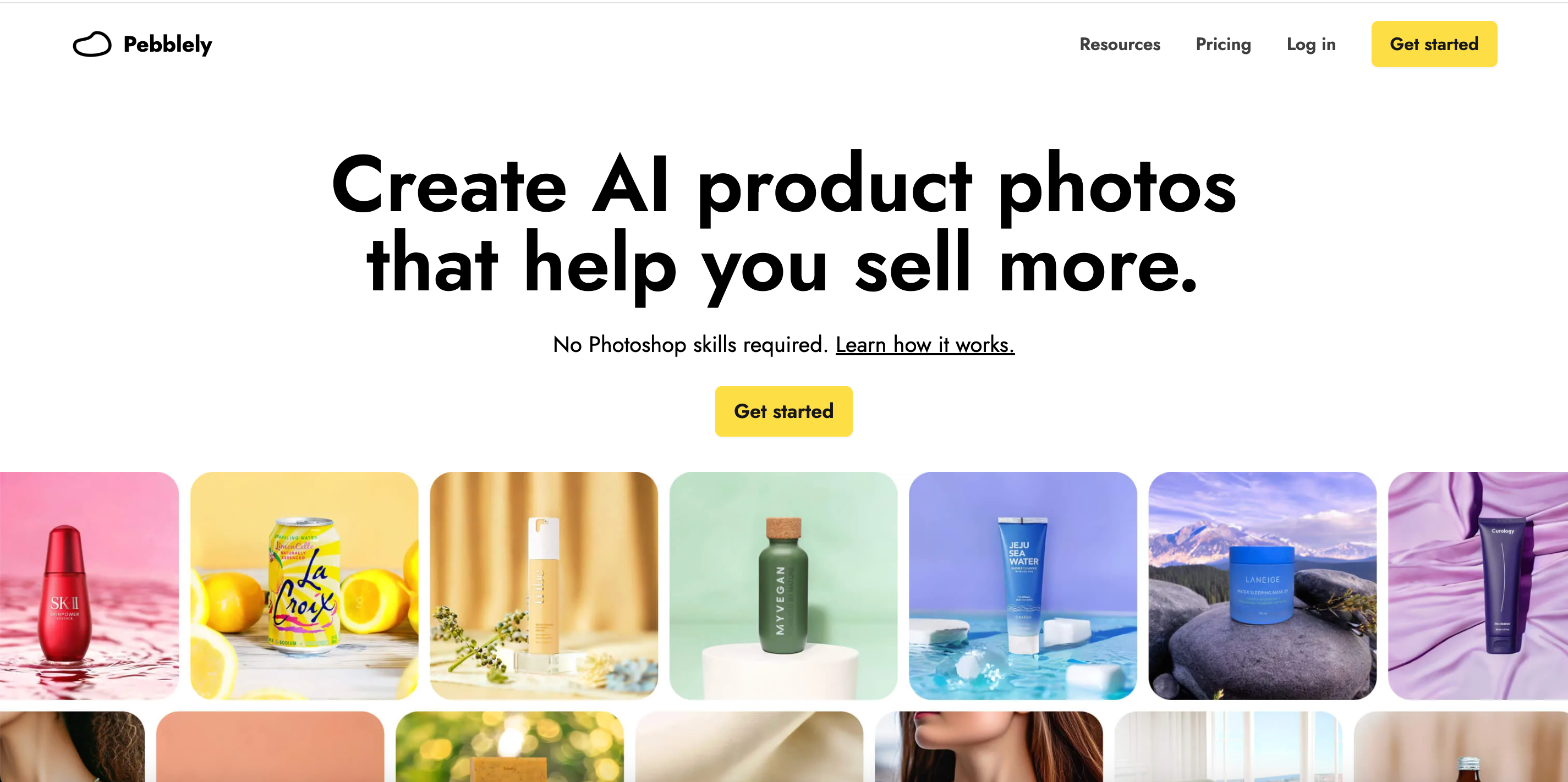
Pebblely focuses on AI product photography and lifestyle scenes. Its current workflow lets users upload a product, describe the required setting, and generate the finished image without manually removing the background first.
Best for:
Beauty, food, jewelry, home, and consumer-product sellers.
Small brands without a lifestyle photography budget.
Marketing teams creating several scenes for one product.
Key capabilities:
AI product-scene generation.
Custom prompts and background themes.
Multi-product bulk generation.
Advertising, social, and website visuals.
Channel-specific product image variations.
Pebblely vs. PhotoRoom
| Capability | Pebblely | PhotoRoom |
| AI lifestyle product scenes | ☑️ | ☑️ |
| Bulk scene generation | ☑️ | ☑️ |
| Full manual image editor | ❌ | ☑️ |
| AI fashion models | ❌ | ☑️ |
| Shopify catalog synchronization | ❌ | ☑️ |
Strengths:
The product-staging process is simple.
It is easy to test several environments for one product.
It suits small brands without studios or physical props.
Limitations:
It does not offer apparel try-on or model management.
It is not a complete brand-design platform.
Packaging text and product details still require review.
Canva — Best PhotoRoom Alternative for Templates and Brand Design

Overview:
Canva is a general visual-design platform covering images, videos, ads, social content, and brand assets. It is more useful for turning product images into complete marketing materials than for specialized product photography.
Best for:
Small brands that rely heavily on marketing templates.
Teams producing images, videos, presentations, and social content.
Marketers managing consistent fonts, colors, and logos.
Key capabilities:
Background removal and AI backgrounds.
Image, video, and campaign templates.
Brand Kits and branded templates.
Magic Resize and bulk creation.
Collaboration and social scheduling.
Canva vs. PhotoRoom
| Capability | Canva | PhotoRoom |
| Ads, posters, and social design | ☑️ | ☑️ |
| Complete general design platform | ☑️ | ❌ |
| Brand Kits and branded templates | ☑️ | ☑️ |
| Product-photography-first workflow | ❌ | ☑️ |
| AI fashion models | ❌ | ☑️ |
Strengths:
It offers a broad range of templates, assets, fonts, and formats.
Teams can maintain visual consistency across channels.
One product asset can be adapted into several marketing formats.
Limitations:
It is not designed specifically for apparel try-on or garment accuracy.
Product catalog management is not its main use case.
Advanced AI allowances depend on the selected plan.
FASHN AI — Best PhotoRoom Alternative for Virtual Try-On and Fashion APIs
Overview:
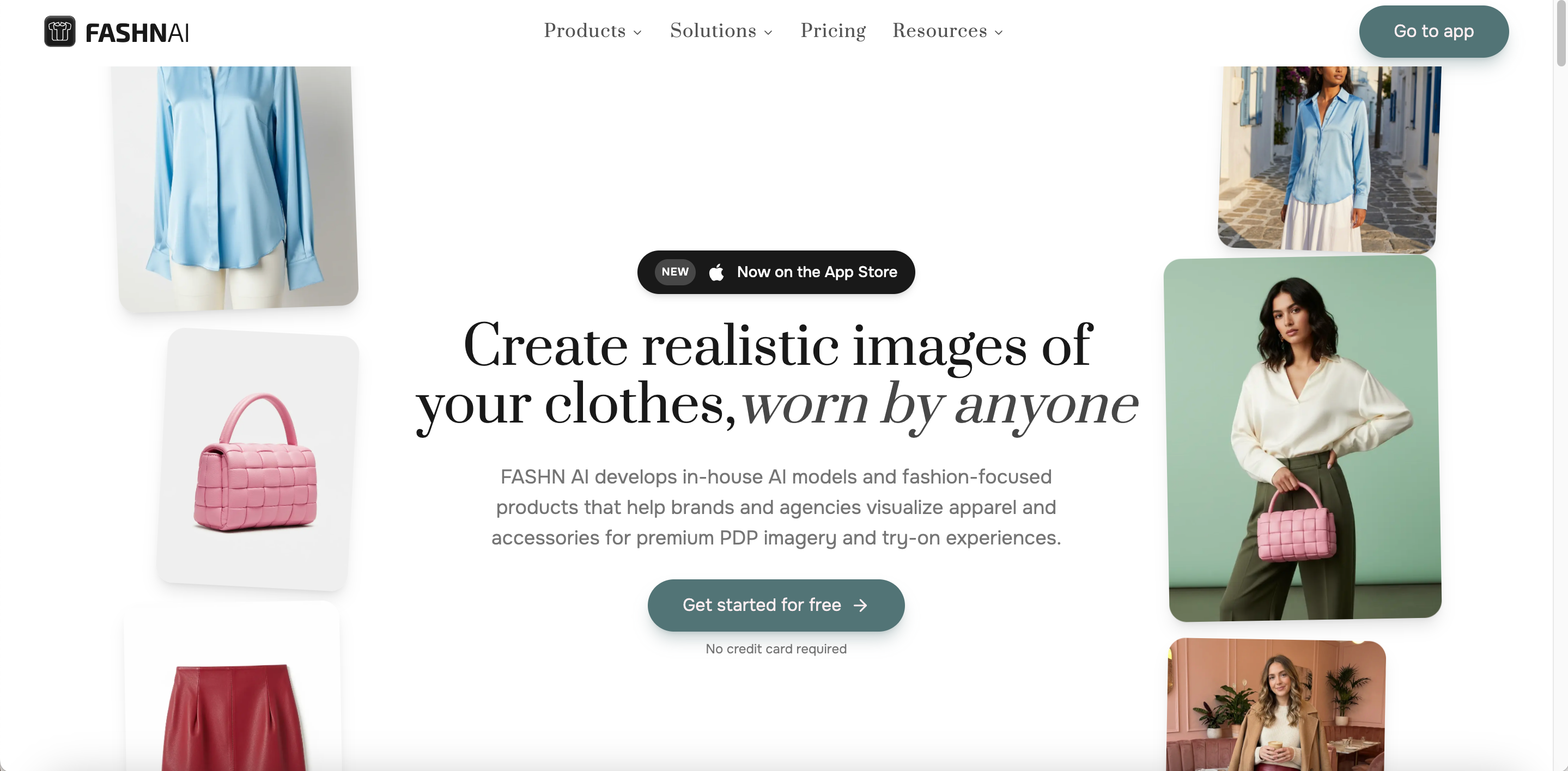
FASHN AI is a fashion AI studio for brands, creative teams, and developers. It focuses on virtual try-on, Product to Model, Model Swap, AI model creation, and developer APIs.
Best for:
Developers adding virtual try-on to a store or application.
Fashion brands that need repeatable model identities.
Teams that prioritize fashion AI infrastructure over design templates.
Key capabilities:
Virtual Try-On.
Product to Model.
Model Swap and AI Model Creation.
Background removal, editing, and reframing.
Fashion image and video APIs.
FASHN AI vs. PhotoRoom
| Capability | FASHN AI | PhotoRoom |
| Dedicated apparel try-on API | ☑️ | ❌ |
| Product to Model API | ☑️ | ❌ |
| Model Swap API | ☑️ | ❌ |
| General brand templates | ❌ | ☑️ |
| Shopify catalog synchronization | ❌ | ☑️ |
Strengths:
Developer capabilities and pricing structures are clearly documented.
Try-on, model swapping, and product-to-model generation solve separate tasks.
It suits teams adding fashion generation to their own products.
Limitations:
It does not offer Canva’s broad design ecosystem.
It lacks PhotoRoom’s native Shopify product management.
Credit use varies by model, resolution, and output settings.
Pic Copilot — Best PhotoRoom Alternative for Cross-Border E-commerce
Overview:
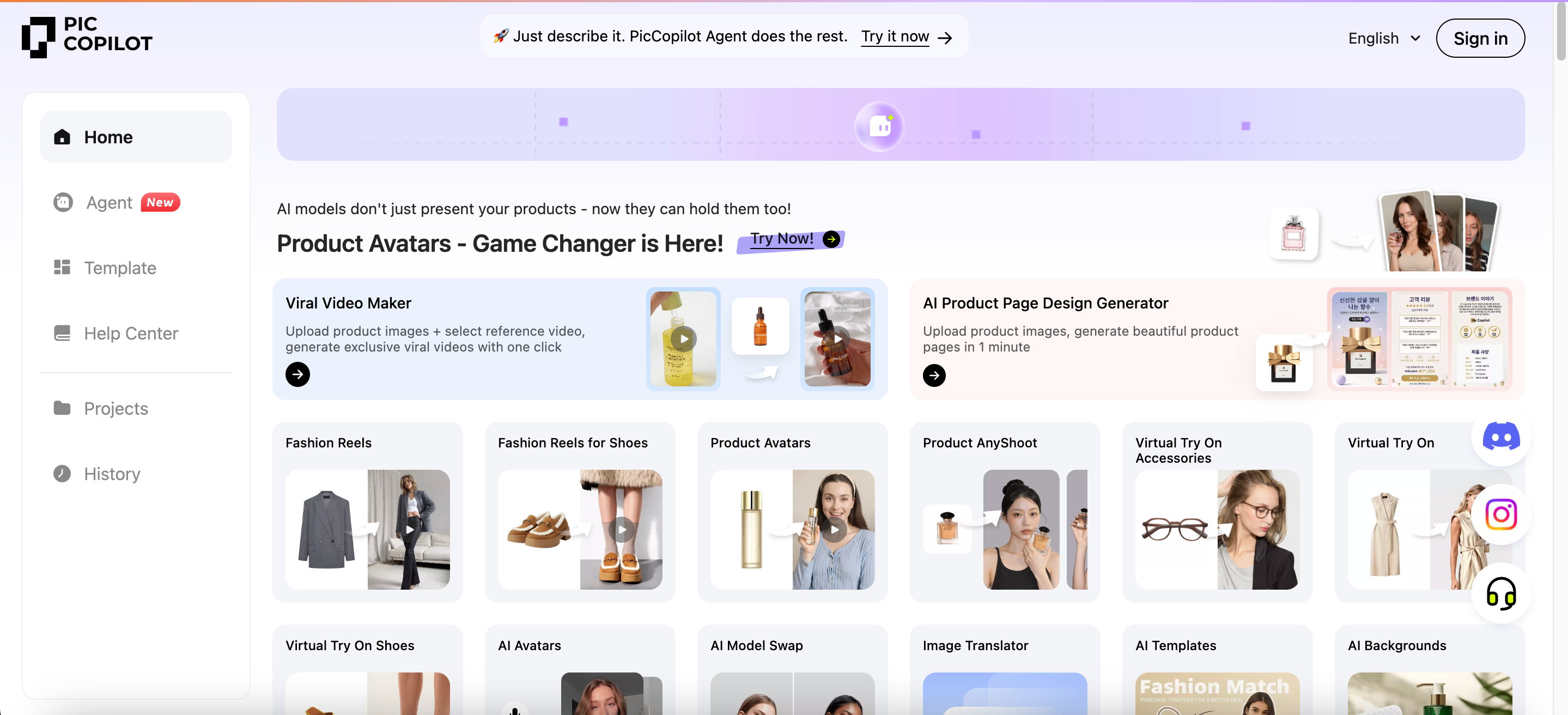
Pic Copilot is an AI product-content platform for cross-border sellers. It combines virtual try-on, AI models, product backgrounds, image translation, marketing templates, and short-form video.
Best for:
Sellers operating across Amazon, Shopify, Etsy, and social platforms.
Cross-border teams translating text inside product images.
Marketers producing model photos, product images, and short videos.
Key capabilities:
Virtual try-on for clothing, shoes, and accessories.
AI Fashion Models and Model Swap.
Fashion Reels and product videos.
Product backgrounds, templates, and style cloning.
Image translation and batch image processing.
Pic Copilot vs. PhotoRoom
| Capability | Pic Copilot | PhotoRoom |
| Virtual try-on and AI models | ☑️ | ☑️ |
| Footwear and accessory try-on | ☑️ | ❌ |
| Text translation inside images | ☑️ | ❌ |
| Cross-border listing templates | ☑️ | ❌ |
| Direct Shopify catalog sync | ❌ | ☑️ |
Strengths:
It covers images, video, translation, and cross-border templates.
Product content can be adapted for several commerce and social platforms.
Image translation is useful for international listings.
Limitations:
The number of tools can make the first workflow less obvious.
Visual style may vary between different generation tools.
Prices, credits, and benefits may change by region or promotion.
Is PhotoRoom Still Worth Using in 2026?
PhotoRoom remains worth considering in 2026. It combines backgrounds, product scenes, brand templates, batch editing, AI fashion models, video, and Shopify assets inside a general e-commerce platform. It is especially practical for sellers working across several product categories.
When You May Not Need a PhotoRoom Alternative
Staying with PhotoRoom may be more practical when:
your main tasks are background removal, white-background images, and simple staging;
your team already has reliable PhotoRoom templates and batch processes;
your catalog covers several unrelated product categories;
you depend on its Shopify, brand, or API features;
the expected benefit does not justify testing and migration costs.
Next step: shortlist two or three tools that match your main use case. Test the same five to ten SKUs and compare usable output rate, correction time, and real production cost before switching.
FAQs
What Is the Best PhotoRoom Alternative?
There is no universal answer. Choose based on your product category, platform, and main production task.
What Is the Best Free PhotoRoom Alternative?
Canva, Pixelcut, and remove.bg offer free access, but advanced tools and output limits vary.
Which PhotoRoom Alternative Is Best for Clothing Brands?
Consider Koozee for apparel content production and FASHN AI for virtual try-on APIs.
Which Tool Is Best for Background Removal?
remove.bg is more focused. PhotoRoom, Pixelcut, and Canva provide broader editing workflows.
Is Canva Better Than PhotoRoom?
Canva is stronger for marketing design. PhotoRoom is more focused on product-image production.
Can PhotoRoom Alternatives Create Virtual Try-On Images?
Yes. Koozee, Pixelcut, FASHN AI, and Pic Copilot offer different types of virtual try-on.