10 Best Virtual Try-on Shopify Apps for Apparel Sellers


You've got new arrivals hitting your Shopify store next week. You need model photos, product page visuals, and maybe a short video for social — but booking a photoshoot for every SKU would drain your budget before you've sold a single piece. That’s why more apparel sellers are looking for Shopify virtual try-on apps — not just for customer interaction, but also for faster product visual production.
Nowadays, virtual try-on has moved from "nice to have" to a conversion necessity. Shoppers expect to see how clothing looks on the body before adding it to the cart. The right virtual try-on app for Shopify allows sellers to create visual content more easily, thus reducing reliance on real-life photography.
We tested the 10 best virtual try-on apps for Shopify and ranked them based on what actually matters for clothing sellers: try-on realism, ease of setup, pricing, and whether the tool handles the apparel categories you actually sell.
Key Takeaways
Best full visual workflow: Koozee goes beyond try-on — it's a complete visual production platform that also generates product videos, listing assets, and syncs directly with your Shopify store.
Best for outfit building: Lit Outfit lets shoppers mix and match pieces into full outfits and preview them on models or their own photos.
Best budget option: Lit Outfit and Try It On Me both offer capable free plans, with paid tiers starting under $10/month.
What to look for: Prioritize AI-based try-on for clothing (not AR), realistic fabric draping, Shopify integration speed, and whether the tool supports your specific apparel categories.
Why Virtual Try-On Matters for Shopify Apparel Sellers
Virtual try-on directly addresses the biggest friction in online clothing sales: the customer can't see how the garment fits. According to Shopify's own data, brands using AR have seen a 3% increase in cart conversion rate, a 40% increase in order conversion rate, and a 5% reduction in return rate in some categories. Here's what a good virtual try-on app delivers:
Higher conversion rates: When shoppers can visualize a garment on their own body shape, hesitation drops. Several apps report 15-30% conversion lifts after adding try-on to the Shopify product pages.
Fewer returns: "Didn't fit" and "Didn't look like the photo" are the top two return reasons for online apparel. Virtual try-on sets better expectations before purchase.
Stronger product pages: A "Try On" button adds an interactive layer that static images can't match, keeping shoppers on your page longer.
Lower content production costs: AI try-on tools can generate model-worn visuals from flat product photos, reducing your dependency on traditional photoshoots.
💡 Pro tip: For soft goods like clothing, AI image-based try-on is usually more practical than basic AR overlays because it can better handle fabric drape, body proportions, and lighting. AR remains useful for rigid categories such as eyewear, jewelry, and accessories.
How We Selected The Best Virtual Try-On Shopify Apps
We evaluated 20+ Shopify virtual try-on apps and narrowed the list to 10 based on criteria that matter most to apparel sellers:
Apparel try-on quality: Does the AI realistically handle fabric, draping, and different garment types — or does it only work for rigid items like eyewear?
Shopify integration: How fast can you install and activate the app in a live store? Does it work with your existing theme and product images?
Category coverage: Does the tool support the apparel categories you actually sell — including fitted garments, lingerie, swimwear, and bodycon styles?
Pricing transparency: Clear, predictable pricing with no hidden per-session fees that surprise you at billing.
Beyond try-on: Does the app offer additional visual capabilities like product videos, listing assets, or scene variations — or is try-on the only feature?
Only apps that delivered consistent, realistic try-on results for clothing made this list.
Quick Comparison Table
| App | Best For | Pricing | Try-On Type | Free Plan |
| Koozee | Full visual workflow (try-on + video + listings) | From $22.9/mo | AI photo | Yes (Free credits) |
| Genlook | Overall AI try-on quality | From $19.99/mo | AI photo | Yes |
| Antla | Quick setup + size charts | From $19.99/mo | AI photo | Free trial |
| Photta | Catalog imagery generation | From $14/mo | AI photo | Yes (Free credits) |
| Lit Outfit | Outfit building & styling | From $8.99/mo | AI photo | Yes |
| Icona | Product page integration | From $14.99/mo | AI photo | Free trial |
| Lookify | Men's & women's apparel | From $19.99/mo | AI photo | Yes |
| Try It On Me | Speed (under 10 seconds) | From $9.99/item | AI photo | Yes |
| FitCheck | Reducing purchase uncertainty | From $25/mo | AI photo | Free trial |
| TryOn Virtual | Hybrid AR + AI approach | From $49/mo | AR + AI | Yes |
1. Koozee — Best Full Visual Production Workflow for Shopify Apparel Sellers
Koozee takes a fundamentally different approach to Shopify virtual try-ons from every other app on this list. Rather than being just a virtual try-on widget, it's a complete AI visual production platform built specifically for apparel e-commerce.
To enable virtual try-on in a Shopify store, you connect your Shopify store, select a product, and Koozee pulls in your existing product images. From there, you can generate AI try-on visuals with different models and body types, change scenes and backgrounds, produce product videos (including viral-style short clips), create dynamic lookbooks, and generate listing page assets — all from the same product photos. When you're happy with the results, preview and publish approved assets directly back to Shopify.
For intimate apparel sellers — lingerie, swimwear, shapewear, bodycon — Koozee is particularly valuable. These categories are expensive to shoot traditionally and often restricted by general-purpose AI tools. Koozee is especially relevant for legitimate ecommerce visualization of intimate apparel, swimwear, bodycon, and fitted garments. The focus should stay on product presentation, not adult content generation.
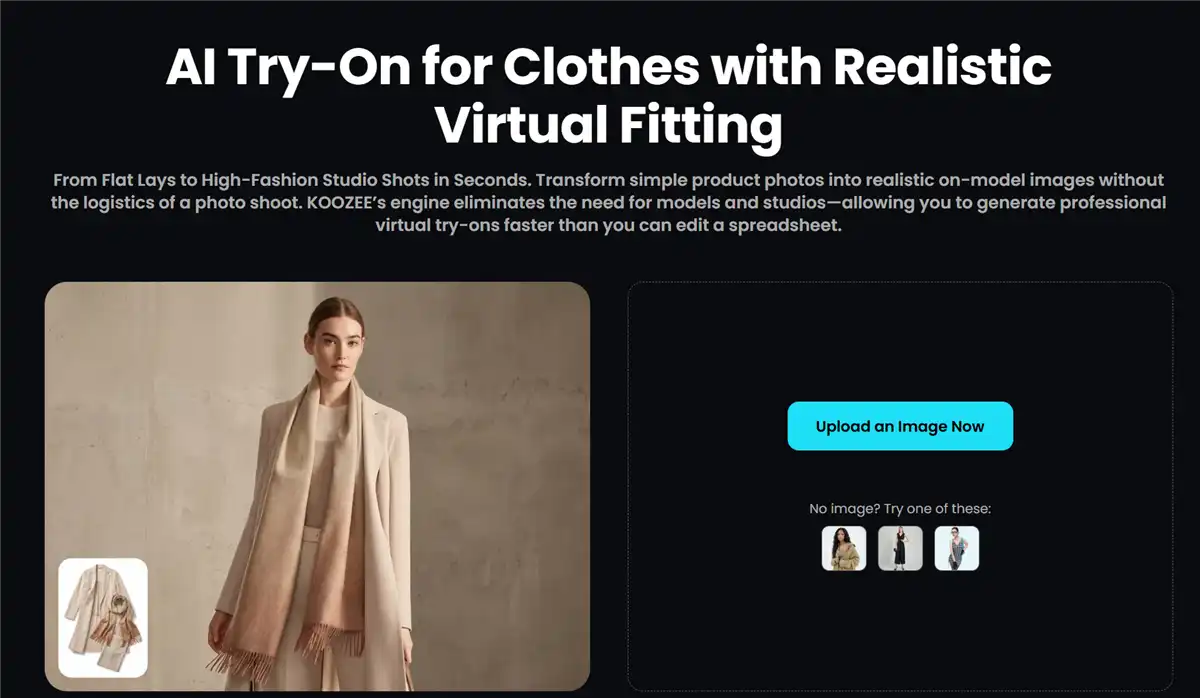
Key features of Koozee:
AI apparel try-on with multiple models, scenes, and pose variations.
Strong fit for lingerie, swimwear, bodycon, and fitted apparel workflows, with final review recommended.
Product video generation, including viral video clones and dynamic lookbooks.
Shopify store connection — connect your store, reuse existing product images, generate model photo sets and fashion videos, then publish approved assets back to Shopify.
Listing page asset creation, campaign posters, and image enhancement tools.
Pricing: 30 free credits available to start. Paid plans start from $22.9/month or $14.9 for 300 credits.
Best for: Shopify apparel sellers who need more than just a try-on button — especially those selling lingerie, swimwear, or fitted clothing who want try-ons, product videos, and listing assets produced in one connected workflow.
Limitations: If all you need is a lightweight try-on widget and you already have your videos and listing images handled elsewhere, Koozee may offer more than you need. It's built for sellers who want to consolidate visual production, not just add a single feature.
💡 Pro tip: Koozee's Shopify sync is the biggest time-saver here. Instead of downloading images, editing them in external tools, renaming files, and re-uploading, you work directly with your Shopify product images inside Koozee and publish only what you approve of.
2. Genlook — AI-powered Virtual Try-On App for Apparel
Genlook has emerged as a reliable AI virtual try-on app on the Shopify App Store, and for good reason. It focuses exclusively on generating realistic try-on images — no distracting extras, no half-baked AR gimmicks.
Upload a product photo, and Genlook's AI renders it onto a shopper's uploaded body photo or a selected model. The draping, lighting, and fabric rendering are consistently among the best we tested. It handles everything from loose dresses to fitted tops without the uncanny-valley effect that plagues lesser tools.
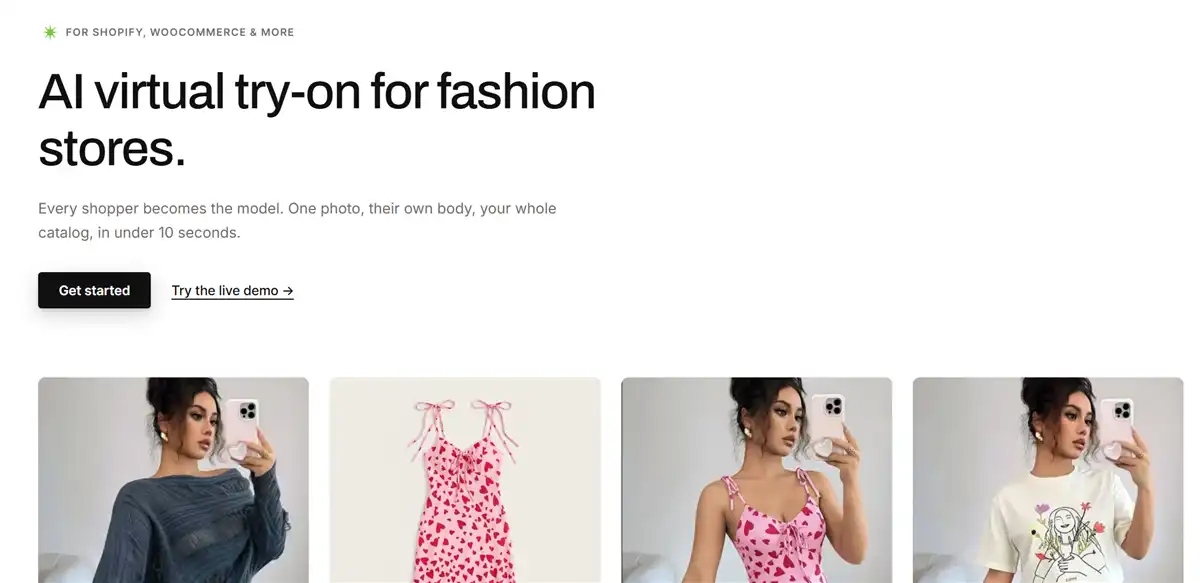
Key features of Genlook:
AI-generated try-on images from standard 2D product photos.
Works across dresses, tops, bottoms, outerwear, and fitted garments.
Clean Shopify theme integration — install and activate in minutes.
Analytics dashboard to track try-on usage and conversion impact.
Pricing: Free plan available with 10 monthly try-ons. Starter pack from $19.99/month.
Best for: Shopify apparel sellers who want the most reliable standalone AI try-on widget with minimal setup friction.
Limitations: Genlook is strictly a try-on tool — it doesn't generate product videos, listing page assets, or other visual content. You'll need separate tools for those workflows.
3. Antla — Quick Setup with Size Chart Integration
Antla takes a practical approach to Shopify virtual try-on by pairing AI visualization with size recommendations. When a shopper uses the try-on feature, Antla also cross-references the garment's size chart with the customer's measurements — addressing both the "how it looks" and "will it fit" questions in one interaction.
Setup is straightforward: install the app, upload your product images, and configure your size charts. The try-on widget appears on your product pages with minimal theme customization needed.
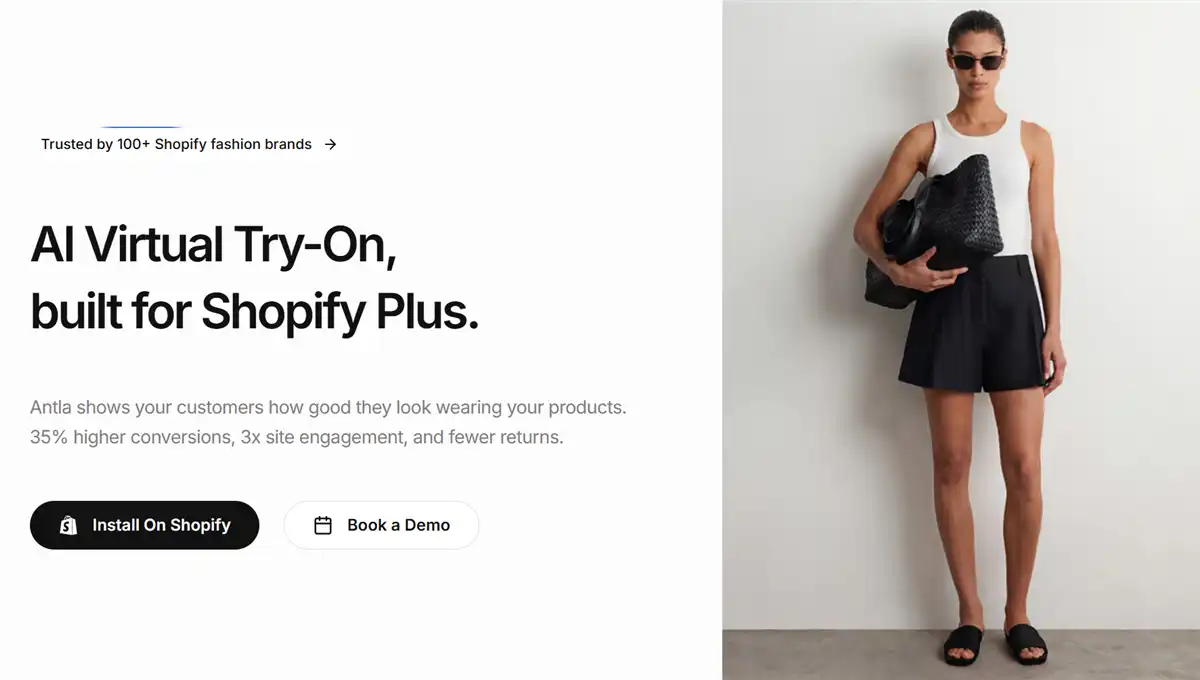
Key features of Antla:
An AI try-on that renders clothing onto shopper photos.
Built-in size chart integration for fit confidence.
Quick rollout — most stores go live within an hour.
Supports standard apparel categories.
Pricing: 7-day free trial available. Paid plan starts from $19.99/month.
Best for: Apparel sellers who want both visual try-on and size guidance without managing two separate apps.
Limitations: The size chart feature requires accurate measurement data from your side. If your size charts aren't well-maintained, the dual value proposition weakens.
4. Photta — Studio-quality Photos on Virtual Models
Photta positions itself as a versatile AI try-on tool for Shopify that works across both apparel and accessories, making it a solid choice for stores that sell clothing alongside jewelry, bags, or eyewear.
Where Photta shines is in catalog-scale generation. If you need to produce try-on visuals for a large product catalog quickly, its batch-friendly workflow helps. It can also generate catalog-style imagery beyond just try-on — useful for lookbooks and collection pages.
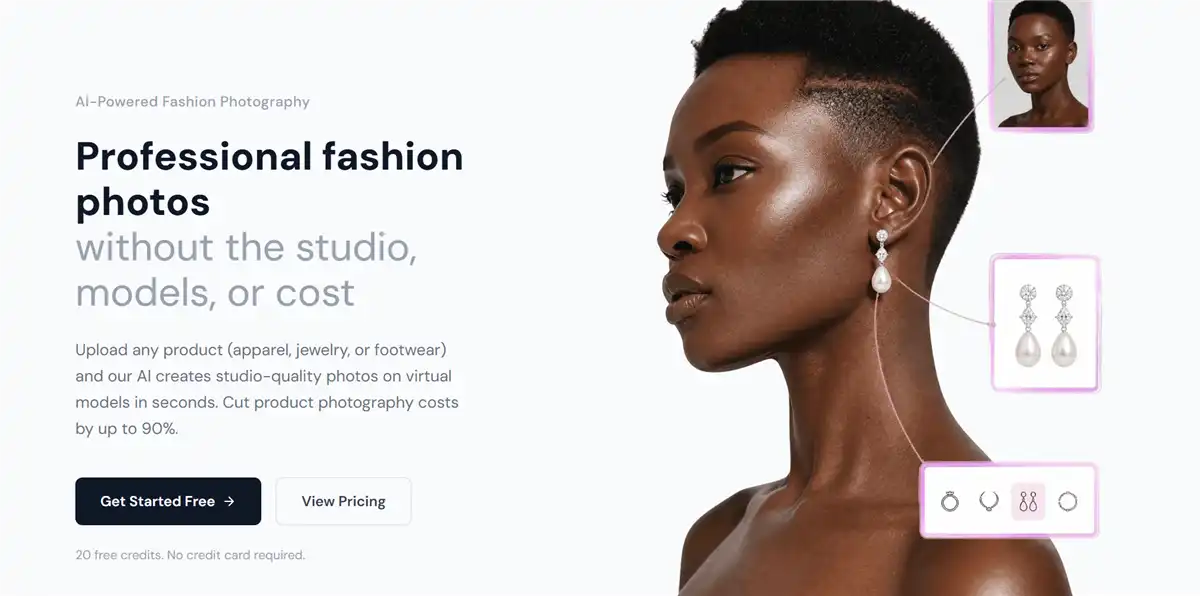
Key features of Photta:
AI try-on across apparel and accessories.
Catalog-scale image generation.
Supports standard 2D product photo inputs.
Clean widget integration for Shopify themes.
Pricing: 20 free credits available to start. Paid plans start from $14/month.
Best for: Multi-category Shopify stores that sell apparel plus accessories and need one try-on tool for everything.
Limitations: Photta's try-on quality for complex garments (draped fabrics, layered outfits) doesn't quite match the top-tier apparel-only tools. It's a jack-of-all-trades, but specialists handle tricky clothing categories better.
5. Lit Outfit — Outfit Building and Styling
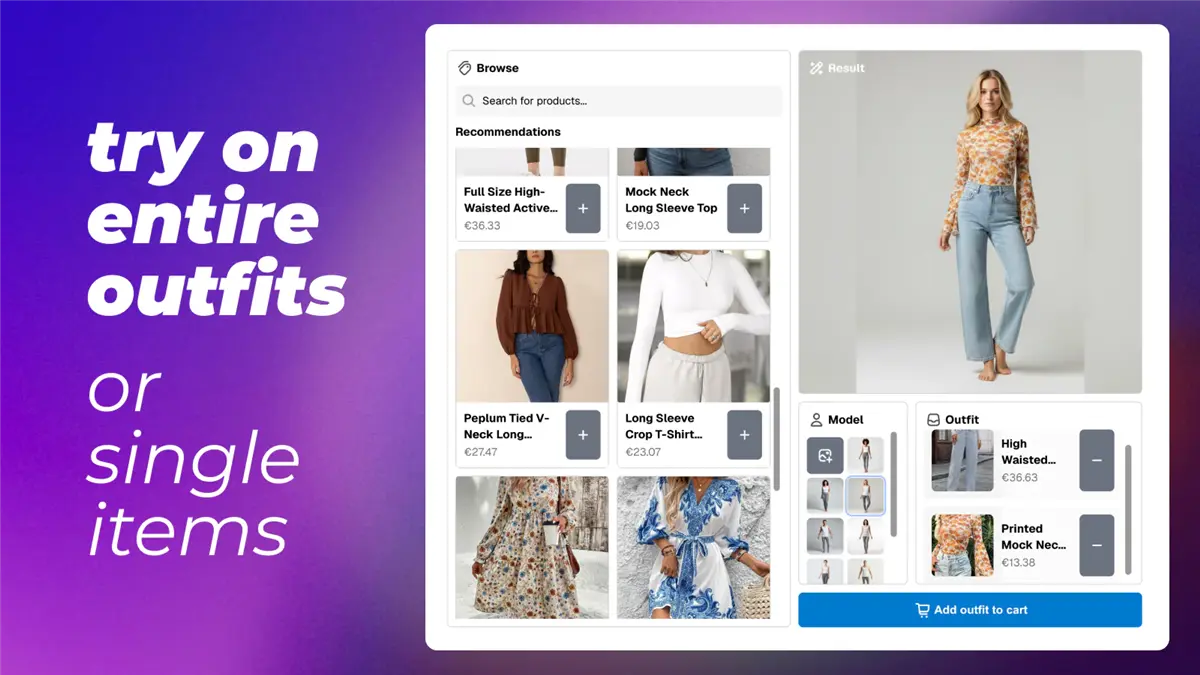
Lit Outfit takes virtual try-on in a different direction: instead of just showing one garment, it lets shoppers build full outfits by combining pieces from your store. A customer can pair your top with your bottoms, add accessories, and preview the complete look on a model or their own uploaded photo.
This outfit-building angle is powerful for apparel stores because it naturally increases average order value — when a shopper sees how three pieces work together, they're more likely to buy all three.
Key features of Lit Outfit:
AI outfit builder — shoppers mix and match products.
Try-on previews on models or customer-uploaded photos.
Clean, modern widget design.
Affordable entry-level pricing.
Pricing: Free plan available. Paid plans from $8.99/month.
Best for: Apparel brands that sell coordinating pieces and want to encourage multi-item purchases through outfit visualization.
Limitations: Individual garment try-on quality is decent but not best-in-class. The real value is in the outfit combinations, so if you sell mostly standalone pieces, other apps may deliver better single-garment results.
6. Icona — Seamless Product Page Integration
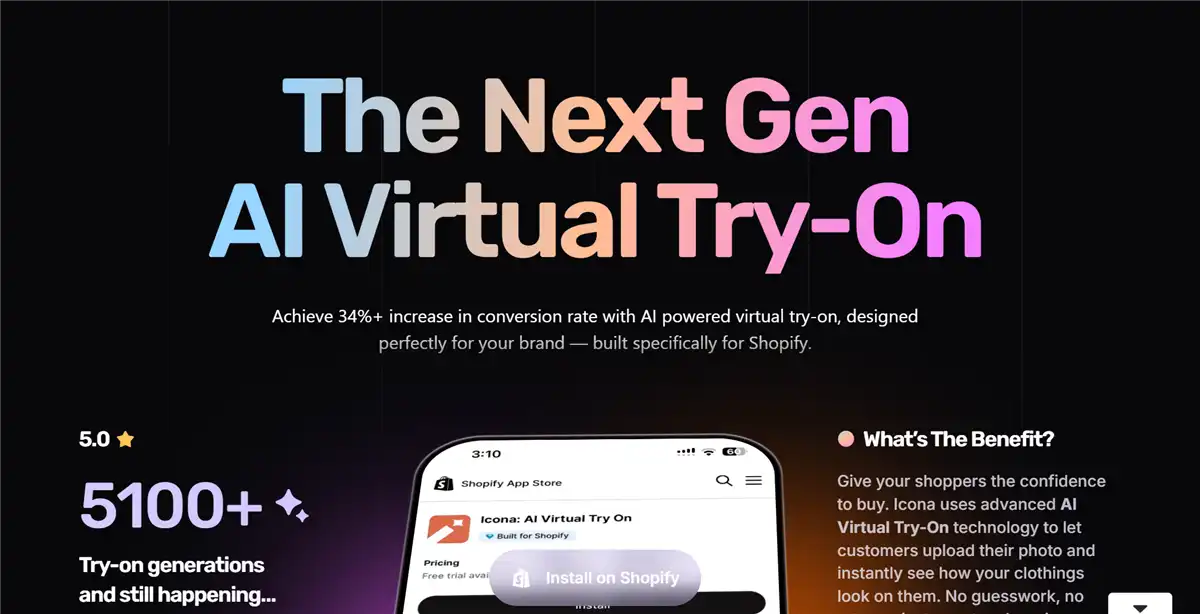
Icona focuses on making the try-on experience feel native to your product page. The "Virtual Try-On" button integrates directly into your existing product page layout, and shoppers can upload a photo and see results without leaving the page or navigating to a separate interface.
This friction-free approach matters: every extra click between "I'm interested" and "I can see it on me" costs conversion. Icona keeps the entire experience on the product page.
Key features of Icona:
Inline product page try-on — no separate window or pop-up.
AI-generated try-on from shopper-uploaded photos.
Quick Shopify theme integration.
Clean, brandable widget design.
Pricing: From $14.99/month with a 7-day free trial.
Best for: Shopify stores where conversion rate optimization is the top priority and you want to minimize every possible friction point in the try-on flow.
Limitations: Icona is a focused try-on tool. It doesn't offer video generation, listing assets, or broader visual production features. If you want those capabilities, you'll need additional tools.
7. Lookify — Realistic Men and Women's Apparel
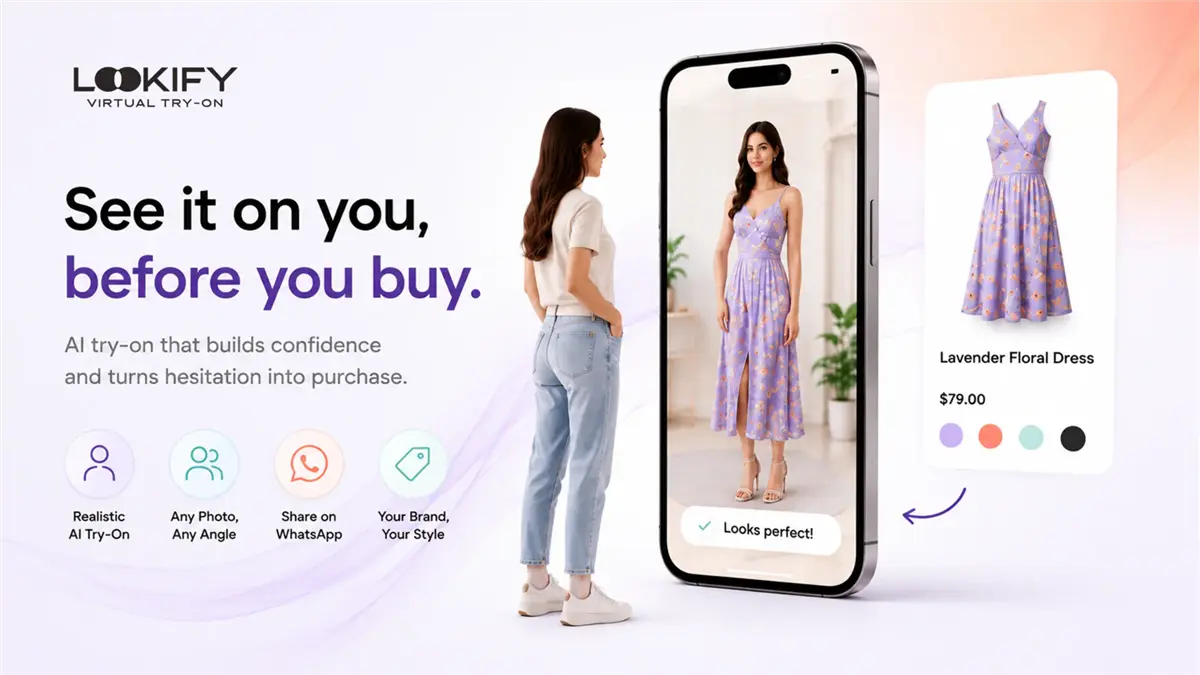
Lookify has carved out a niche by delivering consistently realistic try-on results across both men's and women's apparel — a category range that some AI tools struggle with, especially for structured menswear like blazers and button-downs.
The app generates instant outfit previews from a quick photo upload, and the rendering quality is notably good for fitted garments where other tools sometimes produce distorted or unnatural results.
Key features of Lookify:
AI try-on for men's and women's apparel.
Realistic rendering for structured garments (blazers, dress shirts, coats).
Quick photo-upload workflow for shoppers.
Supports standard apparel categories.
Pricing: Free plan available. Paid plans from $19.99/month.
Best for: Shopify stores selling structured menswear, womenswear, or both — where realistic fit visualization is critical.
Limitations: Lookify's Shopify integration is solid but not as polished as some competitors. Expect a bit more configuration work during initial setup compared to apps like Genlook or Icona.
8. Try It On Me — Fast Speed Virtual Try-on
Try It On Me is another recommended Shopify virtual try-on app that has optimized its AI pipeline to deliver try-on previews in under 10 seconds. It is significantly faster than most competitors, which typically take 15-30 seconds per render.
For mobile shoppers in particular, that speed difference matters. A shopper browsing on their phone who has to wait 25 seconds for a try-on result is far more likely to bounce than one who sees results in 8 seconds. Try It On Me makes the experience feel nearly instant.

Key features of Try It On Me:
AI try-on results in under 10 seconds.
Supports standard apparel categories.
Free plan with generous limits.
Mobile-optimized widget.
Pricing: Free plan available. Paid plans from $9.99/item.
Best for: Mobile-first Shopify stores where page speed and try-on responsiveness directly impact conversion.
Limitations: Speed is the primary advantage. Try-on realism is good but not the absolute best — Genlook and Koozee edge ahead on rendering quality, especially for complex fabrics.
9. FitCheck — Best for Reducing Purchase Uncertainty
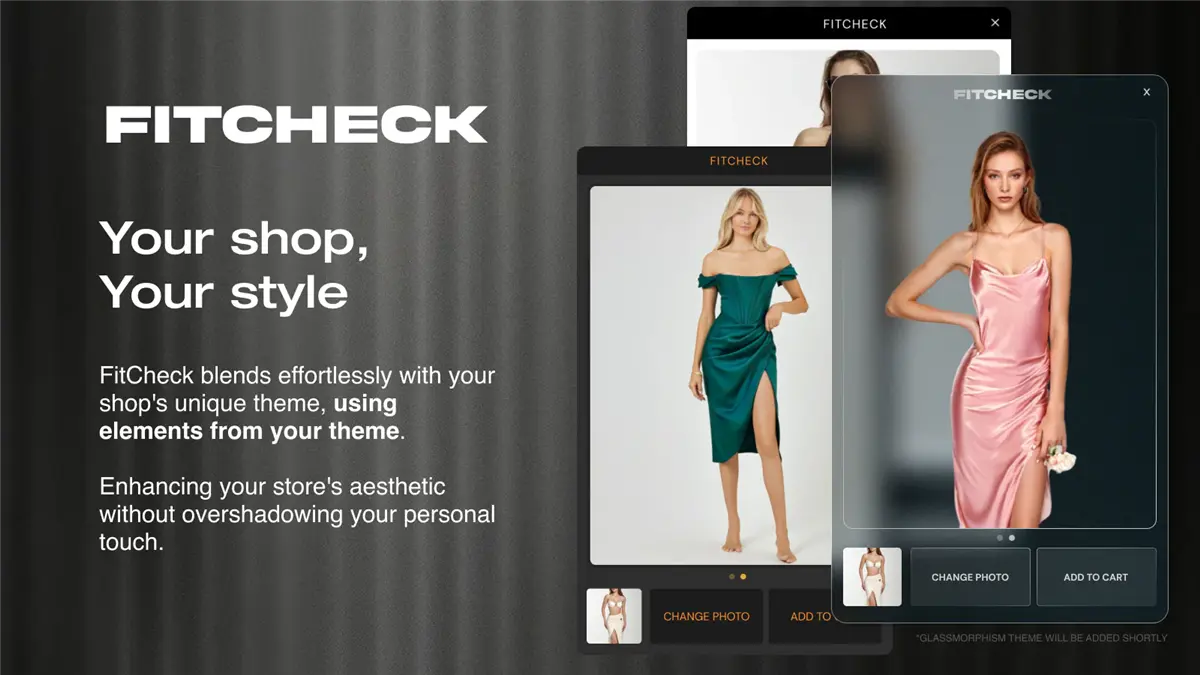
FitCheck focuses on one core promise: removing the uncertainty that stops shoppers from clicking "buy." Its AI try-on widget is designed to give customers enough visual confidence to make the purchase decision, with a simple, no-frills interface that prioritizes function over flash.
The app takes a shopper's uploaded photo and renders the garment onto it, showing a realistic preview of how the item would look when worn. It's straightforward, effective, and doesn't try to do more than it needs to.
Key features of FitCheck:
Clean, simple AI try-on widget.
Shopper photo upload and garment rendering.
Focused on purchase confidence, not gimmicks.
Compatible with standard Shopify themes.
Pricing: Free trial available for 25 try-ons. Paid plans from $25/month.
Best for: Shopify stores where the primary goal is reducing "I'm not sure how this will look" hesitation — especially for higher-priced items where purchase anxiety runs higher.
Limitations: FitCheck is a single-purpose tool. If you want outfit building, video generation, or broader visual production, you'll need to look elsewhere on this list.
10. TryOn Virtual — Best Hybrid AR + AI Approach
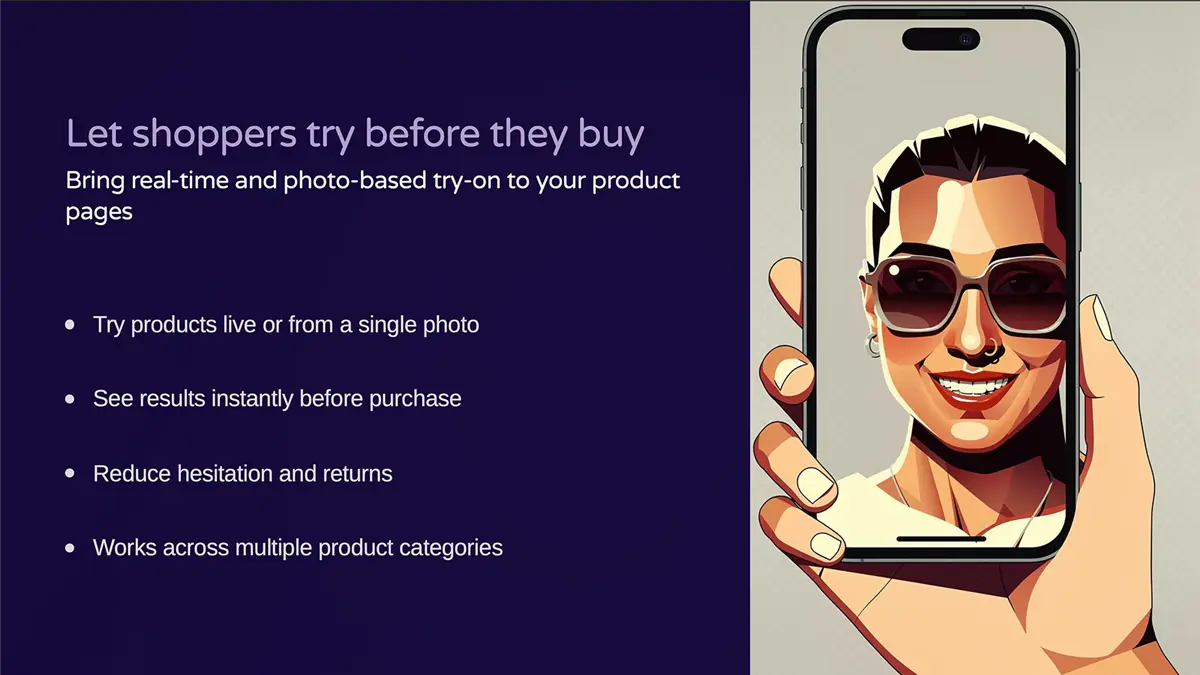
TryOn Virtual takes a hybrid approach, combining real-time 3D AR for specific product categories with AI-powered photo try-ons for everything else. This makes it the most flexible option for stores selling across multiple categories — AR for eyewear and accessories, AI for clothing.
The app includes both a live camera AR mode (shoppers see themselves in real time) and an AI photo mode (upload a photo, see the result). This dual approach covers more ground than technology alone.
Key features of TryOn Virtual:
Real-time 3D AR try-on for rigid products (eyewear, accessories).
AI photo try-on for apparel and soft goods.
Both modes are in a single Shopify app.
Free plan available.
Pricing: Free trial with 50 try-ons monthly. Paid plans from $49/month.
Best for: Shopify stores that sell clothing alongside accessories like sunglasses, jewelry, or watches — where one app can handle both try-on needs.
Limitations: The AR mode for clothing is limited — it works best for rigid items. For apparel specifically, the AI mode is what you'll actually use, and at $49/month for paid plans, there are more affordable AI-only options that deliver comparable clothing try-on quality.
How to Choose the Right Virtual Try-On App for Your Shopify Store
With 10 solid options, here's how to narrow it down based on what your store actually needs:
If you need try-on plus videos, listing assets, and Shopify sync:
Koozee (#1) is the only app on this list that covers the full visual production workflow — try-ons, product videos, lookbooks, and listing pages — all connected to your Shopify products.
If you want the simplest standalone try-on widget:
Choose Genlook, Antla, Icona, Lookify, or another focused Shopify try-on app.
If you want try-on plus visual production:
Choose Koozee. It is better for sellers who need model try-ons, model/scene variations, product videos, lookbooks, listing visuals, and Shopify product image workflows in one place.
If you're on a tight budget:
Lit Outfit (#5) starts at $8.99/month with a free plan, and Try It On Me (#8) offers a generous free tier.
If you sell multi-category (apparel + accessories):
Photta (#4) handles both, and TryOn Virtual (#10) offers AR for rigid items alongside AI for clothing.
If conversion rate is your top metric:
Icona (#6) keeps try-on on the product page with zero navigation friction, and FitCheck (#9) focuses entirely on reducing purchase hesitation.
Conclusion: Finding the Right Virtual Try-On App for Your Shopify Store
The virtual try-on apps for Shopify have matured significantly in 2026. AI-powered try-on is a practical, affordable feature that directly impacts how apparel shoppers make purchase decisions. If you're an apparel seller constantly juggling photoshoots, product videos, listing updates, and Shopify image management, a platform like Koozee that consolidates all of that into one workflow can eliminate more friction than a try-on button alone. But if you already have your product visuals handled, a standalone VTO widget like Genlook might be the perfect fit.
The common thread across every app on this list is that they all work with your existing product photos — no 3D modeling, no special equipment, no studio required. That means the barrier to entry is lower than ever. Pick one, test it with a handful of products, and watch how your shoppers respond. The data will tell you more than any list can.
FAQ: Best Virtual Try-On Apps for Shopify
What's the difference between AI try-on and AR try-on for clothing?
AI try-on uses generative AI to analyze a product photo and a person's body shape, then renders the garment onto the person pixel by pixel. AR (augmented reality) overlays 3D models onto a live camera feed — which works well for rigid items like eyewear but struggles with the fluid physics of clothing.
Do virtual try-on apps actually reduce returns?
Yes, when implemented well, virtual try-on helps set realistic expectations about how a garment looks when worn. Several Shopify apps report measurable return rate reductions after adding try-on to product pages, though exact numbers depend on your product category, photography quality, and how prominently you feature the try-on option.
Can I use my existing product photos for virtual try-on?
Yes, most AI try-on apps work well with standard 2D product photos — flat lays, ghost mannequin images, or on-model shots. You typically don't need special photography equipment or 3D models. The quality of your input photos does affect output quality, so clear, well-lit product images produce the best results.
Which virtual try-on app works best for lingerie and swimwear?
Koozee is purpose-built for intimate apparel categories, including lingerie, swimwear, and bodycon. Many general-purpose AI try-on tools either restrict these categories or produce unrealistic results because they weren't trained on fitted garment data. If you sell in these categories, choose a tool that explicitly supports them.
Are there free virtual try-on apps for Shopify?
Yes, Koozee, Genlook, and TryOn Virtual offer free plans with limited try-ons. These free tiers are great for testing before committing, though you'll likely need a paid plan for regular use on an active store.
How long does it take to set up a virtual try-on app on Shopify?
It depends on which app you choose. On average, setting up a virtual try-on app on Shopify takes 5-30 minutes. According to our test, it takes less than 10 minutes to set up Koozee for Shopify virtual try-ons.
Does virtual try-on work on mobile?
Yes, all the apps listed here are mobile-responsive. In fact, mobile is where virtual try-on matters most, since the majority of apparel browsing now happens on phones. Look for apps that prioritize mobile speed.
You May Be Interested

9 Best WooCommerce Virtual Try-On Plugins (2026)

12 Best Virtual Try-On Apps for E-Commerce (2026)

6 Best Virtual Try-On Apps for Swimwear in 2026
