AI Ghost Mannequin Generator | Turn Flat Clothing Photos into Ghost Mannequin Images
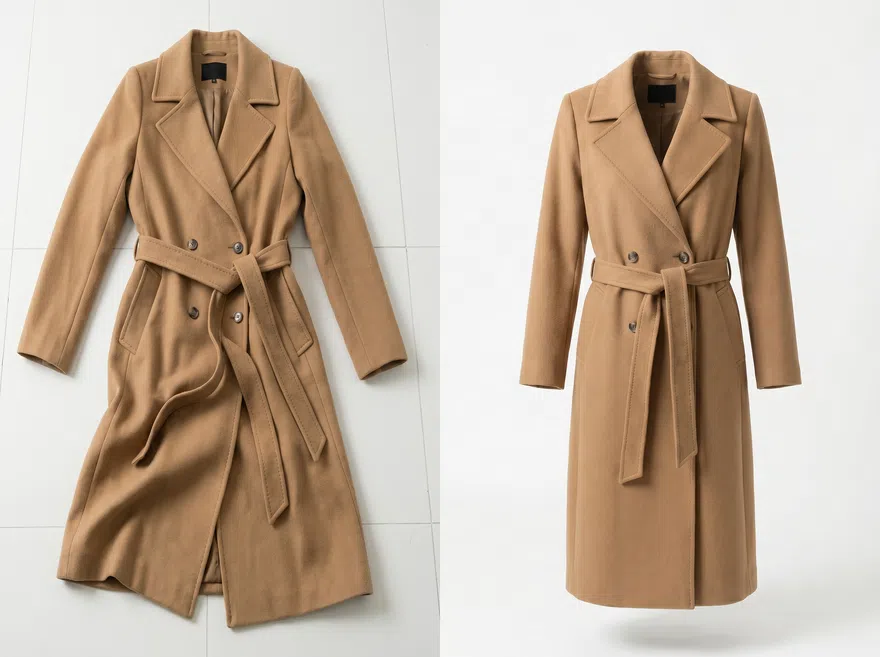
AI Ghost Mannequin Tool Built for Fashion eCommerce
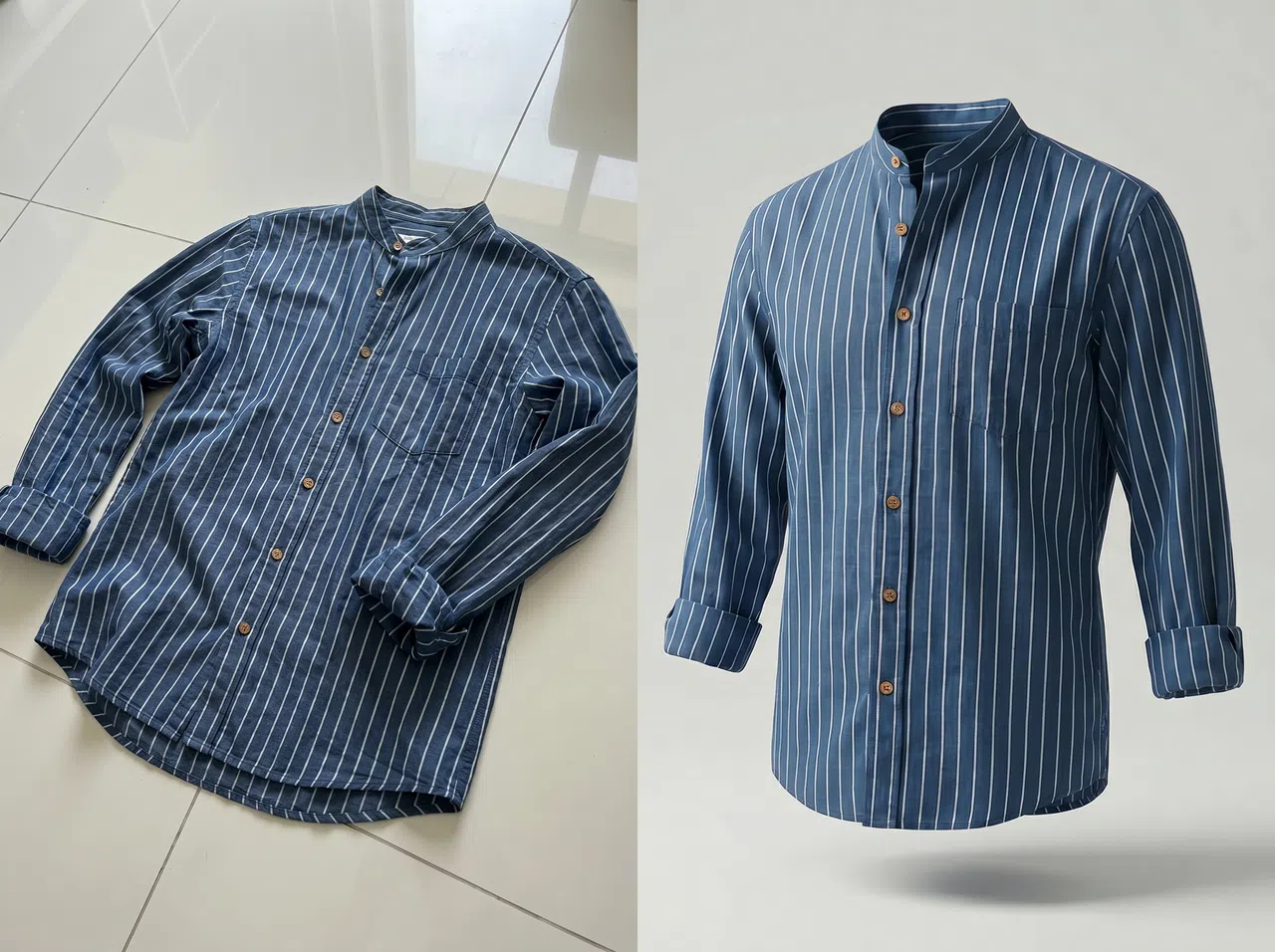
Cut Photography Costs and Improve Product Conversions
KOOZEE turns flat lay and hanger photos into ghost mannequin images with natural shadows and clean white backgrounds. Every product looks consistent and professional — which keeps shoppers on the page longer and helps convert more browsers into buyers. Compared to traditional model photography, KOOZEE reduces your per-image cost by 99% and gets images done in seconds instead of days.
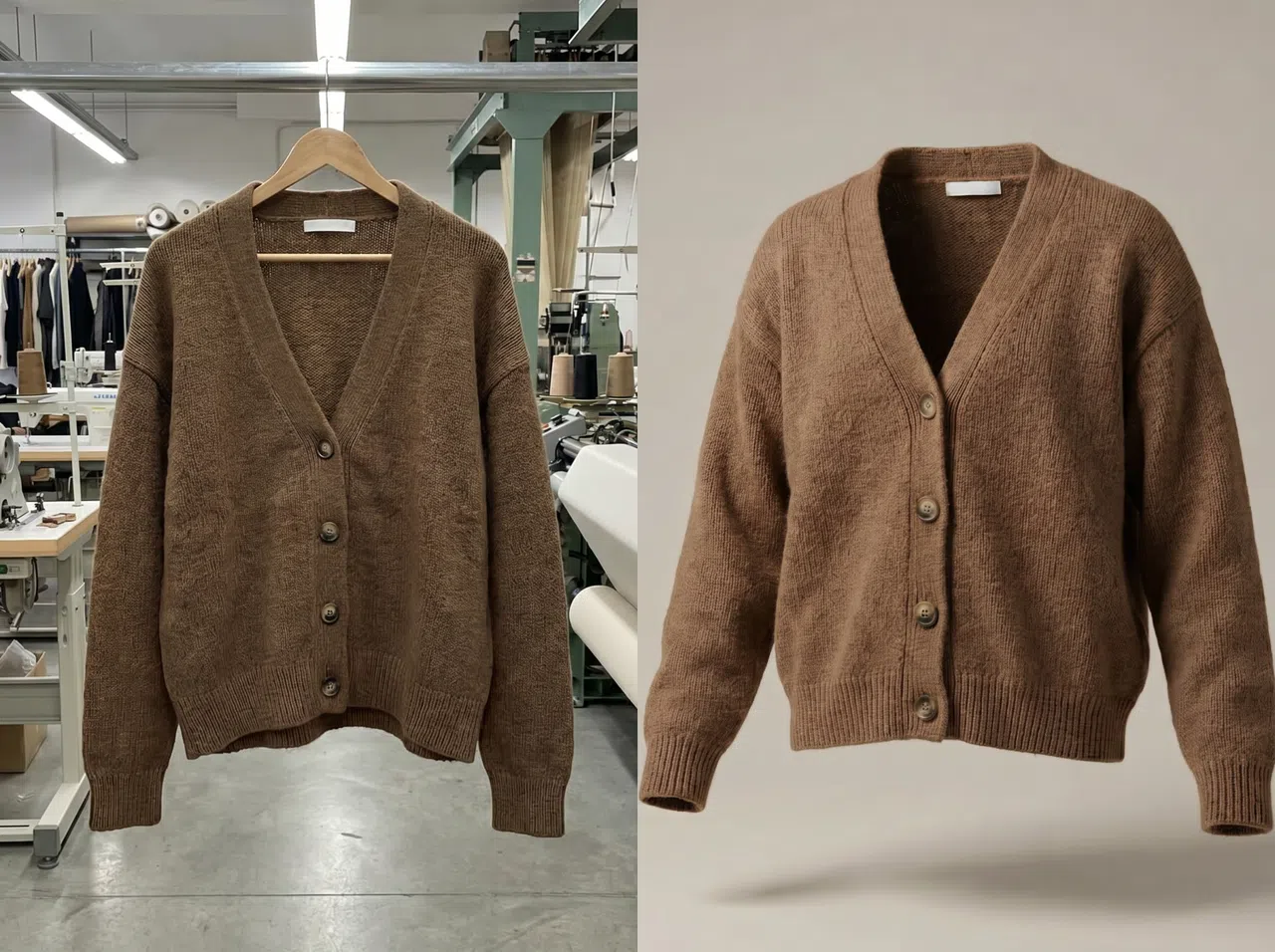
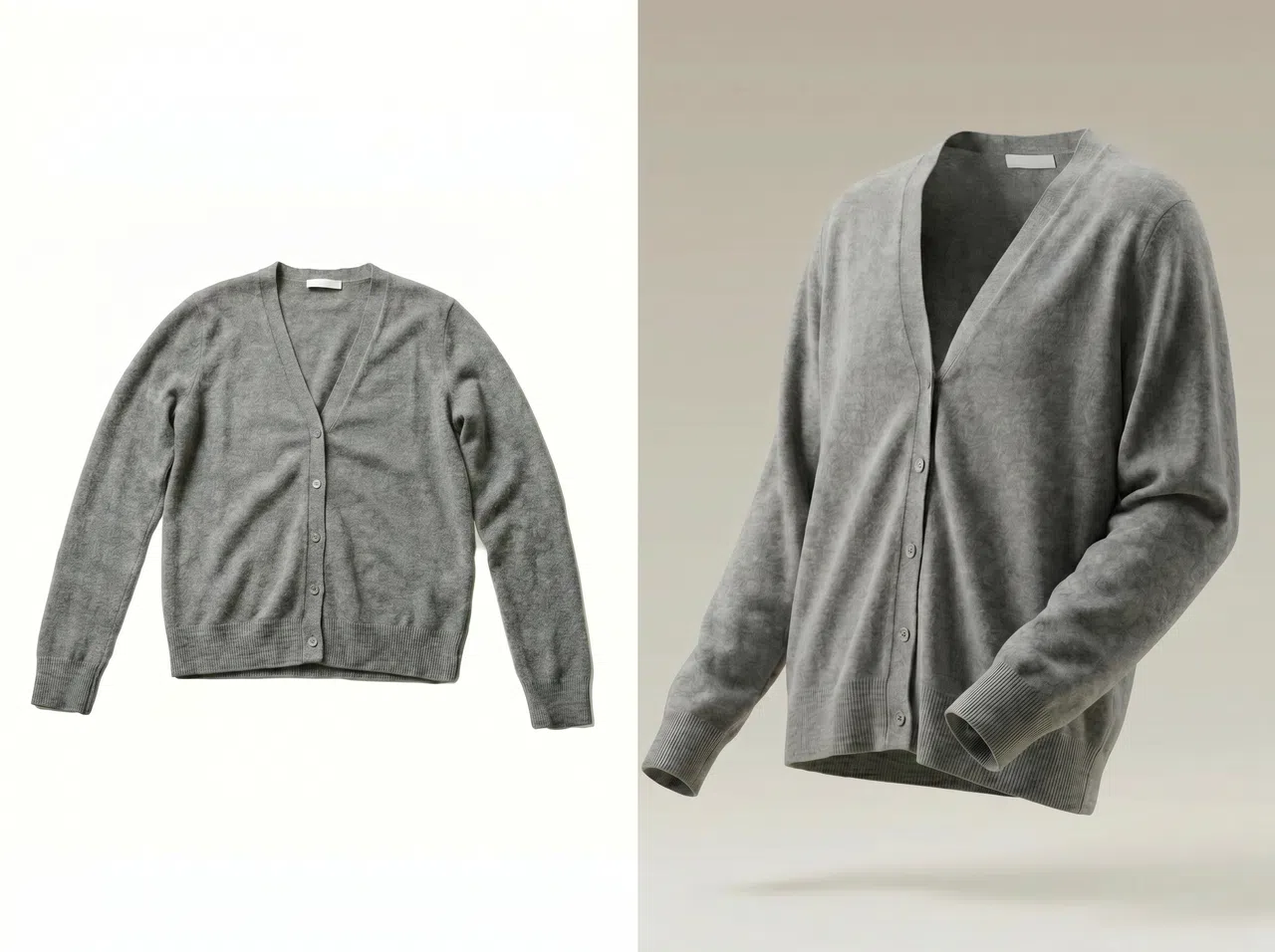
Professional Ghost Mannequin Images from Everyday Clothing Photos
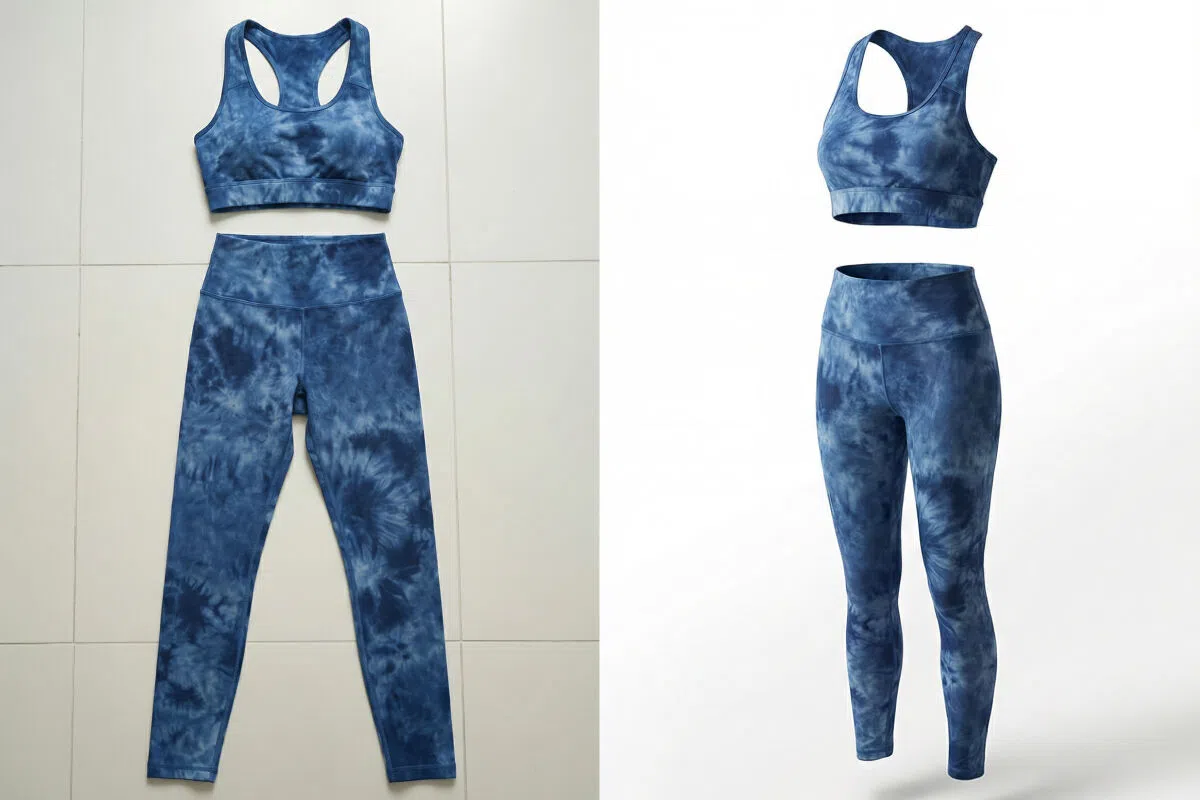
One-Click Invisible Mannequin Photo Editing
Upload the front and back photos of your garment. KOOZEE automatically detects the clothing outline, removes the background, and fills in the neckline, sleeves, and other key areas to create a complete ghost mannequin image. No Photoshop, no manual masking, no compositing — just upload and download.
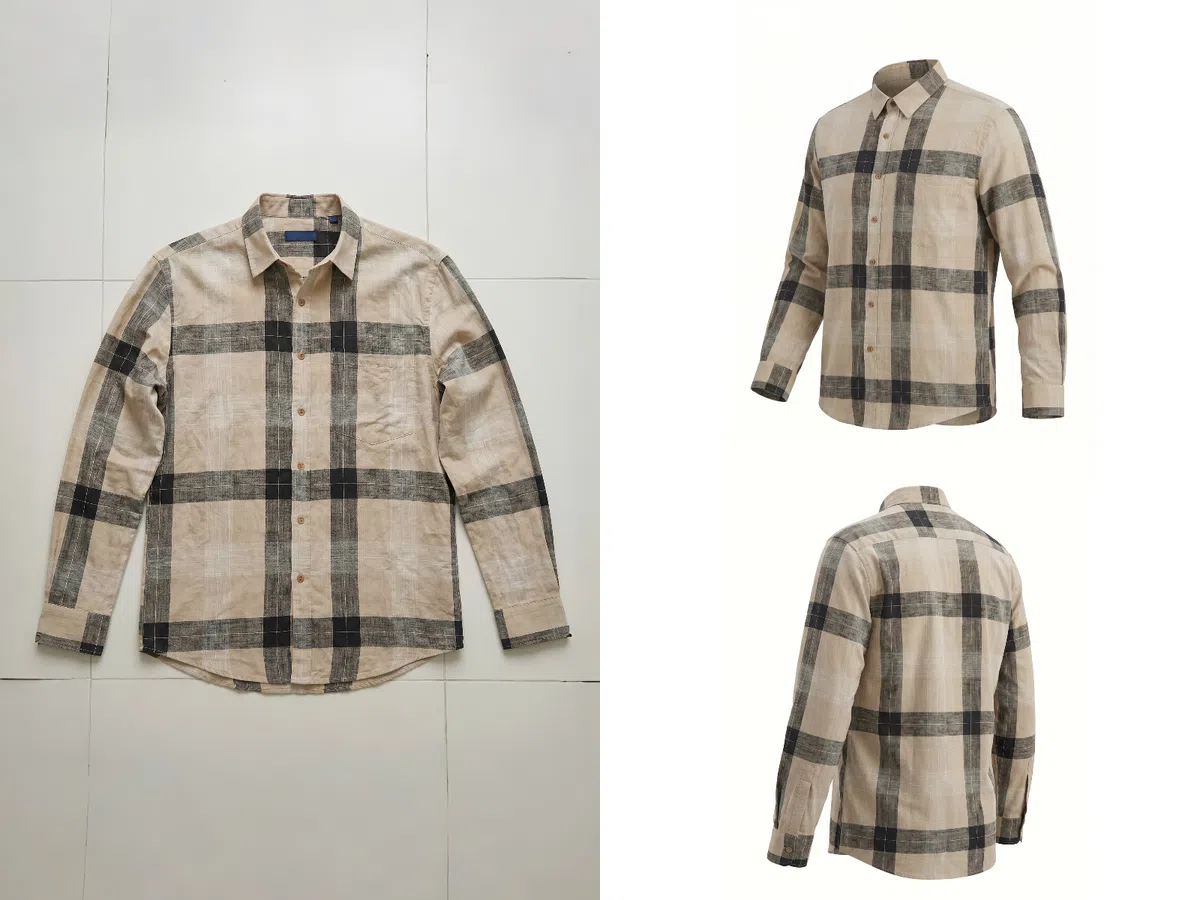
Multi-Angle Views — Show Every Detail of Your Garment
Using your front and back photos, KOOZEE can generate views from multiple angles, giving shoppers a complete picture of how the garment looks and fits. Better product visibility helps buyers make more confident decisions — reducing returns caused by unclear product images and improving the overall quality of your product detail pages.
Why AI Ghost Mannequin Tools Are Replacing Traditional Product Photography?
Traditional ghost mannequin photography involves preparing the garment, arranging a model or prop, shooting, cutting out the background, and compositing the final image. KOOZEE skips all of that — just upload your photo and get a finished ghost mannequin image in seconds. For teams doing frequent restocks or bulk product uploads, the time savings add up fast.
A traditional ghost mannequin photo shoot means paying for a studio, a model, a photographer, and a retoucher — and that's before any outsourcing fees. KOOZEE replaces that entire workflow with a low, pay-as-you-go cost. Small sellers can start without a large upfront budget, and larger teams can cut their per-image costs significantly when processing in bulk.
KOOZEE applies the same standard to every image — background, shadows, outline, and shape — so your product photos look uniform across different batches and shooting conditions. Whether you're running an independent store, a marketplace shop, or a B2B catalog, consistent visuals build trust and make your brand look more professional.
3 Simple Steps to Get Your Ghost Mannequin Image
Upload Your Photo
Upload a flat lay photo, hanger photo, or front and back shots of your garment. For best results, make sure the garment is fully visible and the lighting is even — this helps the AI detect the clothing outline accurately.
Generate Your Ghost Mannequin Image
KOOZEE automatically removes the background, detects the garment shape, fills in the neckline and inner structure, and adds natural shadows to create a complete ghost mannequin effect.
Download and Use It
Download your finished image and use it directly on Amazon, Shopify, TikTok Shop, 1688, or any other eCommerce platform — as well as product detail pages and marketing materials.

FAQ
What is a ghost mannequin image?
Can I use photos taken on my phone?
Yes. As long as the garment is clearly visible and laid out flat, KOOZEE can produce a clean ghost mannequin image from a regular phone photo. You don't need a professional camera or studio setup.
Does KOOZEE work with complex fabrics?
Yes. KOOZEE uses our latest Nano Banana Pro model, which is built to handle fine details — thin knit fibers, semi-transparent mesh, textured weaves, and reflective edges. It reduces the edge damage and rough outlines that are common with standard background removal tools.
Will KOOZEE change the print or logo on my garment?
No. KOOZEE preserves the original print, logo, pattern, and garment shape on the front of the product. The output is designed to match the real item as closely as possible, so it's suitable for official product listings.
Can I use KOOZEE images for commercial purposes?
Yes. KOOZEE paid subscribers can use eligible AI ghost mannequin images for digital commercial purposes, including ecommerce product listings, clothing catalogs, brand websites, and online ads. Make sure you have the rights to your uploaded clothing photos and follow KOOZEE's Terms of Service.
Try KOOZEE Free — Generate Your Ghost Mannequin Image Now
New users get free credits to start with. Upload a regular clothing photo and let KOOZEE produce clean, consistent ghost mannequin images — ready for your product listings.