AI Video Face Swap for Apparel—Turn Reference Videos Into Your Product Content
For Apparel Teams That Need Launch Videos and Fresh Content
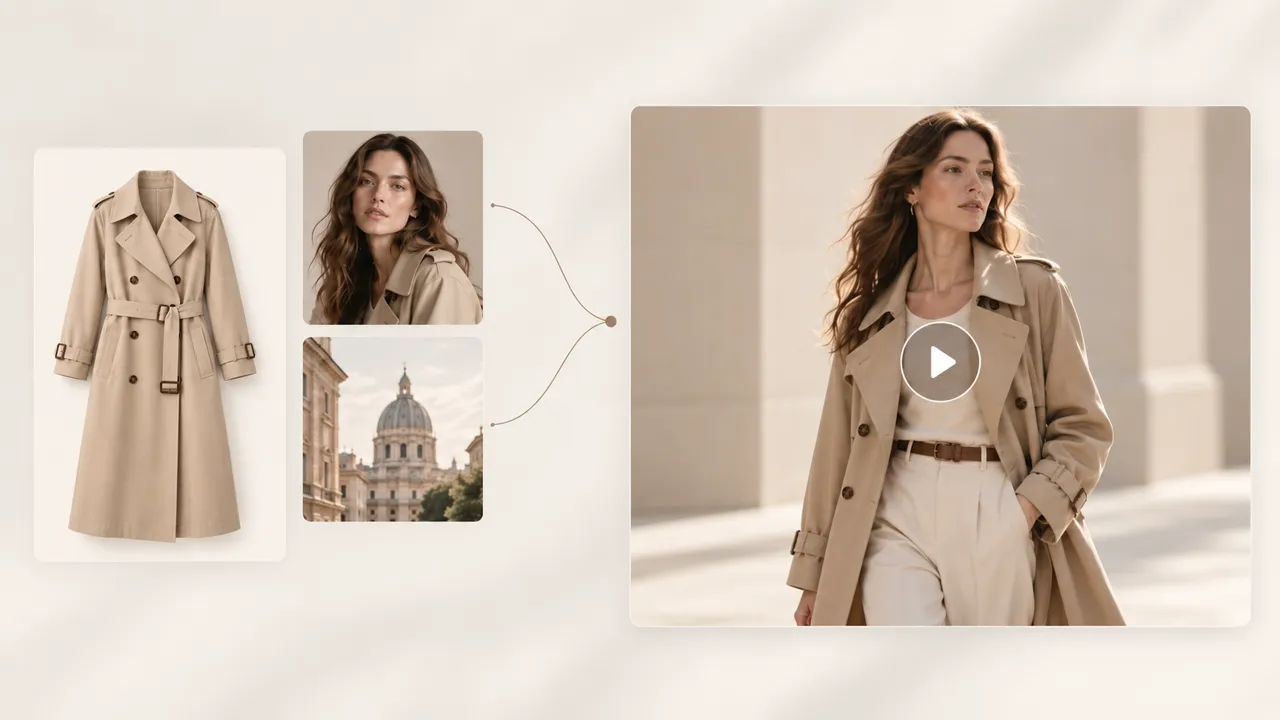
Have Product Photos but No Video? Start from a Reference
When the product photos are ready but the launch still needs motion, you do not have to organize another full shoot first. Pick a reference that fits the product, upload your model, clothing, and scene assets, and create a product-specific video version for product pages, launch teasers, and promotions.
Turn a Reference Into Product Content—Without Starting From Scratch
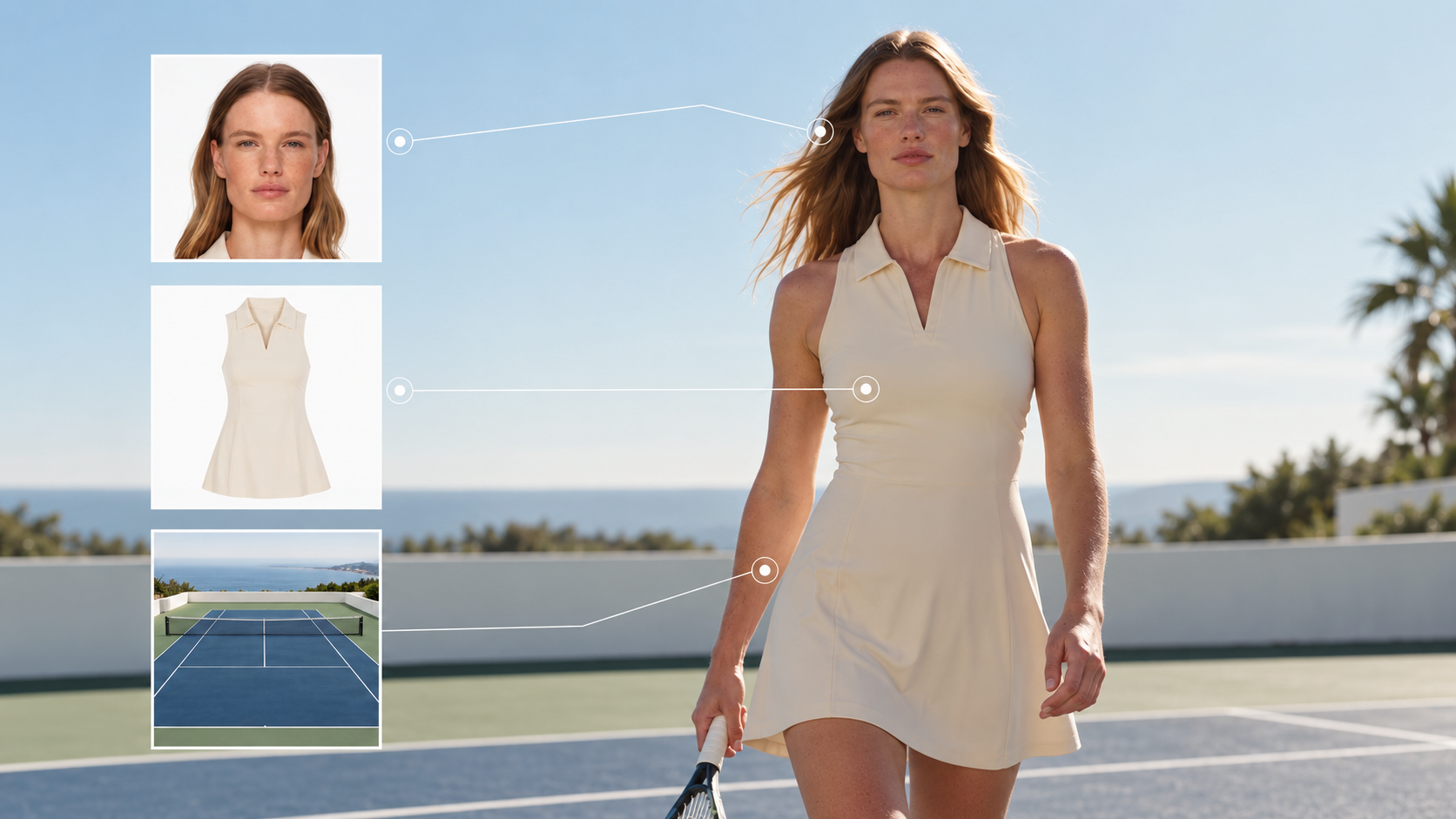
Pick a Reference. Get the Asset List.
When you are short on ideas, browse apparel references such as Reels, OOTD, Fit Check, and Lookbook. Already know the video you want? Use your own reference. Koozee then shows the assets you need before generation, so you can prepare the right model, clothing, and scene inputs instead of guessing and restarting.
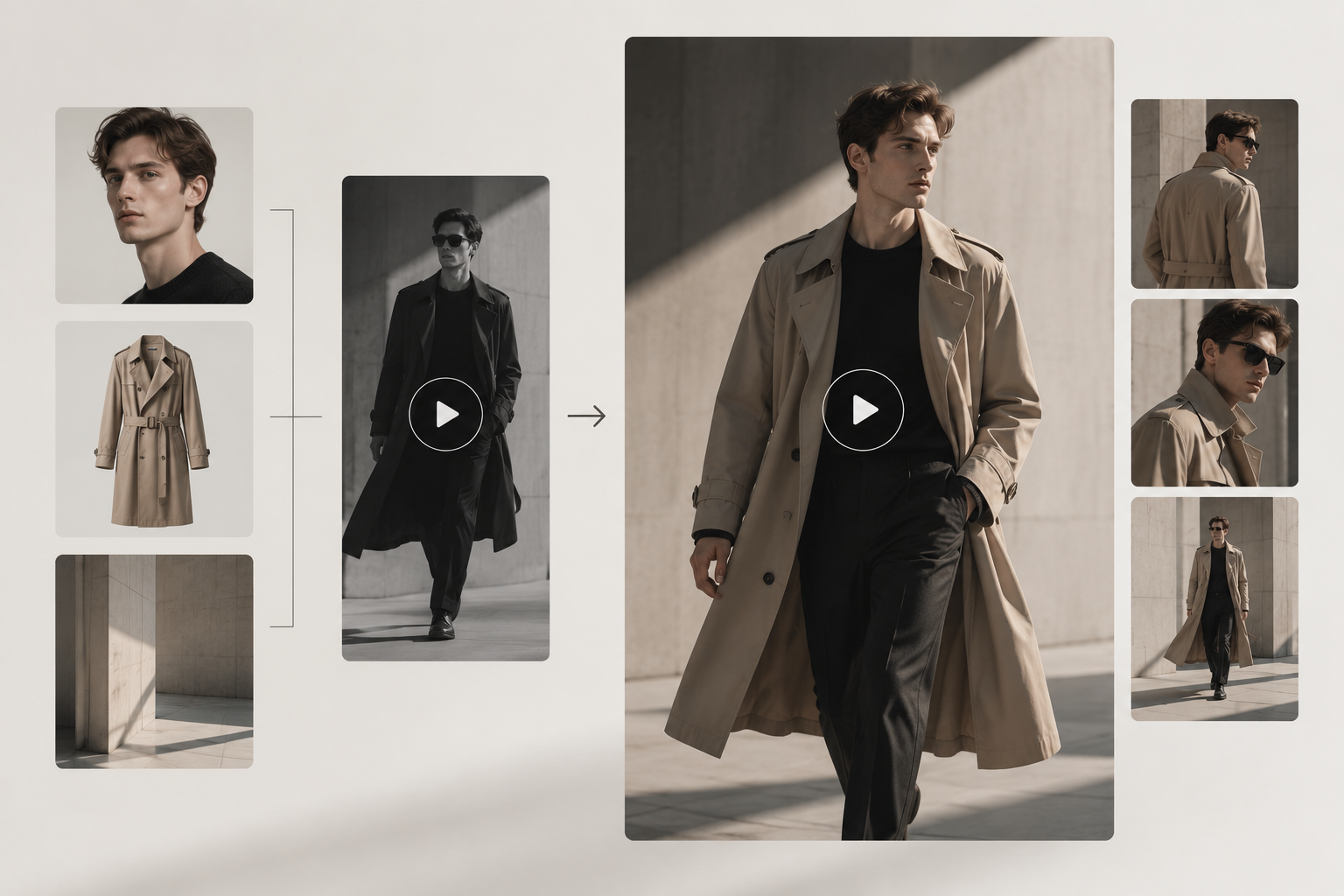
Switch In Your Own Assets
Go beyond a simple face swap. Upload the model, clothing, and scene assets requested by Koozee, then rebuild the creative around your own product—giving your team a more useful starting point for launches, social posts, and ad creatives.
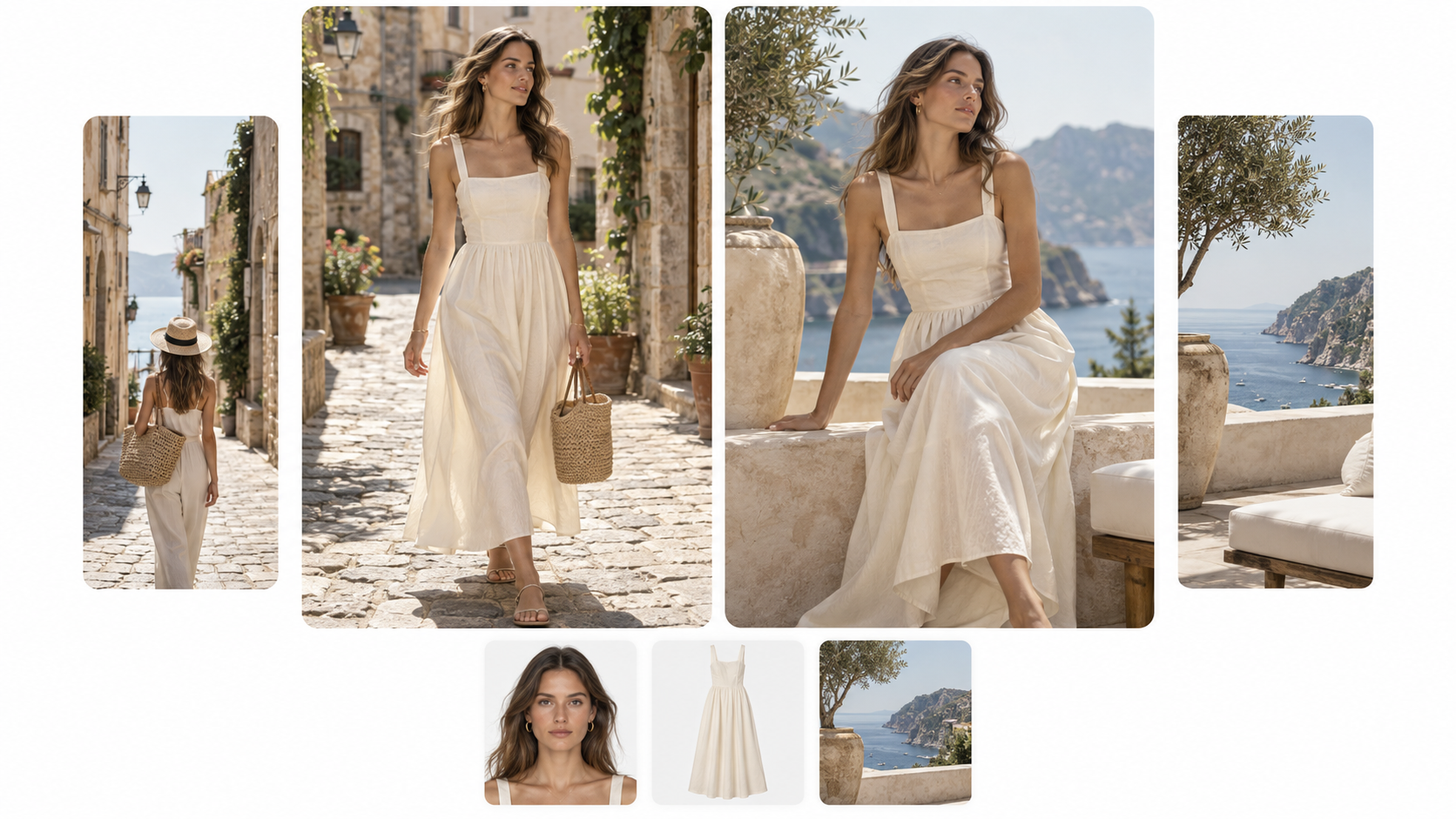
Generate Your Product Version
Once your assets are ready, Koozee's face swap tool uses the reference video's overall format as the creative guide and generates a new version with your own visuals. Use it for product launches, Reels, OOTD content, or ad creatives, then switch references when you want a fresh direction.
More Than a Face Swap—Built for Apparel Videos

After you choose a reference, Koozee's face swap tool shows the assets needed before you generate. You spend less time guessing what to upload or how to describe it, which is useful for sellers and content teams that do not want to build complex prompts.

No script yet? Browse Koozee references across Reels, OOTD, Fit Check, Lookbook, and product-showcase styles. Decide what you want the video to feel like first, then bring in your own product assets.

Apparel content is not only about who is on screen. The product, model, and scene all shape the final creative. Koozee's face swap tool can request multiple image inputs based on the reference analysis, so the video can be rebuilt around your merchandise instead of making Face Swap the whole story.
Create Your Face Swap Video from a Reference Video in 3 Steps
Choose a Reference Video
Already have a target video? Select or upload it. Need inspiration first? Browse Koozee references such as Reels, OOTD, Fit Check, and Lookbook, then choose a format that fits the product and channel.
Follow the Asset Prompts
After you analyze the reference, Koozee shows the inputs needed for that video. Upload the requested model, clothing, scene, and other images. The exact asset list depends on the selected reference.
Generate and Review
Generate the new product-video version, then review the model appearance, clothing, scene, and overall format before publishing. If the direction is not right, try a different reference or input asset and generate again.
FAQs
What is AI video face swap, and how is Koozee different from a standard face swap?
How do I use my own model and clothing in a reference video?
Choose a reference, run the analysis, upload the requested model, clothing, and scene images, then generate. The model's facial appearance can change with the new model input, while the new video follows the overall format of the reference rather than acting as a face-only swap.
What assets do I need to create a video?
You don’t have to figure everything out before you start. After you choose and analyze a reference video, Koozee shows you the assets needed for that specific video. Depending on the reference, these can include model, clothing, and scene images. Upload them into the corresponding asset slots to continue.
Why does Koozee analyze the reference video first?
Different reference videos can require different inputs. Analyzing the video first gives you a clearer list of what to prepare, so you can upload the right model, clothing, and scene assets instead of guessing and repeatedly restarting the process.
Can I start if I don’t already have a reference video?
Yes. If you need inspiration, you can start with apparel video references from Koozee, including Reels, OOTD, Fit Check, and Lookbook-style content. Pick a direction you like, then follow the analysis to add your own model, clothing, and scene assets.
Found a Video You Like? Make It Yours
Already have a reference? Start with it. Need inspiration first? Browse Koozee's Reels, OOTD, Fit Check, and Lookbook-style references, then add your own model, clothing, and scene assets to create your first product version.
How Apparel Teams Turn Reference Videos Into Their Own Product Content
See how different apparel teams use Koozee to get past creative blocks, reduce reshoots and editing work, and turn reference videos into their own product content with fewer wasted attempts.
“Once we find the right reference, we don’t have to rebuild the whole video from scratch.”
When we found a short-form video style that fit a new launch, we used to coordinate models, locations, and editing all over again. Now we can analyze the reference, upload the model, clothing, and scene assets it asks for, and create a version built around our own product. It’s especially useful for launches and ongoing social content.
“Knowing what to prepare first saves us a lot of wasted attempts.”
The slowest part of AI video creation used to be figuring out what assets to prepare and how to describe what we wanted. Once Koozee analyzes the reference, our team can work from a clear asset list and spend more time on creative direction and ad testing.
“When we don’t have a script yet, Reels and OOTD references give us somewhere to start.”
Daily content often gets stuck at the same question: what should we make today? Now we can browse different reference styles, choose one that fits the new product or our account, and then prepare the required assets. It’s much easier to move forward than starting from a blank script every time.