AI Model Photography for Leggings: 8 Best Tools for E-commerce


Leggings AI model try-on helps apparel sellers turn a flat lay, mannequin image, or product photo into realistic on-model visuals. Instead of showing leggings by themselves, you can present the waistband, length, silhouette, seams, patterns, and overall styling on an AI-generated model. With the right tool, sellers can create different models, poses, angles, scenes, and outfit combinations for product pages, catalogs, ads, lookbooks, and social media. Some platforms also support virtual leggings try-on, allowing shoppers to upload a personal photo and preview how a product may look on them.
In this guide, we compare the 8 best tools for AI model photography for leggings. You’ll learn which platforms are best for product-to-model images, shopper-facing virtual try-on, Shopify workflows, API integration, and scalable apparel content production.
You may also like: Best virtual try-on apps for swimwear
Key Takeaways
Koozee is one of the strongest options for apparel sellers who need try-on images, product videos, listing assets, and Shopify workflows.
Rawshot.ai is best for structured, garment-focused leggings photography with click-based controls and catalog scalability.
Photoroom Virtual Model is useful for sellers who want virtual models alongside background removal, image editing, and product staging.
Claid.ai and FASHN are better suited to brands, agencies, and developers who need scalable or API-based workflows.
Photta, FitRoom, and Genlook are useful for fast virtual try-on experiments and consumer-facing fitting-room experiences.
AI images should be reviewed for waistband placement, logos, seams, fabric texture, body proportions, and color accuracy before publication.
Why Do You Need AI Model Try-Ons for Leggings?
Leggings are visually demanding products. Customers want to understand the waistband height, compression, length, stretch, opacity, seam placement, and silhouette. A simple flat-lay photograph can show the garment’s design, but it does not always communicate how the leggings look when worn.
Virtual leggings try-on can help apparel businesses:
Show leggings on diverse AI models without arranging a new shoot.
Generate variations for product pages, advertisements, email campaigns, and social media.
Present different poses, angles, scenes, and model types.
Reuse existing Shopify, catalog, flat-lay, or mannequin images.
Produce visuals for new colors or product variations before organizing a full shoot.
Create virtual leggings try-on experiences for shoppers who want to see a product on their own bodies.
When evaluating these tools, it's crucial to understand the two distinct workflows available:
AI model photography (Seller-side): You generate professional model images for your catalog.
Virtual leggings try-on (Shopper-side): A widget on your site lets customers upload their own photos. This guide covers the best options for both.
Quick Comparison Table
| Tool | Best for | Leggings workflow | Try-on type | Main limitation |
| Koozee | Apparel sellers and Shopify brands | Try-ons, model changes, scenes, videos, listings | Product-to-model | Outputs require review |
| Rawshot.ai | Catalog and campaign production | Garment-led controlled shoots | AI model photography | Less focused on shopper-uploaded photos |
| Photoroom Virtual Model | Product editing and quick model images | Upload garment, choose model, background, format | Product-to-model | Broader product-photo platform |
| Claid.ai | Brands and API teams | Fashion models, scenes, enhancement, video | Product-to-model and API | More workflow complexity |
| Photta | Fast fashion photography | Models, poses, scenes, leggings try-on | Product-to-model | Verify rights and plan details |
| FitRoom | Virtual fitting rooms and APIs | Individual or combined clothing try-on | Person-and-garment | Stronger for try-on than full content production |
| FASHN | Developers and technical teams | High-fidelity API try-on | Person-and-garment | API setup and output constraints vary |
| Genlook | Shopper try-ons | Product-page virtual fitting room | Shopper photo try-on | Less comprehensive for full catalog production |
Pricing, resolution, processing time, commercial rights, and platform availability can change. You can confirm current terms before selecting a tool for production.
1. Koozee — Best Full Workflow for Leggings Model Photos, Videos, and Listings
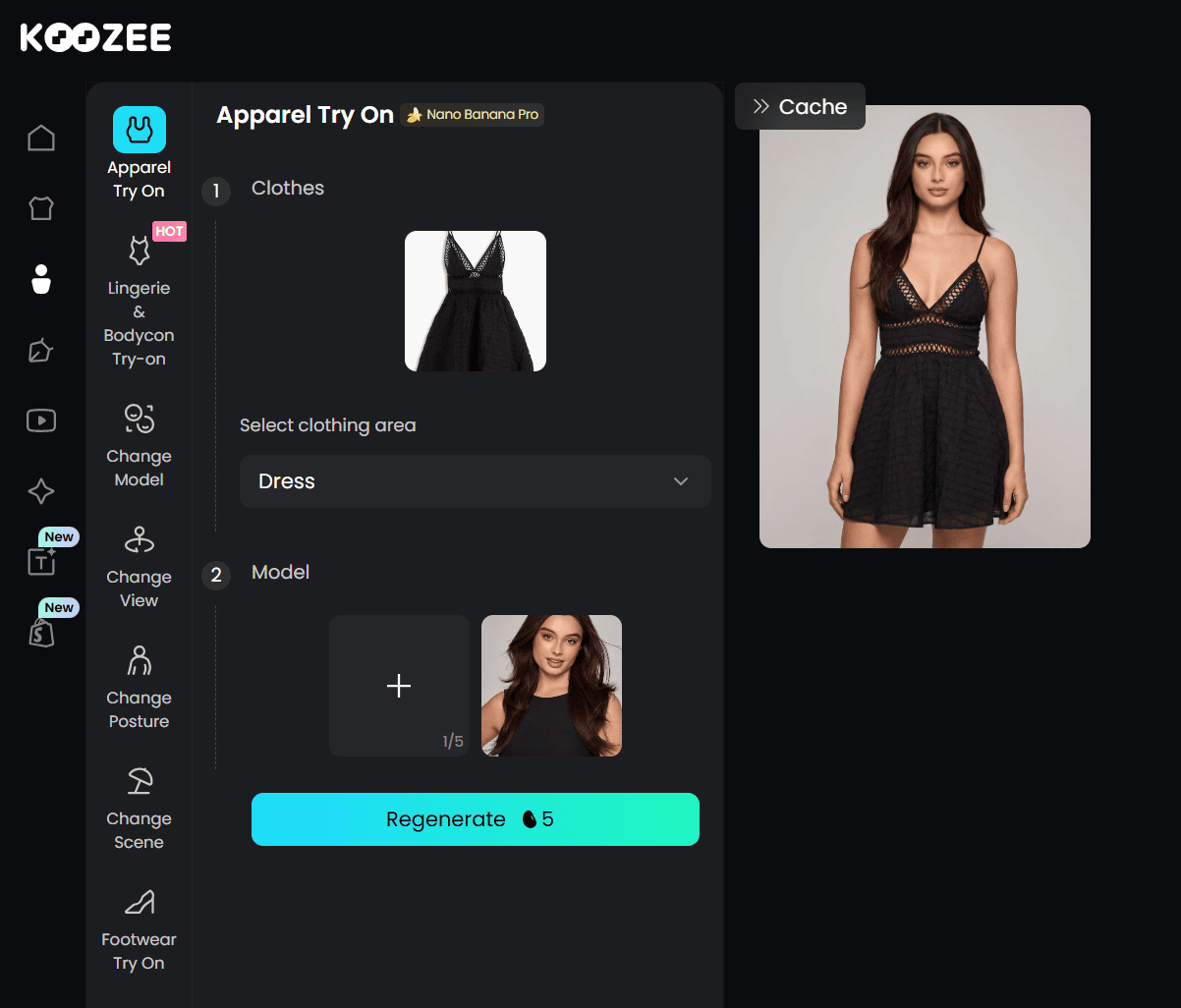
When creating visuals for leggings, the biggest challenge is keeping the skin-tight, form-fitting look without changing the model's body proportions or losing important details such as the waistband and seams. Koozee is particularly useful for this type of apparel. Unlike general-purpose tools, it is designed to handle fitted clothing such as activewear, lingerie, swimwear, and bodycon products. You can upload a product photo, flat lay, or catalog image, then add a model reference or scene reference to create an on-model result while keeping the leggings' fit and overall silhouette consistent.
For Shopify activewear merchants, Koozee syncs directly with product catalogs. You can pull a leggings flat-lay, generate on-model try-ons or dynamic workout reels, and push approved assets straight back to your listing without manual exports. Koozee is particularly useful for activewear, fitted clothing, lingerie, swimwear, and bodycon products, where traditional photography can be expensive or difficult to organize.
Key features:
Leggings try-on and model visuals with changeable model, scene, view, and posture.
Apparel videos: dynamic lookbooks, viral video clones, and short outfit clips.
Leggings product images: main image, detail image, flat lay, ghost mannequin, background changer.
Shopify workspace: preview and manually publish approved leggings assets back to the store.
Pricing: Free credits for new users (30 free credits). Paid plan starts from $22.9/month or $0.03/credit.
Try Koozee with 30 free credits now>>
Best for: Shopify apparel sellers, activewear brands, leggings suppliers, wholesalers, and businesses that need recurring product content.
Limitations: AI outputs should be reviewed before publishing. Seller-side production tool, not a customer-facing size try-on widget.
2. Rawshot AI — Best for Catalog-Consistent Leggings Model Photos and Videos
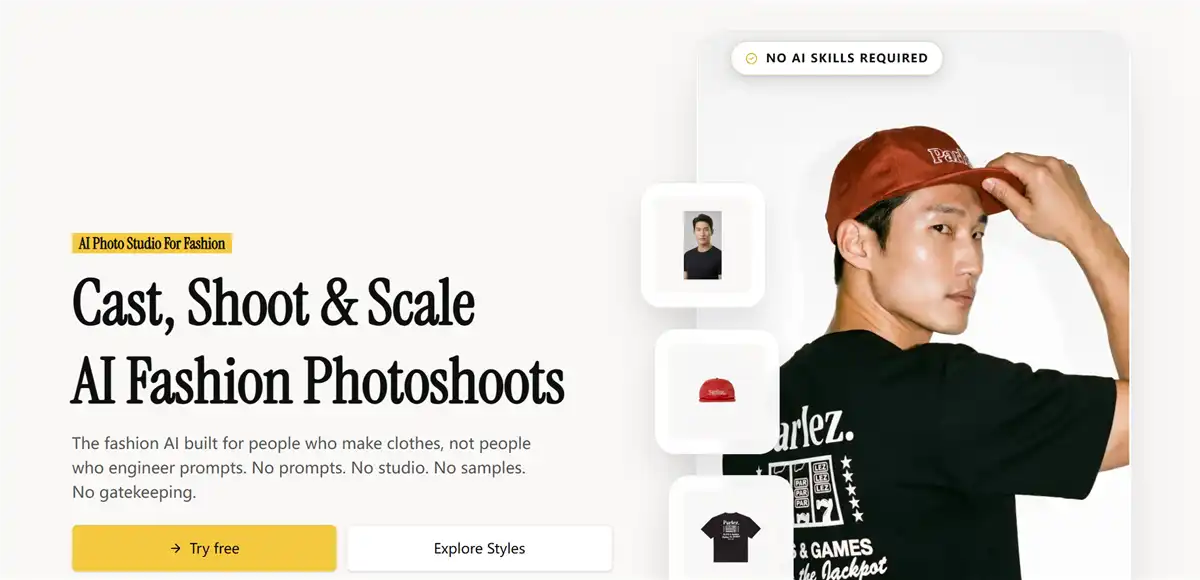
Rawshot AI is designed for garment-led AI product photography. Its leggings workflow focuses on keeping the garment central, particularly the waistband, seams, leg line, silhouette, and overall product shape. Instead of relying primarily on open-ended prompting, the platform uses controls for lens, framing, angle, lighting, background, visual style, aspect ratio, resolution, and product focus.
Rawshot’s activewear workflow reportedly presets a tighter frame, an 85mm lens, a 4:5 ratio, and 4K output so that leggings, seams, waistbands, and performance fabrics remain visible. These controls are useful because a beautiful lifestyle image is not always a good product image. Leggings photography should keep the product readable and avoid poses or crops that hide important construction details.
Key features:
600+ synthetic models and 1,500+ background templates for catalog consistency.
Click-based, garment-focused controls for catalog and campaign production.
Image and video generation (2K/4K stills in 30–40 seconds).
C2PA-signed outputs with full commercial rights.
Pricing: Paid subscription starts from $9/month; Customized tokens are available to buy for teams with an active subscription.
Best for: Activewear brands, catalog teams, agencies, and sellers who need repeatable leggings product photography.
Limitations: Structured controls may require learning the production workflow; Generation costs can become significant for large image sets; No Shopify publish workflow — assets need manual export.
3. Photoroom Virtual Model — Best Budget-Friendly Option for Quick Model Photos
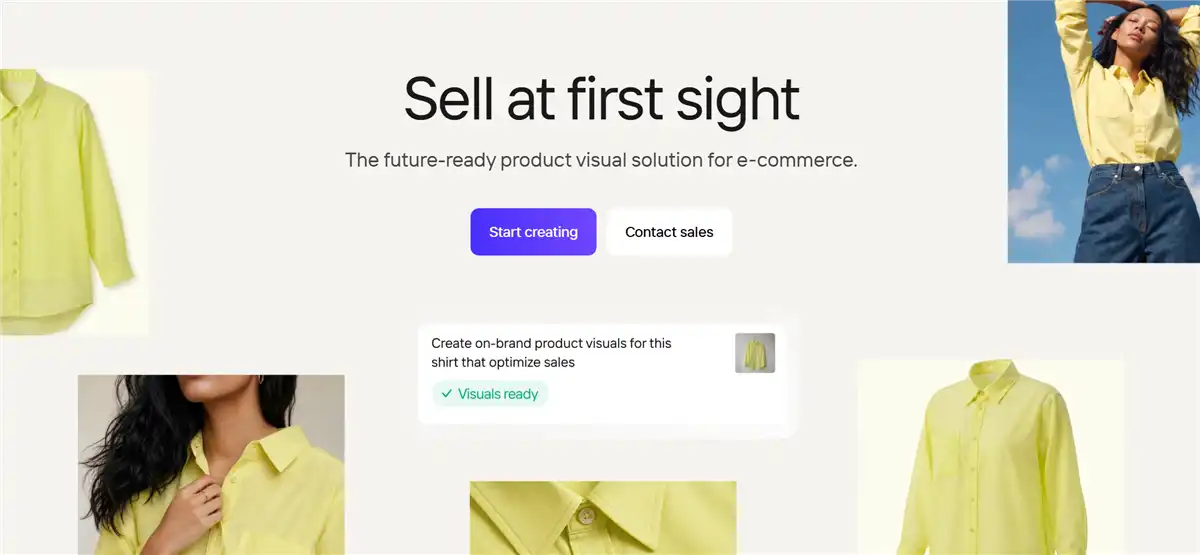
Photoroom is best known as a background remover and product photo editor, but its Virtual Model feature generates on-model clothing visuals right inside the same editor. For legging sellers, Photoroom can be useful when the task is more than just try-on. A store may need to remove a background from a product photo, create a clean catalog image, generate a lifestyle scene, resize content for multiple channels, and place leggings on a virtual model.
Photoroom Virtual Model tool can work with a person wearing the product or a simple flat lay. The system generates a virtual fashion model and adjusts elements such as shadows and textures to create a more natural result. That makes it suitable for sellers starting with basic photography rather than professional studio files.
Key features:
Virtual Model generation inside the standard photo editor.
Background removal and scene replacement in the same workflow.
Multiple templates for e-commerce listings.
Suitable for Shopify and general e-commerce workflows.
Pricing: No free trial. Paid plans start from $12.99/month.
Best for: Small and mid-sized e-commerce sellers who need virtual models plus everyday product-photo editing.
Limitations: Fit and compression rendering is less specialized than dedicated apparel tools; Fine activewear details may require review; Some advanced features may be plan-dependent.
You may also like: Koozee vs. Photoroom: Which is better
4. Claid.ai — Best for Enhancing Existing Photos and Generating On-Model Visuals
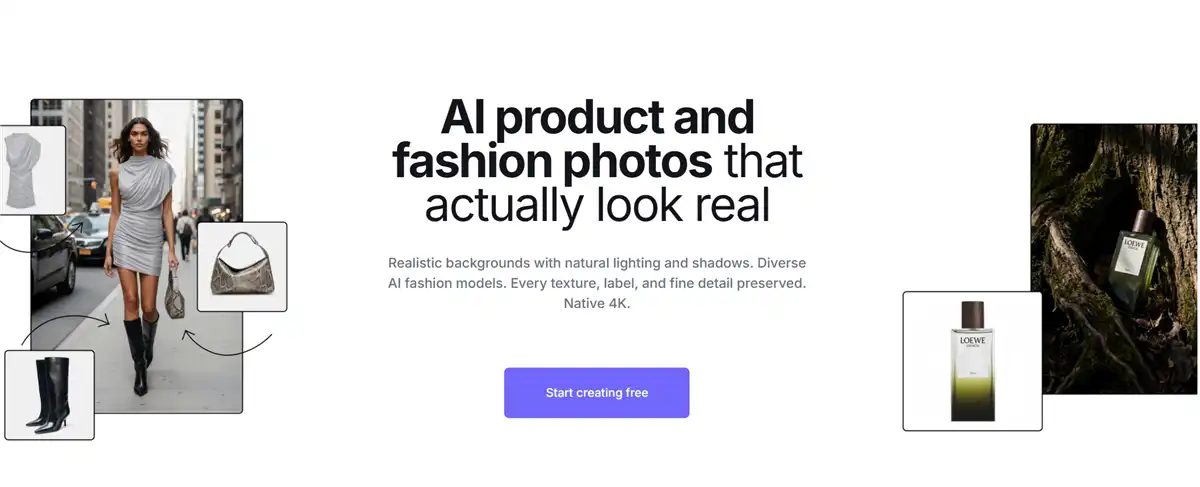
Claid.ai is an AI image and video processing platform with fashion-specific capabilities. Its fashion tools can generate on-model images from flat lays or ghost mannequin photos, use a library of AI fashion models, and support styling, poses, settings, complementary item uploads, and prompts. For leggings brands, Claid is useful when product photography is part of a larger automated pipeline.
Besides, Claid supports full outfits, including tops, bottoms, shoes, and accessories in one shot. This can help activewear brands show leggings with sports bras, jackets, trainers, or other coordinated pieces. Its API makes it practical to automate image production at marketplace scale.
Key features:
Supports on-model fashion legging images from flat lays and ghost mannequins.
Useful for complete activewear outfits.
Fabric texture and logo details preserved through generation.
API for automated, marketplace-scale image production.
Pricing: Free plan includes 50 credits. Web plan starts from $15/month. API pricing is $59/1000 credits, or you can contact sales for volume pricing.
Best for: Fashion brands, agencies, marketplaces, and developers building repeatable content workflows.
Limitations: Credit-based pricing takes some estimating at high volume; API and workflow setup may be unnecessary for small sellers; Results should be checked for garment fidelity.
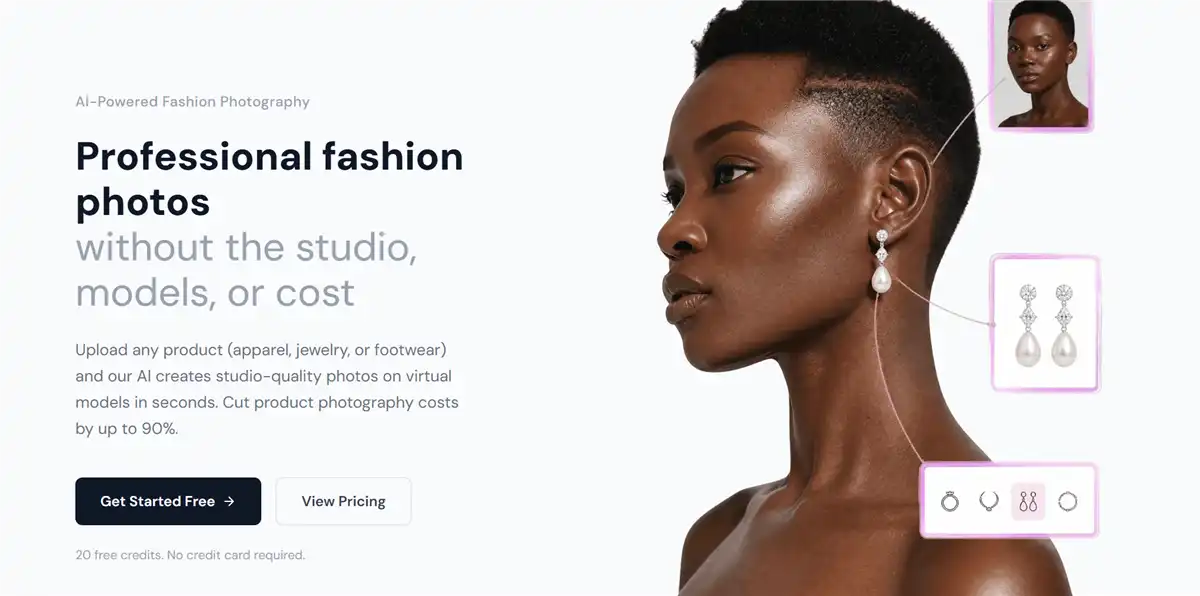
5. Photta — Best for Activewear-Specific Fit Accuracy
Photta specializes in virtual try-on for activewear, and it's one of the few tools whose models are explicitly trained on compression garments. The platform also promotes virtual try-on, AI models, ghost mannequin images, pose generation, and product photography. Its dedicated leggings try-on tool emphasizes visualizing compression, rise height, length, waistband placement, and ankle length on different body types, which is meaningful for leggings sellers.
Photta works on both sides of the equation: sellers can generate on-model visuals for listings, and shoppers can see how garments fit on models that match their body type. If your conversion problem is "the photos don't show how the leggings actually fit," Photta attacks the root cause rather than just adding prettier images.
Key features:
Compression-aware rendering for leggings, sports bras, and fitted activewear.
Realistic sheerness and seam detail on stretch fabrics.
Seller-side model generation plus customer-facing try-on options.
Pose library suited to fitness contexts.
Pricing: 20 free credits for every new user. Paid plan starts from $14/month.
Best for: Small activewear brands, social-commerce sellers, and teams creating quick leggings visual variations.
Limitations: Limited video and listing-asset features; The model library is smaller than catalog-scale generators; Product-detail fidelity may vary by input image.
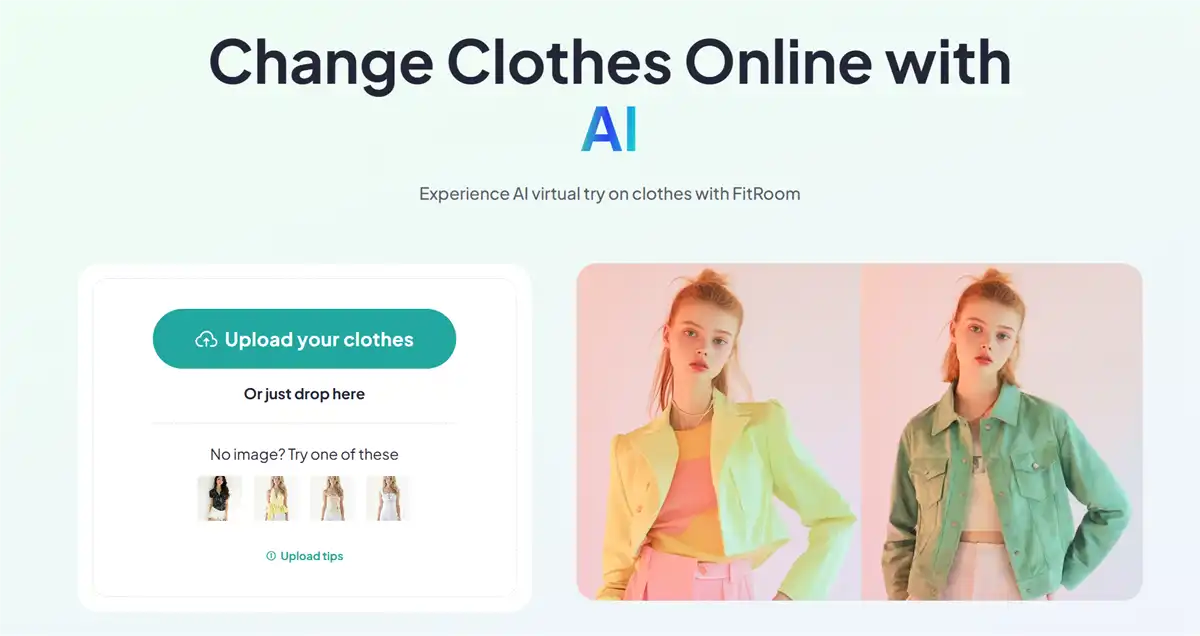
6. FitRoom — Best for Realistic Fabric Rendering in Try-On Visualization
FitRoom is primarily a virtual try-on and clothing-change platform. It allows users to upload a model or personal photo and combine it with clothing imagery. Its product supports upper-body, lower-body, full-body, and combined outfit try-on workflows, with output resolutions up to 2048 pixels. For leggings, FitRoom is relevant for both sides. A seller can use a model photo together with a leggings image to create a visual of the product being worn. Shoppers can also use a personal photo in a consumer-facing experience.
FitRoom is useful for businesses that want to embed virtual try-on into an application, website, or shopping experience. The image processing for visualizing fabric texture, drape, patterns, and mix-and-match clothing on models is fast and low-cost. The main trade-off is scope: FitRoom is a try-on visualization tool, not a full catalog production platform.
Key features:
Realistic fabric rendering: texture, drape, and natural shadows preserved.
Accepts flat lays, mannequins, hangers, and model images.
Supports individual and combined outfit try-on.
Suitable for consumer-facing fitting rooms.
Pricing: Free tier (10 credits/month). Paid plan starts from $16/month.
Best for: Developers, retailers, and brands building virtual fitting-room experiences.
Limitations: Less comprehensive for full product-content production; API integration requires technical work; Results depend heavily on model pose and source-image quality.
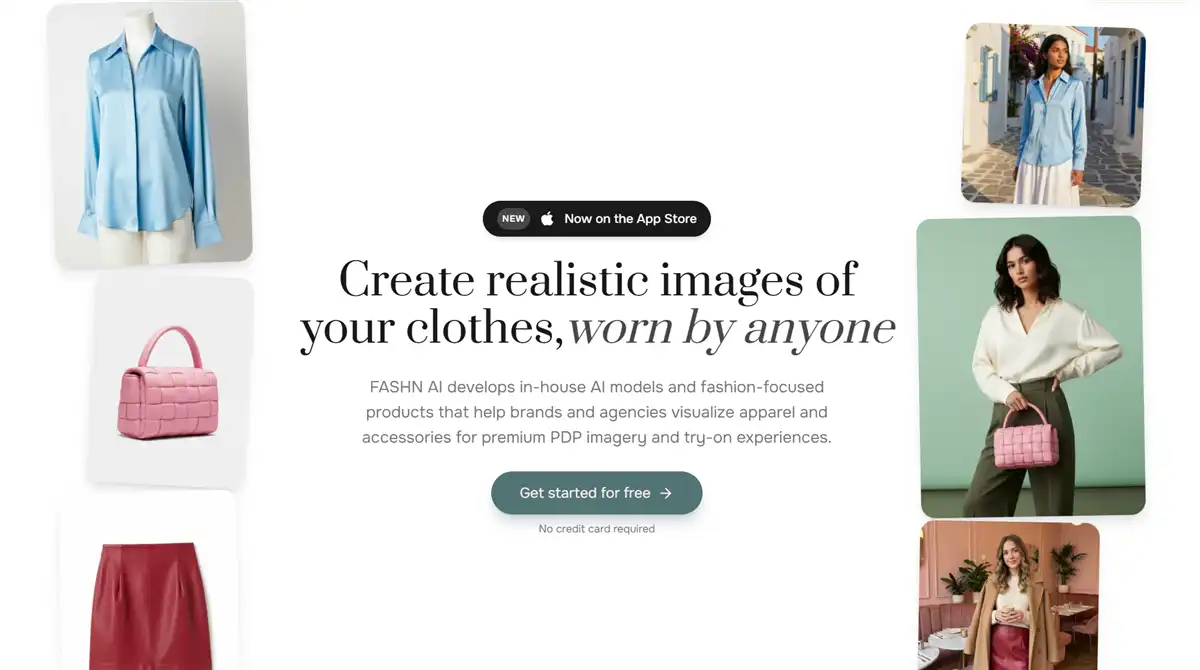
7. FASHN — Best for Customer-Facing Virtual Leggings Try-On
FASHN is a fashion-focused virtual try-on technology suited to developers and businesses that need an API. Its try-on workflow accepts a person's image and a garment image, including flat-lay and on-model garment references. It supports tops, bottoms, and one-piece garments, with automatic garment detection and multiple quality modes. For virtual leggings try-on, FASHN’s strength is preserving garment text, patterns, and fabric details, which are important for branded activewear.
FASHN is useful when a retailer wants to build a custom experience, such as a virtual fitting room, product-page try-on button, style application, or internal content system. Its API-first approach can also make it suitable for teams that need batch or programmatic generation rather than manually creating images one at a time.
Key features:
Fashion-specific API try-on with garment-detail controls and quality modes.
Fit visualization across body types and sizes.
Try-on for fitted and activewear categories.
Analytics on try-on usage and fit preferences.
Pricing: Free trial available. Paid plan starts from $19/month. Developer API plan starts from $19/month or $0.075/credit.
Best for: Developers, fashion platforms, retailers, and brands building custom try-on experiences.
Limitations: Quality depends on your input photos; Requires technical integration; Not the simplest option for manual catalog production.
You may also like: Best FASHN AI alternatives 2026
8. Genlook — Best Free Shopify Try-On App to Start With
Genlook focuses on virtual try-on for fashion stores. It lets customers upload a photo of themselves and see how a product may look on their body. Genlook offers Shopify and WooCommerce integrations, including a product-page try-on button that can be enabled for selected products or categories. For leggings sellers, it is designed to use each shopper as the model rather than creating a generic model image for a product page.
Genlook is attractive for brands whose main goal is interactive shopping rather than building a large collection of marketing images. It can help customers visualize leggings on themselves, but the result should still be framed as an AI visualization, not a guaranteed fit prediction. Brands should also review privacy, image retention, consent, and data-processing terms before enabling shopper photo uploads.

Key features:
Customer-facing virtual try-on on product pages.
Supports multiple platforms' integrations, such as Shopify and WooCommerce.
Works with existing product photography.
Offers API and webhook capabilities.
Pricing: Free tier available (10 credits/month). Paid plan starts from $19.99/month.
Best for: Fashion stores that want to add virtual leggings try-on directly to product pages.
Limitations: More focused on shopper try-on than catalog photography; Requires careful privacy and consent communication; Marketing-image features may be less comprehensive than an apparel content platform.
Conclusion
AI model photography for leggings helps apparel sellers create on-model product visuals without arranging a new photoshoot for every SKU, color, or campaign. For sellers, you can easily generate AI leggings model photography with full visual platforms like Koozee or Rawshot AI. For shoppers, you can see how leggings look on yourself with Photta, FitRoom, or Genlook. Choose the tool according to your real needs. Whichever tool you choose, review waistband placement, seams, logos, texture, color, opacity, and fit before publishing. Used properly, virtual leggings try-on can make product presentation faster, more flexible, and easier to scale.
FAQ: AI Model Photography for Leggings
How does AI model photography for leggings work?
You upload a product photo, and the AI reconstructs how the garment would fit on a human body, accounting for fabric stretch, compression, and seams. The output is a photorealistic image of a model wearing the leggings.
Can AI show the exact fit of leggings?
No. AI try-on can help visualize style, silhouette, length, waistband placement, and general appearance, but it does not guarantee exact sizing, compression, stretch, opacity, or comfort. Use real measurements, size charts, garment testing, and customer-service guidance for fit information.
What is the best AI tool for leggings sellers?
The best choice depends on the workflow. Koozee is a strong option for apparel sellers who need try-on images, product videos, listing assets, and Shopify publishing. Rawshot.ai is better for structured garment-led catalog production, while Genlook is better suited to a shopper-facing try-on experience.
Can AI-generated model photos be used on Amazon and Shopify?
Yes, in most cases — but policies differ by platform and have evolved over time. Amazon and Shopify have both updated rules around AI-generated imagery. Review the current policy for each marketplace you sell on, and disclose AI use where required.
How realistic is virtual leggings try-on?
The best activewear-focused tools render compression and sheerness convincingly, and many sellers use them for exactly this purpose. But AI cannot guarantee real-world fabric behavior — treat it as a visualization aid, not a physical fit guarantee, and validate against real garment photos on key styles.
What kind of product photo works best as input for AI model generation?
A clean flat-lay or ghost mannequin shot in even, soft lighting, with the garment smooth and fully visible. The tool copies fabric details from the input, so creases, shadows, and warped angles in the source image will carry into the model output.
Do these tools support different body types and sizes?
Most of the tools on this list offer models across body types, ethnicities, and age ranges — Rawshot AI's 600+ synthetic models and FitRoom's personal-photo try-on are particularly strong here. This matters for leggings because fit confidence across body types is one of the main reasons buyers return or abandon purchases.
You May Be Interested

Best AI Face Swap Video Generators for Apparel Sellers

7 Best Pantyhose AI Virtual Try-On Tools for E-commerce Sellers

8 Best Pajamas AI Photography Generators for E-Commerce Sellers
