How to Make a 360 Product Video for Apparel Stores (Two Methods)
Use the turntable method and the AI to create 360 product videos. Compare the steps and features between them. Choose one that best fits your needs and budgets.

You've seen the spin on a product page: the jacket turns, the shopper drags, and every angle is covered before they think about asking. For clothing, it's one of the few visuals that comes close to holding the item.
Here's how to make one. You will get two practical ways — the classic turntable shoot and the AI workflow that starts from a single photo — to create 360 product videos.
Key Takeaways
For the most accurate result, use a real turntable. You photograph the actual garment from multiple angles, so the finished spin shows the real product rather than AI-invented details.
AI can create a rotation from existing product photos. It is much faster for testing and large catalogs, but the unseen sides are generated, so check seams, prints, buttons, and other important details.
Choose the output format before you start. An MP4 is a simple rotating video; An interactive 360 viewer lets shoppers drag or swipe to inspect the product themselves.
What Kind of 360 Product Video Do You Need?
A 360 product video is a pre-rendered video, usually an MP4, that shows the product rotating through a full turn. It works like any other product video: shoppers watch the rotation rather than controlling it. It can include interactive 360 product view, which uses a sequence of images or a similar web-based format. Shoppers can drag or swipe to rotate the product themselves.
The production process is similar: you capture the product from multiple angles, then turn those frames into either a video or an interactive viewer.
For an ecommerce product page, decide which experience you need before you start.
A 360-degree VR video records an entire scene in all directions for headset playback. The viewer looks around from a fixed point. Useful for showrooms, not for product listings.
How to Make a 360 Product Video for Fashion Clothing
Method 1: The Turntable Shoot
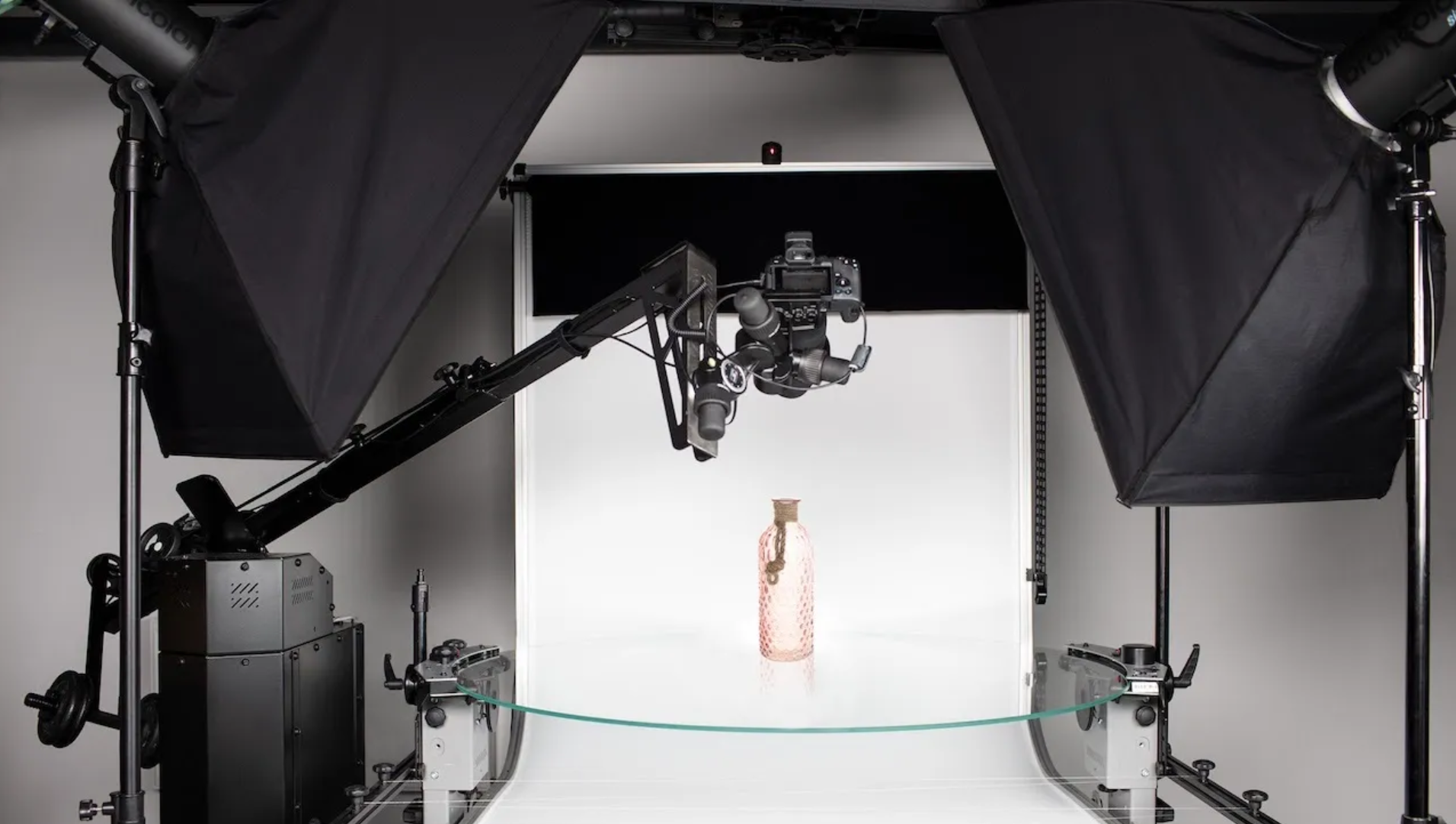
This is how most brands do it, and it still gives the most accurate result.
Prep the garment. Steam it, pin the sleeves and hem, or mount it on a ghost mannequin so it holds its shape. Any fabric that moves between frames will wobble in the final loop.
Set the rig. A motorised turntable under the item, a phone or camera locked on a tripod, and the lens centred on the turntable's axis. A few millimetres of drift reads as a jump.
Light it soft. Two diffused lights on opposite sides, or a light box. You want no hard shadow, because a shadow sweeping across the frame is the first thing viewers notice.
Choose a frame count. More capture angles make the rotation smoother, but also create more files to process.
Capture in equal steps, then stitch. Rotate, shoot, repeat. Then use 360 photography software to align, process, and compose the image sequence into an MP4 or interactive viewer.
Check the loop and the colour. The last frame should meet the first without a jump, and the garment's colour should match the real item. This is where cheap setups get caught out.
Best for: hero products and small catalogs, especially items where texture, stitching, or hardware does the selling.
What it costs: A DIY setup can be relatively inexpensive if you already have a phone, tripod, and lighting. Motorised turntables and professional 360 photography systems cost more, while studio services are usually priced per product or project.
Method 2: Generate a 360 Product Video From a Photo
AI can create the look of a 360 product spin without a physical turntable. The important distinction is that the result is generated, not photographed from every angle. If the input only shows the front of a garment, the AI has to infer what the unseen sides look like.
That makes this method faster, but less suitable when shoppers need to inspect exact construction details.
Start with the cleanest product photo you have. Keep the full garment visible, with clear edges and enough resolution for the important details.
Upload it to an image-to-video or product-spin tool. Depending on the tool, you may be able to describe the rotation or provide an additional reference image.
Generate several versions. Compare the side and back views rather than judging the first frame alone.
Check garment details carefully. Look for changes to logos, prints, seams, buttons, pockets, sleeve length, and color.
Export in the format you need. Use MP4 when you want a standard video. Use the tool's supported interactive format if you need a draggable 360 product view.
Best for: Catalog testing, social content, and products where a generated rotation is acceptable.
Not ideal for: Product pages where the back, construction, or other hidden details must be completely accurate.
Differences between the Turntable Shoot and the AI Generated
| Turntable shoot | AI from product photos | |
| Source | Real product | Existing product photos |
| Hidden details | Actually captured | May be generated |
| Accuracy | Highest when shot correctly | Requires review |
| Setup | More equipment/time | Much faster |
| Cost | Equipment or studio time | Usually credits/subscription |
| Best for | Product inspection | Fast catalog/content production |
360 Product Photography Software
Here are some known 360 product viewer workflow creation tools that can help you control the capture and build the viewer.
Capture and control: Pictomic, Ortery, Iconasys, and Orbitvu drive the camera and turntable and handle stitching in one workflow.
Stitching and viewing: WebRotate 360 and Sirv turn a folder of frames into a drag-to-rotate viewer.
Budget route: Foldio360 or a plain manual turntable with a phone, stitched in any image editor.
Tips for Getting 360 Photography Right for Clothing
Apparel spins live or die on fabric. Three things matter more than the camera.
Use a stable setup. For apparel, a ghost mannequin or carefully secured garment can work better than a loose hanger because the fabric needs to stay in the same shape as the product rotates.
Freeze the fabric. Pin sleeves and hems so nothing flutters between frames. A small fan or draught is enough to ruin a shoot.
Show the parts a photo can't. The interior, the lining, and the hardware are exactly what shoppers can't see in a static image, and exactly why they buy.
If a garment only reads well on a body, a spin may be the wrong format. An on-model clip usually sells fit and drape better than a floating rotation.
Bonus Tip: How to Create Professional Apparel Product Visuals
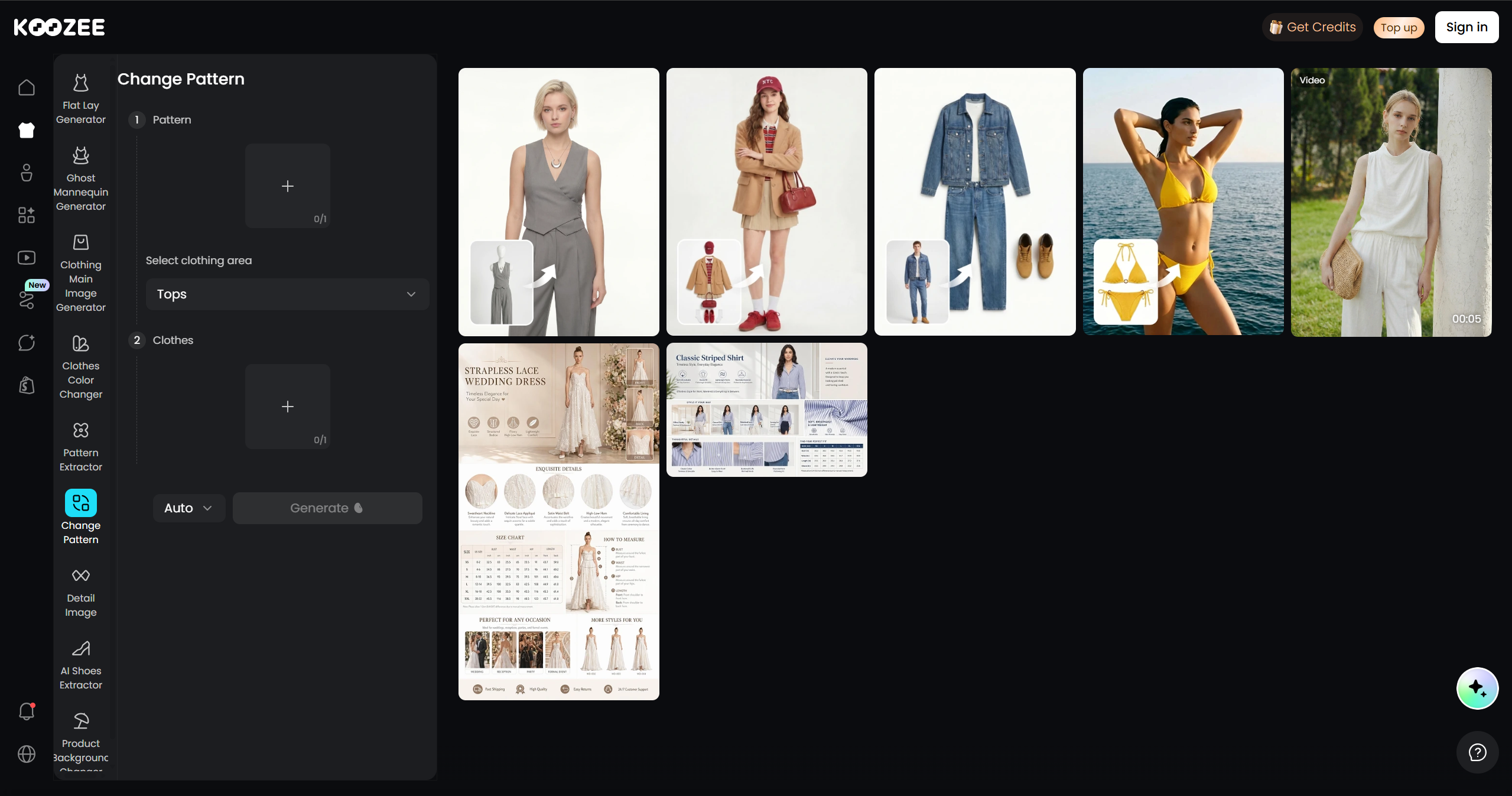
If you need a literal 360 spin, use the turntable or a dedicated 360-generation tool. If your real goal is to show an apparel product from more angles and to a person, that's where Koozee fits.
Koozee is built for apparel e-commerce and can turn existing clothing images into on-model visuals and video, including try-on images, different views and poses, lookbook-style content, and short outfit clips. Its Change View workflow can also generate additional angles from an existing garment image. You can also use it to extract clothing patterns or change patterns directly.
FAQs about 360 Product Video Creation
Can I make a 360 product video for free? Yes, with caveats. A manual turntable or Lazy Susan, a phone on a tripod, and free stitching software will get you a testable spin. It's manual work, and quality depends on your lighting. The main cost is your time.
How many photos do I need for a 360 spin? It depends. Number of angles/frames determines how finely the product rotates between views.
Do Shopify and Amazon support 360 product videos? Shopify supports 360 and 3D content through apps and theme code. Amazon has offered spin for some listings, but access has been restricted and the rules change — confirm eligibility before you build a workflow around it. An MP4 loop is the safest format across platforms.
Are 360 views actually worth the effort? It depends. Shopify has reported an average 94% conversion lift among merchants using 3D content, but that figure applies to 3D content broadly, not specifically to 360 product videos. Treat it as directional rather than as a guaranteed result for a 360 spin.
What's the best way to show an apparel item without a turntable? You can generate multi-angle visuals from the product photos you already have. Koozee is built for clothing and covers on-model angles, try-on shots, and outfit video — useful when a spin would only show a garment floating in space.
You May Be Interested

9 Best AI Fashion Model Generators for E-commerce (2026)

6 Best AI Video Ad Generators in 2026

Ecommerce Return Rate: What It Is & How to Reduce