9 Best AI Fashion Model Generators for Apparel Sellers (2026)
Read this AI fashion model generator guide to compare 9 best of them, including Koozee, Uwear, Nightjar, Camclo3D, WearView, FASHN.ai, Botika, and more.


You've got a rack of new arrivals and zero model photos. Booking a shoot means weeks of logistics — casting, studio rental, photographer fees, and editing rounds. Meanwhile, product pages are delayed, campaigns wait for assets, and your launch schedule starts slipping.
Now, AI fashion model generators solve the problem. Instead of photographing real models, you can create on-model product visuals from clothing product images — flat lays, mannequin shots, or hanger photos.
We reviewed leading AI fashion model generators based on garment fidelity, model realism&diversity, ecommerce workflow fit, ease of use, pricing and value. Let's dive in.
Key Takeaways
Top pick for apparel sellers who need a full workflow: Koozee is best for sellers who want AI model images plus model/scene variation, apparel videos, listing assets, and Shopify-connected product workflows.
Best for catalog-scale bulk generation: Uwear is a strong catalog-scale option, with public materials describing CSV batch workflows for up to 10,000 items.
Best for brand consistency: Nightjar lets you lock model identity and photography style across your entire catalog — critical for brand cohesion.
Best entry-level option: Modelia.ai offers a generous free tier and low-cost plans ideal for small brands testing AI model generation.
What We Looked For in AI Fashion Model Generators
For ecommerce sellers, the best AI fashion model generator is not the one that makes the prettiest image. It is the one that preserves the garment, fits your workflow, and produces assets you can confidently review and use across product pages, marketplaces, and campaigns. Here's what we tested for:
Garment fidelity: Does the AI preserve fabric texture, stitching, buttons, collars, and garment structure — or does it hallucinate details?
Model realism: Do the AI models look like real people, or do they have the uncanny, plastic quality that screams "AI-generated"?
Model diversity: Can you generate models of different ages, skin tones, body types, and styles? Sellers serving multiple markets need variety that a single photoshoot can't deliver.
Ecommerce workflow fit: Does the tool plug into how you actually sell — or does it only generate images you then have to manually download, rename, and upload? Tools with Shopify integration or batch processing scored higher.
Ease of use: How much technical skill does the tool demand? The best AI model generators let you upload a clothing image, pick a model, and get a usable result — no prompt engineering degree required.
Pricing and value: What do you get at each price point? We looked at free tiers, credit systems, and monthly plans for small-to-mid-sized sellers.
Quick Comparison Table of These 9 Best AI Fashion Model Generators
| Tool | Best For | Pricing | Key Strength | Rating |
| Koozee | All-in-one model gen + apparel workflow | Free credits; Paid plans start from $22.9/mo, or pay as you go | Shopify workspace + try-on + video | ⭐⭐⭐⭐⭐ |
| Uwear | Bulk catalog model generation | Pay as you go | CSV batch processing up to 10K items | ⭐⭐⭐⭐⭐ |
| Nightjar | Brand-consistent model photography | Paid plans | Locked model identity + reusable photo styles | ⭐⭐⭐⭐⭐ |
| Camclo3D | AI model gen with video try-on | Start from $49/mo | Fashion-first AI + video virtual try-on | ⭐⭐⭐⭐ |
| WearView | All-in-one model photoshoot workflow | Start from $29/mo | Fast 15-second on-model shots | ⭐⭐⭐⭐ |
| FASHN.ai | Garment-accurate model rendering | Start from $19/mo, or API pricing | Strong flat-lay-to-model detail preservation | ⭐⭐⭐⭐ |
| Botika | Shopify-connected AI model generation | Free trial; Start from $22/mo | Native Shopify app integration | ⭐⭐⭐⭐ |
| Claid.ai | Model gen + photo editing combined | Free trial; Start from $9/mo, or API pricing | Complete AI fashion pipeline with editing tools | ⭐⭐⭐½ |
| Modelia.ai | Entry-level and small brands | Free tier + paid (start from $35/mo, or pay as you go) | Low-cost entry with recent video features | ⭐⭐⭐½ |
1. Koozee — Best All-in-One AI Fashion Model Generator for Apparel Sellers
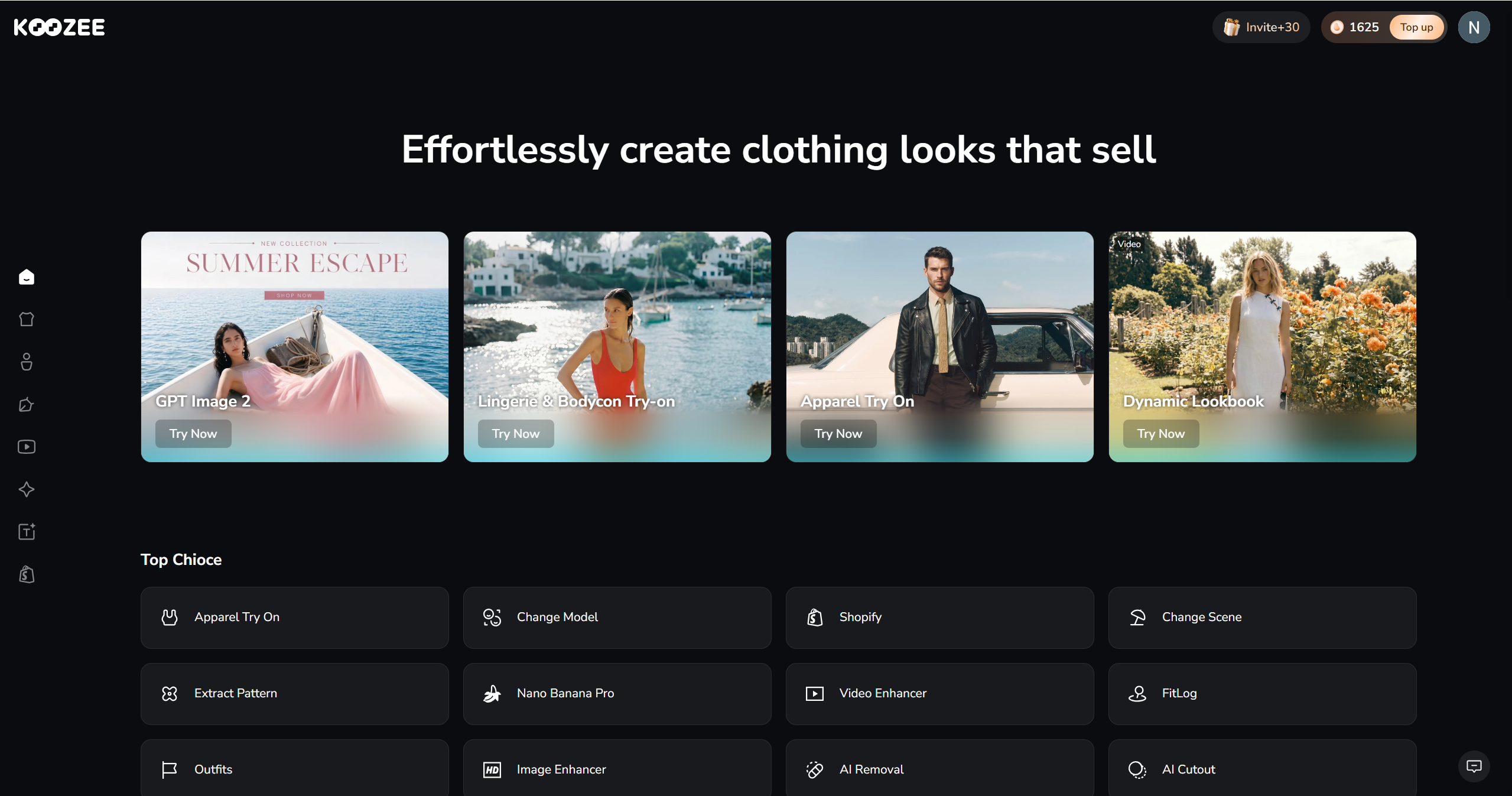
Koozee is an AI visual production platform built specifically for apparel ecommerce, and its AI model generation capabilities are part of a much larger workflow. While many tools focus mainly on on-model image generation, Koozee also covers a broader apparel visual workflow — like AI model try-on, model and scene swapping, lingerie and bodycon try-on, product videos, and more.
For AI model generation specifically, you upload a garment image (flat lay, mannequin, or product photo), and Koozee generates on-model visuals that preserve the garment’s shape, color, and presentation. Futtherly, you can swap the model to a different look, change the scene from studio to street, generate a video of the model in motion, and publish the approved result directly to your Shopify product page — all without leaving the platform.
Key features:
AI model try-on: Create model, pose, scene, and angle variations while aiming to preserve the garment’s visual details.
Dedicated lingerie and bodycon model generation: A specific module for fitted apparel — lingerie, swimwear, shapewear — that many general-purpose AI tools either restrict or handle poorly.
Shopify product workspace: Sync your store, reuse existing product images, generate AI model assets per product, preview and publish approved results directly.
AI model video: Turn static model images into apparel videos such as dynamic lookbooks, fit check / OOTD videos, short outfit clips, and viral-style video formats where available.
Utility editing tools: Built-in AI cutout, image enhancer, video enhancer, and watermark removal.
Pricing: New users get 50 free credits to test the full platform. Paid plans start from $22.9/month, or you can pa as you go ($14.9/300 credits, $50/1500 credits).
Best for: Shopify apparel sellers, Amazon/eBay clothing sellers, early-stage brands, and apparel factories that need AI model generation as part of a complete selling workflow — not an isolated image tool.
Limitations: Because Koozee covers more than model generation, there is more to learn than with a single-purpose tool. Some video features, including Viral Video Clone, should be checked against the current product version.
2. Uwear — Best for Bulk AI Model Generation at Catalog Scale
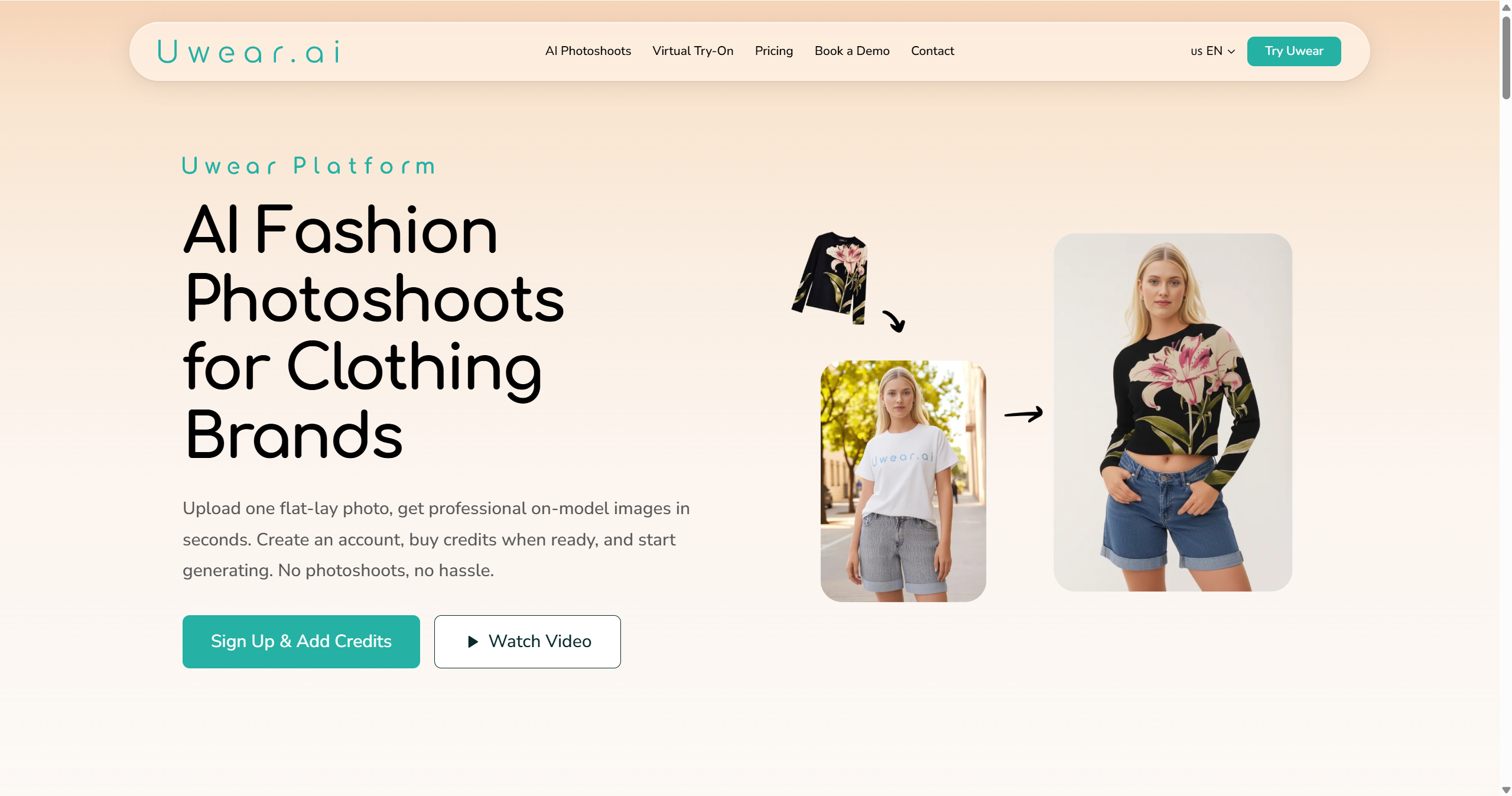
Uwear is one of the strongest options for batch-oriented catalog workflows. If you manage hundreds or thousands of SKUs and need on-model images for an entire catalog, it supports you upload up to 10,000 items via CSV and get AI model photos back at scale.
The platform takes flat-lay and packshot product images, places them onto photorealistic AI models, and supports customizable model appearances, poses, and backgrounds. The batch workflow is particularly valuable for marketplace sellers who need to refresh product images across large inventories — something that would be logistically impossible with traditional photoshoots.
Key features:
CSV batch processing for up to 10,000 items
Customizable AI models, poses, and backgrounds
Video generation from model images
High-volume output with consistent quality
Pricing: Pay as you go ($0.10 per credit).
Best for: Marketplace sellers, large apparel catalogs, and brands running seasonal catalog refreshes across many SKUs.
Limitations: Less suited for small-batch, creative, or campaign-style model photography. The batch-optimized workflow can feel industrial — you trade creative control for scale.
3. Nightjar — Best for Brand-Consistent AI Model Photography
Nightjar solves a specific problem that plagues most AI model generators: inconsistency. When you generate on-model images one at a time across dozens of products, models often look slightly different between shots — different lighting, different face structure, different vibe. That inconsistency erodes brand trust.
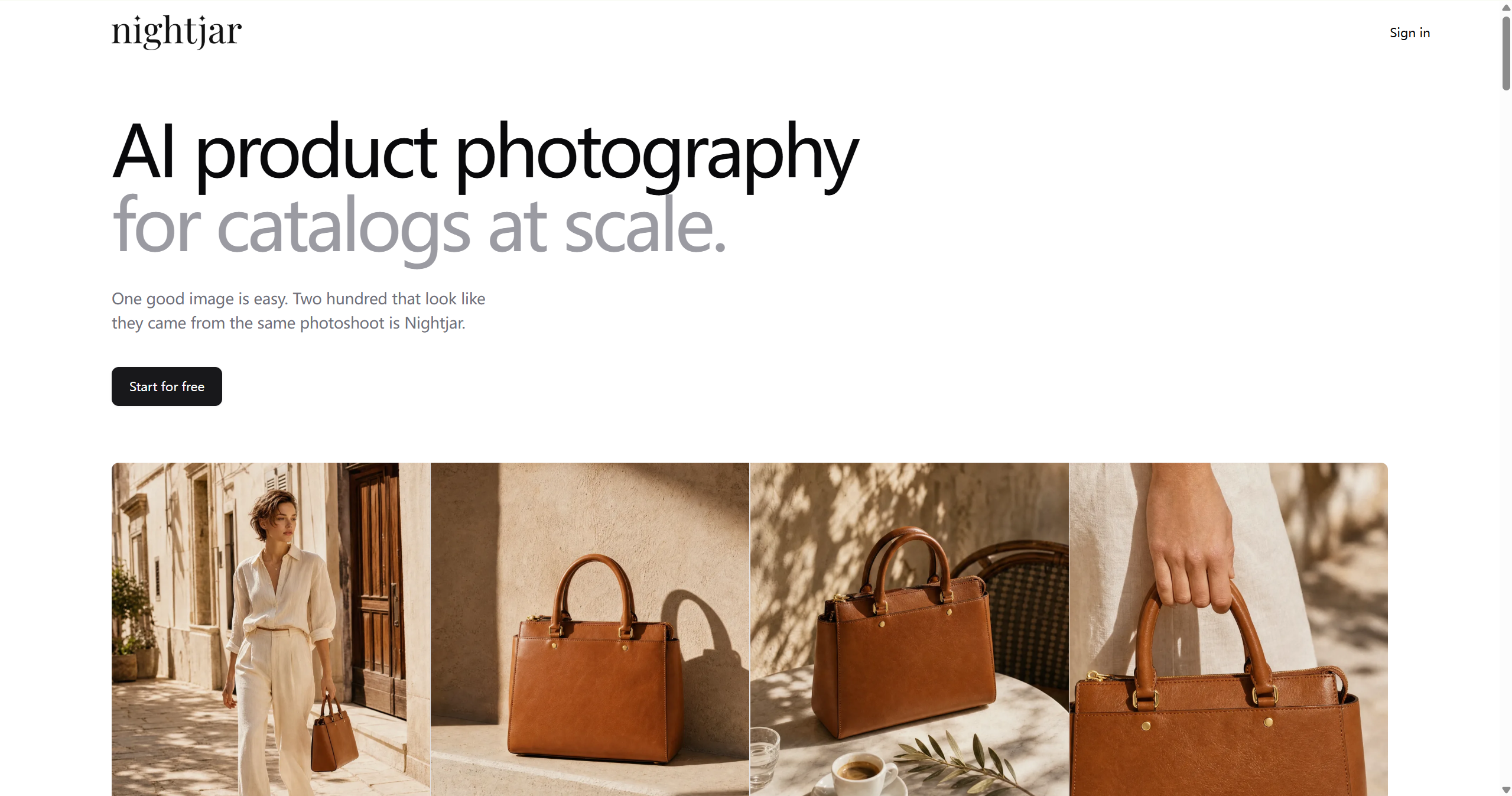
Nightjar's "Photography Styles" feature lets you capture a visual direction from reference images — lighting, composition, model identity — and reuse it across your entire catalog. You can also lock model identity, so the same AI model appears consistently across all your product images. For DTC brands that care about a consistent visual identity, this can be a real advantage.
Key features:
Locked model identity for catalog-wide consistency
Reusable photography styles from reference images
Strong product detail preservation
Shopify integration for streamlined publishing
Pricing: Paid plans; check the current pricing page because cost may vary by generation volume and workflow needs.
Best for: DTC apparel brands and any seller where visual brand consistency across the catalog is non-negotiable.
Limitations: The focus on consistency means less variety in creative, editorial-style outputs. Not the best choice if you want wildly different models to look for each product.
4. Camclo3D — Best AI Model Generator with Video Try-On
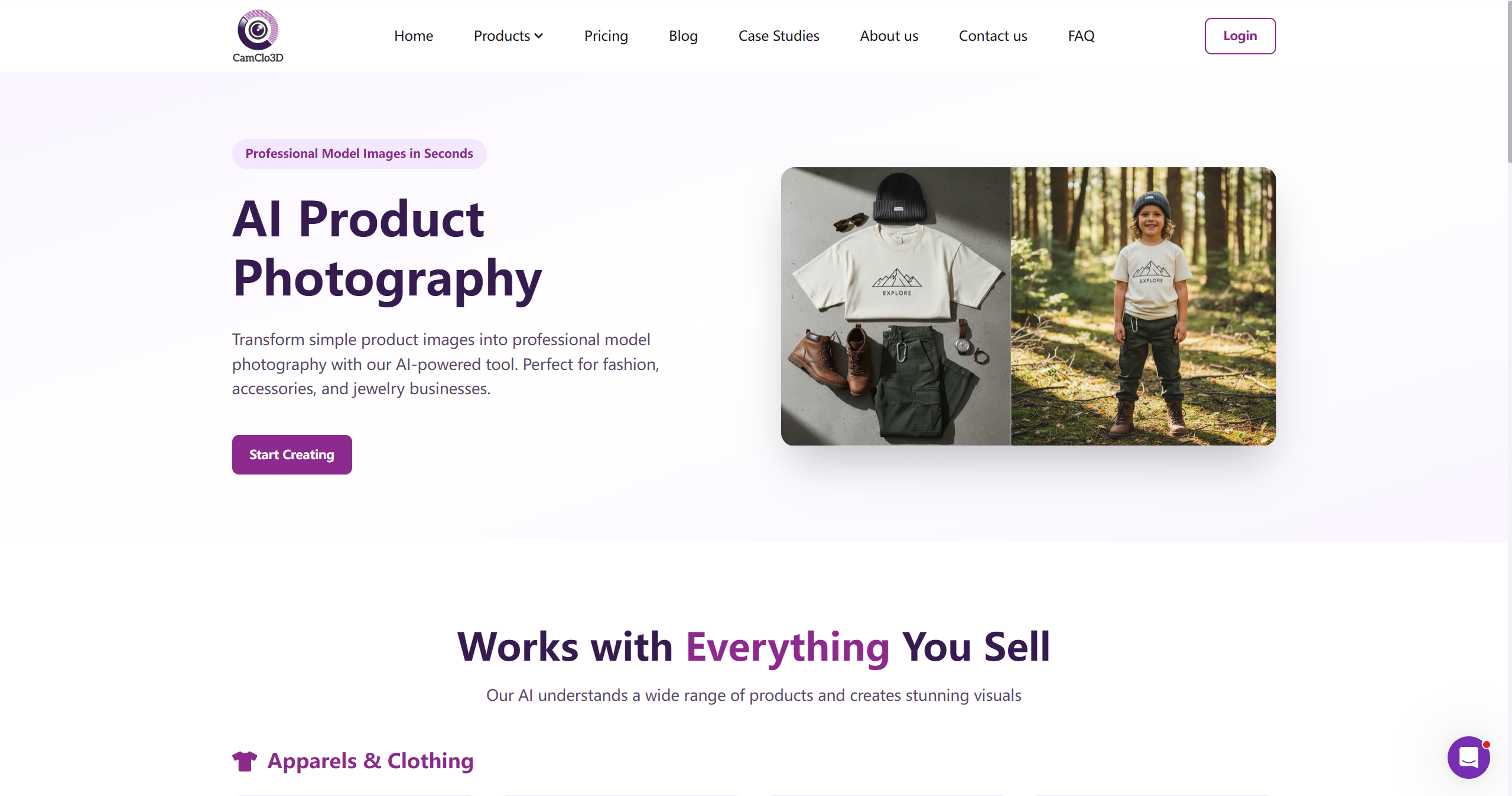
Camclo3D takes a fashion-first approach to AI model generation. Its 3D-based engine transforms flat-lay garment images into high-resolution on-model photos with diverse AI models and customizable backgrounds. The images are sharp, the fabric drape is credible, and the model variety is strong.
Where Camclo really stands out is video: it's one of the few tools in the category that does AI model video try-on well. Camclo is useful if you want both static AI model images and product-video-style outputs from the same fashion-focused platform.
Key features:
Fashion-focused model generation with attention to garment drape and texture
AI model video try-on with fabric physics
Diverse AI model library with multiple looks
Pricing: Start from Creator plan with $49/month.
Best for: Fashion brands and sellers who want both static model images and try-on video content from the same platform.
Limitations: 3D processing takes longer than 2D-based tools — not ideal for ultra-fast batch workflows. Works best with structured garments; very loose or layered outfits can produce inconsistent results.
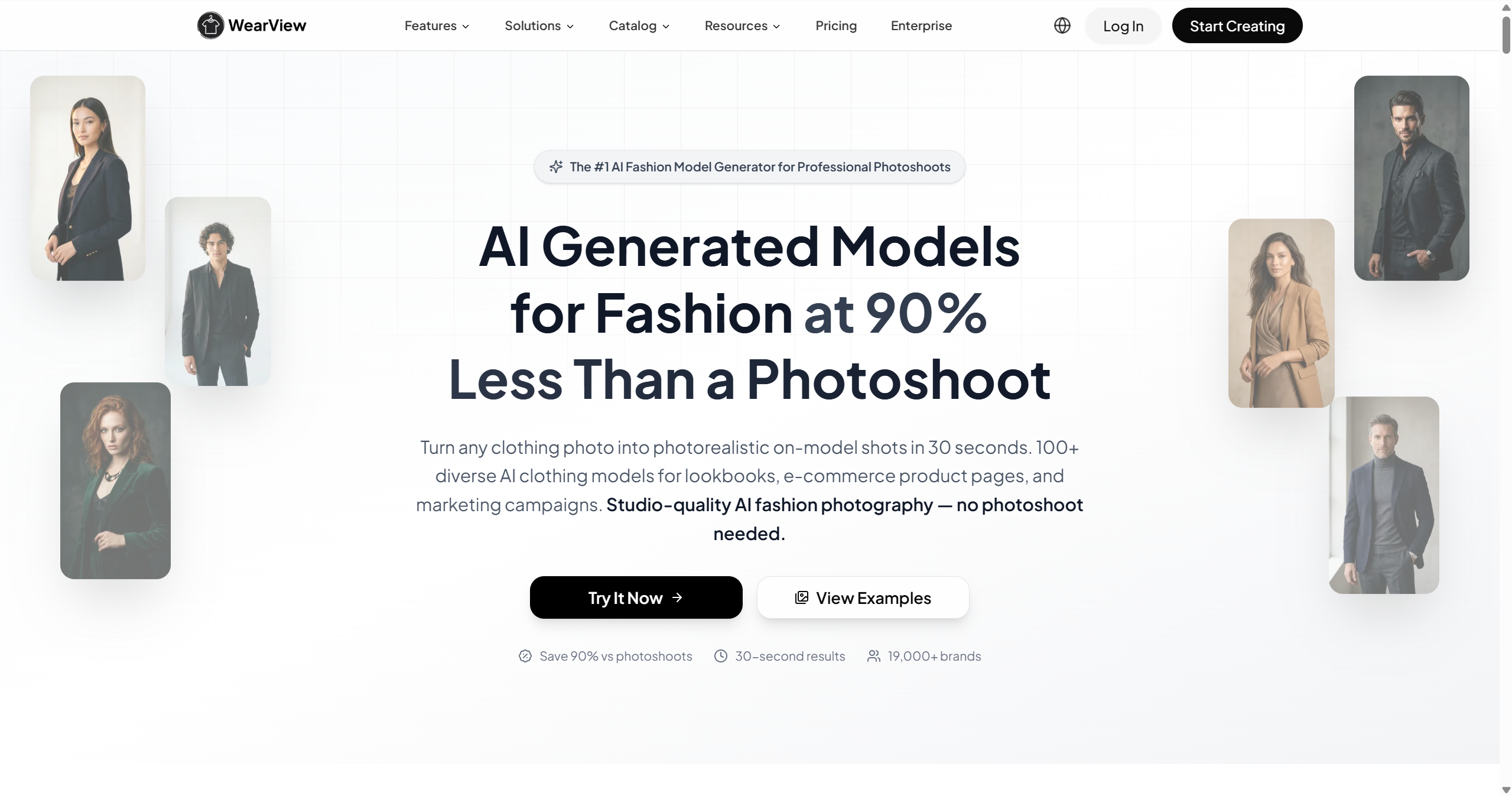
5. WearView — Best All-in-One AI Model Photoshoot Workflow
WearView packages AI model generation as a complete photoshoot replacement. Upload a garment image, select a model and pose, and get a professional on-model shot. It focuses on fast AI model photoshoot workflows, with virtual try-on, model creation, pose control, and video features.
The speed is impressive, and the model quality holds up well for standard ecommerce use cases. The pose control gives you decent creative direction over how the garment is presented, which matters when you need specific angles for product pages.
Key features:
Virtual try-on, AI model creation, product-to-model conversion, and video generation
Fast on-model shot generation
Pose control for creative direction
Pricing: Plans from $29/month. Accessible for small-to-mid-sized sellers.
Best for: Sellers who want a quick, all-in-one photoshoot replacement without committing to a larger platform.
Limitations: Output quality is strong for standard ecommerce but less suited for premium, campaign-grade imagery. Model variety, while decent, is narrower than some competitors.
6. FASHN.ai — Best for Garment-Accurate AI Model Rendering
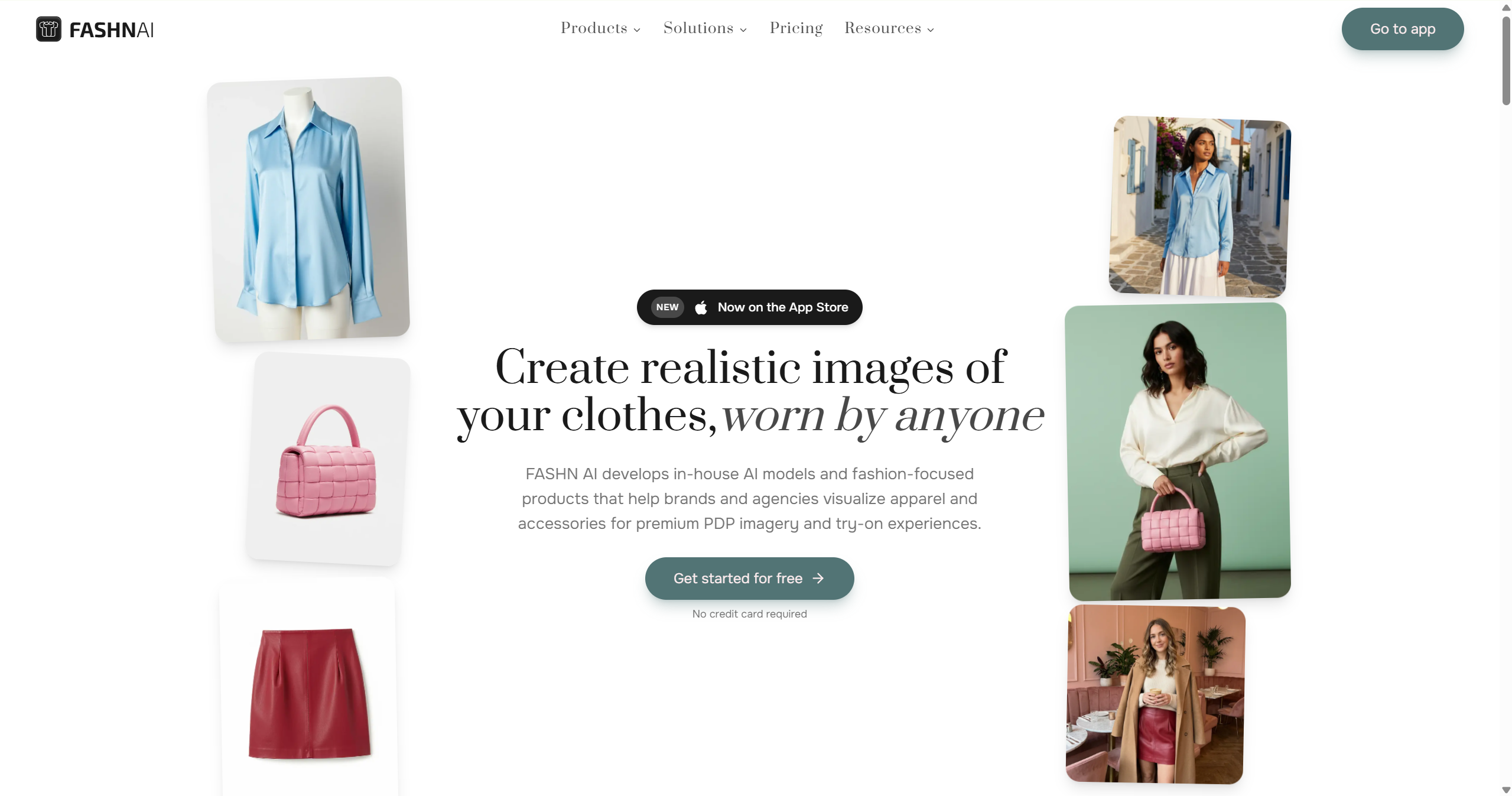
When you need the stitching pattern, button placement, collar shape, and fabric texture of your original garment to survive the AI generation intact, FASHN.ai is a strong option. Its flat-lay-to-model conversion is particularly strong at preserving garment details that other tools smooth over or hallucinate.
The API-first approach also makes FASHN.ai a strong choice for developers building custom ecommerce workflows or integrating AI model generation into existing platforms. Usage-based pricing means you pay for what you generate, not a flat subscription.
Key features:
High-accuracy flat-lay-to-model conversion
Strong garment detail preservation (stitching, buttons, texture)
API-first architecture for custom integrations
Usage-based pricing
Pricing: Start from Basic plan with $19/month. For API pricing, pay only for what you use ($0.075/credit).
Best for: Marketplace sellers where product accuracy is critical for reducing returns, and developers building custom ecommerce AI workflows.
Limitations: Creative and lifestyle-style model imagery is not the tool's strength — the output aesthetic is more catalog than campaign. Less user-friendly for non-technical sellers.
7. Botika — Best for Shopify-Connected AI Model Generation
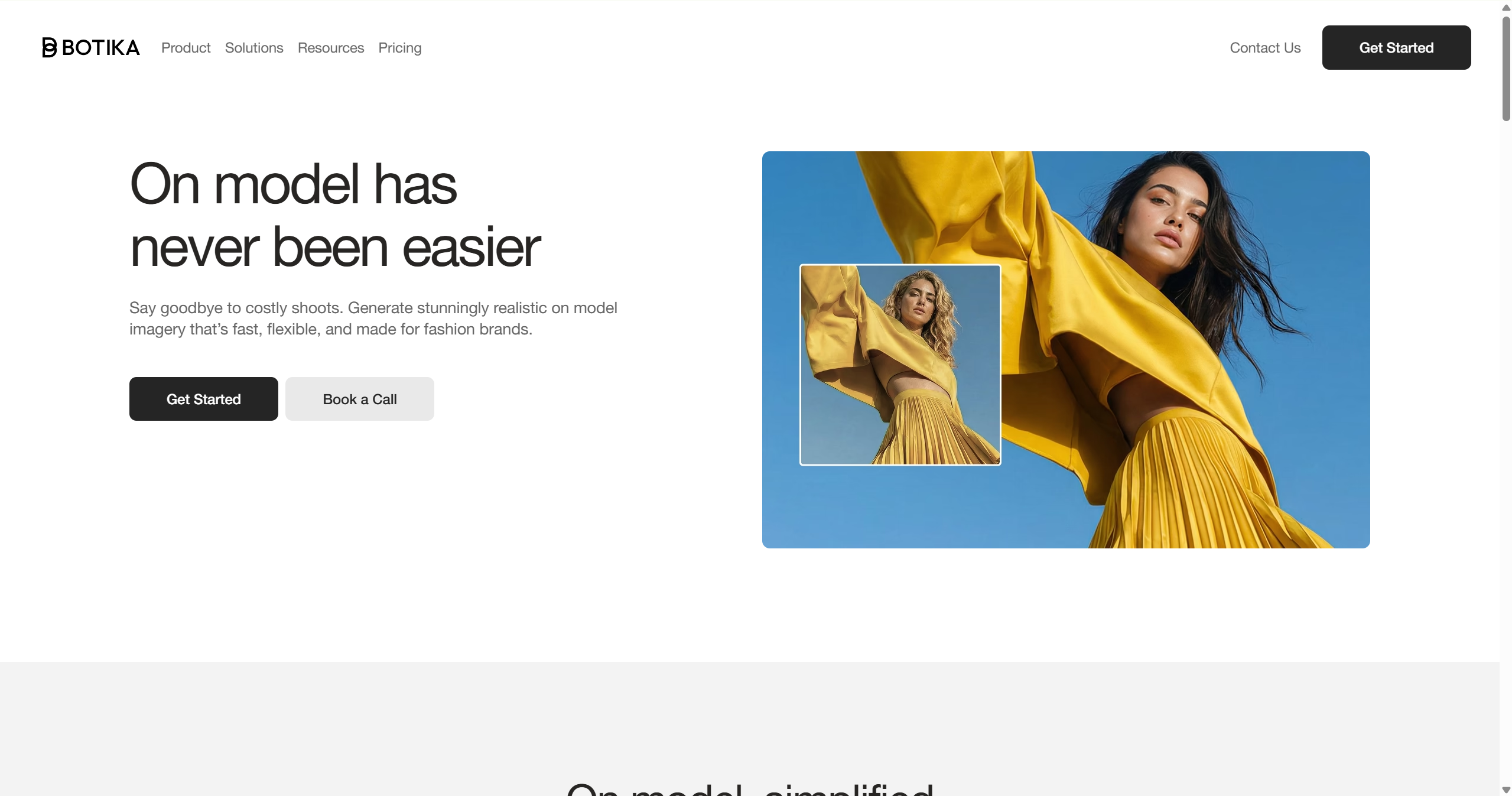
Botika generates on-model fashion photos from flat-lay and mannequin product images, with a particular strength in Shopify integration. Its native Shopify app means you can generate AI model images directly from your product catalog without the download-edit-upload cycle.
The AI model library is diverse — different ages, skin tones, body types — and the model quality is realistic enough for product pages. Botika also offers AI fashion video generation, though this is a newer addition and less mature than the core image generation.
Key features:
Native Shopify app integration
Diverse AI model library (age, skin tone, body type)
Fast on-model image generation from product photos
AI fashion video generation (newer feature)
Pricing: Start from Lite plan with $22/month (20 credits, each photo costs 1 credit). A free trial is available.
Best for: Shopify apparel sellers who want AI model generation that integrates directly with their store workflow.
Limitations: If video is a priority, compare its current video outputs with dedicated video-focused tools before committing. Custom model uploads and API access are limited compared to more developer-focused tools.
8. Claid.ai — Best for Combined Model Generation + Photo Editing
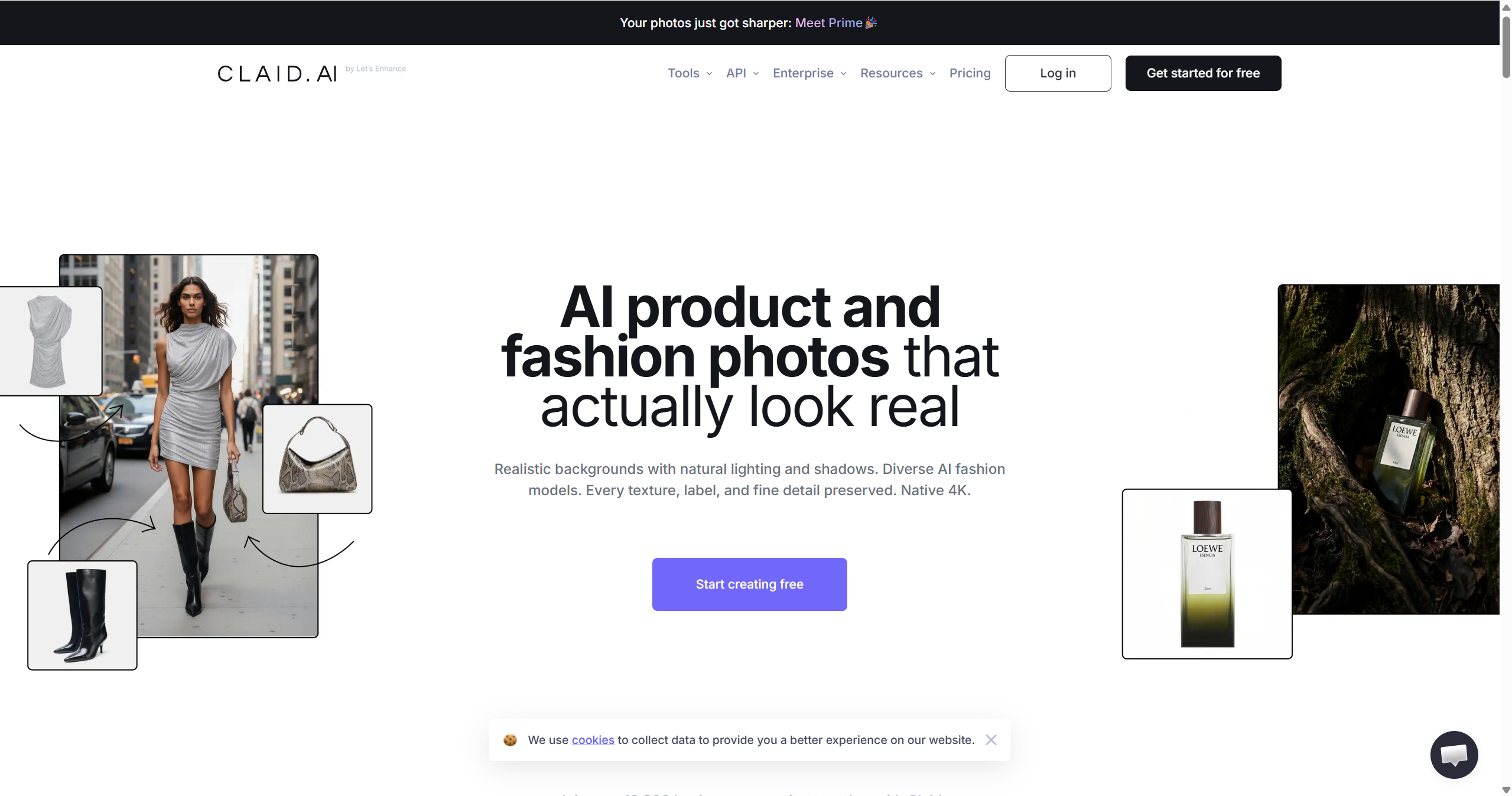
Claid.ai takes a broader approach: AI model generation is part of a larger product photography pipeline that includes background removal, image upscaling, color correction, and batch editing. If you need AI models and you need to clean up, enhance, or standardize your existing product images, Claid covers both.
The AI model generation itself is solid — upload a clothing photo and get on-model images with over 100 virtual models. The post-editing tools mean you can fine-tune results before publishing.
Key features:
AI model generation with 100+ virtual models or custom model options, depending on plan
Built-in photo editing: background removal, upscaling, color correction
Batch processing for high-volume workflows
API access for custom integrations
Pricing: Free trial is available for 50 credits. Paid plans start from Esstentials plan ($9/month with 500 credits, 4 credit each at Standard Quality). API is available for $59/1000 credits.
Best for: Sellers who need AI model generation and photo editing in one tool, rather than juggling separate platforms.
Limitations: The broader feature set means AI model generation isn't as specialized as dedicated tools. Model quality is good but not best-in-class for high-end fashion photography.
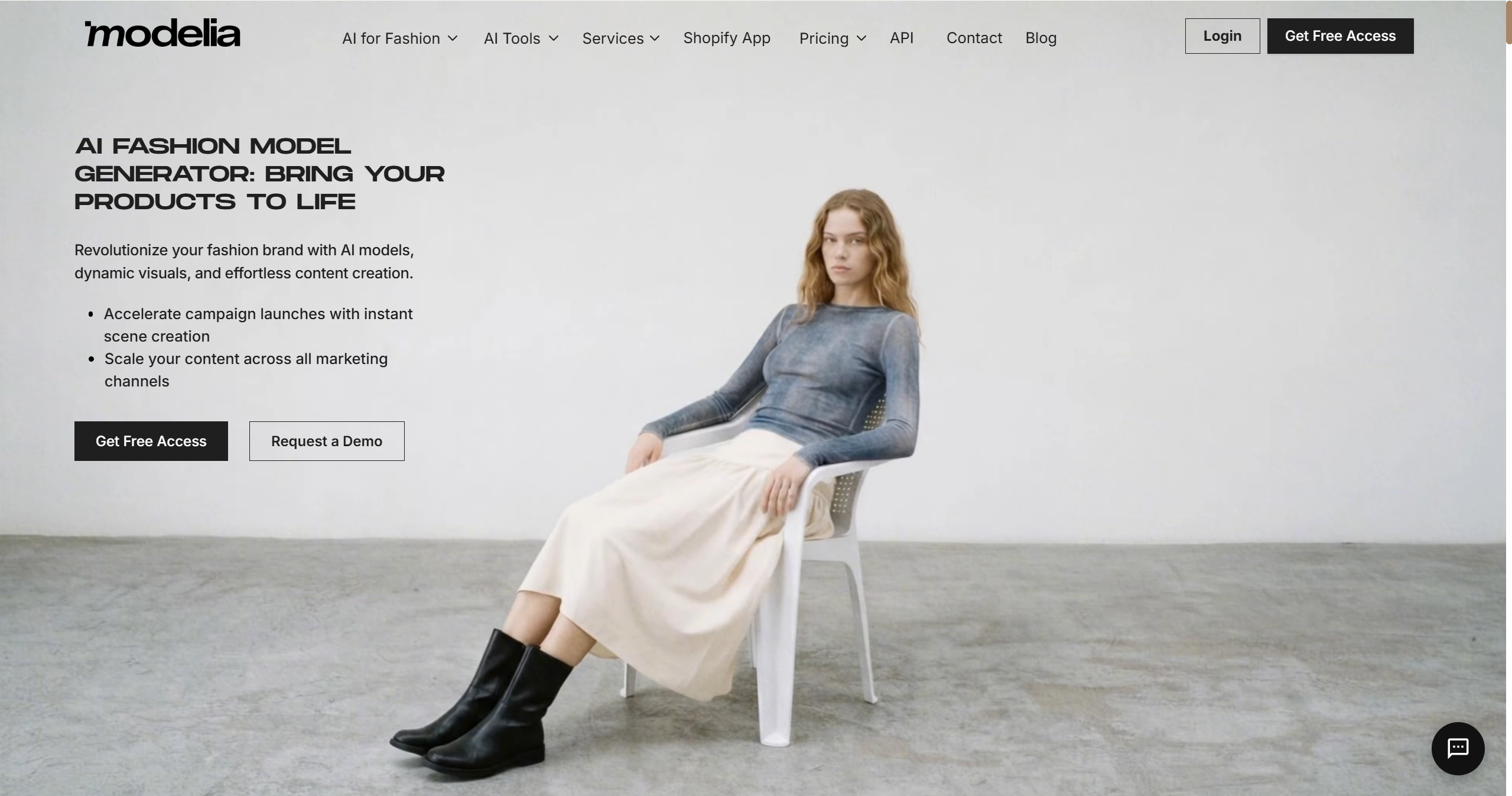
9. Modelia.ai — Best Entry-Level AI Fashion Model Generator
Modelia.ai is built for accessibility. If you're a small brand, solo seller, or just testing whether AI model generation works for your products, Modelia offers a low barrier to entry — a functional free tier and low-cost paid plans — without demanding technical expertise.
The platform covers AI try-on, outfit combination, and model reposing. Recent updates have added video generation capabilities. Modelia lets you customize ethnicity, age, and gender, giving you decent variety without the complexity of more advanced tools.
Key features:
Functional free tier for testing and low-volume use
AI try-on, outfit combination, and reposing
Customizable model ethnicity, age, and gender
Recent video generation features
Pricing: Free tier available (20 credits/month). Paid plans start from $35/month (250 credits), or you can pay one-time to get credits ($12/50 credits, $20/100 credits, etc.).
Best for: Small apparel brands, solo Shopify sellers, and anyone who wants to test AI model generation without a significant upfront investment.
Limitations: It may not offer the same level of catalog consistency or premium styling control as more advanced tools — fine for standard product pages, but not campaign-grade. Video generation is newer and less mature than image generation.
How to Create an AI Fashion Model: A Step-by-Step Guide
If you've never used an AI fashion model generator before, the process is simpler than you might think. Here's how it works across most of the tools on this list:
Step 1: Prepare your product image. Start with a clean, well-lit photo of your garment. Flat-lay shots (garment laid flat on a surface), mannequin photos, and hanger shots all work. The better your input image, the better the AI output — clear lighting, minimal wrinkles, and a neutral background make a real difference.
Step 2: Upload to the AI model generator. Most tools have a simple drag-and-drop interface. The tool uses the product image to understand the garment’s shape, color, and visible details.
Step 3: Choose your AI model. Select from the tool's library of AI-generated models. Many tools offer model libraries or reference-image controls, but the level of control varies. Some let you choose skin tone, body type, age range, pose, or style; others are more limited.
Step 4: Set the scene and pose. Pick a background — studio, street, indoor, outdoor, seasonal — and select a pose that shows the garment well. Some tools offer pose libraries; others let you describe the pose in text. The goal is to present the clothing clearly while keeping the image natural.
Step 5: Generate and review. The AI generates your on-model image, typically in seconds to minutes. Review the output carefully — check for garment accuracy, model realism, and overall commercial quality. Most tools let you regenerate with adjustments if the first result isn't right.
Step 6: Publish or download. Once you're satisfied, download the image for your product pages, marketplace listings, or social media.
💡 Pro tip: Start with one product. Generate 3–5 model variations — different models, poses, scenes — and compare them. You'll quickly learn which combinations work best for your garment types and brand aesthetic, and the learning curve for subsequent products drops dramatically.
How to Choose the Right AI Fashion Model Generator for Your Needs
With nine strong options, here's how to narrow it down:
If you want the most complete apparel workflow: Go with Koozee. It's one of the strongest choices that combines AI model generation with model/scene swapping, video generation, listing asset creation, and Shopify publishing.
If you need to process thousands of SKUs: Uwear stands out for catalog-scale batch workflows, especially if the 10,000-item CSV workflow fits your use case.
If brand visual consistency is everything: Nightjar's locked model identity and reusable photography styles keep your catalog looking cohesive.
If video try-on matters as much as static images: Camclo3D is worth testing if video try-on is as important as static model imagery.
If garment detail accuracy is non-negotiable: FASHN.ai preserves stitching, buttons, and fabric texture better than most.
If you're on Shopify: Koozee and Botika both offer native Shopify integration — connect your store and generate model images directly from your product catalog.
If you're testing the waters: Start with Modelia.ai's free tier to see if AI model generation works for your products before committing to a paid platform.
If you need model gen + photo editing in one tool: Claid.ai combines both, reducing the number of tools in your workflow.
FAQ: Best AI Fashion Model Generators
What is an AI fashion model generator?
An AI fashion model generator is a tool that uses artificial intelligence to create digital models wearing clothing. You upload a product image (flat lay, mannequin shot, or hanger photo), and the AI places the garment onto a photorealistic AI-generated model in a chosen pose, scene, and style. The result is an on-model product photo without the logistics of a traditional photoshoot.
What is the best AI to create fashion models?
For apparel sellers who want more than a single image generator, Koozee is a strong pick because it combines AI model visuals with model/scene variation, apparel videos, listing assets, and Shopify-connected workflows. For pure model image quality at scale, Uwear and Nightjar are strong alternatives depending on whether you prioritize volume or brand consistency.
How to create an AI fashion model?
Upload a clean product image to an AI model generator, select your preferred AI model (choosing body type, skin tone, and style), pick a pose and background scene, and generate. Review the output for garment accuracy and realism, then download or publish.
Can AI really put clothes on models convincingly?
Yes — the best AI fashion model generators now produce results that are difficult to distinguish from real model photos at standard ecommerce resolution. The realism depends on input image quality, garment type, and the specific tool's model quality. Always review each output before publishing.
What's the difference between an AI fashion model generator and AI virtual try-on?
An AI fashion model generator creates images of AI models wearing your clothing. Virtual try-on can mean seller-side model image creation for product pages or customer-facing try-on experiences (lets shoppers see garments on themselves).
How is AI changing the fashion industry?
AI in the fashion industry has moved far beyond design inspiration. AI is changing the production side of fashion ecommerce: product visuals, model variations, virtual try-on, social videos, listing assets, and catalog refreshes can now be created faster than before. It is not replacing creative direction, but it is reducing repetitive production bottlenecks.
Do AI model generators work for lingerie, swimwear, and fitted clothing?
This depends entirely on the specific tool. Many general-purpose AI image platforms restrict or poorly handle fitted and intimate apparel categories due to content policies. Koozee includes a dedicated lingerie and bodycon try-on workflow for legitimate ecommerce presentation, making it a strong option to test for swimwear, shapewear, lingerie, and fitted categories.
Will AI model generators replace real photoshoots entirely?
AI tools can reduce the need for repeated product photoshoots, especially for catalog images, model variations, and social content. But many brands will still use real shoots for hero campaigns, editorial storytelling, or situations where exact fabric behavior and creative control matter
You May Be Interested

6 Best Plus Size AI Model Generators for Apparel Sellers

8 Best Virtual Try-On Apps for Cosplay Costumes (2026)

Flat Lay Clothing Photography: Complete Guide for Apparel Sellers
