9 Best AI Pet Product Photography Tools for E-commerce Sellers


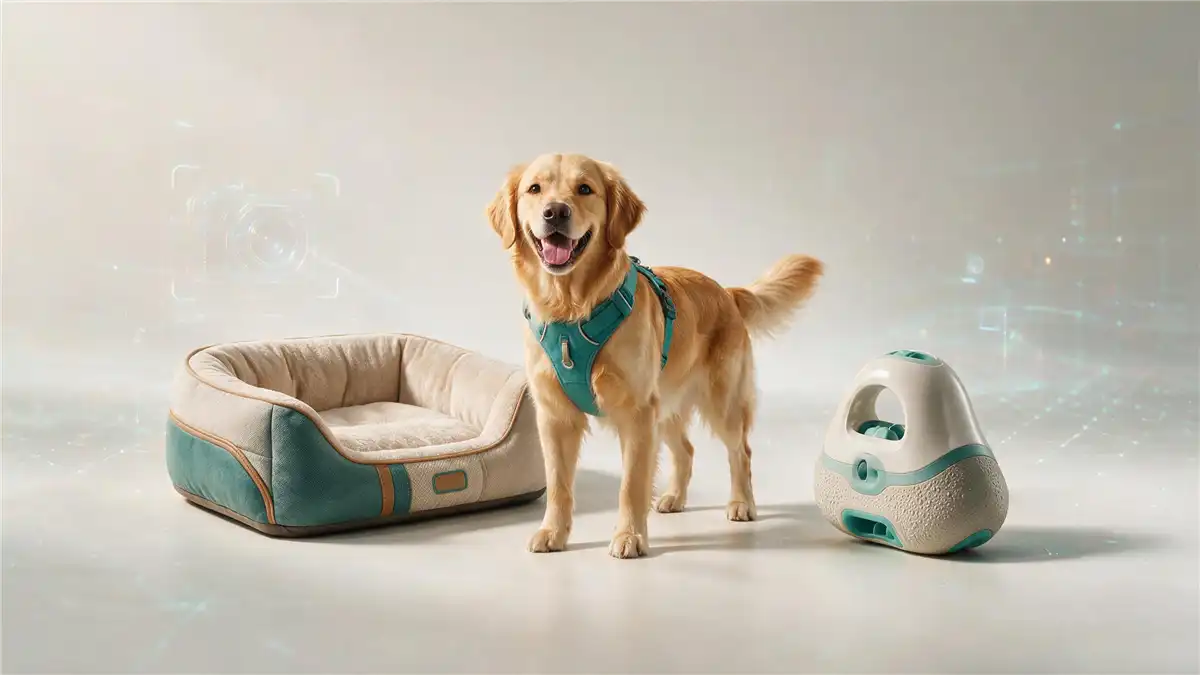
AI pet product photography tools can remove backgrounds, create lifestyle scenes, enhance existing packshots, and place collars or clothing on AI-generated animal models. The best option depends on whether you need accurate catalog images, creative marketing assets, or high-volume production. This guide compares 9 tools for pet product sellers, including options for dog beds, toys, food packaging, collars, harnesses, and apparel. Prices, credits, commercial licenses, and features can change, so check each provider’s current terms before purchasing or publishing images.
You may also like: Amazon product photography for e-commerce sellers
Key Takeaways
Top pick overall: Photoroom is the best AI pet product photography tool for most sellers — fast background removal, batch processing, and AI staging in one place.
Best for catalog consistency: Nightjar is built for pet brands and preserves product details (logos, textures, colors) across every SKU.
Best budget option: Pixelcut offers a generous free tier and unlimited background removal on Pro for about $10/month.
Best pet model scenes: OpenCreator generates apparel and accessory images on AI pet models without a single photoshoot.
What to look for: Prioritize product fidelity, batch processing, and platform-compliant output.
Bottom line: Start with a free tier to test output on your own product photos, then scale with the tool that keeps your catalog consistent.
What to look for in an AI Pet Product Photography Tool
Pet product photography has different requirements from ordinary image generation. A tool may create an attractive image but still be unsuitable for a product listing if it changes the product’s shape, label, color, or dimensions. Evaluate each platform using these criteria:
Category | Details |
Product fidelity |
|
Pet-specific output |
|
Batch processing |
|
Marketplace compliance | Review each final image against the requirements of Amazon, Shopify, Etsy, or another marketplace before uploading it. |
Pricing and licensing |
|
Quick Comparison Table
| Tool | Best for | Main workflow | Batch support |
| Koozee | Pet apparel try-on | Apparel try-ons, Shopify integration | Limited |
| Photoroom | Fast catalog production | Background removal, editing, and staging | Yes |
| Pebblely | Lifestyle backgrounds | AI scene generation | Paid plans |
| Nightjar | Pet-catalog consistency | Product-preserving generation | Plan-dependent |
| Pixelcut/Pixa | Budget editing | Removal, upscaling, and generation | Paid plans |
| Claid.ai | Existing photo enhancement | Cleanup, upscaling, and AI Photoshoot | API and plan-dependent |
| Flair.ai | Branded creative scenes | Visual scene composition | More limited than catalog tools |
| Iterapic | Pet-product scenes | Pet backdrops and lifestyle images | Verify current plan |
| OpenCreator | Pet-model workflows | Model and product visuals | Verify current plan |
1. Koozee — One AI Workflow for Apparel-Inclusive Catalogs
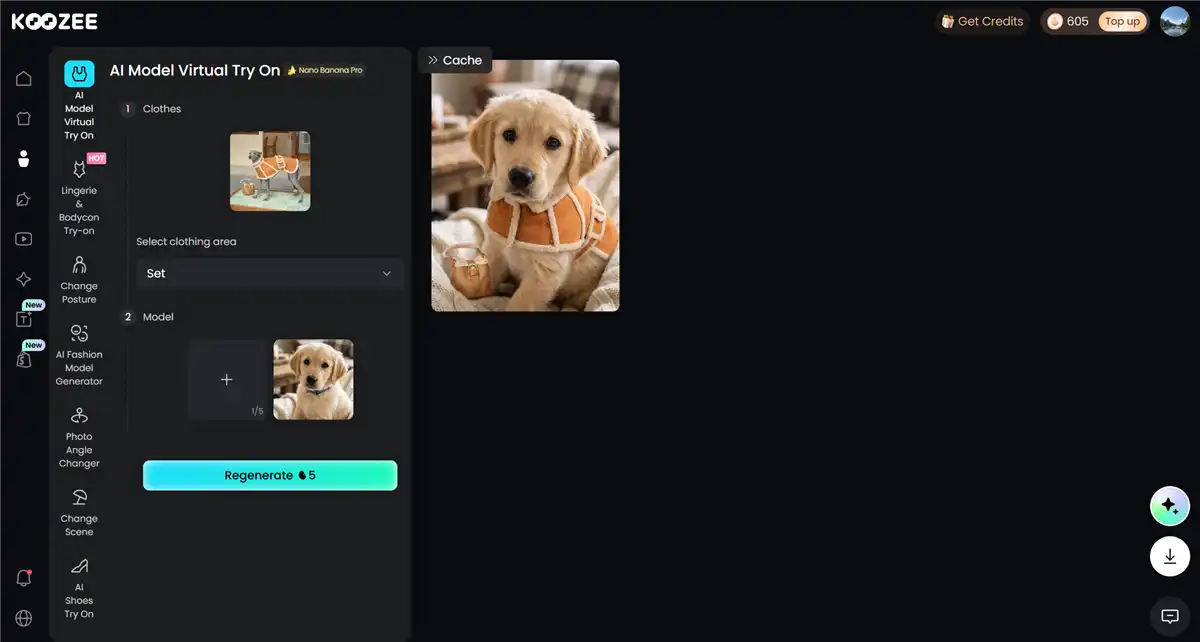
If your catalog includes apparel only — dog hoodies, bandanas, sweaters, or any clothing line — Koozee can also handle the product photography for consistent visuals. Rather than a single image generator, it's a full visual production platform for apparel e-commerce: turn product images into model try-ons, product videos, and listing assets in one workflow, then preview and generate approved images. For Shopify pet sellers, you can also connect to your store and publish the photos directly inside the app.
Key features:
AI pet try-ons for apparel products (including fitted and intimate apparel).
Generate pet apparel try-on photos with prompts.
Product videos, viral video clones, and lookbooks from still images.
Listing assets (main images, detail images, posters) in one workspace.
Shopify connection: preview and publish approved assets without download-edit-upload churn.
Pricing: Free credits for new users (claim 30 free credits); Paid plans start at $22.9/month or $0.03/credit.
Best for: Apparel sellers — including pet apparel — who want try-ons, videos, and listing assets without photoshoots or scattered tools.
2. Photoroom — Best Overall for Fast, Batch-Ready Product Images
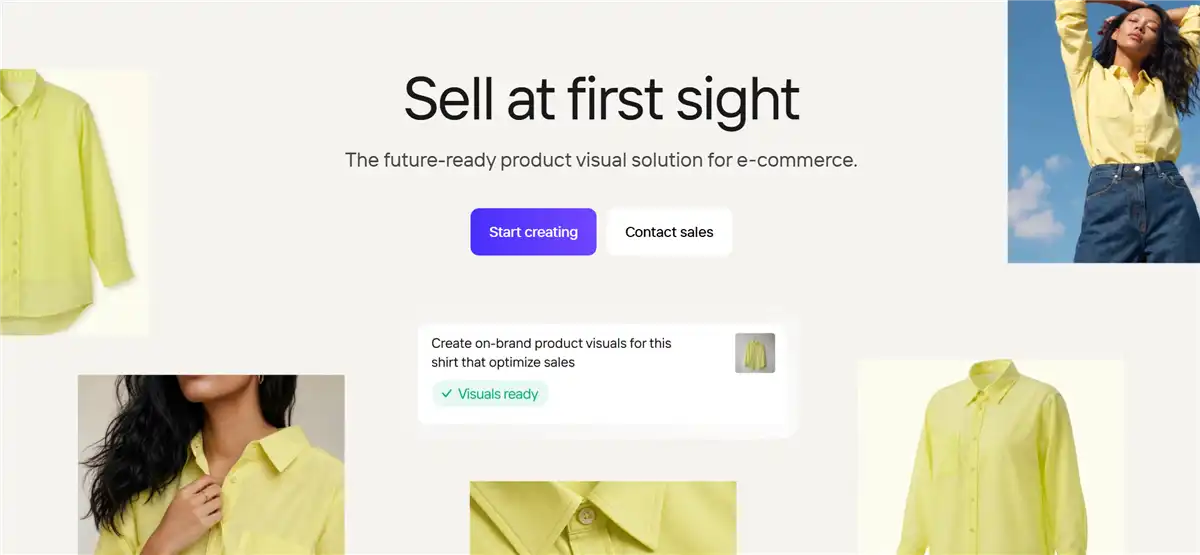
Photoroom is a strong general-purpose AI tool for pet product sellers who need to clean, resize, and stage many product images quickly. Its workflow combines background removal, AI-generated backgrounds, batch editing, and export tools for e-commerce content. It is a good fit for pet brands selling several product categories, such as beds, toys, bowls, grooming products, and accessories.
Key features:
Fast, accurate AI background removal with fine-edge handling for fur.
AI scene generation (Product Staging) for lifestyle backgrounds.
Batch processing with consistent output across a catalog.
High-resolution exports and marketplace presets, with Shopify publishing available on higher-tier plans.
Pricing: Paid plans start at $12.99/month.
Best for: Sellers who need fast, compliant product images across a large pet catalog with minimal manual editing.
Limitations: AI-generated scenes can look generic without careful prompting. Product fidelity should be checked closely for packaging and small accessories.
Also read: Best Photoroom alternatives for product photos
3. Pebblely — Best for Realistic AI Backgrounds and Scenes
Pebblely is designed to turn a simple product image into a styled marketing visual. It offers more than 40 background themes, custom prompts, and bulk generation on applicable plans. Upload a plain packshot of a dog bed or toy, and it generates themed backgrounds with realistic lighting, reflections, and shadows baked in. A pet brand could use it to place a dog bed in a bright living room, a toy beside a basket of treats, or a grooming product in a clean bathroom setting.

Key features:
40+ AI background themes plus custom text prompts.
Automatic lighting, shadows, and reflections for realism.
Bulk generation for multiple products in one workflow.
Pricing: Subscription plans start at $9/month.
Best for: Sellers who want beautiful lifestyle scenes for secondary images, social posts, and ads quickly.
Limitations: Entry-level cost per image may be higher than that of general editing tools. Results can vary with complex packaging and small details.
4. Nightjar — Best for Catalog Consistency Across Pet SKUs
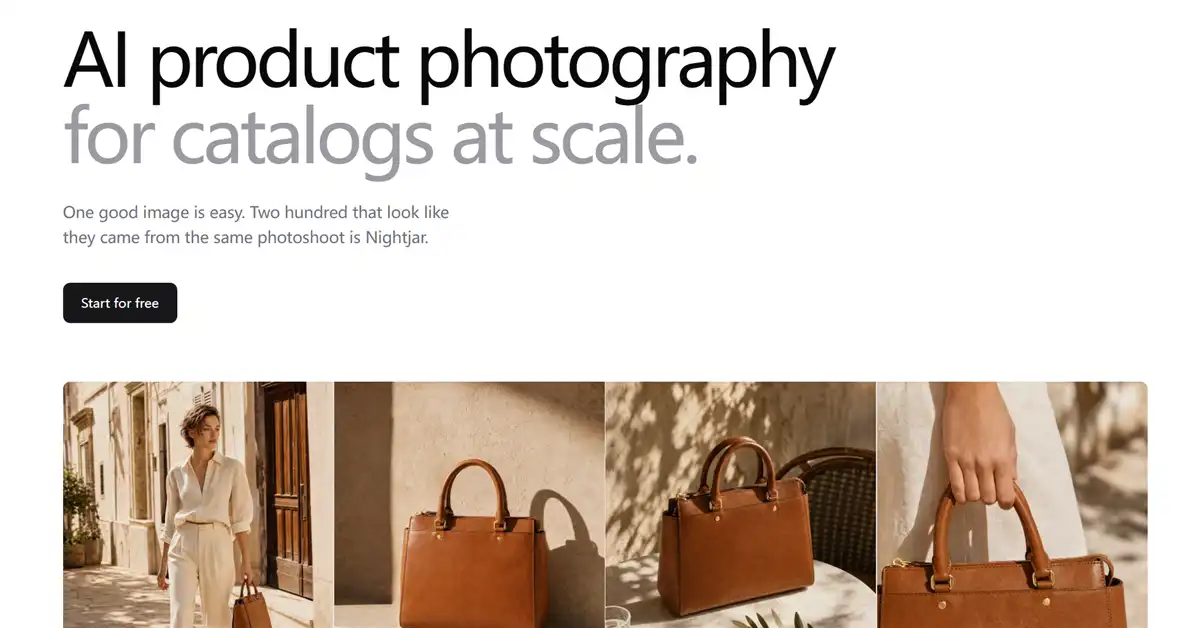
Nightjar is positioned specifically for pet-product brands that need consistent visual output across multiple product categories. Its workflow emphasizes product preservation, reusable styles, and “Recipes” that can help maintain a consistent composition across different SKUs. This makes it particularly relevant to brands selling collars, food, toys, and other products that need to look as though they belong to the same catalog.
Key features:
Product-fidelity-first generation preserving logos, labels, and colors.
Reusable Recipes for consistent styles across SKUs.
On-pet and lifestyle generation with reusable AI pet models.
Built for various pet product categories.
Pricing: Free tier (6 images). Paid plans start at $25/month.
Best for: Established pet brands that need a consistent look across a large, varied catalog.
Limitations: Higher cost per image than general tools at entry tiers. Output quality varies with product complexity.
5. Pixelcut — Best Budget-Friendly Option for Quick Edits
Pixelcut is a practical choice for solo sellers and small teams that need to turn ordinary pet product photos into polished e-commerce images. Its AI tools support background removal, background generation, upscaling, object cleanup, and batch editing, making it useful for most pet products. Sellers can work from phone photos or desktop uploads, then create clean listing images and simple lifestyle visuals. Pixelcut is best for quick, affordable edits, although AI-generated scenes use credits and fine details such as fur, straps, and small hardware may require manual touch-ups.

Key features:
Unlimited AI background removal (Pro &Business).
AI background generation and 4x upscaling.
Batch editing and marketplace presets.
Magic Eraser and Generative Fill for cleanup.
Pricing: Free tier with limited features. Subscription plans start at $10/month.
Best for: Solo sellers and small teams on a budget who need quick, consistent edits from mobile or desktop.
Limitations: Fine fur, thin straps, and complex edges may need manual correction. Less suitable than a dedicated catalog platform for large teams.
6. Claid.ai — Best for Improving Existing Product Photos
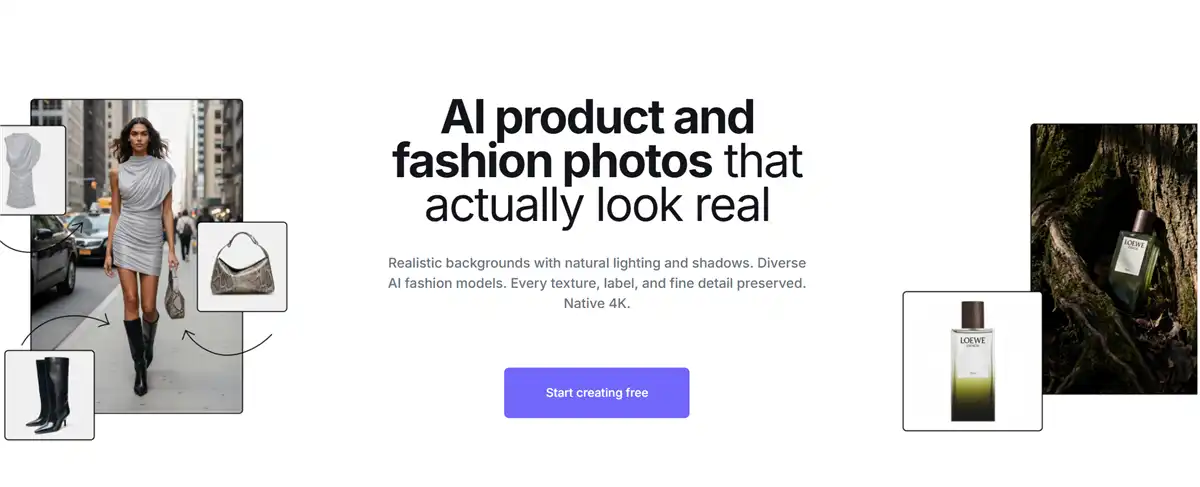
Claid.ai focuses on enhancing existing product images rather than replacing the entire photography process. It can help with cleanup, exposure, upscaling, and AI-generated campaign imagery. Its AI Photoshoot workflow is designed to create product campaigns from a single source image, and the technology is also available through its API. For pet brands, this makes it useful for refreshing photos of beds, toys, food packaging, grooming products, and accessories. Claid.ai is best suited to sellers who already have reasonably clear product images and want better quality and consistency.
Key features:
Catalog cleanup and enhancement of existing images.
4K upscaling and automatic retouching.
AI Photoshoot: catalog shots, lifestyle scenes, on-model images.
API for bulk processing at scale.
Pricing: Free plan includes 50 credits. Web plans start at $15/month. API pricing is customized.
Best for: Sellers with an existing photo library who want to improve quality and consistency without re-shooting.
Limitations: Enhancement cannot reliably recover details missing from the original. API operations may have separate pricing from web-app plans.
7. Flair.ai — Best for Art-Directed Branded Scenes
Flair.ai helps pet brands create polished, art-directed product images without building every scene from scratch. Its visual editor lets you arrange pet products, props, shadows, backgrounds, and text before generating the final image. This makes it useful for hero banners, seasonal campaigns, social media, and lifestyle visuals featuring dog beds, toys, bowls, and accessories. Flair.ai is a strong choice for brands that want more creative control than a basic text-to-image tool provides. However, it is better suited to branded campaign assets than high-volume catalog processing, and sellers should verify commercial-use rights for their selected plan.

Key features:
Drag-and-drop scene composition.
Branded, art-directed hero images.
Templates and scene presets for consistent style.
Pricing: Free tier (5 generations). Paid plans start at $10/month.
Best for: Pet brands with an established visual identity and a need for art-directed campaign assets.
Limitations: It is not primarily a high-volume catalog-processing tool. Credit usage can increase quickly.
You may also like: Flat Lay Clothing Photography
8. Iterapic — Best Pet-Specific Bulk Workflow
Iterapic is designed around pet-product imagery, making it relevant for brands that need playful lifestyle scenes for most animal-related products. Sellers can use their product photos to create pet-friendly backdrops, promotional visuals, and social-media content without arranging a full studio shoot. Its category-focused approach may help produce more relevant scenes than a general image generator. Iterapic is best for creative variations and marketing assets rather than strict Amazon main images.

Key features:
Pet-specific AI backdrops and lifestyle scenes.
Bulk image editing across products.
Preset templates for consistent variations.
Pricing: Subscription-based. Paid plans start at $29/month. Enterprise users should contact sales to get the final price and unlock API access.
Best for: Pet brands that want playful, category-specific creative scenes at scale without hiring a design team.
Limitations: Pricing details aren't fully public. Pet apparel try-on is not necessarily its main workflow. Results should be checked for product shape, color, and scale.
9. OpenCreator — Best AI Pet Model Try-On for Apparel and Accessories
OpenCreator helps pet-apparel and accessory sellers create on-pet visuals without booking a live-animal photoshoot. The workflow is relevant for collars, harnesses, bandanas, sweaters, and other wearable products that benefit from showing fit and scale. Sellers can explore different pet types, settings, and campaign concepts using a product image as the starting point. However, AI-generated pet models may distort buckles, straps, seams, or garment proportions. Review every image against the original product, and use these visuals mainly for lifestyle content or secondary listing images unless the final result accurately represents the item.

Key features:
Pet model try-on for collars, harnesses, apparel, and accessories.
Batch AI model try-on for consistent on-pet imagery at scale.
Simple prompt-to-image workflow.
Pricing: Subscription-based. Paid plans start at $39/month.
Best for: Sellers of pet wearables and accessories who need on-pet lifestyle shots without live models.
Limitations: Generated pets may not represent the target breed or body shape accurately. Straps, buckles, and clothing can be distorted.
Which tool should you choose?
For Amazon main images
Choose a background-removal or editing workflow such as Photoroom, Pixelcut, or Claid.ai. Use a genuine product photo as the source, remove the background, and inspect the final image manually.
For lifestyle scenes
Pebblely, Flair.ai, Photoroom, and Iterapic are suitable starting points. Use lifestyle images as secondary listing images, A+ content, social posts, and advertising assets.
For pet apparel
Test Koozee or OpenCreator, and compare them with any current on-pet workflows in Nightjar. For an accurate fit, use lifestyle images as supplemental content rather than relying entirely on generated try-ons.
For existing photo libraries
Claid.ai, Photoroom, and Pixelcut are practical choices for cleanup, background replacement, upscaling, and resizing.
For large catalogs
Compare Photoroom and Nightjar first, then consider Claid.ai if you need API-based processing.
Pet Product Specific workflows
| Product type | Recommended workflow | Main risk |
| Dog beds | Clean packshot plus lifestyle staging | Incorrect size, shape, or filling |
| Collars | Product-preserving image plus pet-model scene | Misplaced buckle or altered width |
| Harnesses | On-pet generation followed by manual inspection | Incorrect fit or strap placement |
| Pet food | Clean packshot and label-preserving enhancement | Altered text or nutrition claims |
| Toys | Background removal plus lifestyle scene | Changed texture or dimensions |
| Pet apparel | Try-on generation plus real-product verification | Incorrect seams, fit, or anatomy |
| Grooming products | White-background packshot plus bathroom scene | Implied claims or added ingredients |
Final thoughts
AI pet product photography can help e-commerce sellers create cleaner catalog images, lifestyle scenes, and on-pet visuals with less time and cost than a traditional shoot. However, attractive output is not enough: every image should accurately represent the real product, including its color, shape, material, labels, hardware, and size.
Start with high-quality source photos, test several workflows using your pet products, and compare results for fidelity, edge quality, consistency, speed, and credit usage. Keep marketplace rules in mind, especially for main listing images, and use AI-generated lifestyle scenes primarily for secondary images, ads, social media, and campaign content.
FAQ: AI Pet Product Photography Tools
Can AI tools remove backgrounds from pet photos?
Yes — modern AI handles difficult edges like fur and whiskers in seconds. Tools like Photoroom and Pixelcut produce clean cutouts with transparent or white backgrounds, and batch mode processes entire catalogs in one pass.
Can AI create pet model photos without a real pet?
Yes. OpenCreator and Nightjar generate realistic images of pets using products — collars, harnesses, apparel — without a live animal or photoshoot. Results are ideal for lifestyle shots and social content.
Can I use AI-generated images on Amazon?
Yes, AI can assist with creating product imagery, but the final image must follow Amazon’s current requirements and accurately represent the product. Use the genuine product as the source for the main image, keep the background and composition compliant, and verify the current rules before publishing.
Can AI preserve logos and packaging text?
It can sometimes preserve them, but you should not assume that it does so accurately. Always compare AI output with the original product, especially for food packaging, supplements, labels, logos, and regulatory information.
What's the best AI tool for pet apparel and clothing products?
OpenCreator can generate on-model images for pet clothing and wearables. If your catalog is apparel-first — including pet apparel — Koozee covers the full workflow from model try-ons to product videos and listing assets, with Shopify publishing.
How do I take good pet product photos in the first place?
Start with a clean, well-lit product photo on a neutral background—even a smartphone works. Then use AI tools to generate consistent lifestyle scenes, on-pet mockups, and scale shots while keeping labels, colors, and hardware accurate.
You May Be Interested

8 Best Virtual Try-On Apps for Cosplay Costumes (2026)

6 Best Virtual Try-On Apps for Swimwear in 2026

Top 10 Virtual Try-on Apps for Shopify (2026)
