How to Turn a Flat Lay Photo Into a Walking Video (2026)
How to turn a flat lay photo into a walking video? Read this guide to get two routes to achieve that with ease.


A flat lay is the cheapest photo you can take and the easiest to get right. For many apparel workflows, it's two jobs: first creating an on-model image, then animating that image into a walking video. Some tools can combine those steps.
Turning a flat lay into a walking video shows how a garment folds, flows, and moves when worn by a human and animated. And AI enables this workflow easily to be finished without paying for expensive models, studios, or camera crews.
Here we will introduce two routes to cover how to turn flat lays into walking fashion videos.
Key Takeaways
There are two practical workflows: flat lay → on-model image → walking video, or direct flat lay → walking video when a tool supports both steps in one workflow.
The two-step route gives you more control. You can approve the model image and garment details before spending credits on video generation.
Input quality matters. A clean, well-lit garment with clear edges gives AI more reliable information to work with.
Always review the garment after generation. Check prints, logos, seams, hems, buttons, and other details before using the video as product content.
Why Convert Flat Lay into Animated Video?
Flat lays are cheap, repeatable, and need no model, studio, or photographer. They show prints, texture, and construction clearly, front-on, on a neutral background, with the whole garment in frame.
A flat lay photo gives AI a clean view of the garment itself, but it does not show how the garment wraps around a body.
If you're searching how to make walking model videos with a catalog of flat lays, you may need to turn existing product photography into content that shows the garment in motion. This way saves model shooting costs and enables flexible photo variations. Let's dive into the two routes.
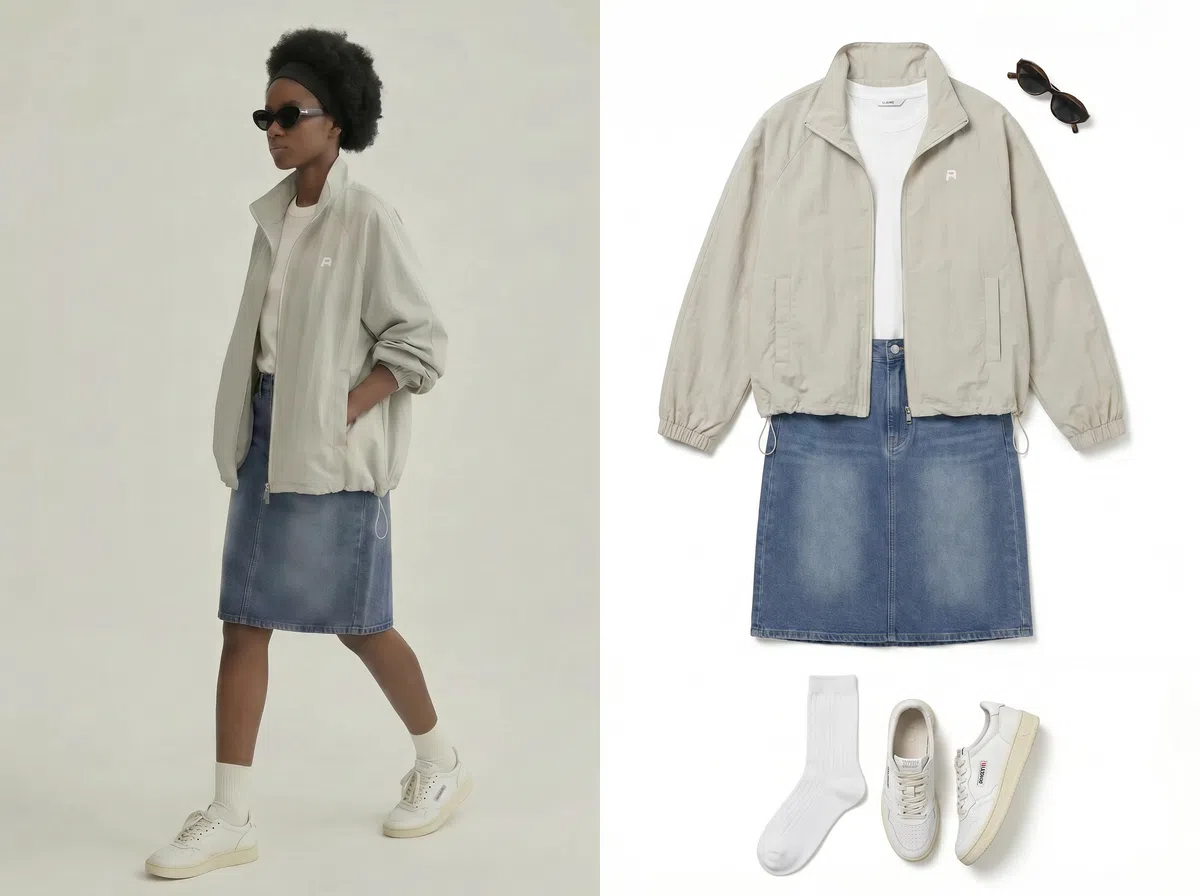
1. Turn Flat Lay to On-Model Image to Walking Video
Step 1. Start with a clean flat lay
Plain white or light grey background, garment laid flat and wrinkle-free, the whole item in frame, even diffused light. Harsh shadows and creases carry straight into the output.
Step 2. Generate the on-model still
Upload it to a flat-lay-to-model tool and choose the body type, skin tone, pose, and background. Before you go further, check the garment against the real product — prints, logos, neckline, buttons.
Step 3. Prepare the walking input
Most video tools want a full-body shot with legs and feet visible and a simple background. That on-model still you just approved is now your source image. Cropped knees and busy scenes are the two fastest ways to get warped legs.
Step 4. Set the motion
Choose a walking or catwalk motion if the tool provides one. If it offers controls for motion strength, identity, or reference images, use them to keep the result consistent.
Step 5. Export to the format your destination needs
Use 9:16 for most vertical social placements, and choose the resolution and duration based on the platform or product-page slot.
2. Turn Flat Lay Straight to Walking Video
Step 1. Upload the flat lay directly
Some AI video workflows can attempt this in one generation, but the model has to infer both the wearer and the motion.
Step 2. Choose a preset
Options usually include a runway walk, a slow cinematic push, or a casual stroll. If the tool offers a dedicated walking or runway preset, it can be a simpler starting point than writing the motion prompt yourself.
Step 3. Pick or generate the model, then export
Add styling, adjust background if the tool offers it, preview, and download. Expect short, loopable clips rather than long scenes.
Toolbox
Koozee can cover this apparel workflow directly. Start with a flat-lay or other clothing product image, use its Dynamic Lookbook workflow to turn that image into a walking fashion video. The walking-video tool supports 5s, 10s, and 15s outputs and is designed for fashion sellers. Koozee gives you a chance to review the garment on the model before generating motion.
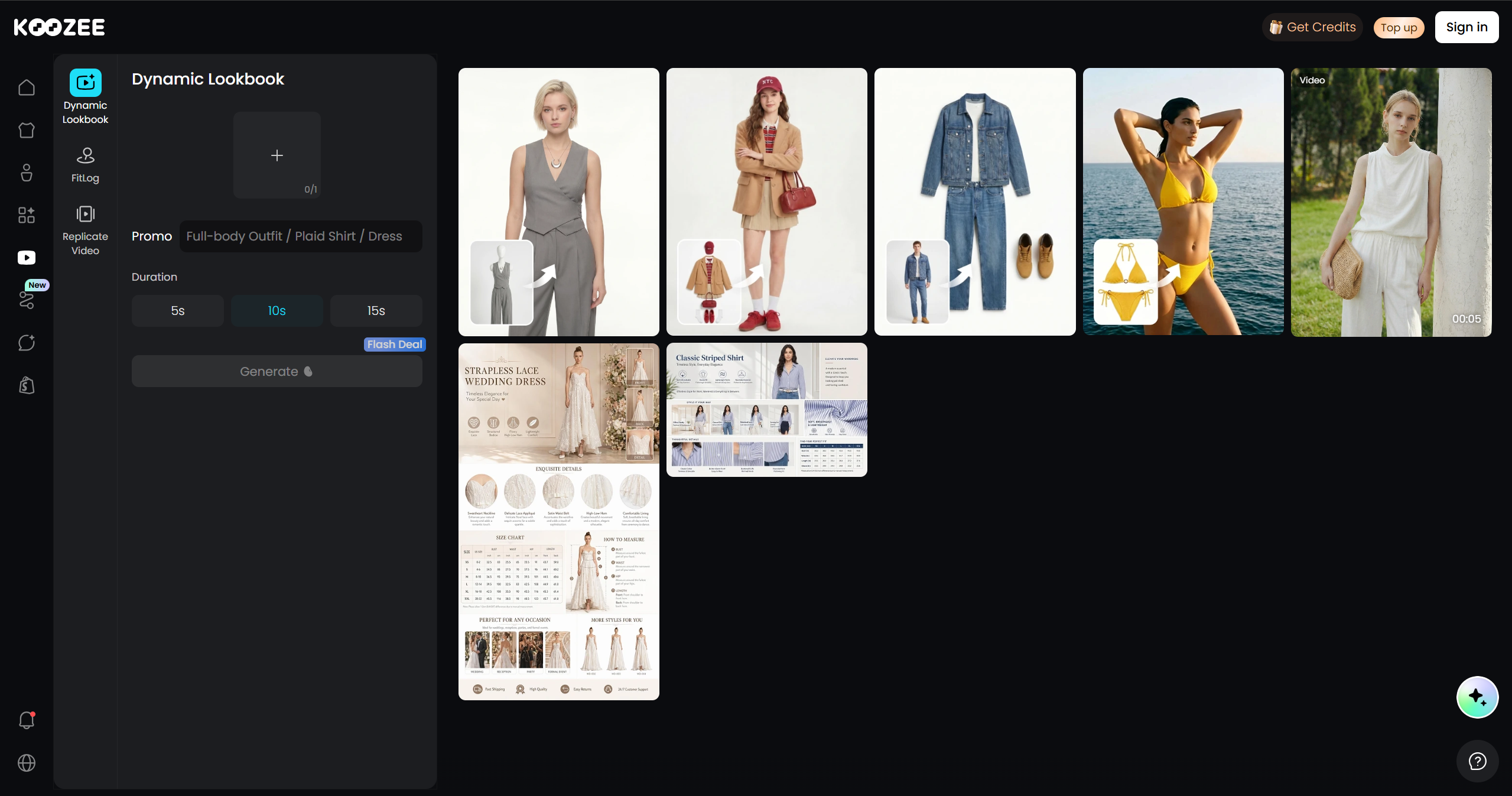
A direct flat-lay-to-video workflow is faster, but the model has to generate the wearer and movement from a single product image, so reviewing the garment details is still important.
The Two Routes, and How to Choose
Route 1 — two steps. Convert the flat lay photo into an on-model still, then animate that still into a walk. More control over different aspects and you get to approve the model image before spending credits on video.
Route 2 — one step. Some tools accept flat lay directly and return a video with the model and motion already generated. Faster and cheaper, but you hand over more decisions.
Use Route 1 when the garment has to be exact — the prints, hardware, trims. Use Route 2 when you're testing a concept or producing a high volume, and can tolerate a re-roll.
How to Get Better Results when Turning Flat Lay into Walking Videos
These rules apply whichever route you take.
Keep the first version short. Short clips are easier to review and reuse across product pages, social posts, and ads. Choose the final length based on the destination and how much of the garment you need to show.
Go moderate on motion. Maximum motion settings are where bodies warp. If your tool has a strength slider, sit in the middle and raise it only if the walk looks stiff.
Ask for consistency explicitly. Reuse the model reference and source image where the tool supports them.
Think about the camera. A slow push or a walk-past frame reads better than a locked-off tripod shot. Choose camera movement that keeps the garment easy to inspect. Avoid overly aggressive motion if it makes clothing harder to read.
Review frame by frame. AI redraws fabric. Zoom in on seams, prints, and hardware before publishing — and keep a real photo as your primary listing image.
FAQs when Turning Flat Lay to Walking Videos
Why turn a flat lay image into a walking video?
A walking clip can show movement, drape, and the garment on a person—information a flat lay cannot provide. Whether it improves your own sales depends on the product, placement, and audience, so test it against your existing product content.
Can AI turn a flat lay into a walking video with no model at all?
Yes, some AI workflows can generate the model as part of the video process. But the model is being generated rather than supplied by you. If garment accuracy matters, a two-step workflow gives you an extra checkpoint: you can review the on-model image before generating motion.
Is a flat lay or a mannequin shot better to start from?
They serve different purposes. A flat lay photo gives the AI a clean view of the garment's visible details, while a ghost mannequin image already contains some information about the garment's three-dimensional shape. If you have both, test them on the same SKU and compare the generated on-model result.
What's the fastest way to convert a whole catalog of flat lays? Pick a tool that handles both steps and supports batch generation, so you're not exporting and re-uploading between them. Koozee can directly create walking videos in one apparel-focused workflow. That removes the need to switch between separate image and video tools.
You May Be Interested

How to Use AI Models for TikTok Shop: 3 Methods for Sellers

Amazon Product Photo Requirements 2026: Compliance & Best Practices

6 Best AI Video Ad Generators in 2026
