How to Make Dropshipping Video Ads: 4 Methods That Convert
Learn how to make ads for dropshipping that convert: phone filming, UGC creators, stock footage, and AI tools, with specs and a comparison table.


Creating video ads for dropshipping products is harder than it looks. Without a product sample, model, or production setup, getting ad-ready footage can be slow and expensive—especially when testing multiple products and creatives. This guide covers four practical ways to make dropshipping video ads, from phone-shot UGC and templates to AI-generated product videos.
Key Takeaways
Match the method to your assets: Use phone footage, UGC, templates, or AI based on what you have and what you need.
Lead with the product: Strong hooks, clear value, and useful apparel visuals matter more than production polish.
Protect usage rights: Use licensed music and authorized footage, creators, and reference content.
Test before scaling: Create a few variations, compare results, and invest more in what works.
Before You Start
A Simple Structure for Dropshipping Video Ads
A useful structure for communicative video ads is:
Hook: Open with motion, a product benefit, a problem, or a curiosity gap that gives viewers a reason to keep watching.
Product: Show the product early and demonstrate the details that matter to the buyer, such as fit, texture, features, styling, or movement.
Proof: Where relevant, add reviews, creator footage, demonstrations, comparisons, or other evidence that supports the product claim.
Close: End with one clear next step, such as visiting the product page or shopping the item.
The exact structure and length should vary by product and platform. Treat it as a starting framework, not a fixed formula.
Dropshipping Video Ad Specs to Know
Platform requirements vary by ad format and placement, so check the current specifications before exporting your final creative.
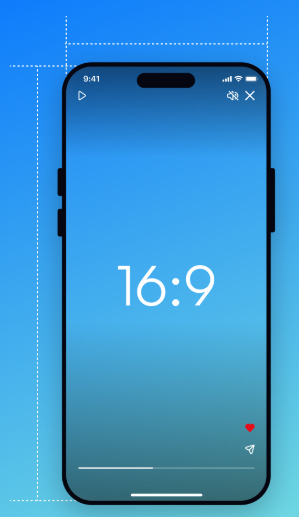
TikTok In-Feed Ads: 9:16 vertical video is recommended, with a minimum resolution of 540 × 960 px for Non-Spark Ads. Supported formats include MP4 and MOV, and Non-Spark Ads can be up to 10 minutes long with a maximum file size of 500 MB. In practice, shorter creatives are often easier to test and adapt for short-form campaigns.
Meta Reels: 9:16 vertical video with key creative elements inside the safe zone is recommended for Reels. Meta also recommends testing creative variations rather than relying on one fixed video length.
Captions and safe zones: Keep important text and product information away from interface elements, and make the video understandable even when viewers are not actively listening.
How to Make Dropshipping Video Ads - 4 Methods
Method 1: Shoot Your Own Dropshipping Video Ads with a Phone
A modern phone, simple lighting, and a clean setup can produce usable footage without a full production setup. The main advantage is control: you can show the actual product, test different hooks, and create new variations whenever you need them.
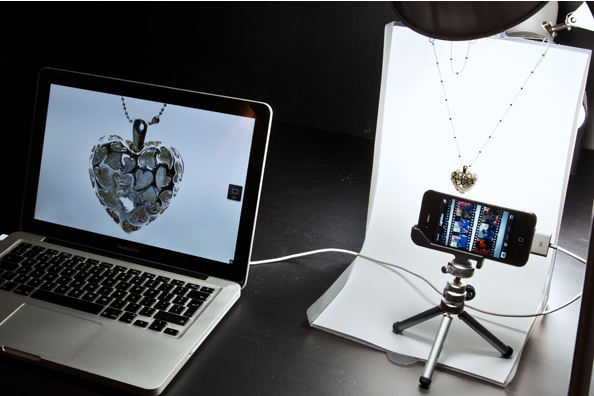
Order a sample first. You need the physical product for two reasons: filming it, and confirming the quality you're about to advertise. Skipping this step is how sellers end up with returns they can't explain.
Set up simple lighting. Window light plus a $20 ring light is enough. Avoid overhead ceiling lights, which flatten fabric texture.
Film vertically. Use 9:16 framing for short-form placements and choose a resolution and frame rate that your phone and editing workflow can handle comfortably. Higher frame rates can be useful when you specifically want smooth slow-motion footage.
Shoot b-roll in a sequence. Fabric close-up → stretch test → stitching and tags → garment on a body (yourself, a friend, or a mannequin) → a styling shot. These five clips fill the demo section of the formula.
Edit in CapCut or Canva. Put the hook text on the first frame, cut the demo to about 10 seconds, overlay captions, and end with your CTA.
Export and test. Duplicate the edit with a different hook — two creatives from one shoot.
Best for:
Sellers who hold samples or small inventory and can film the actual product
Founders who want to learn what good creative looks like before outsourcing
Method 2: Hire UGC Creators to Make Dropshipping Video Ads
UGC can add a human, creator-led perspective to a dropshipping ad, especially when the product benefits from demonstration, styling, or a personal recommendation. But performance depends on the creator, offer, product, audience, and creative itself—not simply on whether a video is labeled UGC.
Pick a marketplace or go direct. Platforms like Billo and Insense can help with creator sourcing and campaign management. UGC costs vary by creator, deliverables, and usage rights, with some platforms listing starting prices around $100 per video.
Write a tight brief. Specify the hook angle, three talking points, required demo shots (fit, fabric, close-up), video length, platform format, and — critically — commercial usage rights.
Ship a sample to the creator. For apparel, ask for a fit-check segment in the brief so viewers can see the garment worn rather than relying only on product photos.
Request revisions while the creator is engaged. Most marketplaces include one or two revision rounds.
Confirm usage rights and ad authorization. Make sure your agreement covers paid advertising and any required usage period, platforms, and placements. Some platforms also provide separate authorization workflows for creator content, so complete those requirements before launching the ad.
Repurpose the footage. Cut the delivered video into hooks, b-roll clips, and testimonial segments for testing.
Best for:
Products already showing traction that deserve scaled creative testing
Sellers who can't or won't appear on camera themselves
Building a library of social-proof clips for retargeting ads
Method 3: Edit Stock Footage and Templates into Video Ads
When you need an ad in the next hour — a flash sale, a coupon push, a holiday promo — templates and licensed stock are the fastest route.
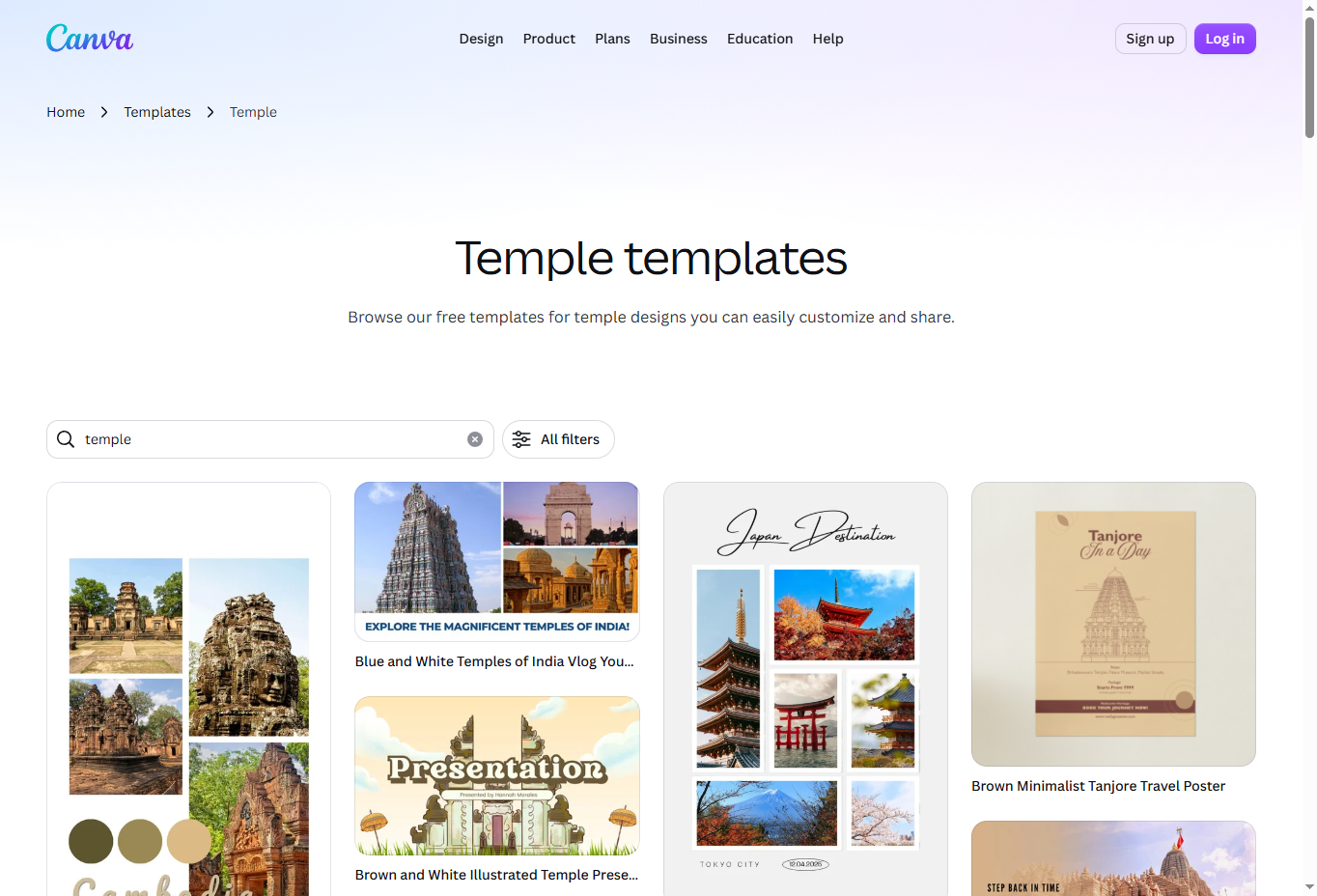
Open a template library. Canva and Envato Elements carry thousands of product-ad templates with motion graphics, transitions, and text animations.
Swap in your product visuals. Use your own product photos as the template's media, not random stock clothing clips — apparel ads built from unrelated footage feel fake fast.
Rewrite the text layer. Template copy is generic by definition. Replace it with your hook and one specific benefit.
Add licensed music from the platform's commercial library, then export in 9:16.
Best for:
Promotional ads and offers, where the deal is the message
Sellers without samples or footage of any kind
Announcement-style creatives (restocks, new arrivals)
📌 Note: Templates can't demonstrate fit or fabric, which limits their ceiling for product-proof apparel ads. Use them for offers; use real or AI-generated motion for product demos.
Method 4:
For apparel dropshippers, the bottleneck is often not finding a video idea—it’s getting usable footage for every product and creative variation. Koozee can turn existing clothing and model assets into additional video creatives without requiring a new shoot for every variation.
Instead of starting with a blank video project, sellers can use product photos or AI try-on images to create fashion videos, outfit clips, lookbooks, and other short-form product content. Koozee also supports reference-video workflows, allowing sellers to use an existing video format and recreate it with their own product and model assets.
This makes it useful when a dropshipping store needs to test multiple creative angles for the same SKU—such as a product showcase, try-on clip, outfit video, or lifestyle variation—without producing each version from scratch.
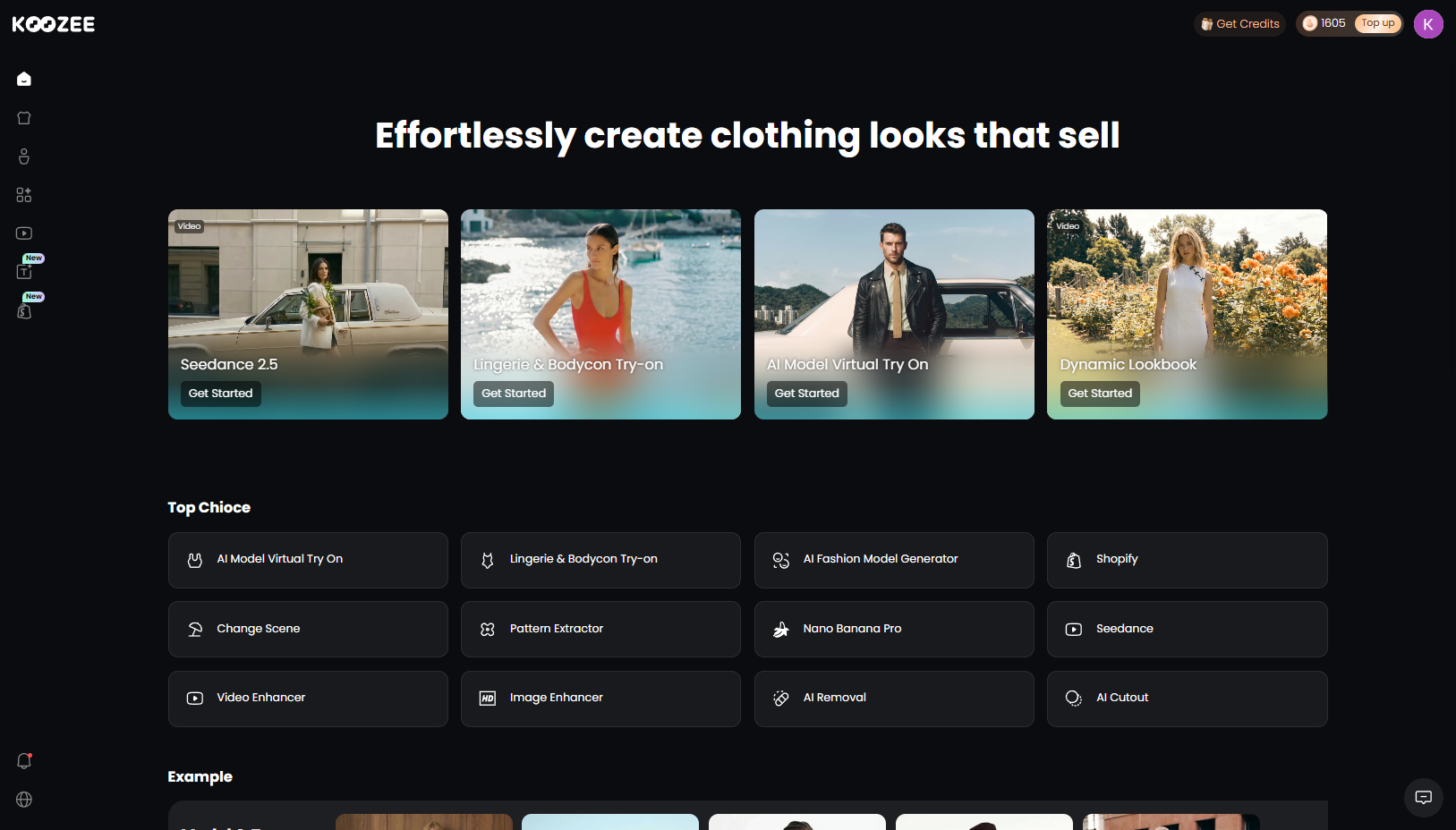
For dropshipping and apparel ad creatives, three capabilities are particularly useful:
Turn product images into video: Koozee can generate apparel videos, dynamic lookbooks, fit-check content, and short outfit clips from existing clothing visuals.
Create on-model apparel visuals: Apparel try-on and model/scene variations can help sellers create product visuals without arranging a new photoshoot for every SKU. This is particularly relevant for lingerie, swimwear, bodycon, and other fitted apparel.
Replicate video formats: Koozee's AI Video Cloner can start from a reference video and use the seller's own product, clothing, or model assets to create an e-commerce video draft. It can be used for product recommendations, try-on content, OOTD, styling tips, product details, unboxing, lifestyle campaigns, and other formats—not only viral videos.
For Shopify sellers, Koozee also connects the visual production workflow to the product catalog: sellers can reuse existing product images, generate new apparel assets, preview the results, and publish approved assets back to Shopify.
A Practical Koozee Workflow for Apparel Ad Creatives
Step 1. Start with your product assets. Upload a clothing product image, AI try-on image, or connect your Shopify store and select a product.
Step 2. Choose the visual workflow. Generate an apparel video, lookbook, outfit clip, try-on visual, or start with a reference video for video replication.
Step 3. Create variations. Experiment with different models, scenes, poses, video formats, or creative references.
Step 4. Review the output. Check garment color, pattern, fit, fabric details, motion, captions, and overall realism before publishing.
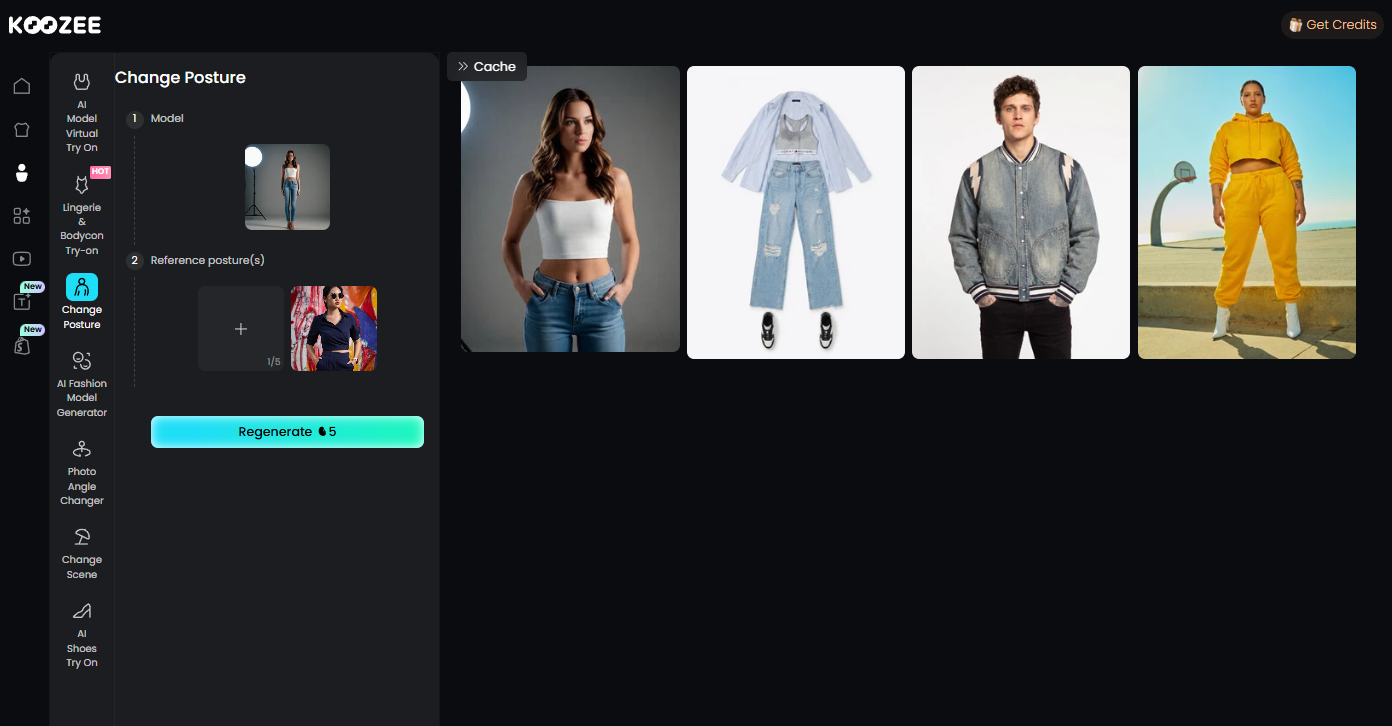
Step 5. Export or publish approved assets. Use the finished video for product pages, social content, or paid ads, while checking each platform's current specifications and content requirements.
Quick Comparison: Which Dropshipping Video Ad Method Is Right for You?
| Method | Cost | Time | Best for | Main limitation |
| Phone filming | $0 + sample | 1–3 hrs | Sellers with physical products | Requires a product sample |
| UGC creators | Varies; often $100+ | 3–14 days | Proven products ready to scale | Higher cost and slower turnaround |
| Stock + templates | Free–varies | <1 hr | Offers, restocks, announcements | Limited product demonstration |
| Generic AI tools | Varies by tool | Minutes–hours | Testing creative concepts quickly | Output may need curation |
| Koozee | Varies by plan | Minutes–hours | Apparel sellers creating multiple product and model variations | AI output still needs review |
Common Dropshipping Video Ad Mistakes That Burn Budget
Slow hooks. Logos, fades, and "welcome to my store" openers waste the 3 seconds that decide everything.
Photo montages instead of motion. If the garment never moves, apparel buyers can't judge it — and they scroll.
Copyrighted music or ripped footage. The single fastest way to ad rejection and account bans.
Running UGC without usage rights. Organic permission isn't ad permission.
One creative forever. Frequency climbs and performance decays — refresh or duplicate winning hooks weekly.
Testing too many variables at once. Change one element per variation, or you won't learn which change worked.
Killing products on one creative. A weak video can hide a strong product; test at least two formats before moving on.
FAQ
How do I make dropshipping video ads without a physical product?
Use product photos to create AI-generated visuals, or work with a UGC creator who can receive a sample. For apparel, tools such as Koozee can also create on-model visuals and product videos from existing clothing images.
Can I use my supplier's product video in my ads?
Only if you have the necessary rights or permission to use it commercially. Check the supplier's license terms before using their photos or videos in paid ads. When in doubt, use your own footage or properly licensed assets.
Do I need permission to run UGC as a paid ad?
Yes. Make sure the creator agreement covers paid advertising and specifies the relevant platforms, usage period, and placements. Some platforms also have separate authorization requirements for creator content.
What video length works best for dropshipping ads?
There is no universal length that guarantees better performance. Keep the video long enough to communicate the product and offer clearly, but remove anything that does not add value. Test different lengths alongside different hooks and formats to find what works for your product and audience.
You May Be Interested

Best AI Face Swap Video Generators for Apparel Sellers

6 Best AI Video Ad Generators in 2026
7 Best Fashion Video Generators for Ecommerce Brands in 2026
