7 Best Fashion Video Generators for Ecommerce Brands in 2026
Looking for the right AI tool to turn fashion images into video? We compare seven options for ecommerce, social content, and creative campaigns to help you find the best fit faster.


Fashion ecommerce has become increasingly video-first.
A few years ago, creating a video for a new garment usually meant booking a model, photographer, studio, lighting setup, and editor. That may still make sense for a major campaign, but it is difficult to repeat for every new SKU, colorway, product page, TikTok post, or paid-social test.
AI fashion video generators offer another route. A product photo, model shot, or AI try-on image can now become the starting point for a short product video.
The tools are far from identical, though. Some are built specifically around apparel ecommerce. Some are better for fast TikTok and Instagram content. Others are general AI filmmaking platforms that give creative teams much more control over camera movement and storytelling.
We reviewed more than a dozen AI fashion and video tools across video quality, garment-focused workflows, ecommerce use, social content, and creative control, then narrowed the list to seven options for different fashion-video needs.
Best Fashion Video Generators at a Glance
Pricing note: Prices and plan details below reflect publicly available information in August 2026. AI products change plans frequently, so check the latest pricing page before subscribing.
| Tool | Best For | Main Video Strength | Video Specs | Price |
| Koozee | Apparel ecommerce | Image-to-video, text-to-video & video cloning | 4–30s depending on workflow; up to 4K | $22.90/mo |
| WearView | Catalog-scale model videos | On-model fashion videos with reusable AI models | Short-form clips; 720p–1080p | $49/mo |
| Pic Copilot | TikTok, Reels & social commerce | Template-based Fashion Reels and try-on videos | Duration varies by template; HD output | $20.82/mo |
| Modelia | AI fashion images + video | Prompt-controlled fashion image-to-video | 5s or 10s; resolution not specified | $35/mo |
| Veeton | Fashion visual production at scale | On-model photoshoot-to-video workflow | 5s or 10s; resolution not specified | $11.99/mo |
| Kling AI | Cinematic fashion motion | Multi-shot generation, camera control & native audio | 3–15s; 720p–1080p | $10/mo |
| Runway | Editorial & campaign creative | Generative video with advanced creative control | 2–10s; 720p, 4K upscaling available | $15/mo |
For apparel ecommerce workflows with multiple video-generation options: Koozee
For consistent on-model videos across larger catalogs: WearView
For TikTok, Instagram Reels, and social-commerce content: Pic Copilot
For combining AI fashion photography with short-form video: Modelia
For fashion teams managing photoshoots and video in one workflow: Veeton
For cinematic motion, multi-shot scenes, and creative direction: Kling AI
For editorial campaigns and advanced generative video editing: Runway
7 Best Fashion Video Generators for Ecommerce and Clothing Brands
Koozee — A Fashion Video Generator Built Around Apparel Ecommerce
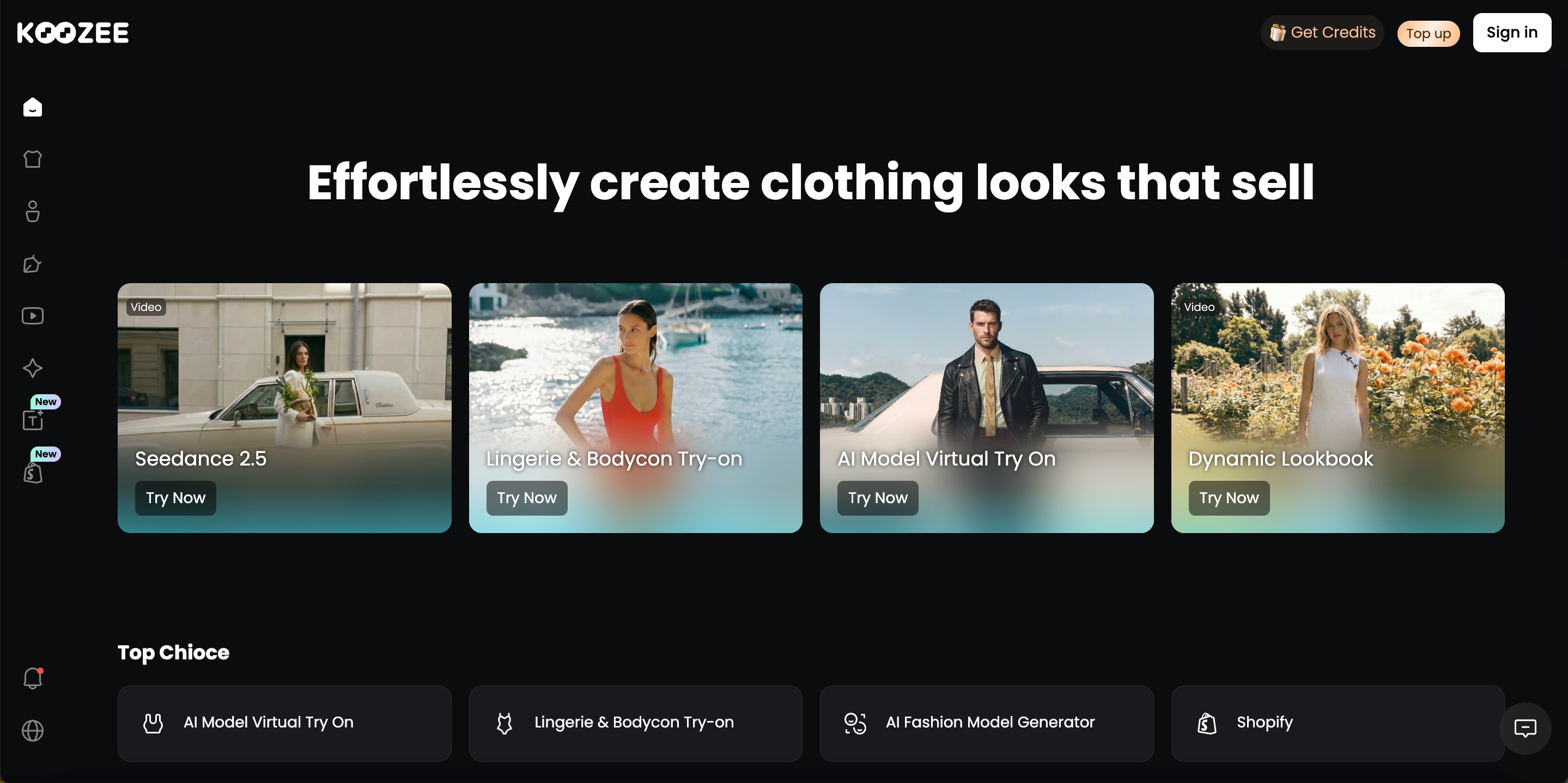
Best for: Shopify sellers, fashion ecommerce stores, and apparel brands that regularly create videos for product pages, ads, and social media.
Koozee treats video as part of a broader apparel content workflow. Sellers can animate existing product photos, model images, or AI try-on visuals, generate videos directly from text, or create new fashion content based on existing video formats.
The workflow is straightforward: start with an existing apparel asset or creative idea, choose the right video-generation method, and turn it into content for the channel where it will be published.
Clothing image / AI try-on visual / Text prompt / Reference video → choose a video workflow → generate fashion or marketing video → product pages, TikTok, Instagram, ads, and more
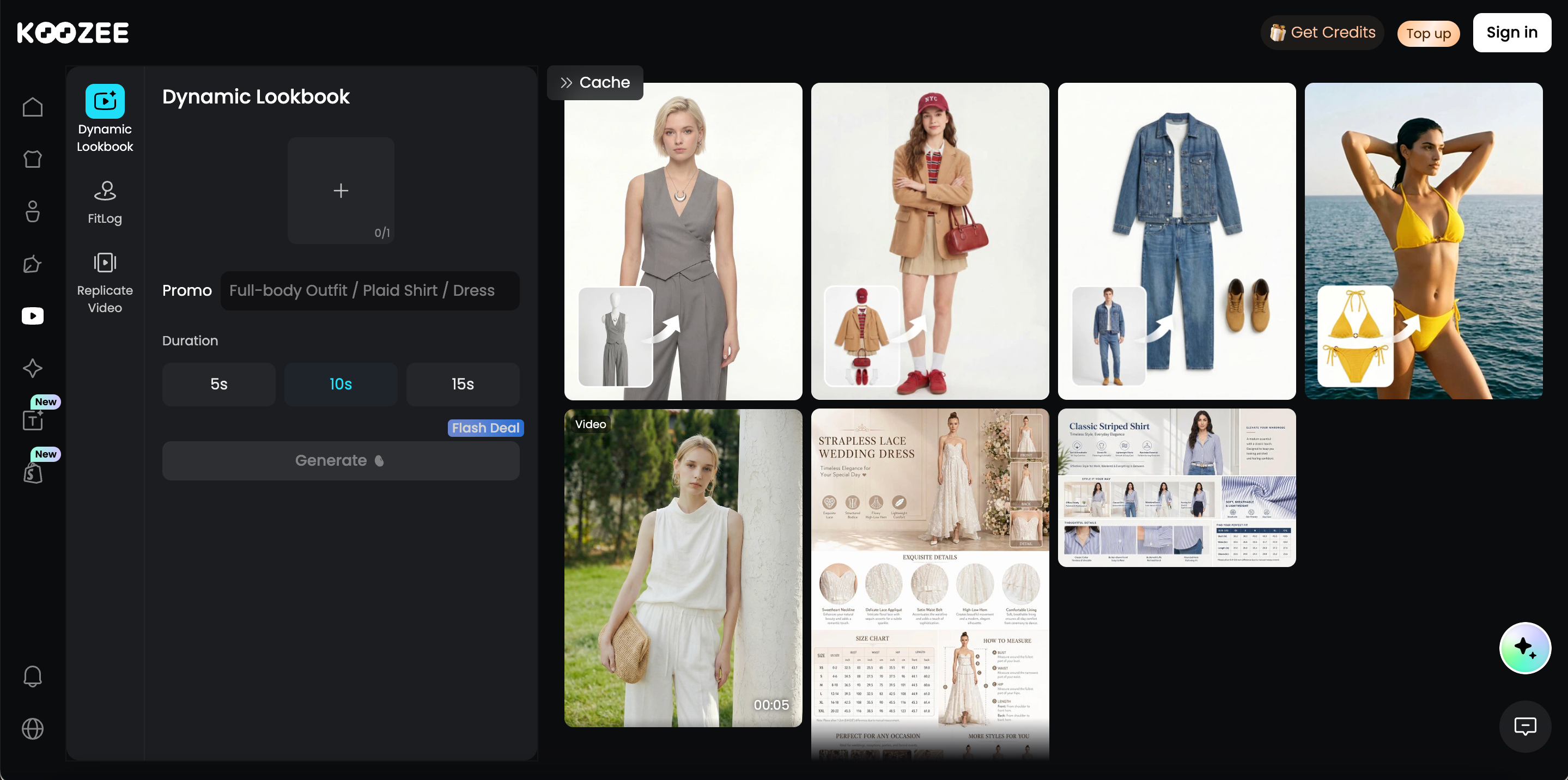
This gives Koozee a broader video scope than simply making a static fashion image move.
Key features
AI Image to Video: Turns product photos, model images, or AI try-on visuals into moving fashion content, with several workflows designed for different apparel use cases:
Dynamic Lookbook: Creates moving lookbooks and collection showcases from static fashion imagery.
Fitlog: Produces fixed-camera, on-body videos for fit checks, OOTD content, and product presentation.
Outfits: Turns outfit images into short clips for compilations, TikTok, Reels, Shorts, and ad creatives.
AI Runway Video: Converts static fashion visuals into runway-style and moving garment presentations.
AI Video Generator: Supports text-to-video generation, allowing users to create fashion videos from written descriptions of motion, scenes, and creative concepts.
Video Clone / Viral Video Clone: Uses an existing short-form video’s format and presentation style as a reference, then adapts it to the seller’s own apparel products, with supported video lengths ranging from 4 to 30 seconds.
Kling 3.0: One of the video-generation models integrated into Koozee, supporting dynamic subject movement and fashion-focused video creation.
Seedance 2.5: Another video-model option available through Koozee, giving users additional flexibility for different fashion video styles and generation needs.
Pros
Multiple ways to generate video. Koozee covers image-to-video, text-to-video, and video replication, offering a broader production workflow than platforms limited to a single image-animation method.
A wide range of fashion video formats. Users can create Dynamic Lookbooks, runway videos, fit-check videos, OOTD content, outfit clips, outfit compilations, and replicated short-form videos for product presentation, social discovery, paid ads, and brand content.
Image and video creation live in the same platform. Koozee also includes virtual try-on, AI models, model replacement, and other apparel-image tools, so teams can move from product imagery to video without switching to a separate production platform.
Built specifically around apparel ecommerce. Its video workflows focus on garments, on-model presentation, outfit content, and ecommerce marketing rather than applying a generic AI video tool equally across every industry.
Kling 3.0 and Seedance 2.5 are integrated into the video ecosystem. Users are not restricted to one underlying generation model, providing more options for different fashion-video styles and use cases.
Cons
Koozee is evolving quickly, with new AI video features and pages continuing to roll out. Feature names, navigation, and page locations may therefore change more frequently than on longer-established platforms.
Its workflow is primarily designed around apparel ecommerce. Teams focused on beauty, furniture, food, corporate video, or other non-fashion categories do not yet get the same category-specific workflow.
Bottom line
Koozee is best suited to ecommerce teams that need to produce fashion video on an ongoing basis. It combines image-to-video workflows such as Dynamic Lookbook, Runway Video, Fitlog, and Outfit Clips with text-to-video and video replication, while offering Kling 3.0 and Seedance 2.5 as different video-model options.
WearView — A Strong Fit for Consistent On-Model Catalog Clips
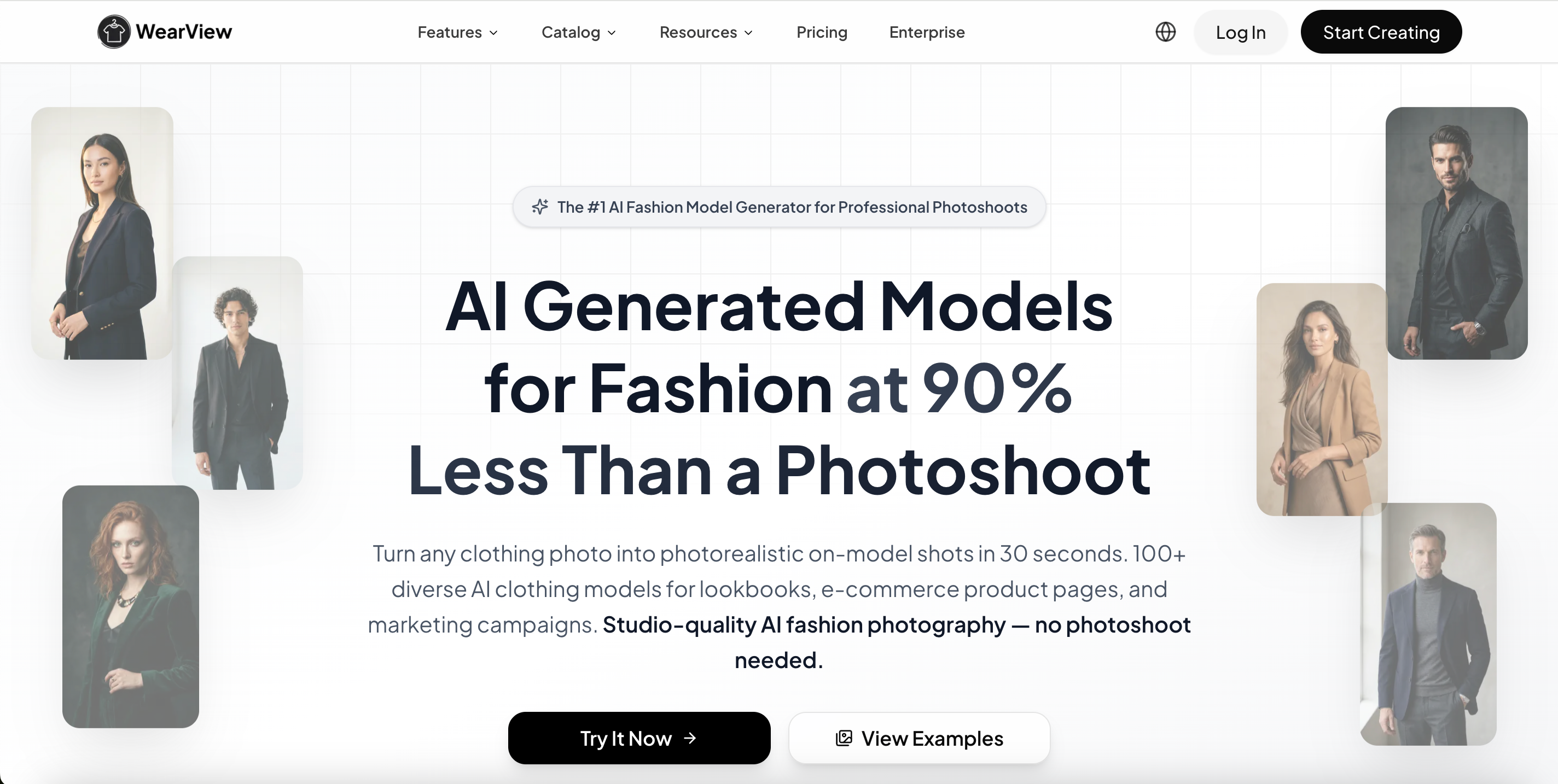
Best for: Fashion brands that need consistent on-model videos across many SKUs.
WearView is built specifically around fashion rather than general AI video creation. Its workflow starts with assets clothing brands already have—such as a product photo, flat lay, or model image—and turns them into short fashion videos. Users can choose preset movements such as catwalk, walkthrough, or 360° spin, or describe a custom movement when a standard template is not enough.
The more useful part for catalog-heavy brands is how its image and video tools connect. A flat product photo can first move through WearView's product-to-model or virtual try-on workflow, producing an on-model image that can then become the source for video. WearView also provides consistent AI model tools, allowing the same virtual model identity to be reused across multiple campaigns or collections.
Key features
Fashion Image to Video: Animates an existing product or model image into a short fashion clip, so brands can reuse approved catalog photography instead of creating video footage separately.
Catwalk, Walkthrough, and 360° Templates: Provides ready-made movement patterns for common ecommerce presentation needs, including walking models and views that reveal more of the garment from different angles.
Custom Motion Prompts: Users who need something beyond the preset templates can describe the movement they want, adding more flexibility to otherwise template-driven production.
Product-to-Model Workflow: A garment image can first be converted into an on-model visual before animation, which is useful when the source catalog consists mainly of flat lays or packshots.
AI Virtual Try-On: Places apparel onto AI models as part of the wider fashion-image workflow, creating another source of imagery that can later be animated.
Consistent AI Models: The same model identity can be kept across campaigns, helping brands avoid having every product video feature a visibly different AI person.
Catalog-Oriented Production: The overall workflow is designed around launch videos, ecommerce product pages, and ad creative rather than open-ended filmmaking.
Pros
Fashion comes first. WearView's inputs, model tools, and movement presets are designed around garments and ecommerce presentation instead of requiring users to adapt a generic video generator to clothing.
The photo-to-video pipeline is practical for catalogs. Brands can move from flat product photography to an AI model and then into video within the same environment.
Templates make output easier to standardize. Catwalk and 360°-style motions are useful when many SKUs need to follow a similar visual format.
Consistent models help maintain collection identity. Reusing the same AI model can make a multi-product launch feel more cohesive across product pages and social content.
Custom prompting adds flexibility when needed. Teams are not completely locked into presets when a campaign requires a different type of movement.
Cons
WearView remains strongly focused on fashion, so it is less useful if the same team also needs corporate videos, product explainers, animation, or unrelated lifestyle footage.
Its strongest use cases are short product and promotional clips rather than longer narrative fashion films.
Template-led production improves consistency, but teams looking for detailed cinematography, complex scene transitions, or multi-shot storytelling may find general video models more flexible.
Bottom line
WearView is a practical choice for brands that need to repeat the same basic video-production process across a large catalog. Its biggest appeal is the connection between garment imagery, AI models, and short on-model video—not elaborate filmmaking.
Pic Copilot — Built for Fashion Reels and Social Commerce
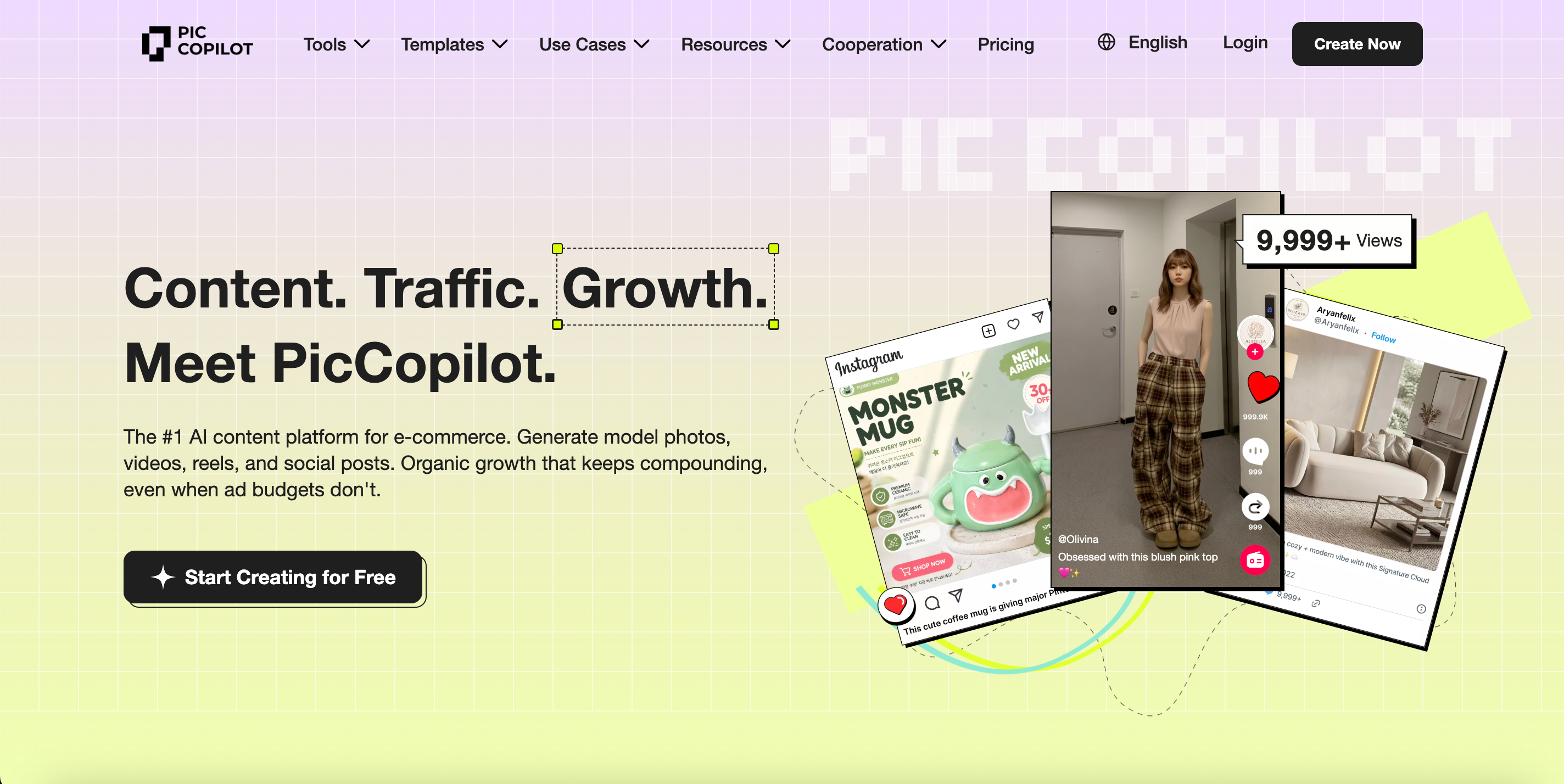
Best for: Ecommerce teams producing frequent TikTok, Reels, and social-commerce videos.
Pic Copilot approaches fashion video from a social-commerce perspective. Its Fashion Reels tool turns static apparel images into short marketing videos using a library of ready-made templates, which means the user does not have to plan every camera move or build an edit manually.
The platform can create fashion lookbooks, promotional reels, virtual try-on videos, outfit videos, and teaser content. One of its more distinctive workflow choices is how much of the post-production process is already built into the template, including music and scene pacing.
Pic Copilot also sits inside a wider ecommerce visual toolkit that includes Virtual Try-On, AI Model Swap, Product Avatars, Product AnyShoot, AI backgrounds, image enhancement, and other product-content tools.
Key features
Fashion Reels: Converts clothing images into short lookbook, promotional, and social videos using fashion-oriented templates.
Virtual Try-On Videos: Creates animated on-model presentations designed to show how clothing appears on the body rather than simply moving a flat product photo.
360° Clothing Presentation: Supports try-on-style videos that present more of the garment around the model and can resemble a virtual fitting-room experience.
Ready-Made Video Templates: Provides templates for fashion ads, product videos, teaser clips, try-on hauls, Instagram campaigns, and other short-form marketing formats.
Commercially Licensed Music: Fashion Reels templates include music cleared for business use, while the platform automatically synchronizes the soundtrack with scene transitions.
Custom Model Support: Users can bring their own model images into Fashion Reels when the built-in model choices do not match the desired brand look.
Connected Ecommerce Tools: Virtual Try-On, AI Model Swap, Product Avatars, and related image tools make it possible to prepare fashion assets before moving them into video.
Pros
The workflow is strongly aligned with TikTok and Instagram production. It focuses on fast, visually engaging clips rather than complex filmmaking.
Templates remove much of the editing burden. Users can start from a recognizable marketing format instead of planning every shot and transition manually.
Music is integrated into the workflow. That is especially useful for social teams that would otherwise need to find commercially usable tracks and synchronize them separately.
Video is connected to a broader ecommerce creative suite. Product imagery, AI models, virtual try-on, and social content can all be created in the same platform.
It supports several fashion marketing formats. A single tool can be used for lookbooks, try-on videos, fashion ads, teaser clips, and social reels.
Cons
Template-driven creation naturally gives users less control over cinematography than open-ended tools such as Kling AI or Runway.
The look and pacing of the result depend heavily on the selected template, so brands seeking a highly distinctive visual language may need more manual creative control.
Source-image quality matters. Folded, heavily layered, or blurred clothing inputs may need additional preparation before they work well in Fashion Reels.
Bottom line
Pic Copilot is less about directing an AI film and more about keeping a fashion brand's content calendar moving. For teams producing TikTok videos, Reels, try-on clips, and promotional posts every week, its templates and integrated music can make that trade-off worthwhile.
Modelia — A Natural Extension From AI Fashion Images to Video
Best for: Fashion brands that want AI model imagery and short videos in one workflow.
Modelia's video workflow sits naturally beside its AI fashion-image tools. Its main AI Video Generator starts with a fashion image, then asks the user to describe the movement, camera behavior, or environment they want. The image becomes the visual anchor, while the prompt determines what happens around it.
For example, a team can upload an approved model photo and request a walking motion, subtle fabric movement, a slow zoom, or a different environmental treatment. That keeps the garment and model image at the center of the workflow while still providing more direct motion control than a fixed template.
Combined with Modelia's Product to Model, virtual try-on, consistent-character, model-swap, and other fashion tools, this creates a clear pipeline from static fashion photography into moving content.
Key features
Fashion Image to Video: Animates a single fashion image into a short clip while using the original image as the visual starting point.
Motion Prompting: Users can specify actions such as walking, turning, posing, fabric movement, or environmental motion rather than relying only on preset animation.
Camera Direction: Prompts can describe camera behavior such as a slow zoom or other movement, giving users more control over how the garment is presented.
5- and 10-Second Video Generation: Short output lengths are designed around websites, ecommerce placements, ads, and social media.
Script to Video: Lets users combine a model image with written directions for motion, background, mood, and camera behavior to create more campaign-oriented fashion clips.
Optional Front and Back Model References: Modelia's script workflow can use a front image and an additional back-view image to give the system more visual information about the model.
Connected Fashion Image Tools: Product-to-model, virtual try-on, model swapping, consistent characters, and other tools can prepare the source visual before animation.
Pros
Still-image and motion production are closely connected. A brand can create an AI fashion image, approve it, and then use that same image as the starting point for video.
Prompt-based motion offers more creative control than a fixed template. Users can describe how the model, fabric, camera, and environment should behave.
The workflow remains fashion-specific. Video is positioned for product pages, ads, campaigns, and social content rather than as a generic entertainment generator.
Script to Video provides another layer of direction. Teams can define model actions and scene design in natural language without moving immediately into a full editing application.
The wider Modelia toolkit supports an end-to-end fashion-visual workflow. Flat lays and product images can become on-model visuals before those images are animated.
Cons
Standard video generation is currently centered on short five- and ten-second clips, so longer-form campaign storytelling requires additional editing or multiple generations.
More specific motion depends on the quality of the prompt; users who want precise gestures or camera behavior may need some experimentation.
Modelia's Script to Video is not pure text-to-video from a blank prompt: the workflow still requires at least a front-facing model image.
Teams that only need standalone video generation may not use much of the surrounding AI-fashion-image toolset.
Bottom line
Modelia works best when video comes after fashion photography. It gives brands a relatively direct path from an approved AI model image into a short moving asset while still allowing meaningful control over motion, scene, and camera direction.
Veeton — Fashion Photoshoots That Continue Into Motion
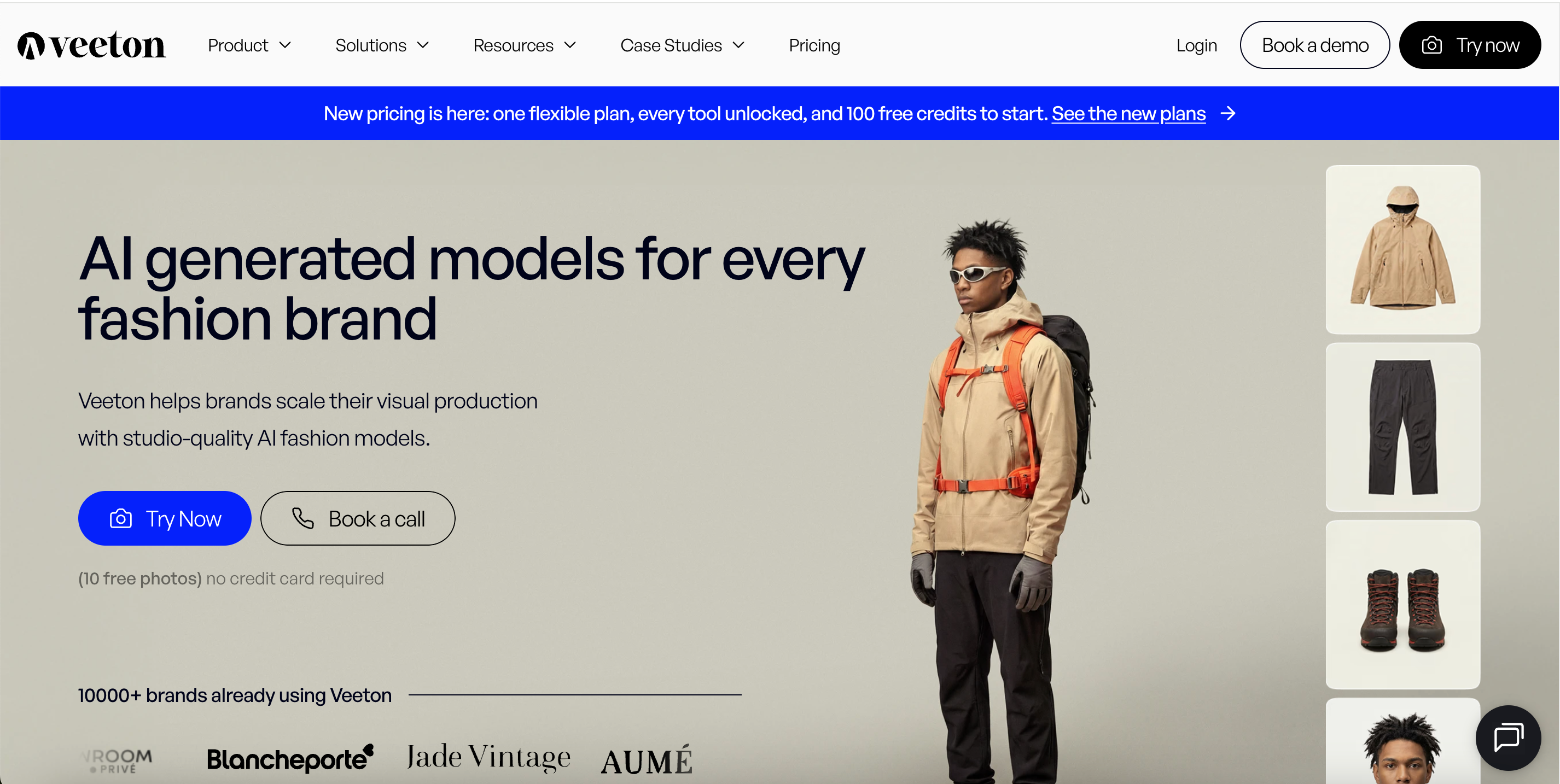
Best for: Fashion teams that want AI photoshoots and short videos in the same production flow.
Veeton's video workflow begins with imagery rather than a blank video prompt. A user can upload a product picture, generate an on-model image, and then animate the result with short text instructions. Existing Veeton shoots can also be opened directly and turned into video, which keeps the transition from still photography to motion relatively simple.
The platform provides ready-made movement styles such as Slow Movements, Dynamic, Walking Off Camera, Back View, and Camera Movement. If those presets do not match the desired result, a custom prompt can be added for more specific movement.
The result is less of a standalone AI video lab and more of a fashion virtual studio in which the approved product image or model shot becomes the foundation for the video.
Key features
Product Photo to On-Model Video Workflow: Upload a garment image, create an AI on-model visual, and then animate the selected result rather than producing a separate video asset from scratch.
Video From Completed Shoots: Existing Veeton shoot results can be selected and animated directly, keeping still and motion production connected.
Five Movement Presets: Slow Movements, Dynamic, Walking Off Camera, Back View, and Camera Movement provide quick starting points for different ways of presenting the garment.
Custom Motion Prompts: Users can override the presets with a written description when they want a more specific action or visual direction.
5- and 10-Second Outputs: The workflow focuses on short ecommerce and social clips rather than longer narrative video.
Fashion Video Templates: Veeton also provides ready-to-use formats that can adjust angle, zoom, and model posture.
Multi-Category Fashion Support: Its video positioning extends from ready-to-wear into accessories and other fashion-related product imagery.
Pros
The transition from photoshoot to video is straightforward. Teams already generating Veeton model imagery can animate the final selection without rebuilding the asset elsewhere.
Movement presets make the first generation easy. A marketer can select a recognizable motion style without learning detailed video prompting.
Custom prompting remains available. More experienced users are not completely restricted to preset movement.
The tool is clearly designed for fashion ecommerce. Garment presentation, on-model imagery, product photography, and video belong to the same broader workflow.
It can cover more than standard apparel. Brands working with accessories and related fashion categories can keep those visuals inside the same ecosystem.
Cons
Video generation is centered on relatively short clips, which makes Veeton better suited to ecommerce and social placements than long-form campaign films.
The preset system is convenient but offers less granular cinematic control than dedicated general-purpose video platforms.
The platform makes the most sense when a team also wants Veeton's AI photography workflow; brands that already have a completely separate photography system may use a smaller portion of the product.
Bottom line
Veeton is a good fit for teams that think of motion as an extension of the fashion photoshoot. Instead of separating product photography and AI video into two disconnected tools, it lets the chosen on-model image continue directly into a short moving asset.
Kling AI — More Room for Cinematic Fashion Motion
Best for: Fashion campaigns and creative ads that need stronger cinematic control.
Kling AI differs fundamentally from the fashion-specific platforms above because it is a general AI video-generation platform. It is not built around clothing catalogs, virtual try-on, or Shopify product workflows. Instead, its strength is giving creators broader control over how a shot moves and develops.
Kling VIDEO 3.0 and VIDEO 3.0 Omni support text-to-video, image-to-video, start-and-end-frame generation, multi-image references, element references, multi-shot storytelling, and native audio.
For fashion work, that opens up very different possibilities from a template-based product video. A prompt can specify a model walking through a scene, a camera circling the subject, a close-up on garment details, a cut to a second location, and synchronized sound—all within a more cinematic structure.
Key features
Text to Video: Creates complete scenes from written prompts, which is useful for conceptual fashion content that does not need to begin with an existing product photo.
Image to Video: Animates fashion photographs, campaign stills, or model images while retaining the source image as a visual reference.
Start and End Frames: Allows creators to define both ends of a transition when a shot needs to move toward a specific final composition.
Multi-Shot Storyboarding: VIDEO 3.0 can generate structured sequences with multiple shots in a single generation rather than requiring every camera angle to be created independently.
Detailed Shot Control: Users can define shot duration, framing, angle, camera movement, and narrative action for different sections of the sequence.
Native Audio: VIDEO 3.0 Omni can generate synchronized audio alongside the visuals, including voice-oriented workflows.
Reference and Element Consistency: Multiple reference images, reusable character elements, and video references can help maintain recurring subjects across scenes.
3–15 Second Generation: The current 3.0 series supports flexible single-generation duration up to fifteen seconds.
720p and 1080p Modes: VIDEO 3.0 Omni supports both output modes.
Pros
Cinematography is a major strength. Kling is better suited to complex camera motion and fashion-film-style scenes than many template-based ecommerce tools.
Multi-shot generation expands storytelling options. A single clip can move through several planned shots instead of staying with one fixed camera setup.
Native audio supports more complete creative concepts. Campaign teams can experiment with dialogue, voice, and synchronized audio without always treating sound as a separate step.
Reference controls make it possible to build recurring creative assets. Characters, products, and scenes can be reused across different generations.
It handles both image-led and prompt-led workflows. This makes it useful for everything from animating a campaign still to generating a completely new visual concept.
Cons
Kling is not an apparel ecommerce platform, so there is no built-in workflow around SKU management, virtual try-on, fashion catalogs, or product listing assets.
High creative freedom also means users have more decisions to make around prompts, references, camera instructions, and regeneration.
A visually convincing fashion clip is not automatically an accurate ecommerce product video. Logos, prints, seams, fit, and garment proportions still need careful review when a real SKU is being advertised.
Teams that only need predictable five-second product-page clips may find the platform more sophisticated than necessary.
Bottom line
Kling AI becomes more interesting as the creative brief becomes more cinematic. It is a strong option when a fashion team wants to direct the scene, not simply animate a catalog image—but that freedom comes without the ready-made apparel workflow of a fashion-specific platform.
Runway — More Control for Editorial and Creative Teams
Best for: Creative teams producing editorial, campaign, and highly directed fashion videos.
Runway is best understood as a broader AI video-production environment. Its Gen-4.5 model supports both text-to-video and image-to-video, while its wider toolset extends into generative editing and post-production.
For fashion agencies or brand teams that already think in terms of shots, edits, campaign treatments, and post-production, this broader environment may be more valuable than a narrowly optimized product-video generator.
Key features
Gen-4.5 Text to Video: Generates scenes from written descriptions, making it useful for fashion concepts, campaign ideas, and visual experiments that do not start from existing photography.
Gen-4.5 Image to Video: Animates an uploaded image while using text primarily to direct movement, camera behavior, and scene development.
Detailed Prompt Adherence: Gen-4.5 is designed to handle sequenced instructions, camera choreography, scene composition, timing, and atmospheric changes within a prompt.
2–10 Second Duration: Users can select a duration within this range depending on how much movement or action needs to happen in the shot.
Multiple Aspect Ratios: Outputs can be configured for widescreen, vertical social, square, portrait, and ultra-wide use cases.
Generative Video Editing: Runway's broader editing environment can modify existing footage with natural-language instructions rather than forcing every shot to be regenerated from zero.
Edit Studio: Runway tools can replace products or characters, transform shots, remove or replace backgrounds, remove objects, and insert new elements or effects in existing footage.
Access to Multiple Video Models: Runway's platform includes its proprietary video models alongside selected third-party models, giving creative teams multiple generation approaches inside one environment.
Pros
It offers more than a generation alone. Creative teams can move from AI generation into broader editing and transformation workflows without immediately leaving the platform.
Camera and scene direction are highly flexible. This is useful for editorial fashion, campaign concepts, and visually distinctive brand content.
Multiple aspect ratios make it adaptable to different channels. One creative team can work across horizontal campaign videos and vertical social content using the same environment.
Text-to-video and image-to-video support different stages of ideation. Teams can either start from an approved fashion still or explore a completely new visual concept from text.
Its broad creative scope can be an advantage for agencies. The same platform can be used for fashion work as well as unrelated client campaigns, VFX-style edits, and experimental content.
Cons
Runway is not designed around apparel-specific workflows such as virtual try-on, product-to-model, catalog management, or Shopify product assets.
Gen-4.5 currently produces base video at 720p, so projects that require higher-resolution final delivery may need an additional upscale step.
Its larger toolset creates a steeper learning curve than fashion platforms built around a few predefined video formats.
Greater control also means more production decisions. Sellers without a creative or video background may spend more time learning prompts, models, editing tools, and workflow choices.
When the purpose is to advertise a real garment, the team still needs to review logo, print, texture, silhouette, and fit rather than assuming a cinematic output is automatically ecommerce-accurate.
Bottom line
Runway is easier to justify when video is already part of a wider creative-production process. It gives fashion teams much more room to experiment with cinematography, editing, and campaign storytelling, but it asks the user to build the fashion workflow rather than providing one out of the box.
Final Verdict: Which Fashion Video Generator Should You Choose?
There is no single best fashion video generator for every brand.
If your day-to-day work revolves around real garments, product pages and social commerce, fashion-focused tools such as Koozee, WearView, Pic Copilot, Modelia and Veeton are usually closer to the way ecommerce teams already work.
If cinematic movement, creative direction and brand storytelling matter more, Kling AI and Runway give creators more room to direct the shot.
The most useful fashion video generator is not necessarily the one with the longest feature list. It is the one that fits the way your team already creates and publishes content.
FAQs About AI Fashion Video Generators
What is an AI fashion video generator?
It uses AI to turn clothing photos, model images, try-on visuals, or text prompts into fashion videos such as lookbooks, fit checks, and social clips.
What is the best AI fashion video generator?
There is no single best option. Ecommerce teams may prioritize garment accuracy and workflow efficiency, while campaign teams may value cinematic motion and creative control.
Can AI turn clothing photos into videos?
Yes. Many tools can animate product or model images into short fashion videos, often with better product consistency than starting from text alone.
What is the best fashion video generator for clothing brands?
It depends on the use case. Fashion-specific tools suit ecommerce production, while platforms like Kling AI or Runway are often better for creative campaigns.
What is the best AI fashion video generator for Shopify?
Look for tools that reuse product images and connect video creation with try-on, model, and ecommerce visual workflows.
Can AI fashion video generators preserve clothing details?
Often, but not perfectly. Logos, prints, text, fabric details, and fast movement should always be checked before publishing.
What is the best fashion video generator for TikTok and Instagram?
Prioritize vertical formats, templates, fast generation, and short-form workflows designed for frequent social posting.
Can I create fashion videos without hiring models?
Yes. Some platforms can turn product photos into AI model or try-on images first, then animate them into fashion videos.