How to Write Fashion Photography Prompts
Learn how to write fashion photography prompts for e-commerce apparel: on-model, flat lay, ghost mannequin shot templates, common fixes, and platform rules.


Writing a fashion photography prompt is easy. Writing one that keeps an apparel product accurate is harder.
For e-commerce, a good prompt needs to control more than style. It needs to define the garment, pose, setting, lighting, framing, and, when supported, the desired aspect ratio or output format—while using the actual product image as the reference whenever possible.
This guide shows how to write fashion photography prompts for on-model, ghost mannequin, flat lay, lifestyle, and detail shots, with reusable templates and current Amazon and Shopify image considerations.
Key Takeaways
Use a structured prompt: Cover the subject, garment, setting, lighting, framing, and output format.
Start with the real product: Reference images generally provide better product fidelity than describing a garment from scratch.
Protect product details: Explicitly call out color, print, fabric, logos, and proportions—but treat this as guidance, not a guarantee.
Match the shot to the goal: On-model, ghost mannequin, flat lay, lifestyle, and detail shots need different instructions.
Check platform rules: Amazon and Shopify have different image requirements, so generate for the intended use.
Review before publishing: AI can still alter fabric, fit, color, patterns, or small details, especially on complex garments.
What Makes a Good Fashion Photography Prompt?
A fashion photography prompt tells an image generator what to show, how to style it, and how to frame the final image.
For e-commerce, the priority is different from a purely creative fashion prompt:
Creative prompt: prioritizes mood, composition, and visual style.
E-commerce prompt: prioritizes product accuracy, clear presentation, and consistent framing.
A strong e-commerce prompt should describe the garment precisely, use a product reference image when supported, and leave creative instructions secondary to product accuracy.
The exact syntax varies by tool, but most effective prompts cover the same core elements: subject, garment, setting, lighting, composition, camera, and output format.
How to Write Fashion Photography Prompts with 7-Part Formula
Use this structure as a starting point rather than a fixed rule:
- Aesthetic — minimal studio, luxury catalog, editorial, lifestyle.
- Subject & pose — model, garment, standing, walking, sitting.
- Garment details — color, fabric, cut, print, logo, stitching, proportions.
- Environment — seamless studio, bedroom, street, neutral interior.
- Lighting — soft studio light, window daylight, directional key light.
- Camera & composition — lens, angle, framing, depth of field.
- Output — aspect ratio, background, and product-color treatment.
Example
Minimal studio lookbook photo of a female model wearing a stone-washed denim jacket over a white tee, relaxed standing pose, light-grey seamless background, soft even studio lighting, eye-level 50mm perspective, full-body framing, natural depth of field, preserve the garment's color, print, texture, and proportions, true-to-product colors, 4:5.
The order is flexible. What matters is covering the information the generator needs.
| Shot Type | Key Prompt Elements | Typical Ratio | Best Use |
| On-model | Model, pose, garment details, scene | 4:5 / 2:3 | PDPs, catalogs, social |
| Ghost mannequin | Invisible form, garment structure, clean background | 1:01 | Product pages, catalogs |
| Flat lay | Top-down angle, garment arrangement, minimal props | 1:01 | Product pages, social |
| Lifestyle | Model, real setting, natural lighting | 4:5 / 2:3 | Brand pages, campaigns |
| Detail | Macro framing, fabric or feature | 1:01 | Detail/secondary images |
Steps to Use the Formula Fashion Photography Prompts Writing
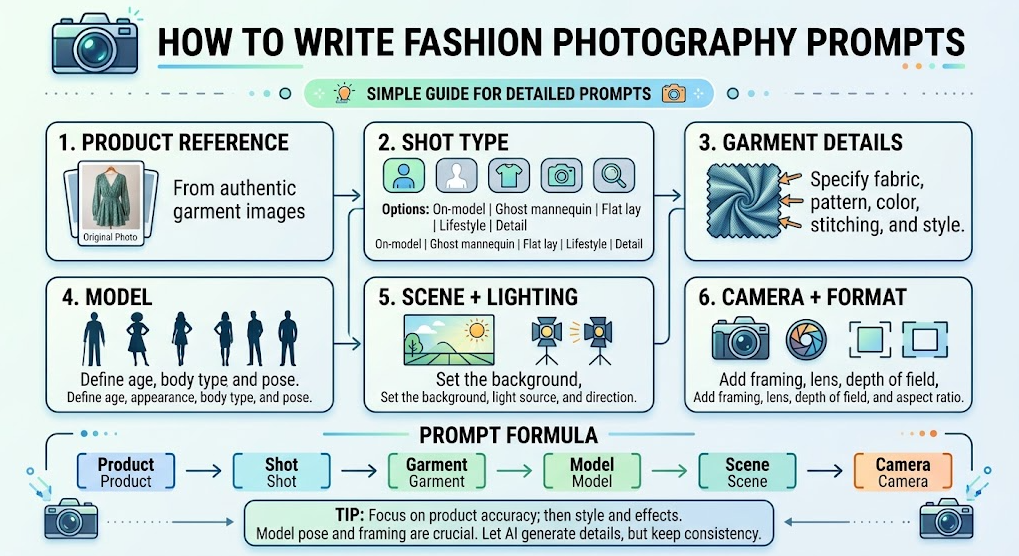
Step 1. Start from a real product photo. Use your actual garment as the reference image in the generator so colors and details come from the product, not from memory. Tools that accept reference images get closer results dramatically.
Step 2. Pick the shot type first. Decide between on-model, ghost mannequin, flat lay, lifestyle, or detail before writing — the shot type dictates the setting, framing, and background wording.
Step 3. Write the garment clause. Add an explicit instruction: "keep the garment's exact color, print, stitching, and proportions unchanged." This one sentence prevents most color drift and fabric mutations.
Step 4. Specify the model. State gender, age range, skin tone, body type, pose, and expression. Vague model descriptions produce generic or waxy results — describe your actual buyer.
Step 5. Set the scene and light. Name the environment and the lighting type with direction ("soft daylight from a large window"). Two precise lighting details beat ten adjectives.
Step 6. Add camera and aspect ratio. Close with lens, framing, depth of field, and the exact aspect ratio your platform needs — close to 3:4 for Amazon mains, 4:5 or 2:3 for Shopify galleries.
💡 Pro tip: Keep a "house prompt kit" — one saved prompt per shot type with your brand's model spec and lighting already baked in. You change only the garment clause per SKU, which keeps catalog photos consistent.
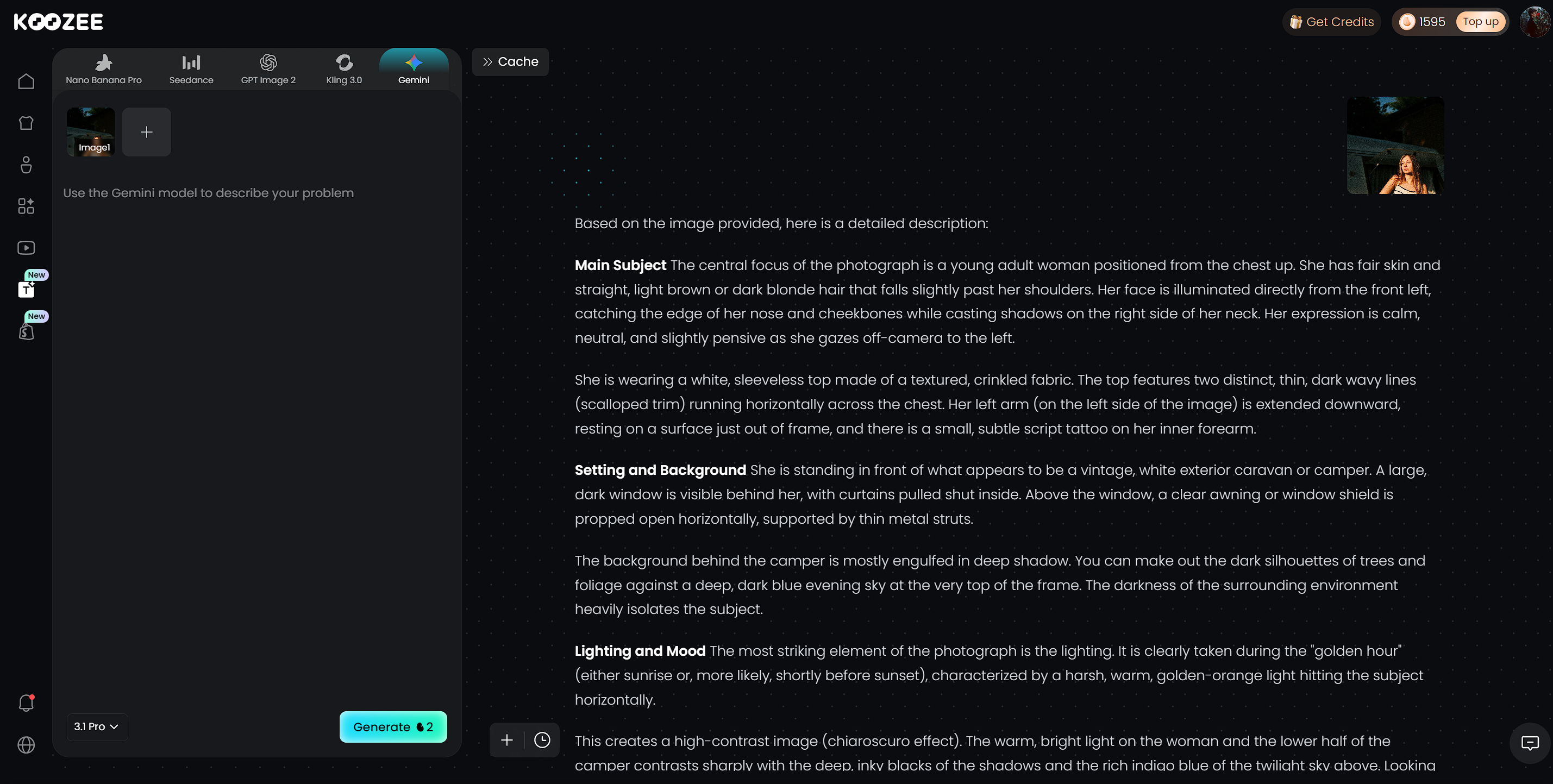
The workflow above can be applied with Koozee, an AI visual production platform built for apparel and e-commerce workflows. Instead of writing a prompt and then moving between multiple tools, you can prepare product images and generate new fashion visuals from prompts and product references in the same workflow.
Fashion Photography Prompt Ideas by E-Commerce Shot Type
Fill in the brackets, keep the framing words, and you have a production-ready prompt for each shot type.
On-model template:
A [gender, age] model wearing [garment], [pose], in [setting], [lighting], shot on [lens] at [angle], [framing], keep the garment's exact color, print, and proportions unchanged, true-to-product colors, [aspect ratio].
Example: A female model in her late 20s wearing a sage-green ribbed knit dress, standing mid-stride on a quiet city street in soft morning light, shot on 50mm at eye level, full-body framing, keep the garment's exact color, knit texture, and proportions unchanged, true-to-product colors, 4:5.
Ghost mannequin template:
Create a ghost mannequin image of [garment] on an invisible mannequin form, showing realistic collar, cuffs, and hem details, floating garment on a pure white background, soft even studio lighting that highlights fabric texture and folds, 1:1.
Flat lay template:
A top-down flat lay of [garment] arranged on a [surface], with [one or two props], soft even overhead daylight, gentle natural shadows, shot on 50mm from directly above, crisp e-commerce detail, accurate colors, 1:1.
Lifestyle template:
A lifestyle catalog photo of a model wearing [garment], [relaxed activity], in [interior or outdoor scene], warm natural daylight, soft shadows, three-quarter framing, shallow depth of field, neutral color palette, 4:5.
Detail shot template:
An extreme close-up of [feature: collar, seam, fabric texture, zipper] on [garment], macro lens, sharp focus on the fabric weave, soft studio light, true-to-product color, 1:1.
📌 Note: For lingerie, swimwear, and bodycon, keep prompts strictly commercial — standing or relaxed poses, no suggestive framing. Amazon requires models to stand (no kneeling or lying down) in apparel main images.
Make Your Fashion Photography Prompts Amazon- and Shopify-Ready
Platform requirements should influence the prompt, but they should not be treated as a substitute for checking the current seller guidelines.
Amazon
For Amazon apparel listings, the main image generally needs a pure white background, the product should occupy at least 85% of the frame, and the image should not contain promotional text, watermarks, or distracting graphics. Amazon's category-specific rules also affect whether clothing should be shown on a model; current Seller Central guidance states that men's and women's clothing main images should be photographed on a model, while kids' and baby clothing should be shown off-model.
For AI-generated images, also check Amazon's current disclosure requirements. Amazon now requires specific metadata for listing or A+ images containing photorealistic AI-generated people.
Prompt example:
Adult female model wearing [garment], standing upright, full product visible, pure white background, clean studio lighting, product fills approximately 85% of the frame, no text, watermark, or props, accurate garment color and details.
Shopify
Shopify supports product images up to 5000 × 5000 px and 20 MB. For square product images, Shopify says 2048 × 2048 px usually displays best. Vertical formats such as 4:5 or 2:3 can also work well for fashion galleries depending on your theme.
The priority is consistent framing, background, and image quality across the product catalog.
Common Prompt Problems and Quick Fixes
| Problem | Quick Fix |
| Product color changes | Use the product image as reference + explicitly preserve color |
| Pattern changes | Mention the exact print/pattern and ask to preserve it |
| Generic lighting | Specify light source and direction |
| Wrong framing | State camera angle and framing |
| Inconsistent catalog | Reuse the same model, lighting, and composition |
| First result looks wrong | Change one variable at a time |
FAQs About Fashion Photography Prompts
Can AI-generated fashion photos be used for e-commerce?
Yes, but the images should accurately represent the product and comply with the requirements of the platform where they will be published. For Amazon, also check the latest rules for AI-generated people and image metadata before uploading.
How can I keep AI fashion photos consistent across a catalog?
Reuse the same model specifications, lighting setup, background style, framing, and prompt structure across SKUs. For larger catalogs, a product-first workflow can reduce repetitive prompt work.
Should I use a reference image for AI fashion photography?
Yes. When the goal is accurate product representation, starting with the actual garment image gives the model a visual reference for the product's shape, color, print, and construction. Still review the generated image before publishing.
You May Be Interested

9 Best AI Fashion Model Generators for E-commerce (2026)
Why Is Fashion E-Commerce Return Rate So High? Causes & Fixes
7 Best Fashion Video Generators for Ecommerce Brands in 2026
