Can Midjourney Do Virtual Try-On? What Can You Do And Where It Falls Short
Learn the two methods that you can use to do clothing virtual try-on in Midjourney, and how Midjourney vs. AI visual platform for clothing try on.

Can Midjourney do virtual try-on for your actual clothing products?
The short answer is: No, Midjourney cannot perform a true product-accurate virtual try-on. However, it does provide two workflows that can approximate the effect.
Midjourney is a general-purpose AI image generator. It was not built for e-commerce clothing workflows. While you can use workarounds like Character Reference (--cref) and Vary (Region) to generate a model wearing similar clothing, what Midjourney creates is not pixel-accurate reproduction. The main drawback is losing exact prints, logos, and specific fabric textures.
This guide covers both approximate methods — what they deliver, where they break down for commercial apparel use, and how you can visualize clothing on AI-generated models.
Key Takeaways
Midjourney can approximate virtual try-on, but it generates an AI interpretation of your garment — it does not place your actual product onto a model with pixel accuracy.
--cref(Character Reference) is the most useful feature for keeping a consistent model face across multiple outfit generations, especially with--cw 0to focus on face only.Vary Region (inpainting) is the closest Midjourney gets to a true clothing swap — select the garment area and regenerate with a new description.
Color accuracy and fabric texture are persistent weak points: Midjourney frequently shifts colors and simplifies fabric details, which is a serious problem for product listings.
Lingerie, swimwear, and fitted apparel are difficult to generate accurately in Midjourney due to both content moderation and the model's tendency toward artistic interpretation over commercial realism.
For commercial-grade product visuals, dedicated apparel AI tools produce more consistent, commercially accurate results than Midjourney's general-purpose engine.
What "Virtual Try-On" Means in Midjourney's Context
Here is what Midjourney can and cannot do for virtual try on:
True virtual try-on — generates a model wearing your specific garment while preserving key product attributes such as color, pattern, and construction details.
Midjourney's version works differently. When you provide a garment image as a reference, Midjourney uses it as visual inspiration — it generates a new image that resembles your garment, not a reproduction of it. Fine details like a specific print pattern, exact brand color, embroidery, or subtle fabric texture are frequently lost, simplified, or reinterpreted.
For apparel sellers, this distinction matters enormously:
A customer who buys based on a Midjourney-generated image may receive a product that looks different from what they saw
Inaccurate product representation increases return rates and damages trust
Platform listing guidelines require accurate product representation
With that context established, here are the two most effective methods apparel sellers use to get virtual try-on results from Midjourney.
How to Hack Virtual Try On with Midjourney
Method 1: Use --cref (Character Reference) to Keep Your Model Consistent Across Outfit Changes
The --cref parameter — Midjourney's Character Reference feature — is the most useful tool for apparel sellers who want to show the same model wearing different garments. It anchors the model's face and general appearance across multiple generations, reducing the inconsistency that makes multi-product catalogs look disjointed.
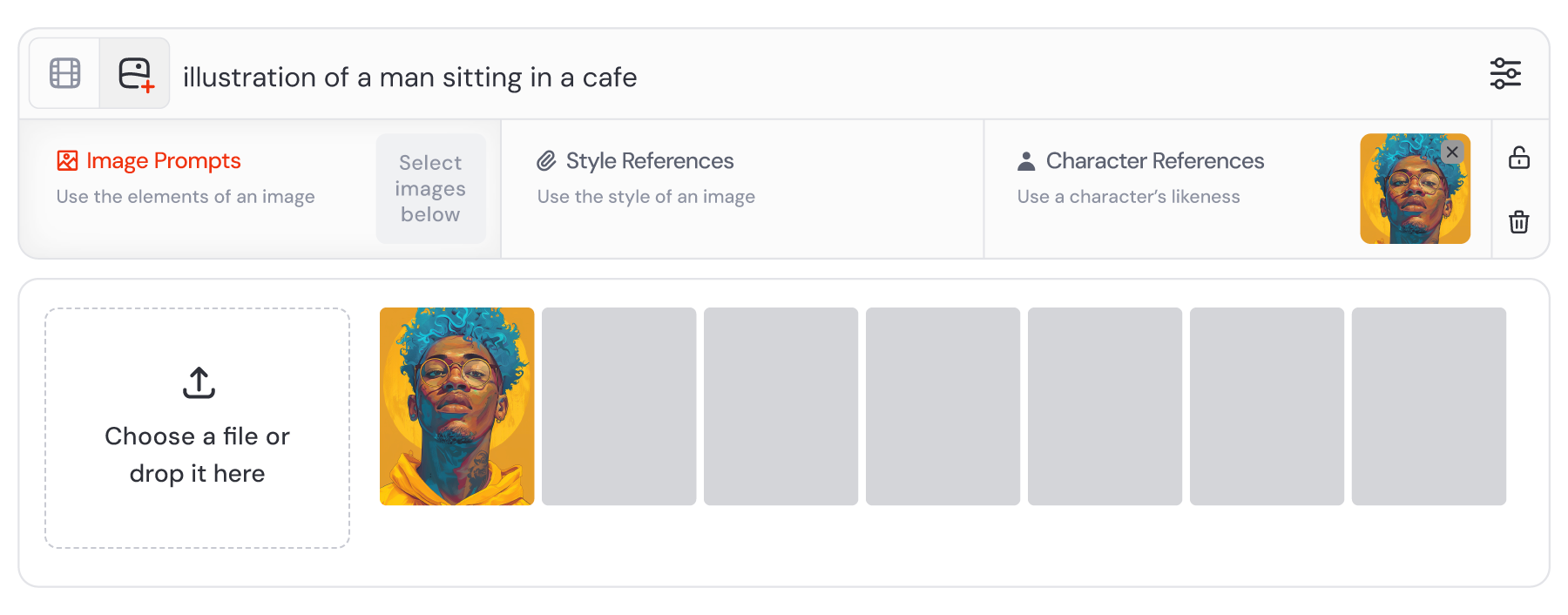
Generate or select a base model image in Midjourney. For best results, use a Midjourney-generated character rather than a real person's photo —
--crefworks most reliably with AI-generated characters and may distort real faces.Upscale the image you want to use as your character reference (click U1–U4 on the generation grid).
Copy the image URL of the upscaled image (right-click → Copy Image Address in Discord, or use the image URL from Midjourney's web interface).
Write your new prompt with the
--crefparameter:
/imagine [garment description], [model pose], [scene], [lighting], photorealistic --cref [image URL] --cw 0
Use
--cw 0(character weight = 0) to focus the reference on the face only, ignoring the body and clothing from the reference image. This is the key setting for outfit changes — without it, Midjourney may try to replicate the original outfit as well.Describe the new garment in detail in your prompt — color, fabric, garment type, fit, and key design details. Since
--crefhandles the face, your prompt can focus entirely on the clothing.Generate and review — the model's face should remain consistent while the outfit reflects your prompt description.
Iterate — if the garment color or style drifts, add more specific descriptors. If the face drifts, increase
--cwslightly (try--cw 25or--cw 50).
💡 Pro tip for apparel sellers: Build a small library of 3–5 base model characters in different body types, skin tones, and hair styles. Save their image URLs. When you need to show a new product, pull the relevant character URL and swap in the new garment description. This gives you a consistent "model roster" without arranging a photoshoot.
Method 2: Use Vary Region (Inpainting) to Swap Clothing on an Existing Image
Midjourney's Vary Region feature — its inpainting tool — lets you select a specific area of an upscaled image and regenerate only that region with a new prompt. For virtual try-on, this means you can keep a model's face, pose, and background intact while replacing the clothing.
Generate a base model image in Midjourney — a model in the pose and setting you want, wearing any placeholder outfit.
Upscale the image you want to edit (click U1–U4).
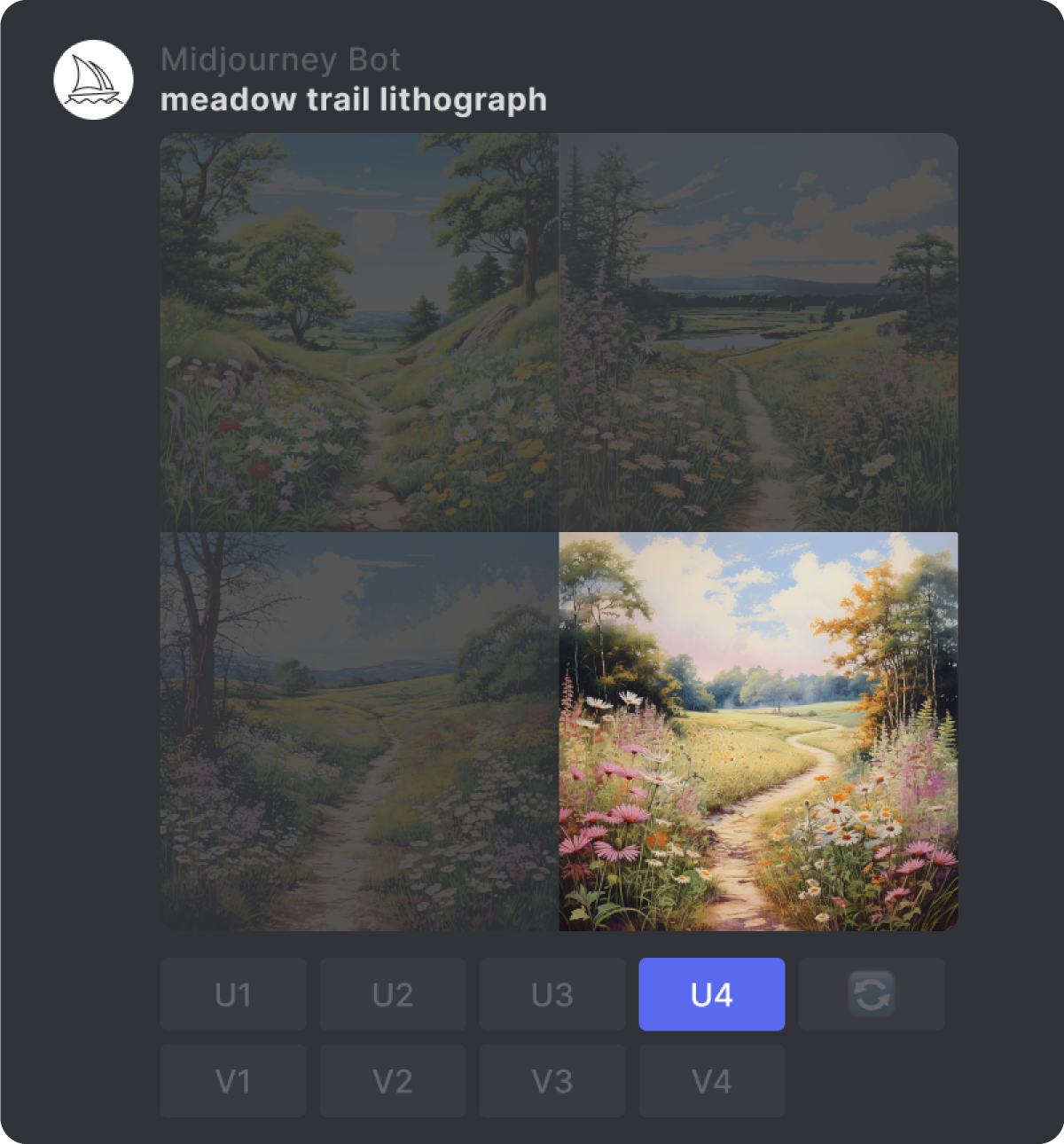
Click "Vary (Region)" on the upscaled image. This opens Midjourney's inpainting editor.
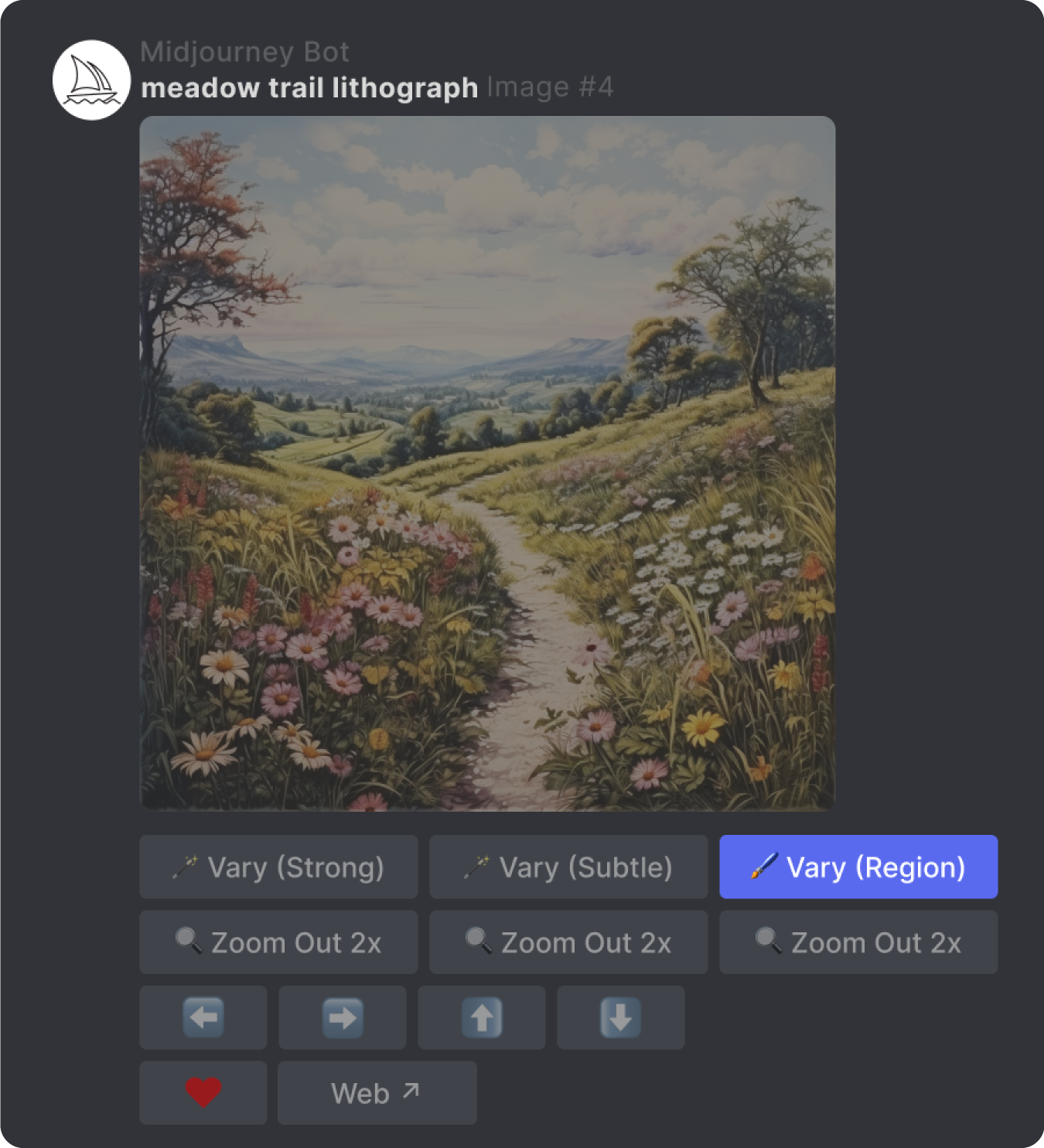
Use the selection brush to paint over the clothing area you want to replace. Be precise — select the full garment but avoid the model's skin, face, hair, and background.
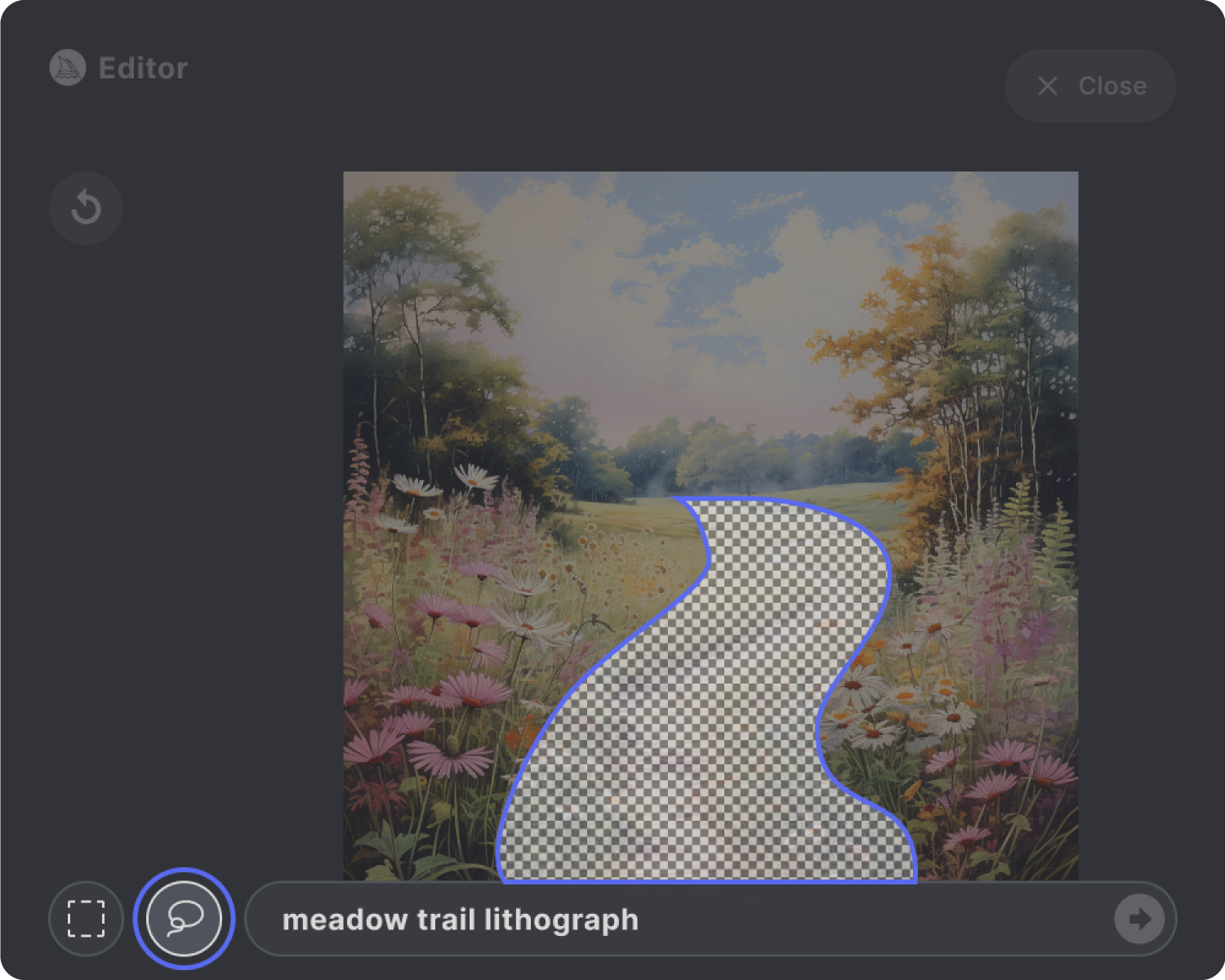
Write a replacement prompt in the text field describing the new garment:
[garment type] in [specific color], [fabric description], [fit details], photorealistic product photography
Submit — Midjourney regenerates only the selected region, blending the new garment with the unchanged parts of the image.
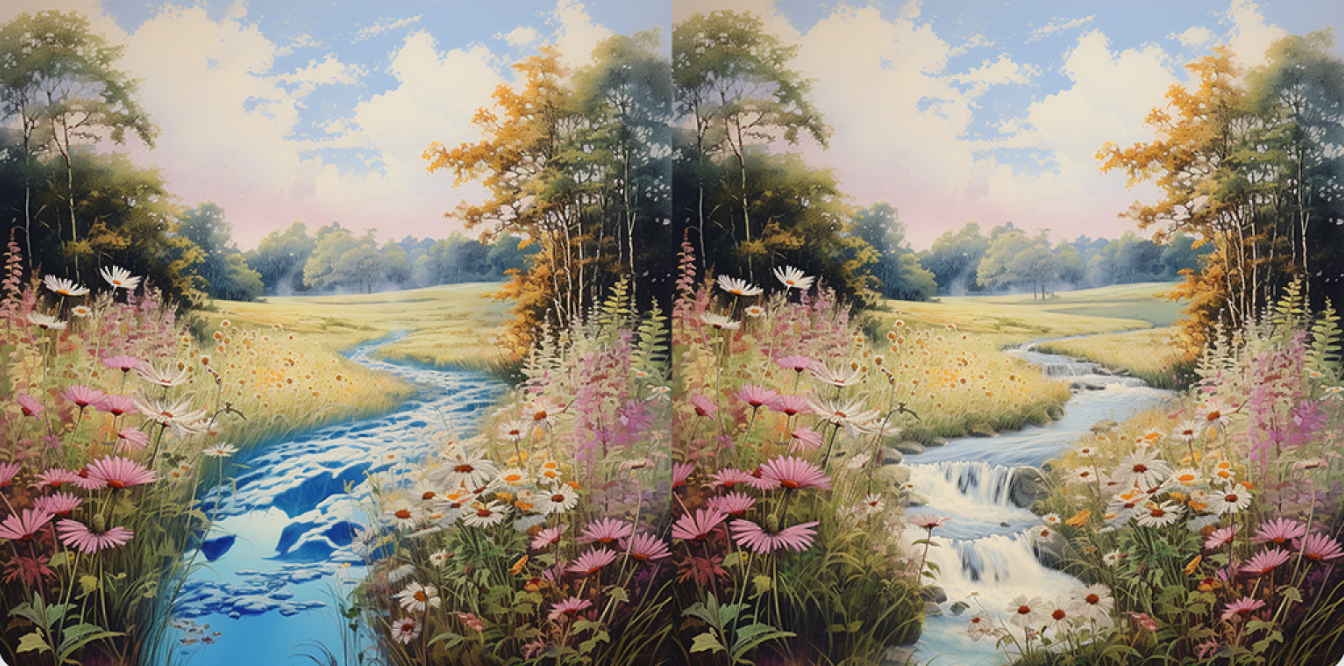
Check the edges and transitions — inpainting sometimes creates visible seams where the edited region meets the original. If the transition looks unnatural, expand your selection slightly to include a small border of surrounding area and regenerate.
Repeat for additional garment pieces — if you need to change both the top and bottom, do them in separate Vary Region passes rather than selecting both at once.
📌 Note: Vary Region regenerates the selected area from scratch based on your text prompt — it does not "paste" a garment image into the selection. The output is Midjourney's interpretation of your described garment. For exact color matching or print replication, this method has the same fundamental limitation as all Midjourney approaches: the output is an approximation, not a reproduction.
The Honest Limitations of Midjourney for Apparel Virtual Try-On
After working through both methods, here's what apparel sellers consistently run into:
Image Prompts blend instead of wearing. If you try to simply upload a photo of your t-shirt as an image prompt (URL), Midjourney will not "put" that shirt on the model. It will blend the shirt's colors and background into the entire composition, creating a mutated image.
Color accuracy is unreliable. Midjourney interprets colors rather than reproducing them. A specific sage green may come back as olive or mint. A dusty rose may shift to coral. For products where exact color is a purchase decision factor, this is a serious problem.
Fabric texture and drape are simplified. Midjourney renders fabric beautifully in an artistic sense, but it doesn't accurately simulate how a specific material drapes, stretches, or moves. Satin, jersey, linen, and denim all look different in reality — Midjourney often blends these distinctions.
Print and pattern accuracy are poor. Distinctive prints — florals, stripes, checks, brand-specific patterns — are frequently reinterpreted or simplified. If your product's key selling point is its print, Midjourney will likely not reproduce it accurately.
Scaling across a catalog is time-intensive. Each product requires multiple generation attempts, prompt refinement, and manual review. For a catalog of 50+ SKUs, the time investment becomes significant.
--cref works best with AI-generated characters, not real people. If you want to use a real model's photo as a character reference, results are inconsistent and may distort the person's appearance.
How to Do Virtual Try On Easily with Koozee
Midjourney is a powerful creative tool — but it was built for artistic image generation, not commercial apparel workflows. The gap between what it produces and what e-commerce product listings require is real and consistent.
For apparel sellers who need listing-ready visuals that accurately represent their actual products, the workflow needs to be built around the garment, not around prompt engineering.
Koozee is an AI visual production platform built specifically for apparel e-commerce sellers. Unlike Midjourney's general-purpose image engine, Koozee is designed around the commercial clothing workflow from the ground up:
Apparel Try-On: Upload your actual clothing product image and generate on-model visuals that preserve your garment's appearance more consistently — including lingerie, swimwear, bodycon styles, and fitted apparel that general AI tools routinely restrict or misrepresent.
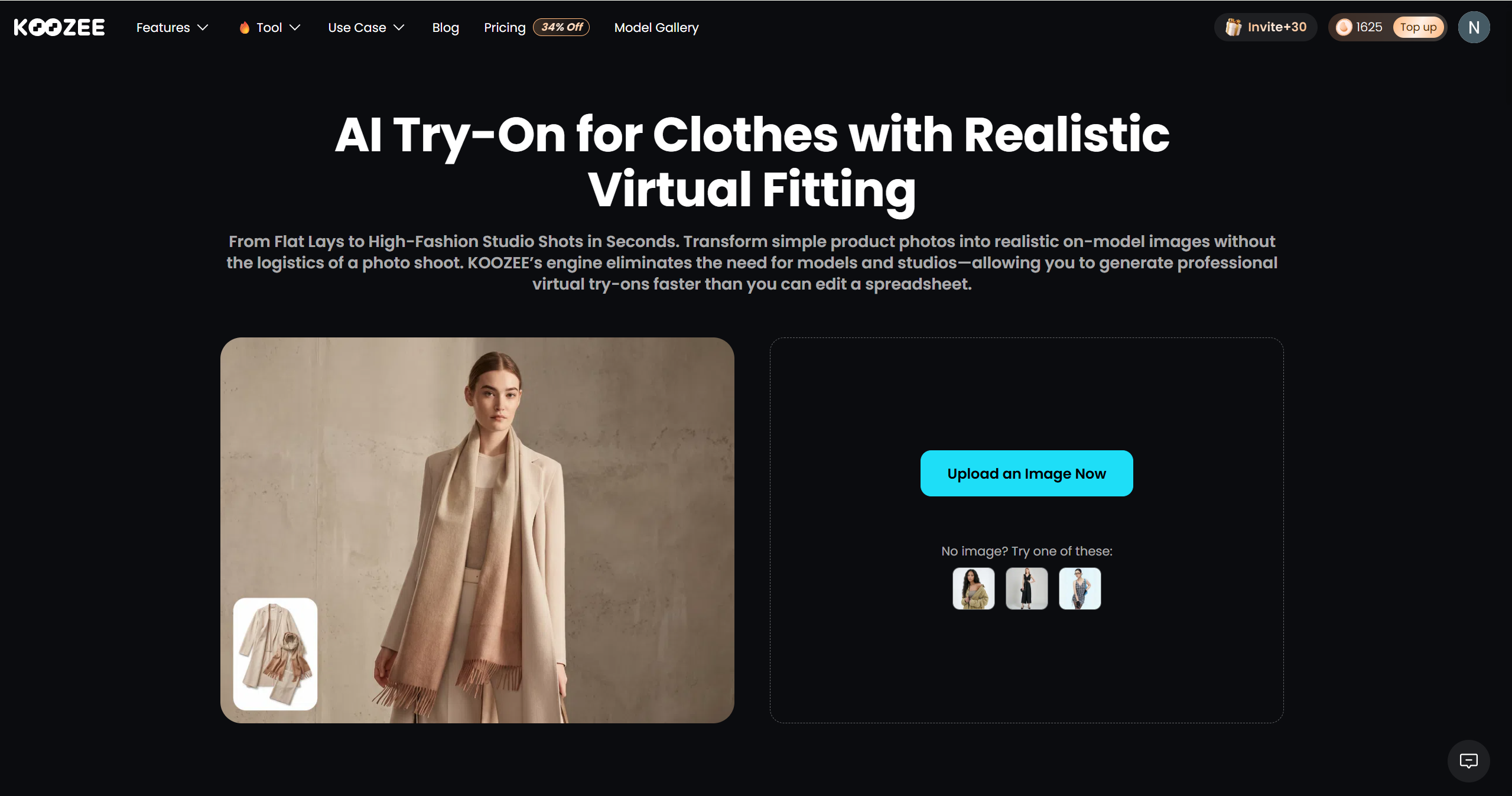
Change Model / Change Scene: Keep your garment consistent while swapping the background or model — show the same product on different situation.
Clothing Product Images: Ghost mannequin, flat lay, main listing image, and detail shots — all generated from your existing product photos, not from text descriptions.
Apparel Videos: Turn clothing product images into product videos for Shopify, Amazon, TikTok, and ads — no separate video tool required.
Shopify Integration: Connect your store, generate listing-ready visuals, preview results, and publish approved assets back to Shopify without the download-edit-upload cycle.
Midjourney Virtual Try On vs. Koozee for Apparel Sellers
| Midjourney | Koozee | |
| Built for | General-purpose AI image generation | Apparel e-commerce sellers |
| Virtual try-on | Approximation via --cref + Vary Region | Dedicated apparel try-on from your product image |
| Garment accuracy | Low–Medium (AI interpretation, not reproduction) | High (based on your actual product photo) |
| Color accuracy | Unreliable — colors frequently shift | Preserves your garment's actual color |
| Print & pattern | Often simplified or reinterpreted | Reproduced from your product image |
| Lingerie & swimwear | Frequently blocked by content moderation | Supported for legitimate commercial use |
| Model consistency | Requires --cref workaround; drifts over time | Consistent model across all products |
| Shopify integration | None | Connect store, generate, preview, publish |
| Apparel videos | Not supported | Turn product images into videos |
| Catalog scaling | Time-intensive — manual prompt work per SKU | Designed for multi-SKU workflows |
| Suitable for primary listings | ⚠️ Not recommended | ✅ Yes |
| Suitable for campaign / concept visuals | ✅ Yes | ✅ Yes |
| Pricing | Subscription-based (from $10/mo) | Credit-based; 30 free credits for new users |
Frequently Asked Questions
Can Midjourney do virtual try-on?
Midjourney can approximate virtual try-on using --cref (character reference) and Vary Region inpainting. Because it treats uploaded images primarily as visual references rather than garment assets. Unlike dedicated virtual try-on systems, it does not estimate garment geometry or transfer clothing onto a person's body.
How do I keep the same model in Midjourney across different outfits?
Use the --cref parameter with the URL of your base model image, and set --cw 0 to focus the reference on the face only. This tells Midjourney to keep the model's face consistent while allowing the outfit to change based on your text prompt. Note that --cref works most reliably with Midjourney-generated characters rather than real people's photos.
Why does Midjourney change the color of my clothing?
Midjourney interprets color from your prompt and reference images rather than reproducing exact color values.
Is Midjourney good enough for Amazon or Shopify listing images?
For primary listing images that need to accurately represent your product, Midjourney's general-purpose image engine is typically not sufficient. Fabric texture, color, and garment detail are frequently compromised. Midjourney outputs work better for secondary lifestyle images, campaign visuals, and brand content where exact product accuracy is less critical than aesthetic quality.
What's the difference between Midjourney virtual try-on and dedicated apparel AI tools?
Midjourney generates an AI interpretation of a described or referenced garment — the output resembles your product but is not a reproduction of it. Dedicated apparel AI tools like Koozee are built to take your actual garment image and generate on-model visuals that accurately represent the product's color, texture, and construction.
You May Be Interested

12 Best Virtual Try-On Apps for E-Commerce (2026)

Why Is Fashion E-Commerce Return Rate So High? Causes & Fixes

Flat Lay Clothing Photography: Complete Guide for Apparel Sellers
