Pebblely Alternatives: 6 Tools for More Than Product Backgrounds
You may need more than new backgrounds—you may also want on-model images, batch catalog editing, product videos, or a more connected ecommerce workflow. This guide compares six Pebblely alternatives through real use cases, helping you see which option fits your products and day-to-day needs.


Pebblely has a clear appeal. Upload a product image, describe a setting, and create visuals for listings, ads, websites, and social media. Its newer workflow also supports multiple products, bulk generation, preset aspect ratios, and text-based editing, so it is no longer just a basic background changer.
As a business grows, sellers may also need on-model apparel images, consistent visuals across many SKUs, product videos, localized product pages, or API-based batch processing. The comparison below focuses on these practical needs, helping you identify which tool better matches your products and daily workflow.
This guide compares six Pebblely alternatives for product photography, on-model apparel images, batch editing, product video, localization, and API automation, helping you choose based on your actual workflow.
Disclosure: Koozee is our product, but this article objectively compares each tool using public information, including its best use cases and limitations.
Quick Comparison of Pebblely Alternatives
| Product | Best suited to | Monthly entry price | Main strength | Main trade-off |
| Koozee | Apparel images, models, videos, and listing assets | From US$22.90/month | Connects several apparel content tasks in one platform | New product with changing pages and feature locations |
| Photoroom | Multi-category catalog editing and batch production | From US$12.99/month | Background, retouching, batch, and Shopify tools | Video and some Shopify tools require higher plans |
| Pic Copilot | Cross-border marketing, translation, and ecommerce creatives | About US$7.99/month | Try-on, templates, translation, and short-form content | Large toolset takes time to organize |
| WeShop AI | Testing different AI models and creative directions | From US$9.99/month | Broad image, video, and ecommerce model selection | Credit use varies significantly by model |
| Botika | AI fashion-model product photography | About US$28/month | Focused model, background, video, and correction workflow | Narrower focus on fashion-model content |
| Claid | APIs, marketplaces, and catalog automation | From US$15/month | Enhancement, scenes, fashion, video, and API workflows | Better suited to technical or high-volume teams |
Pricing note: These figures are based on public plan information available on July 30, 2026. They represent the lowest paid entry point or an approximate monthly equivalent under annual billing. Actual prices may vary by billing cycle, region, promotion, and plan changes. The official checkout page on the day of purchase should be treated as the final price.
One workflow for apparel product images, model photos, videos and listing materials → Koozee
Fast lifestyle scenes for general products → Pebblely
Large catalogs, background cleanup, and batch editing → Photoroom
Cross-border marketing, translation, and ecommerce templates → Pic Copilot
A broad choice of AI fashion, image, and video models → WeShop AI
Fashion-model images for product detail pages → Botika
API integration and catalog-scale automation → Claid
What Does Pebblely Do Well, and When Is an Alternative Useful?
Pebblely works well for fast general product scenes
Pebblely uses a lightweight process: upload a product, describe the setting, and generate images in the formats you need. It is practical for beauty products, packaged food, drinks, jewelry, homeware, and other categories where a static product remains the main subject.
For a smaller catalog that mainly needs lifestyle images for ads, social posts, or website banners, simplicity is a genuine advantage. Users do not need to learn a model library, layered editor, or complex production system.
Alternatives matter when production goes beyond one image
People usually start researching Pebblely alternatives when they need to:
turn flat apparel into on-model images;
standardize backgrounds and framing across many SKUs;
turn product photos into short videos;
localize visual content for different markets;
work directly with Shopify product images;
automate image processing through an API.
At that point, the useful question is not which platform has the most buttons. It is which one removes the most downloading, uploading, renaming, correcting, and republishing from the workflow.
Koozee: Built Around Apparel Content Production
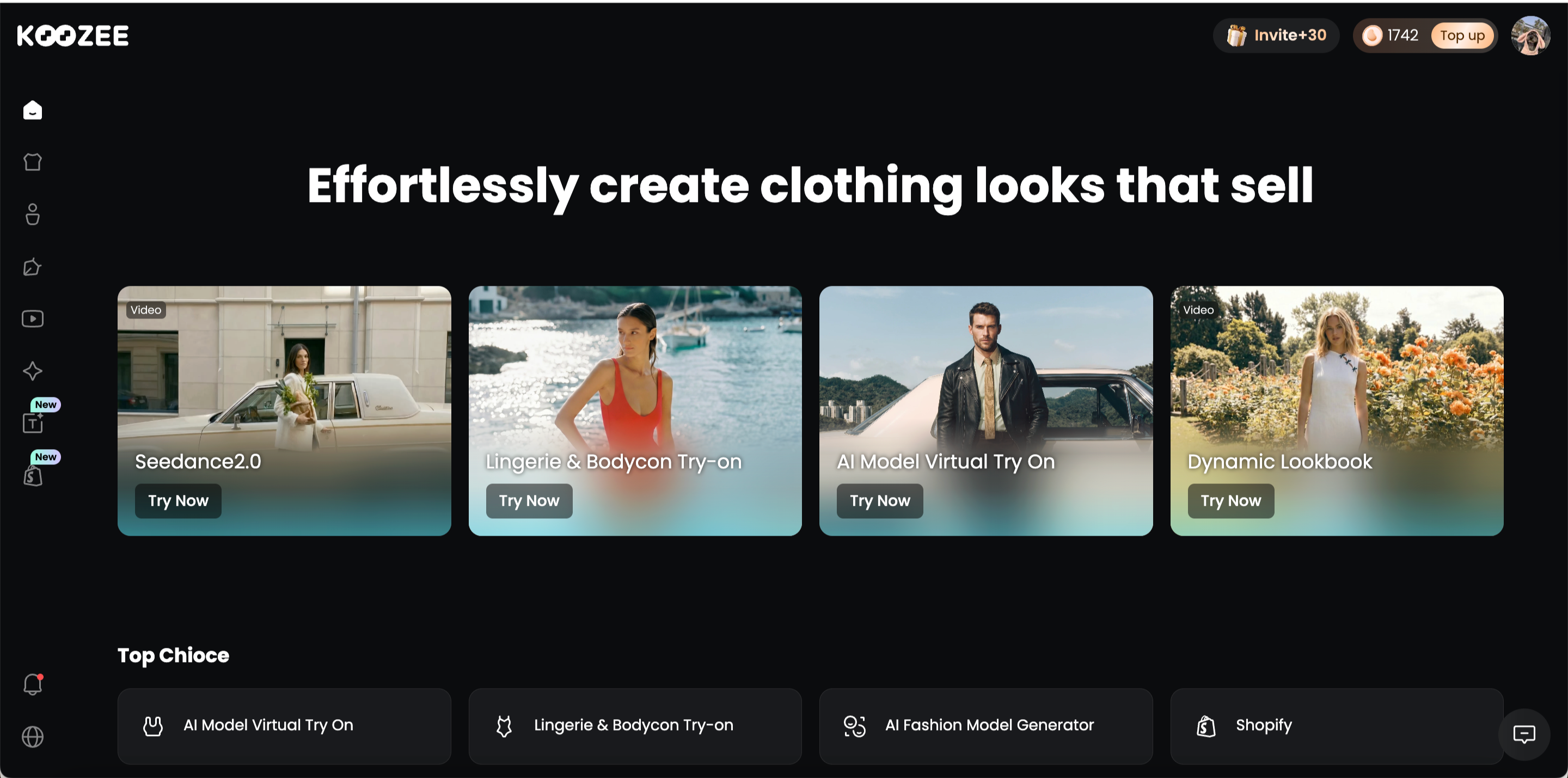
Who is Koozee for?
Koozee’s audience can be grouped into three main categories:
Apparel ecommerce brands and sellers: Shopify stores, DTC brands, marketplace sellers, and cross-border apparel businesses.
Apparel supply-chain businesses: Manufacturers, suppliers, and wholesalers managing many products.
Ecommerce visual and content teams: Product operations, brand marketing, paid media, and social teams.
Core features
Koozee’s features follow the apparel journey from listing preparation to marketing content:
Prepare listing-ready product images: Turn standard apparel photos into white-background main images, flat lays, ghost mannequin images, and detail shots for a more consistent catalog.
Create on-model apparel visuals: Place garments on AI models, then change the model, pose, setting, or camera angle for different markets and campaigns.
Handle different apparel try-on scenarios: Use dedicated workflows for general clothing, lingerie, swimwear, and footwear rather than relying entirely on open-ended prompts.
Extend product images into video: Turn garment or model images into dynamic lookbooks, product showcase videos, outfit clips, and social content.
Build ecommerce selling assets: Create product-page graphics, Amazon A+ content, promotional posters, and campaign visuals from the same product inputs.
Complete image and video cleanup: Use background removal, background replacement, image enhancement, video enhancement, and unwanted-element cleanup without moving every asset into another editor.
Connect the workflow to Shopify: Sellers can connect Shopify, work at the product level, generate new apparel images or videos, preview the results, and publish approved assets back to the store.
Koozee vs Pebblely
| Ecommerce visual task | Koozee | Pebblely |
| General product backgrounds and scenes | ☑️ | ☑️ |
| Apparel on-model and try-on images | ☑️ | ❌ |
| Flat lays and ghost mannequin images | ☑️ | ❌ |
| Model, pose, and camera-angle changes | ☑️ | ❌ |
| Fashion lookbooks and product videos | ☑️ | ❌ |
| Shopify apparel image and video tools | ☑️ | ❌ |
| Complete workflows for non-apparel products | ❌ | ☑️ |
Pros
Connects apparel product images, model visuals, videos, and selling assets.
Organizes tools around ecommerce tasks rather than open-ended generation.
Lets Shopify sellers continue creating and publishing content from existing product assets.
Provides access to models including Nano Banana Pro, Nano Banana 2, GPT Image 2, and Kling 3.0 without requiring separate model platforms.
Limitations
As a recently launched product, its pages, names, and feature locations may change often.
The broad toolset may take some time to explore fully.
Its connected workflows currently focus on apparel rather than food, furniture, electronics, or every general merchandise category.
Photoroom: For Batch Editing and Consistent Product Catalogs
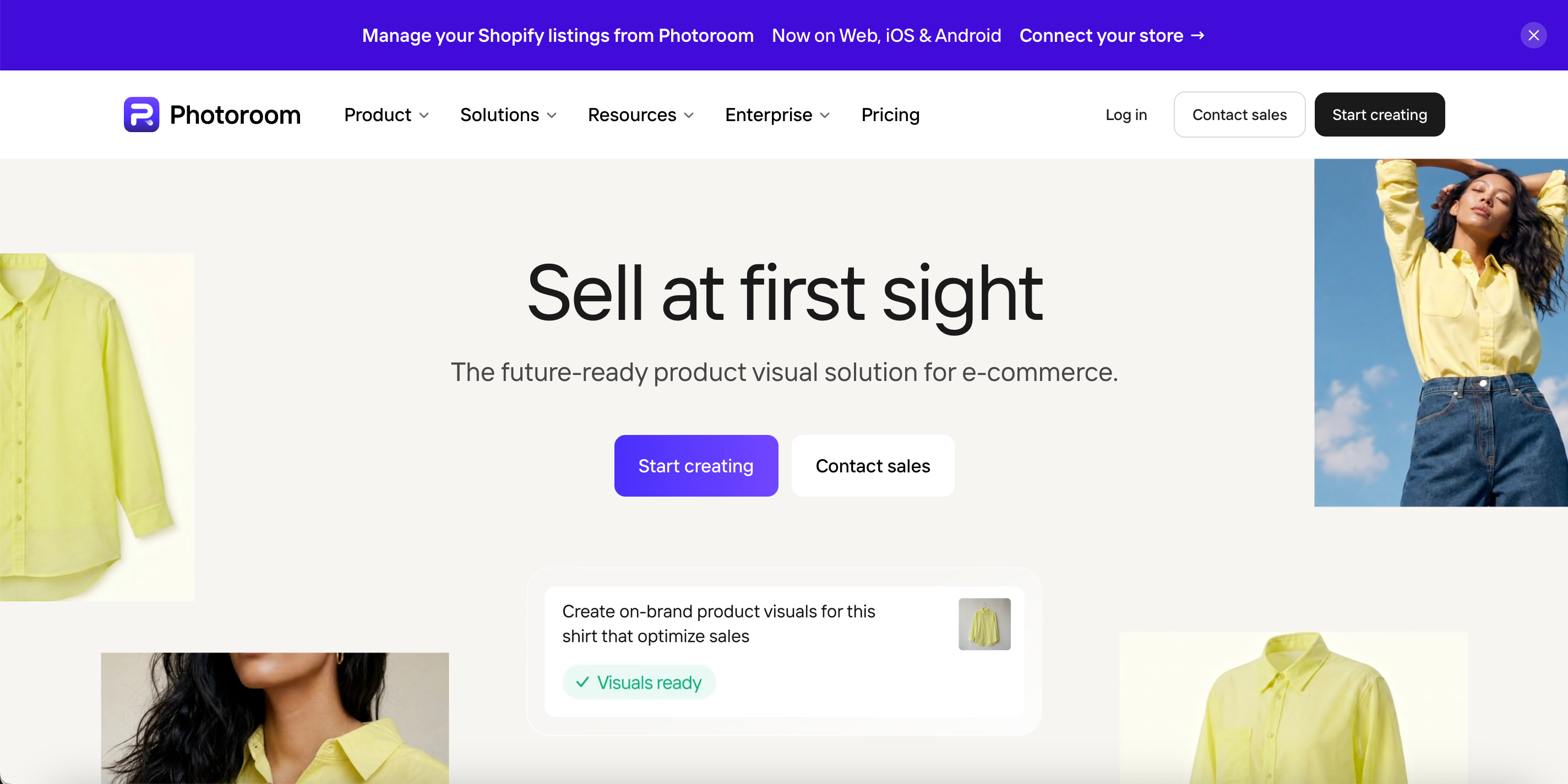
Who is Photoroom for?
Photoroom is suited to:
sellers managing large numbers of SKUs;
teams working across apparel, beauty, food, and home products;
operators standardizing backgrounds, framing, and image sizes;
businesses that need mobile, Shopify, or API workflows.
Core features
Photoroom mainly addresses product-photo cleanup, catalog consistency, and batch production:
Remove and replace product backgrounds: Detect product edges and create white, transparent, or lifestyle backgrounds from inconsistent supplier photos.
Improve product-image quality: Add shadows, adjust lighting, sharpen details, clean imperfections, and expand images to meet ecommerce presentation needs.
Standardize catalog visuals: Apply fixed templates, aspect ratios, product positions, and brand elements across multiple SKUs.
Process images in batches: Use the same background, format, template, and export settings on many products instead of editing each image manually.
Create apparel-specific assets: Generate AI Fashion Models, flat lays, and ghost mannequin images for clothing listings.
Turn product images into video: Create short animated product content for listings, ads, and social channels.
Connect Shopify and APIs: Edit and return product images through Shopify, or embed image processing into an existing system through APIs.
Photoroom vs Pebblely
| Ecommerce visual task | Photoroom | Pebblely |
| AI product scenes | ☑️ | ☑️ |
| Dedicated background removal and retouching | ☑️ | ❌ |
| AI fashion models | ☑️ | ❌ |
| Flat lay and ghost mannequin tools | ☑️ | ❌ |
| Batch catalog processing | ☑️ | ❌ |
| Shopify catalog workflow | ☑️ | ❌ |
| Product video | ☑️ | ❌ |
Pros
Mature background, retouching, and batch tools.
Works across many product categories.
Useful for keeping large catalogs visually consistent.
Available through web, mobile, Shopify, and API workflows.
Limitations
Apparel try-on is only one part of a general ecommerce platform.
Video and full Shopify publishing require higher plans.
Credits, export limits, and plan tiers need careful comparison.
Pic Copilot: For Cross-Border Marketing and Localization
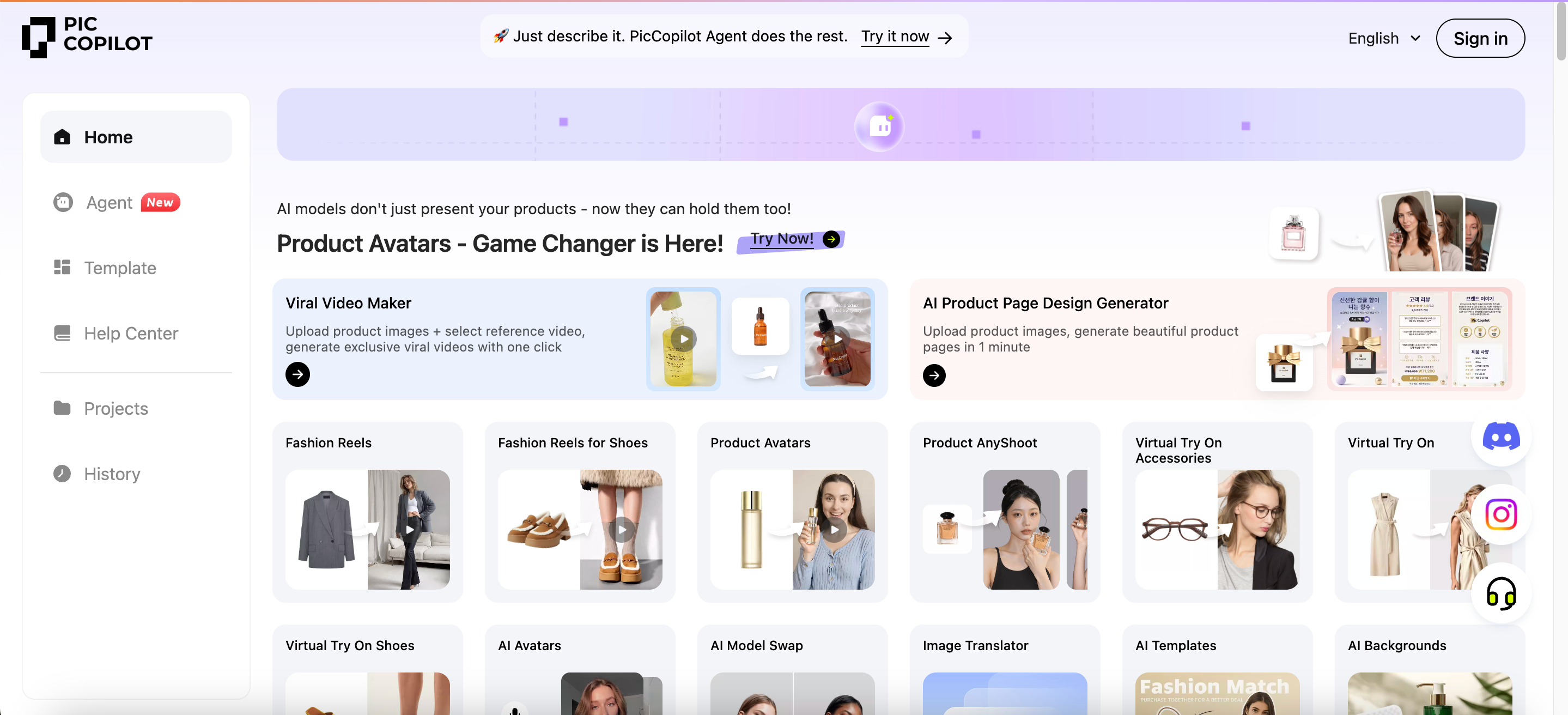
Who is Pic Copilot for?
Pic Copilot is suited to:
cross-border sellers creating localized visuals;
stores selling apparel, footwear, accessories, and general goods;
teams that need ads, templates, translated images, and short videos.
Core features
Pic Copilot is organized around cross-border marketing, localization, and multiple ecommerce content formats:
Create product scenes and marketing visuals: Place products into ad, listing, and social environments, then adapt them through ecommerce templates.
Produce apparel, footwear, and accessory try-on content: Use virtual try-on, model swapping, shoe try-on, and accessory try-on for stores covering several fashion categories.
Create short-form and human-led content: Turn static products into Fashion Reels, product-in-hand images, and avatar-based promotional content.
Translate image and video assets: Detect and replace text inside visual content, helping teams localize product materials without rebuilding each design.
Build ecommerce promotional assets: Combine product visuals with selling points, discounts, and campaign layouts using prebuilt templates.
Process source images in batches: Remove backgrounds, enhance images, resize assets, and standardize product inputs before creating marketing content.
Pic Copilot vs Pebblely
| Ecommerce visual task | Pic Copilot | Pebblely |
| AI product backgrounds | ☑️ | ☑️ |
| Apparel virtual try-on | ☑️ | ❌ |
| Footwear and accessory try-on | ☑️ | ❌ |
| Fashion Reels | ☑️ | ❌ |
| Image translation | ☑️ | ❌ |
| Ecommerce marketing templates | ☑️ | ☑️ |
| Batch image processing | ☑️ | ❌ |
Pros
Combines try-on, translation, templates, and video content.
Well aligned with multilingual and cross-border ecommerce.
Covers apparel, footwear, accessories, and general products.
Some eligible paid generations support credit refunds when users are dissatisfied.
Limitations
The number of tools can make the first workflow difficult to plan.
Individual features do not always follow the same interface.
Credit use and refund eligibility vary by tool.
WeShop AI: For Testing Different Models and Creative Routes
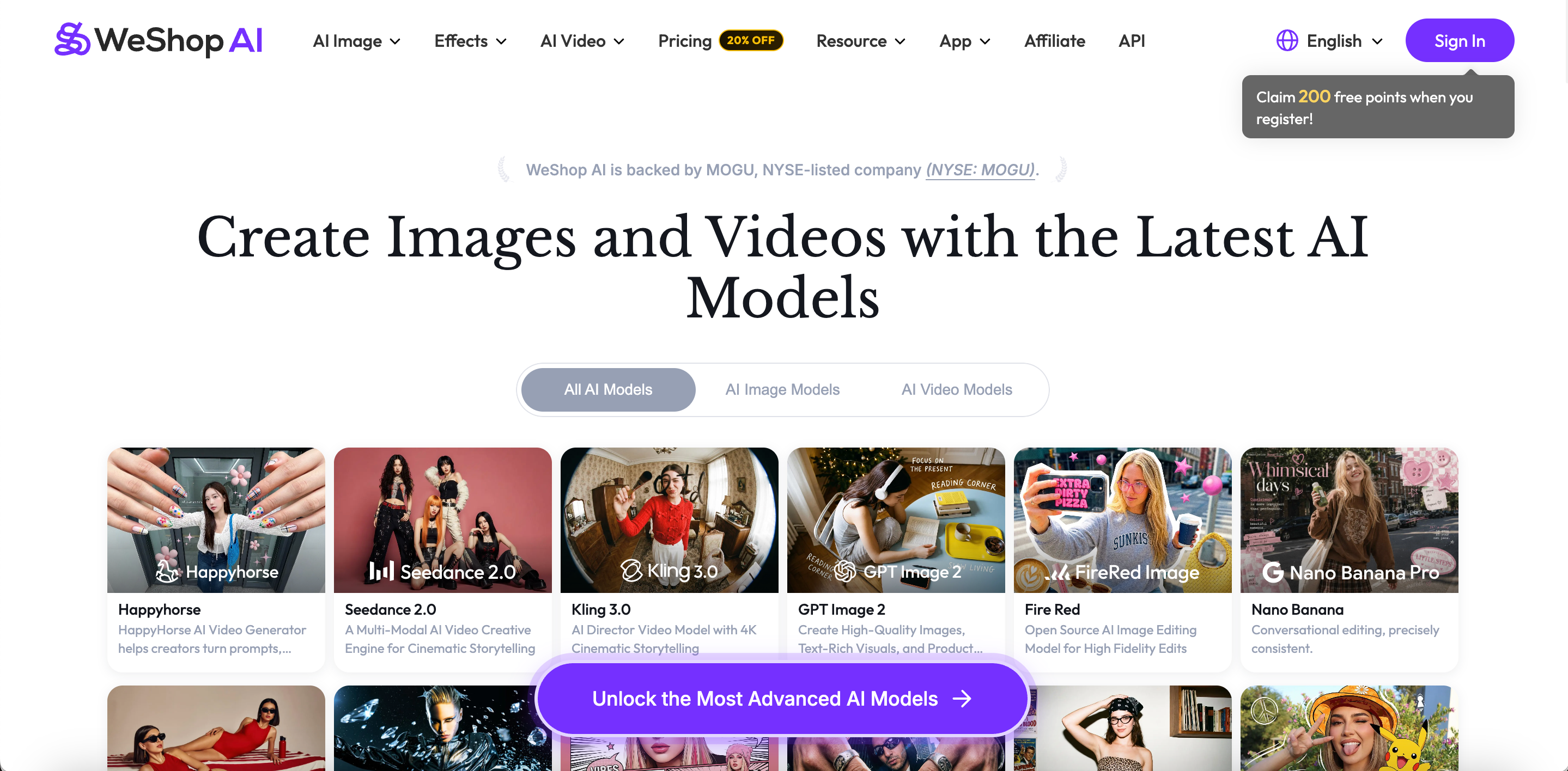
Who is WeShop AI for?
WeShop AI is suited to:
teams comparing different image and video models;
apparel sellers creating many model, pose, and scene variations;
users combining ecommerce production with general AI creation.
Core features
WeShop AI combines apparel ecommerce tools with a broad range of general image and video models:
Create apparel try-on and model images: Turn flat garments or product photos into on-model visuals, then adapt the model and style for different audiences.
Change models and poses: Replace the model, adjust the pose, change the background, or generate a new composition without preparing another photoshoot.
Prepare apparel product images: Use AI product photography, model-to-mannequin conversion, background removal, and image repair for catalog content.
Choose among multiple image models: Access models such as GPT Image, Nano Banana, Seedream, Qwen Image, and Midjourney for different visual styles and tasks.
Choose among multiple video models: Use Seedance, Kling, Sora, Wan, and Veo to create different types of motion content from product or model images.
Run several tasks at once: Higher concurrency supports teams producing many model, scene, and video variations in concentrated sessions.
WeShop AI vs Pebblely
| Ecommerce visual task | WeShop AI | Pebblely |
| General product photography | ☑️ | ☑️ |
| Apparel virtual try-on | ☑️ | ❌ |
| AI fashion models | ☑️ | ❌ |
| Model pose changes | ☑️ | ❌ |
| Multiple image models | ☑️ | ❌ |
| Multiple video models | ☑️ | ❌ |
| One fixed and minimal scene workflow | ❌ | ☑️ |
Pros
Broad choice of image and video models.
Combines apparel-specific tools with general generation.
Supports high concurrency for concentrated production.
Lets users select models for different tasks.
Limitations
More models create more testing and learning.
Credit consumption varies significantly by model.
Style and product fidelity may change between models.
Some premium ecommerce APIs require an Enterprise plan.
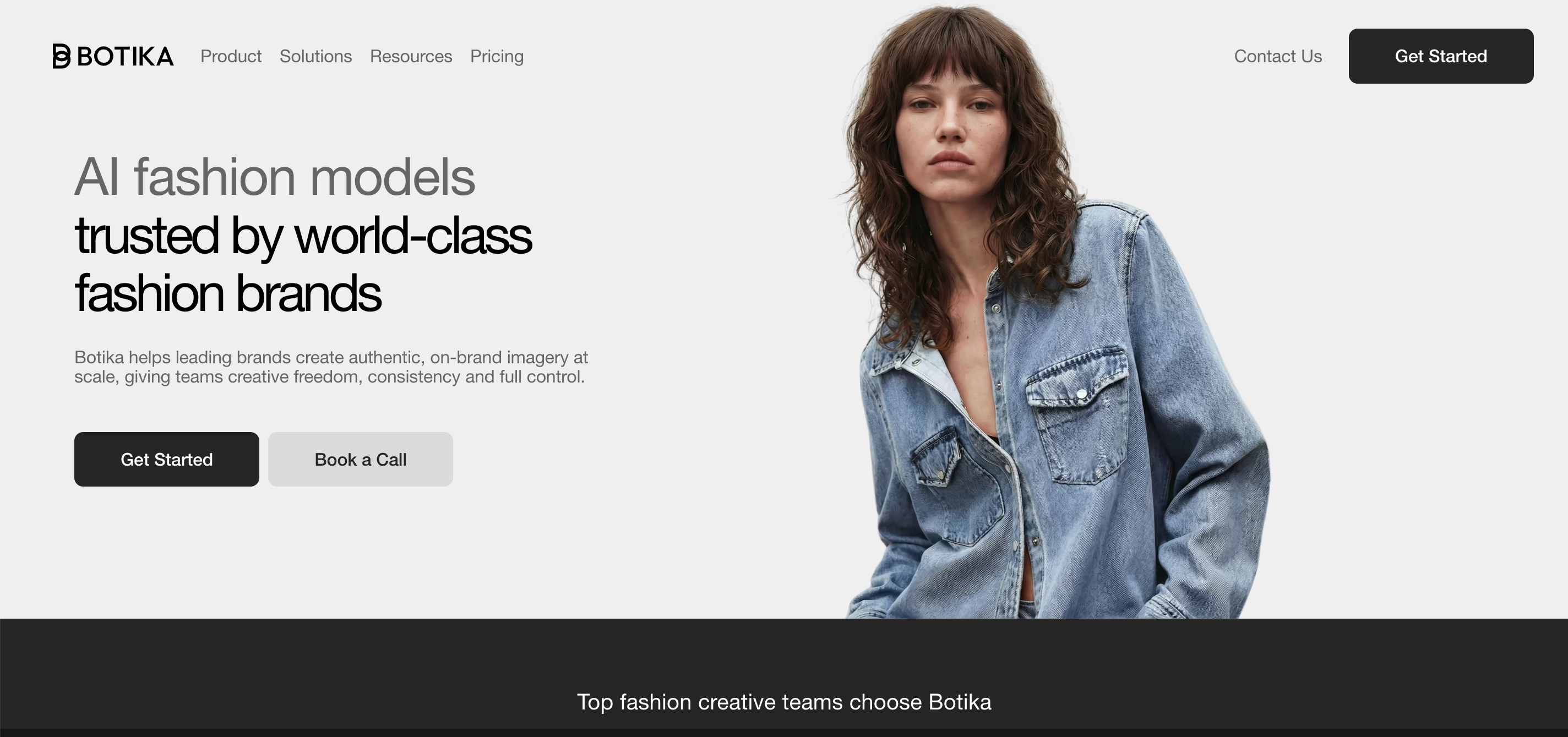
Botika: Focused on AI Fashion-Model Photography
Who is Botika for?
Botika is suited to:
fashion brands mainly producing on-model PDP images;
teams that care about consistent models, backgrounds, and brand style;
creative teams that want access to human correction support.
Core features
Botika concentrates on on-model apparel photography and brand-oriented fashion visuals:
Convert apparel inputs into model images: Use flat lays, mannequin photos, or existing model images to create new AI fashion-model content.
Change models and backgrounds: Select different model appearances, body types, and styles, then place products in studio, lifestyle, or campaign settings.
Create several PDP variations: Produce different model, pose, and background combinations from the same garment for product pages, ads, and regional stores.
Generate fashion product videos: Extend static model images into short apparel videos for product pages and social media.
Support team-based content production: Selected plans include collaboration features for creative, merchandising, and ecommerce teams.
Request human corrections: Eligible plans allow users to submit outputs for manual revision when garment, model, or visual details need adjustment.
Botika vs Pebblely
| Ecommerce visual task | Botika | Pebblely |
| General scenes for non-fashion products | ❌ | ☑️ |
| AI fashion-model images | ☑️ | ❌ |
| Flat lay or mannequin to model | ☑️ | ❌ |
| Model and background replacement | ☑️ | ❌ |
| Fashion video | ☑️ | ❌ |
| Human correction | ☑️ | ❌ |
| Broad general product photography | ❌ | ☑️ |
Pros
Clear focus on fashion-model image production.
Offers models, backgrounds, and video.
Human correction is available with eligible plans.
Better aligned with fashion teams seeking consistent brand visuals.
Limitations
Limited coverage of general products and broader listing design.
Corrections and some advanced benefits depend on the selected plan.
Generation is not always immediate and may involve a processing wait.
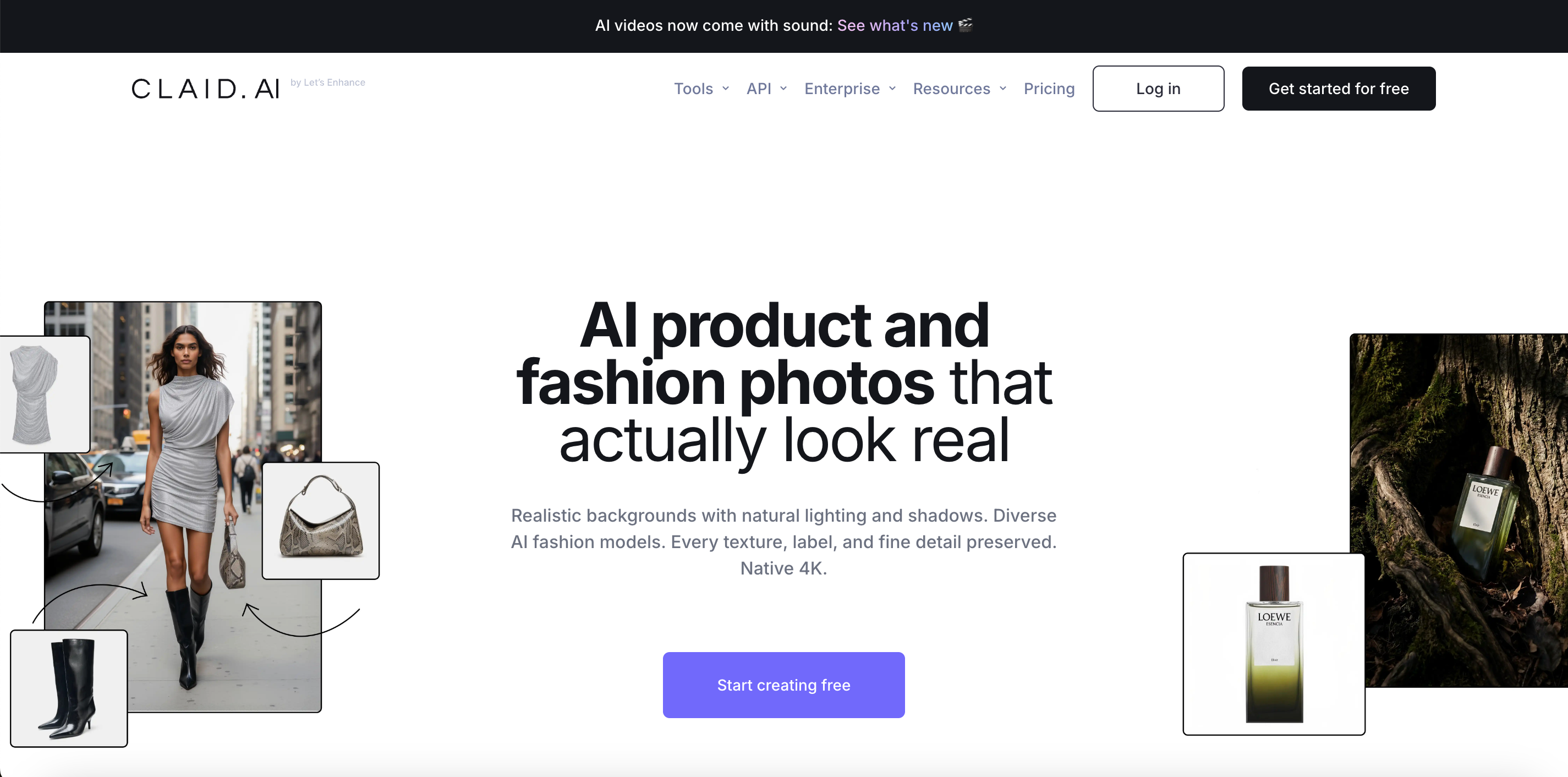
Claid: For APIs and Catalog-Scale Processing
Who is Claid for?
Claid is suited to:
marketplaces and large product catalogs;
retailers processing many supplier images;
technical teams connecting image tools to internal systems;
companies combining several automated image operations.
Core features
Claid supports both individual image generation and automated product-visual pipelines:
Create AI product scenes: Place source product images into studio or lifestyle environments for listings, ads, and social media.
Generate AI Fashion visuals: Convert flat lays or ghost mannequin inputs into on-model apparel images for fashion catalogs.
Improve supplier-image quality: Remove backgrounds, reduce noise, enhance detail, upscale images, and standardize dimensions across mixed sources.
Edit product images with natural language: Change backgrounds, compositions, or visual elements through text instructions instead of manual editing.
Turn product images into video: Generate short motion content from static product visuals for campaigns and social channels.
Connect internal systems through APIs: Add background removal, enhancement, resizing, and generation to product-upload or content-management systems.
Chain several automated steps: Clean, resize, standardize, and generate product content within one workflow, which is useful for marketplaces and large catalogs.
Claid vs Pebblely
| Ecommerce visual task | Claid | Pebblely |
| AI product scenes | ☑️ | ☑️ |
| AI Fashion model images | ☑️ | ❌ |
| Image enhancement and upscaling | ☑️ | ❌ |
| Image-to-video | ☑️ | ❌ |
| Image and video API | ☑️ | ❌ |
| Multi-step automation | ☑️ | ❌ |
| Minimal single-purpose generation flow | ❌ | ☑️ |
Pros
Offers a web platform, API, and enterprise services.
Can combine enhancement, background, resizing, and generation steps.
Covers general products, apparel, and video.
Useful for standardizing large volumes of supplier images.
Limitations
Can feel unnecessarily technical for low-volume sellers.
API value usually requires development resources.
High-resolution and video operations consume credits faster.
It is not designed as a dedicated Shopify apparel workspace.
When Is Staying With Pebblely Simpler?
Pebblely may remain the better fit when you:
mainly sell beauty, food, drinks, jewelry, or home products;
only need new lifestyle backgrounds;
manage a relatively small number of SKUs;
do not need apparel try-on or AI fashion models;
do not need product videos;
do not need a connected Shopify catalog workflow;
do not need an API or automated batch pipeline;
prefer a smaller tool with a short learning curve.
Its image-based plans can also be easier to forecast for small sellers with stable and straightforward requirements.
Final Verdict: Start With the Step That Costs You the Most Time
There is no universal winner among Pebblely alternatives. A more useful starting point is the slowest part of your current production process.
Stay with Pebblely when fast scenes for general products are enough. Test Koozee when apparel images need to continue into models, flat lays, videos, and selling assets. Compare Photoroom when catalog cleanup and batch consistency take most of your time. Consider Pic Copilot for multilingual ecommerce marketing. Explore WeShop AI when model choice matters. Evaluate Botika for fashion-model PDP images. Look at Claid when you need an API or large-scale automation.
Before moving a full catalog, test the same five to ten SKUs in two or three serious candidates. Check logos, text, prints, colors, materials, and difficult edges. Then measure generations per usable result, correction time, and the real cost of one publishable asset.
FAQs
What is the right Pebblely alternative?
It depends on the task. Compare Koozee for apparel workflows, Photoroom for batch editing, Pic Copilot for cross-border content, and Claid for API automation.
Which option has the lowest paid entry point?
Pic Copilot is listed at about US7.99permonth,whileWeShopAIstartsatUS7.99 per month, while WeShop AI starts at US7.99permonth,whileWeShopAIstartsatUS9.99. Final prices depend on billing period, promotion, and region.
Which tools create on-model apparel images?
Koozee, Photoroom, Pic Copilot, WeShop AI, Botika, and Claid all offer related tools, but each focuses on a different workflow.
Which alternative works with Shopify?
Koozee focuses on apparel images and videos, Photoroom on catalog editing, and Botika on fashion-model images.
Can AI fully replace product photography?
Not in every case. AI is useful for variations and campaign content, while precise materials, measurements, and flagship campaigns may still require photography.
What should I test before switching?
Use your own products and check logos, text, colors, prints, garment structure, correction time, and cost per approved asset.