AI People Remover: Remove the Distraction, Keep the Focus
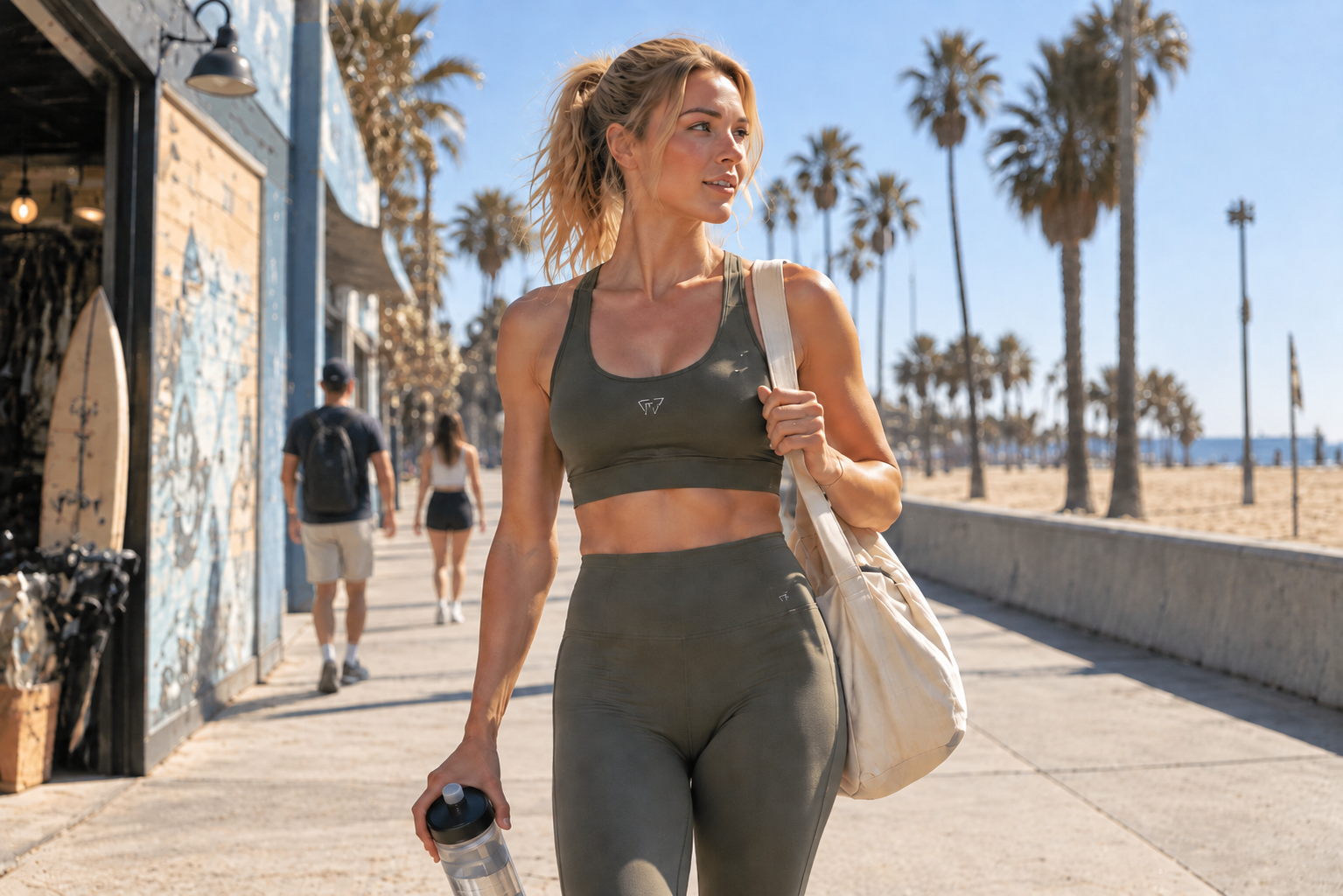
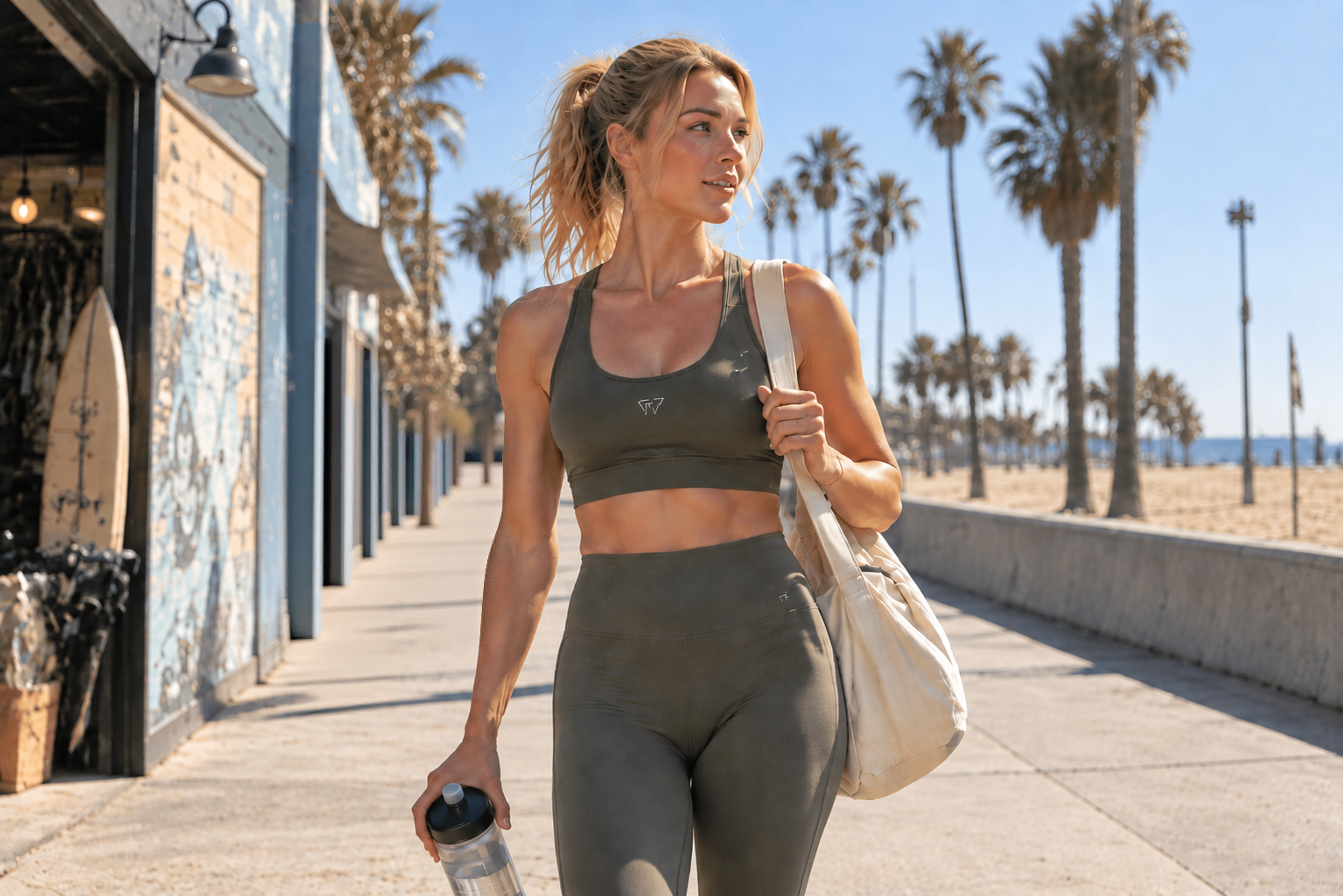
Clear the Background. Put the Product Back in Focus.
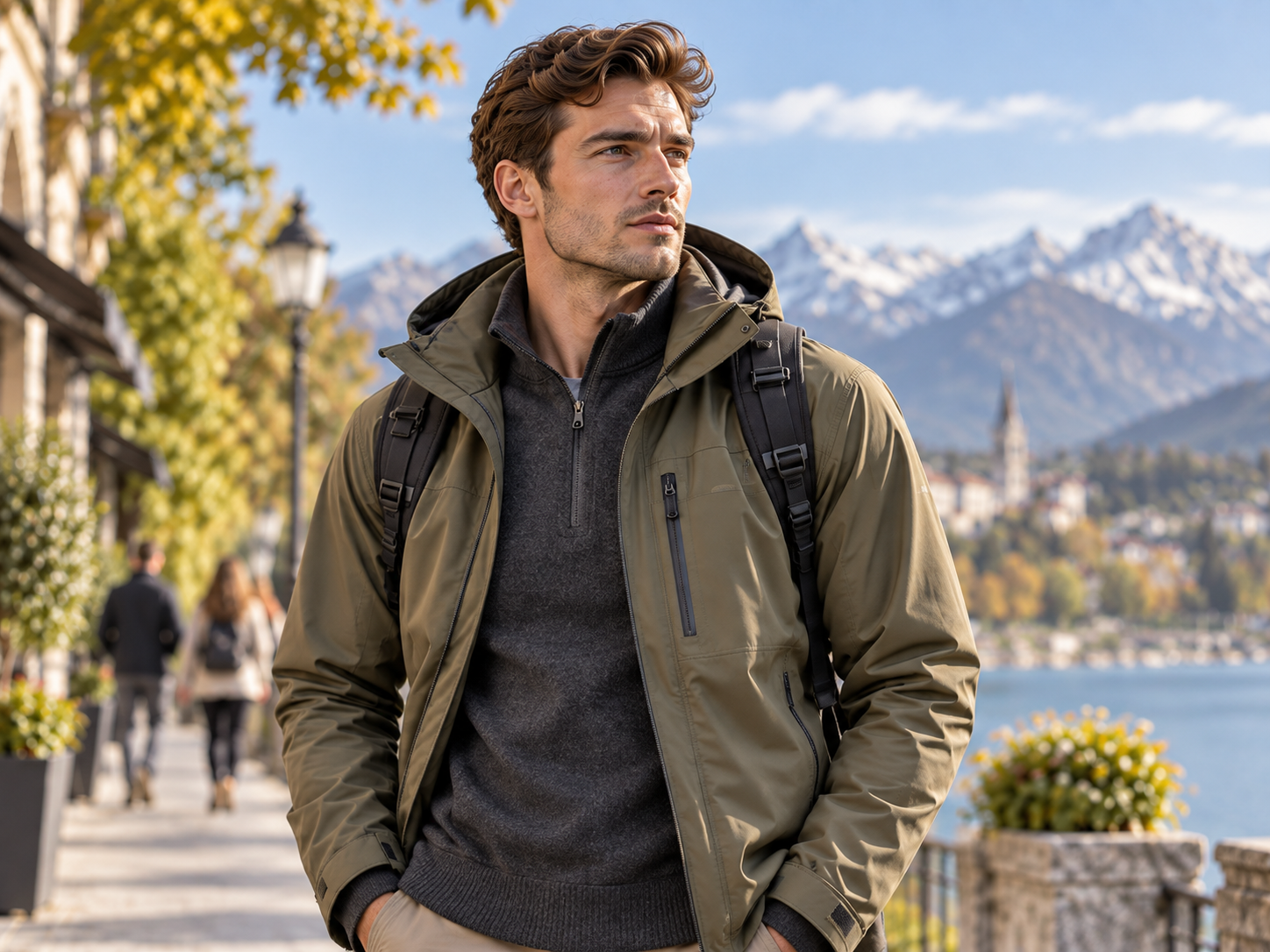
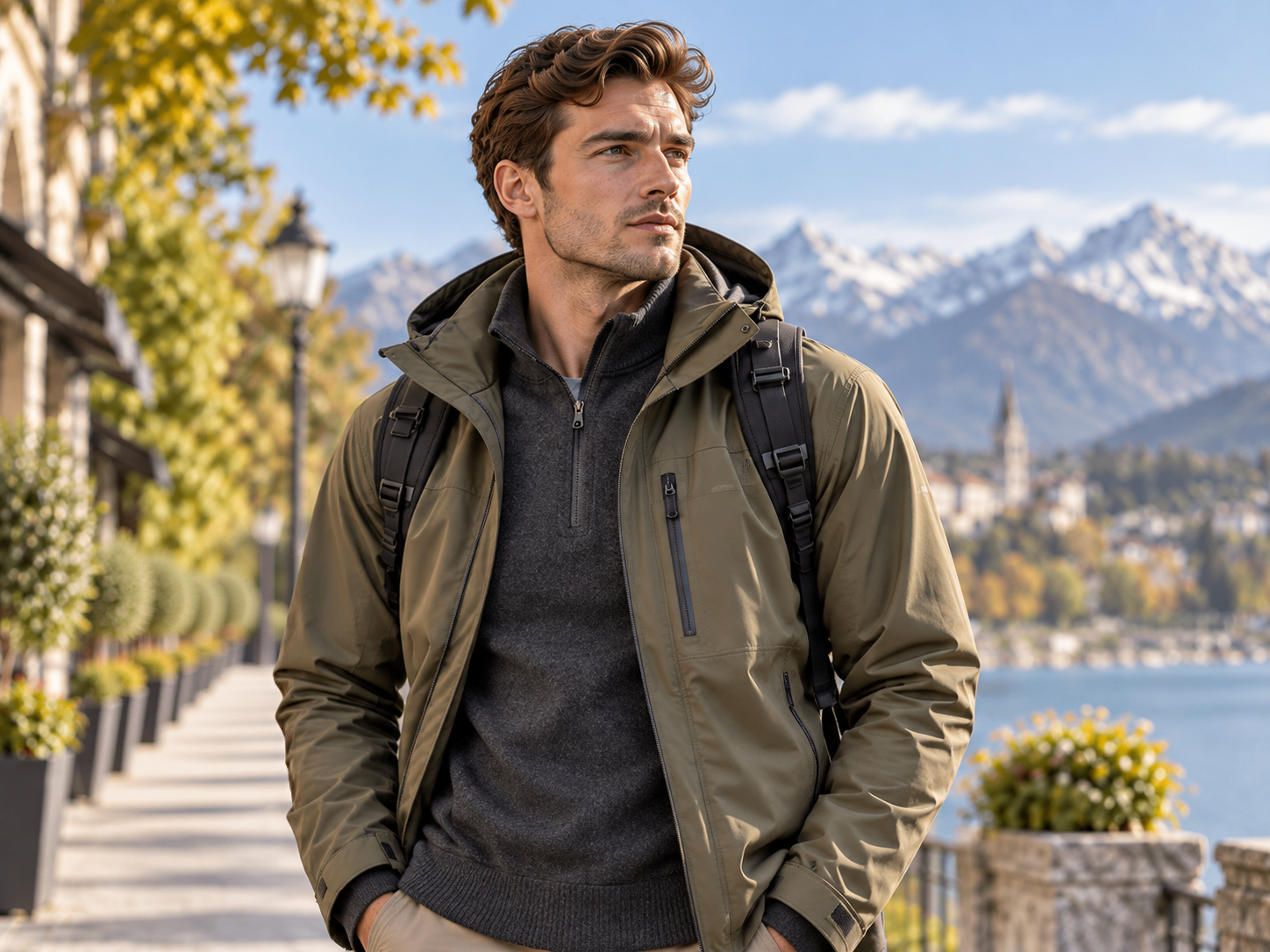
Keep the Shot—Skip the Reshoot
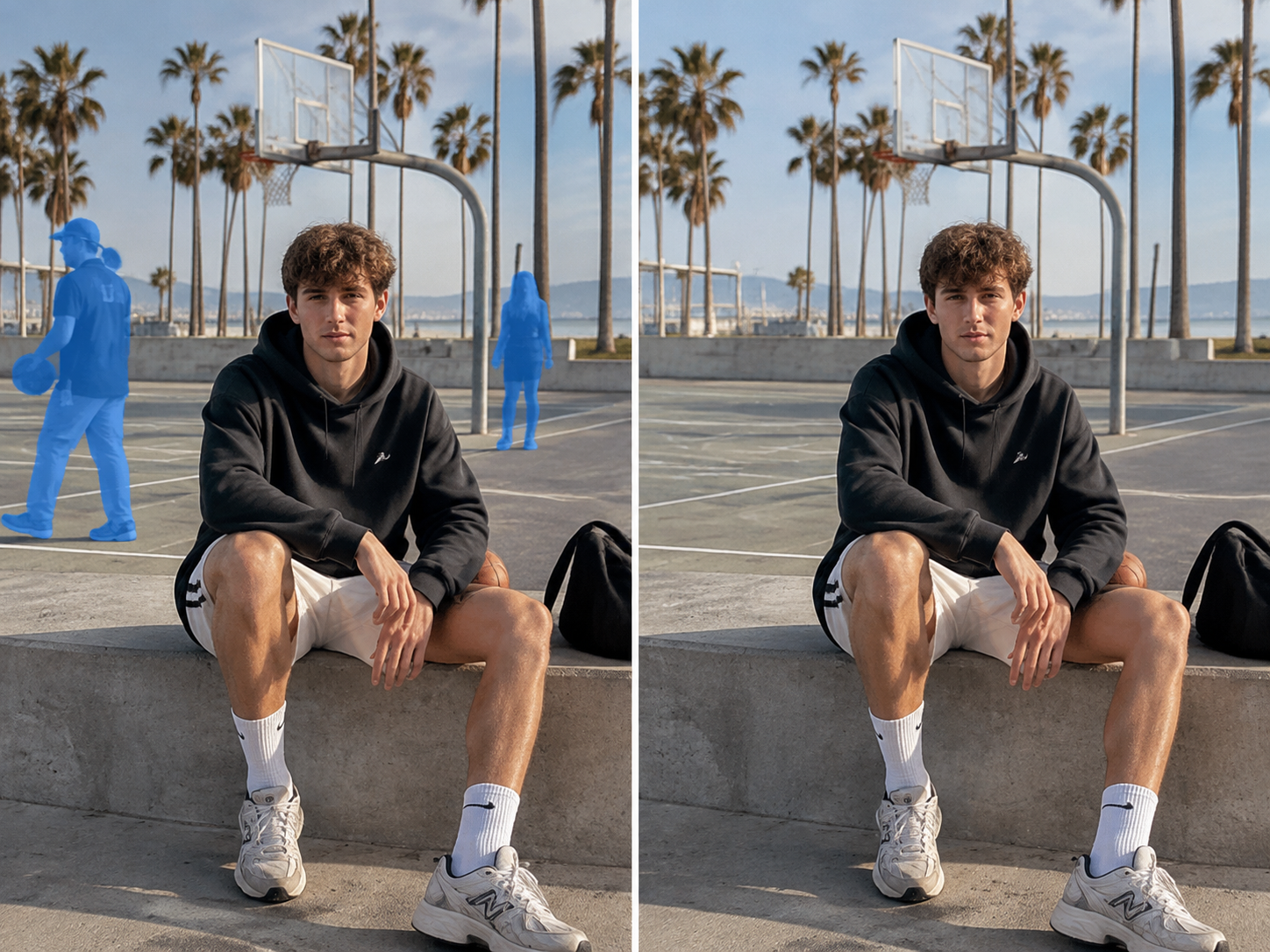
A strong lifestyle or on-model shot can still be hard to use when strangers pull attention away from the product. Remove unwanted background people, keep the model and outfit as the visual focus, and reuse the photo on product pages, listings, posters, or ads—without scheduling another shoot.
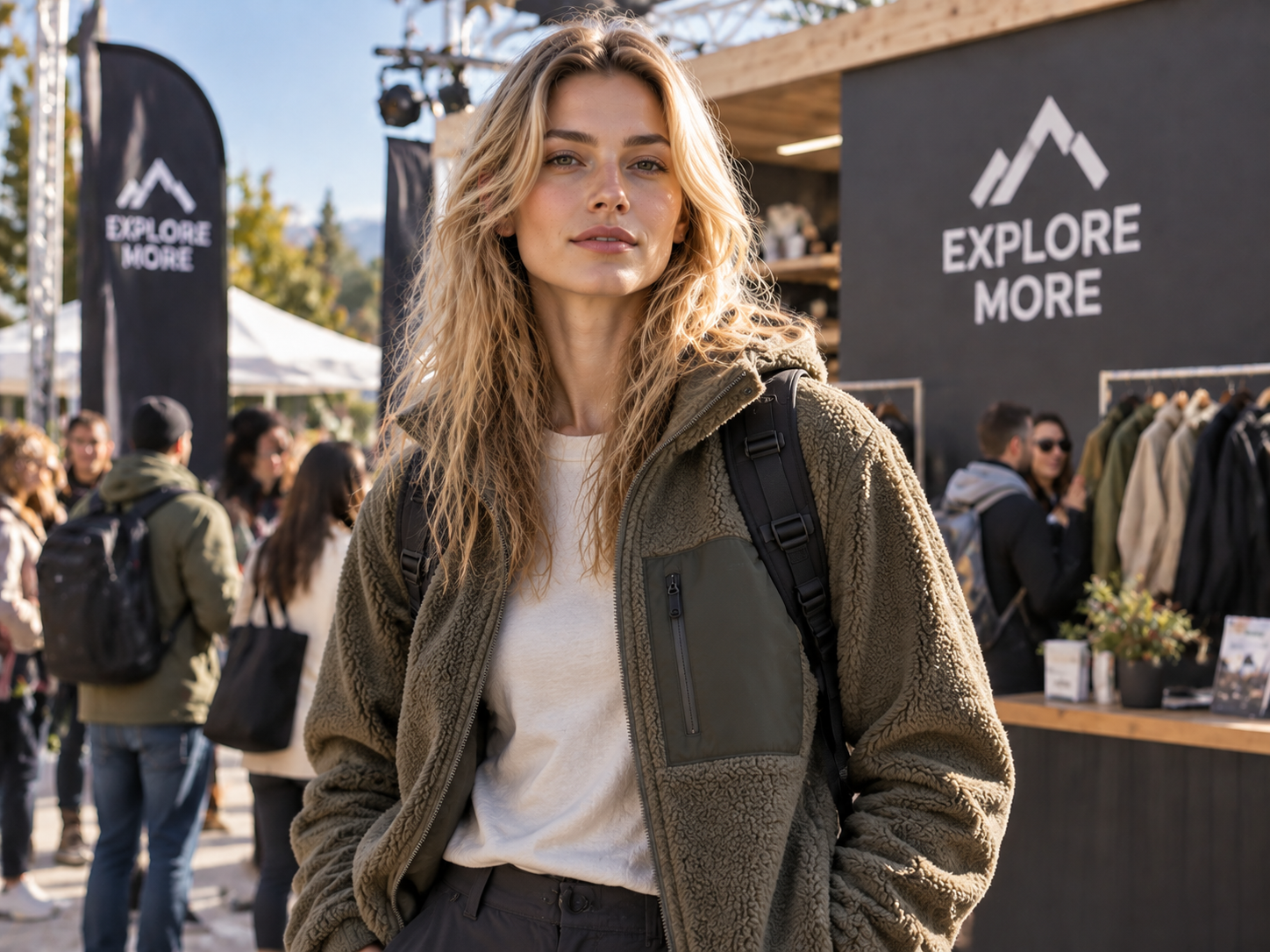
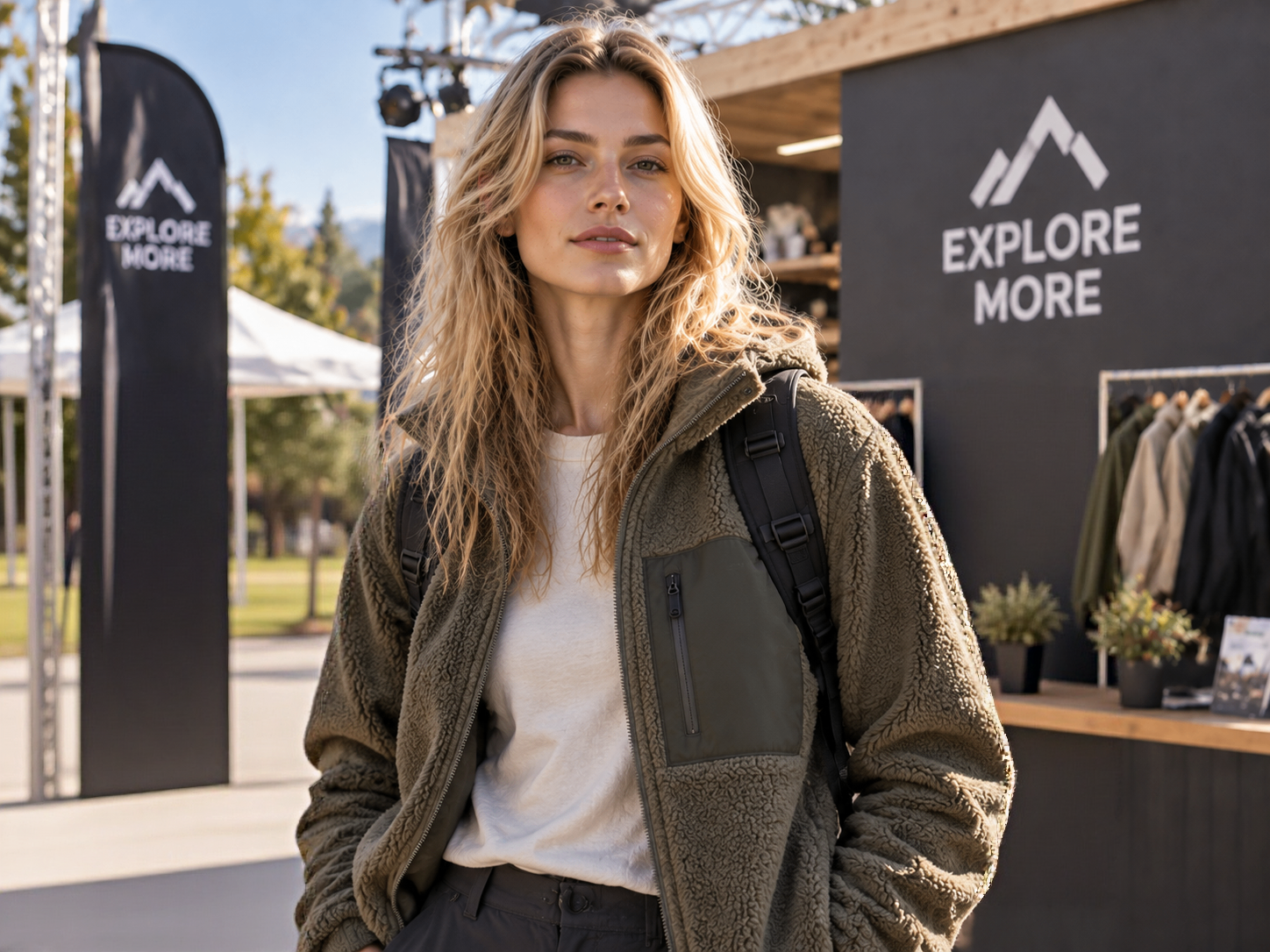
Remove the Person—Not the Whole Photo
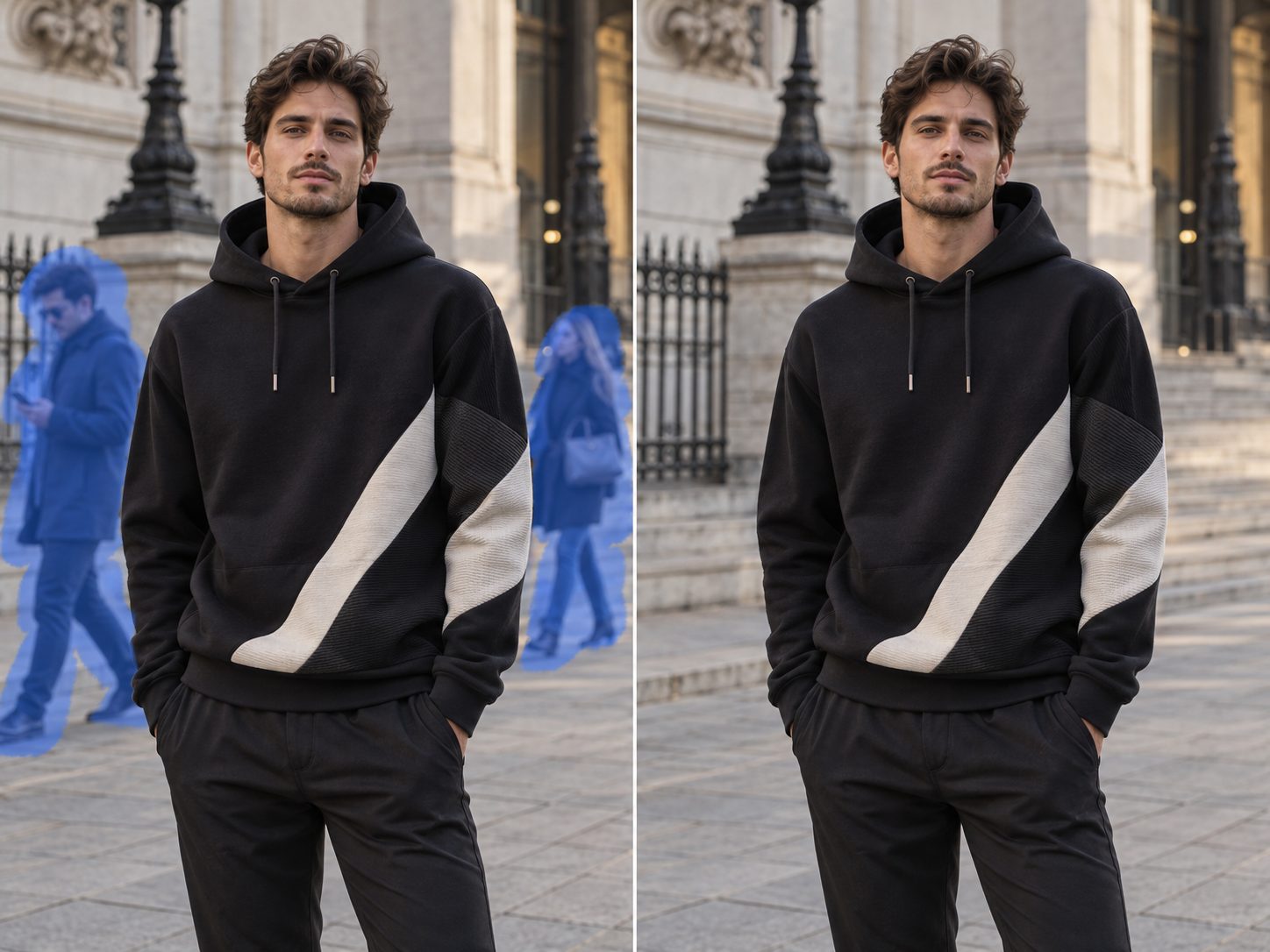
Select People Without Tedious Tracing
When the unwanted person is clearly visible, use Smart Selection to choose them without tracing the full outline by hand. Text instructions are also available as a secondary option in the current version; switch to the brush when you need tighter control. Spend less time selecting and more time getting the image ready to use.
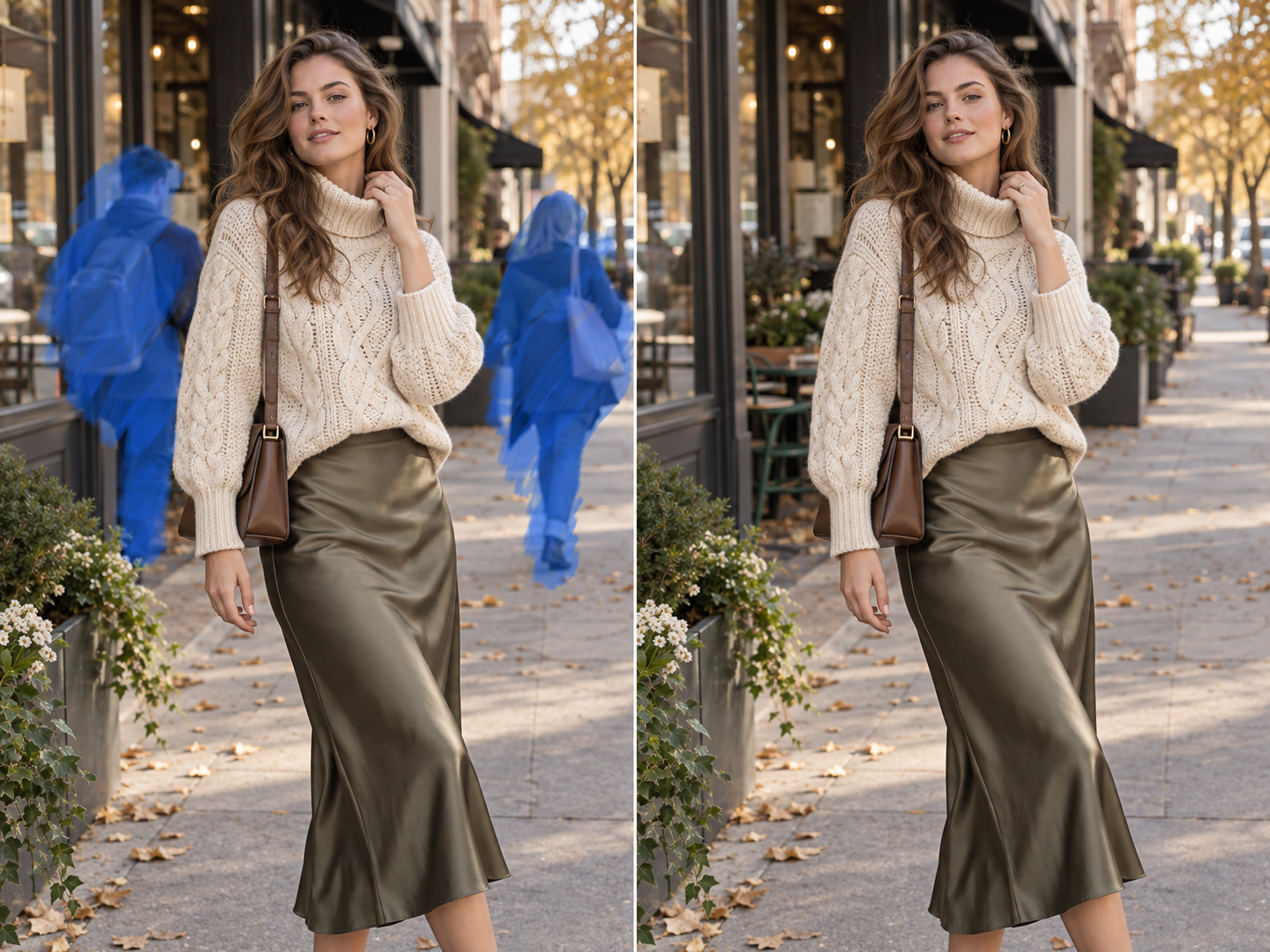
Take Control Around Tricky Edges
When a person stands close to the model, product, hair, railings, or other detailed edges, automatic selection may not be precise enough. Brush only over the area you want removed to help keep the edit away from the main subject—without learning Photoshop masks or layers.
Fill the Gap After the Person Is Gone
After the person is removed, AI uses surrounding texture, lighting, and scene structure to rebuild the cleared area so the photo reads more naturally. The hidden area is generated—not a recovery of the original unseen pixels—so review text, reflections, repeating patterns, and complex structures before publishing.
Keep the Good Shot. Skip More Reshoots and Retouching.
Start with Smart Selection, then switch to the brush only where the edges need more attention. You do not have to trace every person from scratch, which is useful when a launch, post, or asset review cannot wait for a full retouching pass.
Koozee is designed to work on the person you select rather than recreate the entire photo. That makes it a better fit when you want to preserve the original framing, main model, and product look. Because the edit is generative, review details around the selected area before publishing.
Once the background is cleaner, continue with Koozee tools for image enhancement, scene changes, model changes, AI try-on, or image-to-video. Reuse the same photo across product pages, posters, ads, and social content instead of starting from zero.
Remove People from a Photo in 3 Steps
Upload a Clear Photo
Choose a clear photo with the main subject fully visible. Results are usually easier to review when the unwanted person does not heavily overlap the model, product, or important text. Low-resolution images and heavy occlusion can make the edit more challenging.
Select the Person You Want Gone
Use Smart Selection when the person is easy to separate from the background. Switch to the brush when the subject is close to hair, products, or detailed structures. The current version also offers text instructions as an optional helper, while Smart Selection and brushing remain the main controls.
Generate and Review the Details
Generate the edit, then review the model and garment edges, text, reflections, railings, and repeating patterns around the cleared area. If a local detail needs more work, refine the selection and generate again.
FAQs
What is an AI people remover, and how does it work?
How can I remove a person from a photo without Photoshop?
Upload the photo, select the unwanted person with Smart Selection, refine tricky edges with the brush if needed, and generate the edit. You do not need Photoshop layers, masks, or manual compositing for the basic cleanup.
Will removing a person change the rest of my photo?
Koozee is designed to keep the edit focused on the selected person and the nearby area that needs rebuilding, while keeping the rest of the scene visually consistent. Generative editing can still affect nearby details, so review complex edges, reflections, text, and repeating patterns before publishing.
Should I use Smart Selection or the brush tool?
Use Smart Selection when the person has a clear outline and is well separated from the main subject. Use the brush when the person is close to the model, product, hair, railings, or a detailed background. You can start with Smart Selection and refine only the areas that need it.
Can I use an AI people remover on product and model photos?
It can be used to clear background people from lifestyle product images, on-model photos, and campaign visuals so the product or main model gets more attention. If the person heavily overlaps the product, body, or key details, the edit can be more challenging, so review the result before using it on a product page or ad.
Don’t Reshoot a Great Photo Because of a Few Bystanders
Upload the photo you already have, select the people you want removed, and see whether the cleaned version is ready for your product page, ad, poster, or social post. New users can start with free credits and try the cleanup before deciding whether to create more.