3 Ways to Convert Flat Lay Photos to Model Shots
To turn flat lay into on-model clothing photos, you can try some powerful tools. This article provides 3 ways to convert flatlays to model shots effortlessly.


You've got a stack of flat lay product photos and a Shopify store or Amazon listing that desperately needs on-model images. Flat lays are useful for showing the garment clearly, but they do not always show fit, length, drape, or how the piece looks on a real body. That's why on-model photos gain popularity. However, is it worth booking models, renting studios, and running a full photoshoot for every SKU? That's a serious line item on the budget.
This guide walks you through how to turn flat lay into model photos — covering AI-powered tools that do it in minutes, what you need to prep beforehand, and when traditional photoshoots still make sense. Built for apparel sellers who need professional visuals without the traditional production overhead. By the end, you’ll know how to turn static flat lays into model visuals, product videos, and listing assets that can increase your sales.
Key Takeaways
AI makes it fast and affordable: Modern AI tools convert flat lay photos into realistic on-model images in minutes — at a fraction of traditional photoshoot costs, often under $1 per image.
On-model photos boost conversions by 30-50%: Studies consistently show that model photography outperforms flat lay images for apparel e-commerce, reducing return rates by 15-25% in the process.
Photo quality is everything: Clean, well-lit flat lays shot from directly above on a plain background produce dramatically better AI results — phone photos work if prepped properly.
Two AI paths exist: Standalone flat-lay-to-model tools handle one task well; all-in-one platforms like Koozee convert flat lays into model photos, product videos, lookbooks, and full listing assets in one workflow.
Start with one product: Upload your best flat lay photo to a free AI tool trial, generate a few model variations, and compare the output against your current listing image — the improvement is usually immediate.
What Is "Flat Lay to Model" AI?
Flat lay to model AI is a technology that takes a flat product image of a garment and generates a new, photorealistic image of a virtual model wearing it. Instead of hiring a model, booking a studio, and running a photoshoot, you upload your existing flat lay photo, and the AI handles the rest.
Here's what happens behind the scenes: the AI analyzes your flat lay image to identify the garment's shape, neckline, sleeve length, fabric texture, pattern, and color. It then digitally drapes the clothing onto a selected virtual model, rendering natural lighting, shadows, and fabric folds so the result looks like a real photoshoot — not a Photoshop collage.
Pro tip: The best AI tools preserve your original garment details — cut, color, pattern, and even logos — without warping or "hallucinating" new design elements. This is the key quality metric to evaluate when choosing a tool.
Why Flat-Lay Images Alone Are Not Enough
If you're relying entirely on flat lay photos for your product pages, you're leaving money on the table. Here's what the data says:
Conversion rates. Multiple e-commerce A/B tests show that on-model product images increase conversion rates by 30-50% compared to flat lay photos alone. Shoppers simply can't visualize how a garment fits and drapes on a body from a top-down shot.
Return rates. When customers can see how clothing actually looks on a person — including fit, length, and drape — they make more accurate purchase decisions. Brands that switch from flat lay to on-model consistently report return rate reductions of 15-25%.
Platform requirements. Amazon and other marketplaces increasingly reward listings with lifestyle and on-model imagery in search rankings. And on Shopify, product pages with model photos routinely outperform flat-lay-only listings in engagement and add-to-cart rates.
Emotional connection. Flat lays convey product information. Model photos convey how the product fits into a customer's life — the emotional trigger that drives purchase decisions for clothing.
The bottom line: flat lay photos are useful for detail shots and secondary images, but they shouldn't be your primary product hero image.
How to Turn Flat Lay Into Model: 3 Methods 2026
To convert a flat lay clothing photo into an on-model image, you will need a flatlay to model AI tool. Different tools provide distinct effects for model photos. Here are 3 ways you can try to make your flat lays look 4D.
Method 1: Turn Flat Lays Into Model Visuals with Koozee — Best for Apparel Commerce Workflows
If you're selling apparel online full-time, you will need product videos, lookbooks, listing page visuals, campaign posters, and multiple model variations. The fact is that jumping between five different tools eats into your launch timeline. This is where all-in-one platforms like Koozee come in.
Koozee is an AI visual production platform built specifically for apparel e-commerce sellers. Its flat lay to model capability is part of a broader workflow: upload your product images once, then generate model try-ons, product videos, dynamic lookbooks, listing page visuals, and campaign assets — all from the same product input.
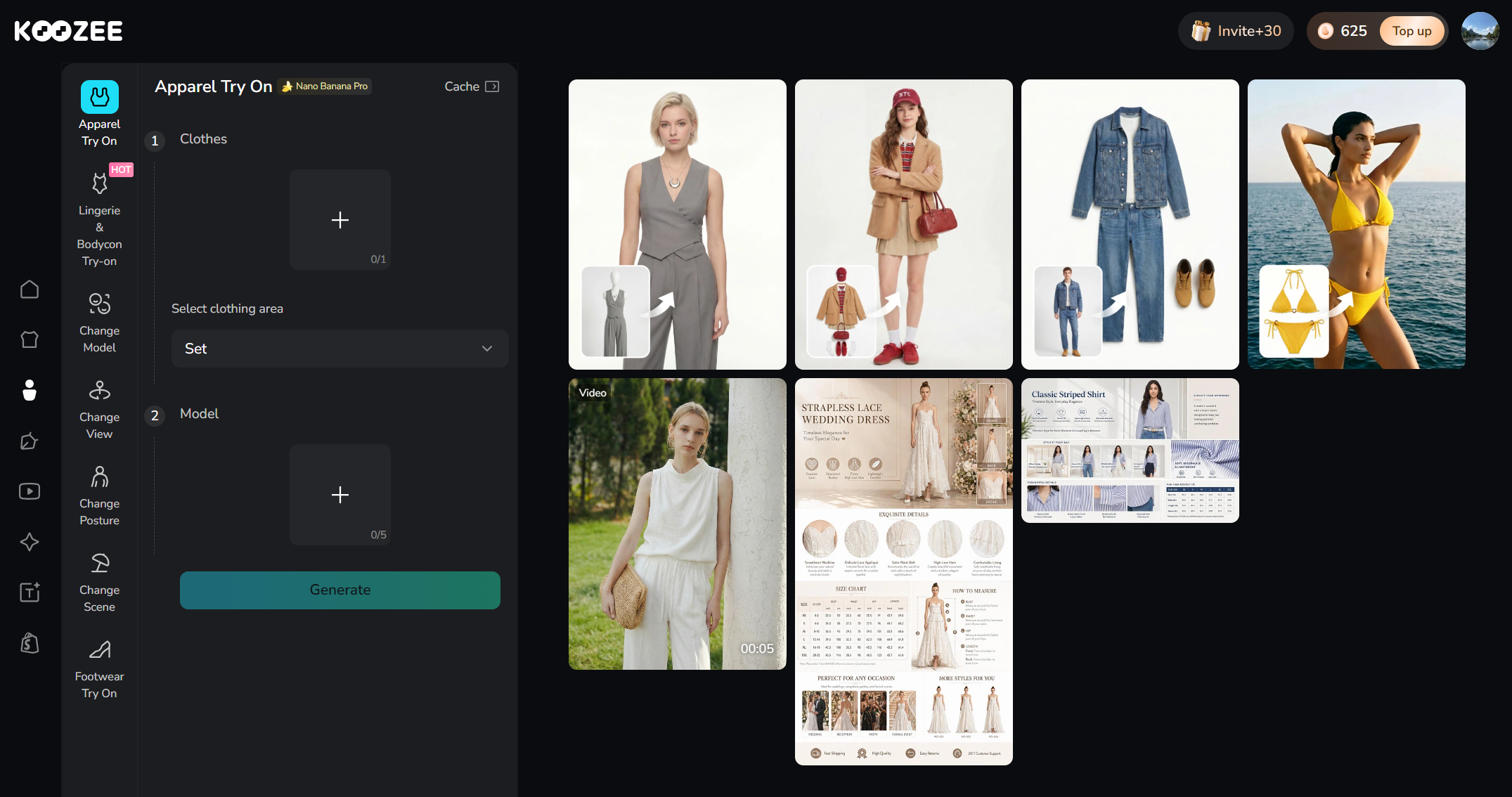
How Koozee Turns Flat Lay Into Model (and More)
Go to Koozee's workspace and choose Model.
Upload your clothes and customize the model. You can also choose a model from a diverse library.
Generate a model try-on — the AI preserves garment details, including cut, color, pattern, and texture.
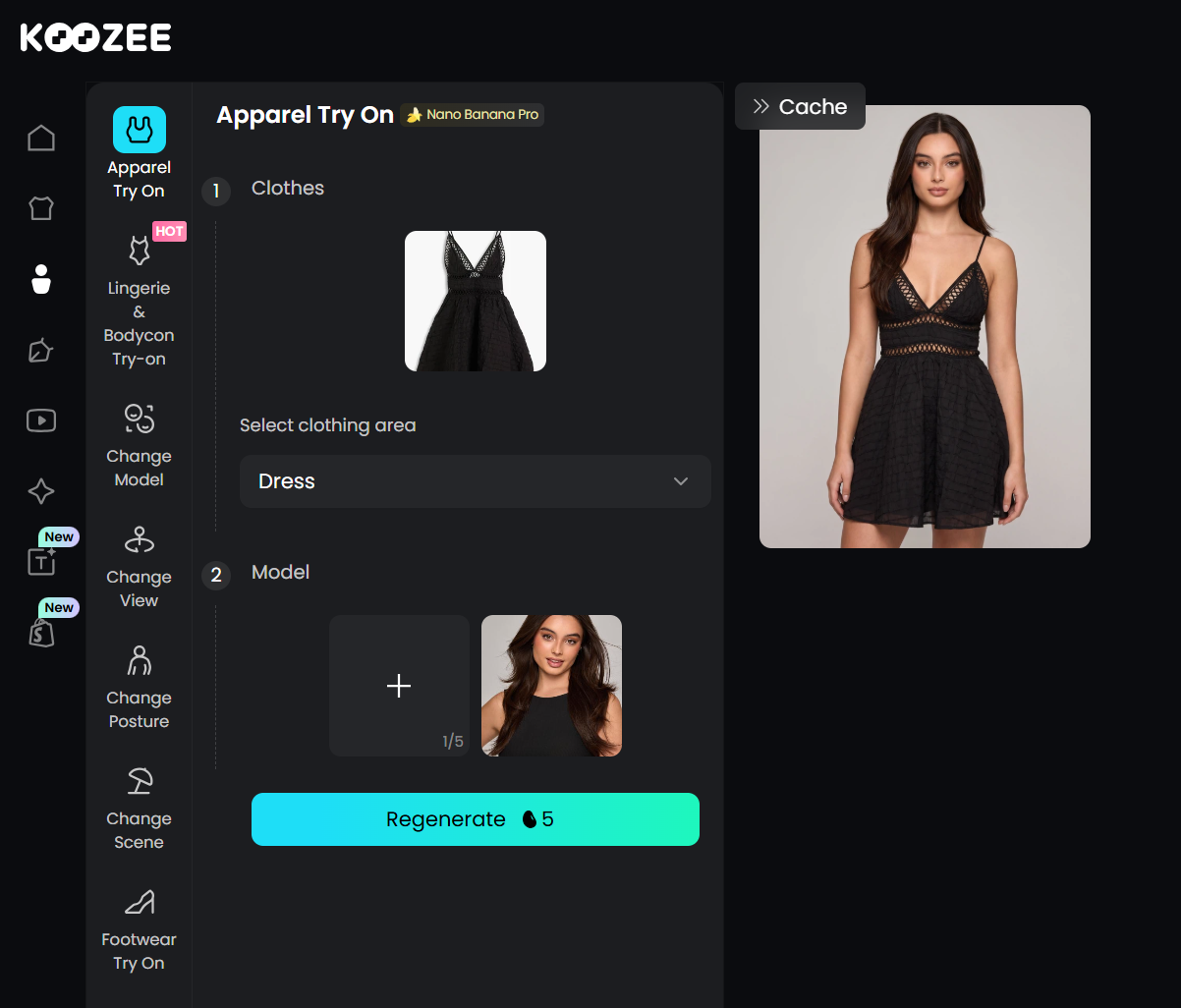
Create variations — change the model, scene, pose, or viewing angle without re-uploading.
Produce videos from the tool list — lookbooks, short outfit clips, or fit check videos.
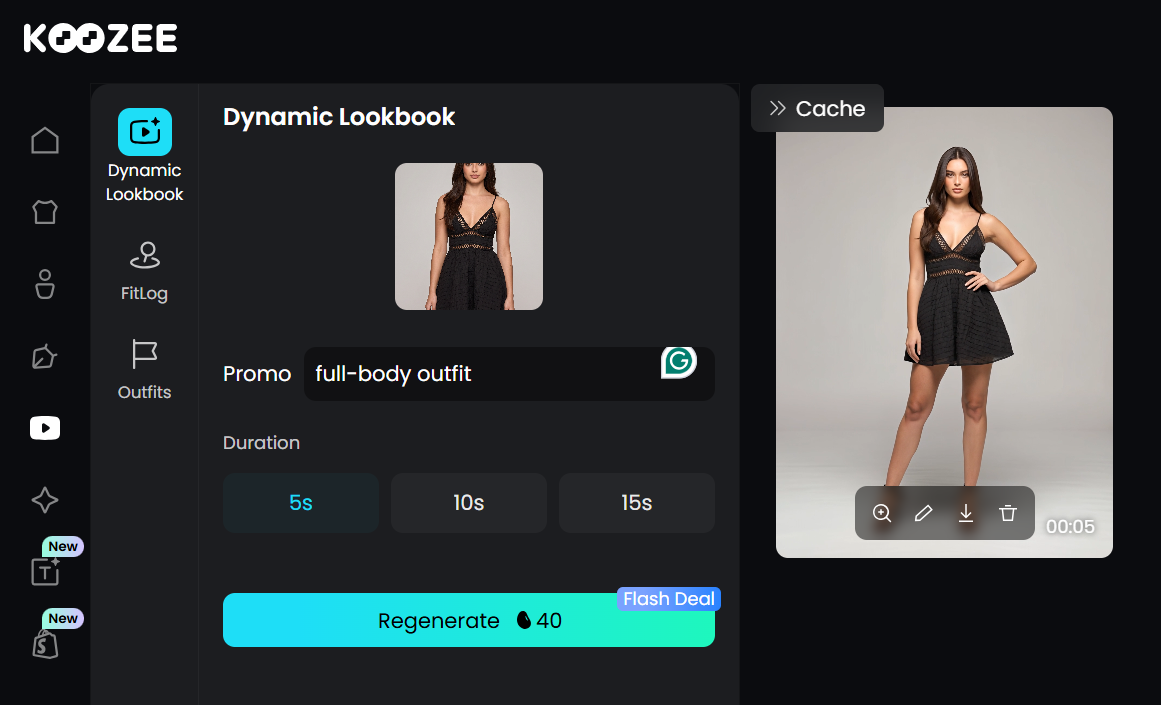
Build listing pages with product details, model photos, and selling points into a single visual asset.
More conveniently, Koozee connects directly to your Shopify store: you pick a Shopify product, the platform pulls your existing product images, and you generate new visual assets. When you're satisfied, preview the results and manually publish approved images back to Shopify — no downloading, renaming, or re-uploading.
Best for:
Shopify sellers who want to generate, preview, and publish visuals from one workspace.
Sellers with growing catalogs need more than just model photos (videos, lookbooks, listing pages).
Lingerie, swimwear, and bodycon sellers whose categories are underserved by general-purpose AI tools.
Anyone tired of managing separate tools for images, videos, and listing design.
Pro tip: If you sell intimate apparel, swimwear, or fitted clothing, Koozee is one of the few platforms that supports these categories for legitimate e-commerce use — most general-purpose AI tools restrict or over-block them due to generic adult-content policies.
Method 2: Use Standalone Flat-Lay-to-Model Tools — Best for One Specific Task
You can also use dedicated flat-lay-to-model tools that focus on converting your product photos into on-model images. They're fast, specialized, and typically priced per image.
Popular Standalone Tools
Tools like WearView, Modelia, and 4FashionAI specialize in flat lay to model conversion. They offer diverse model libraries with options across body types, ethnicities, and poses. Some also support ghost mannequin inputs and basic background customization.
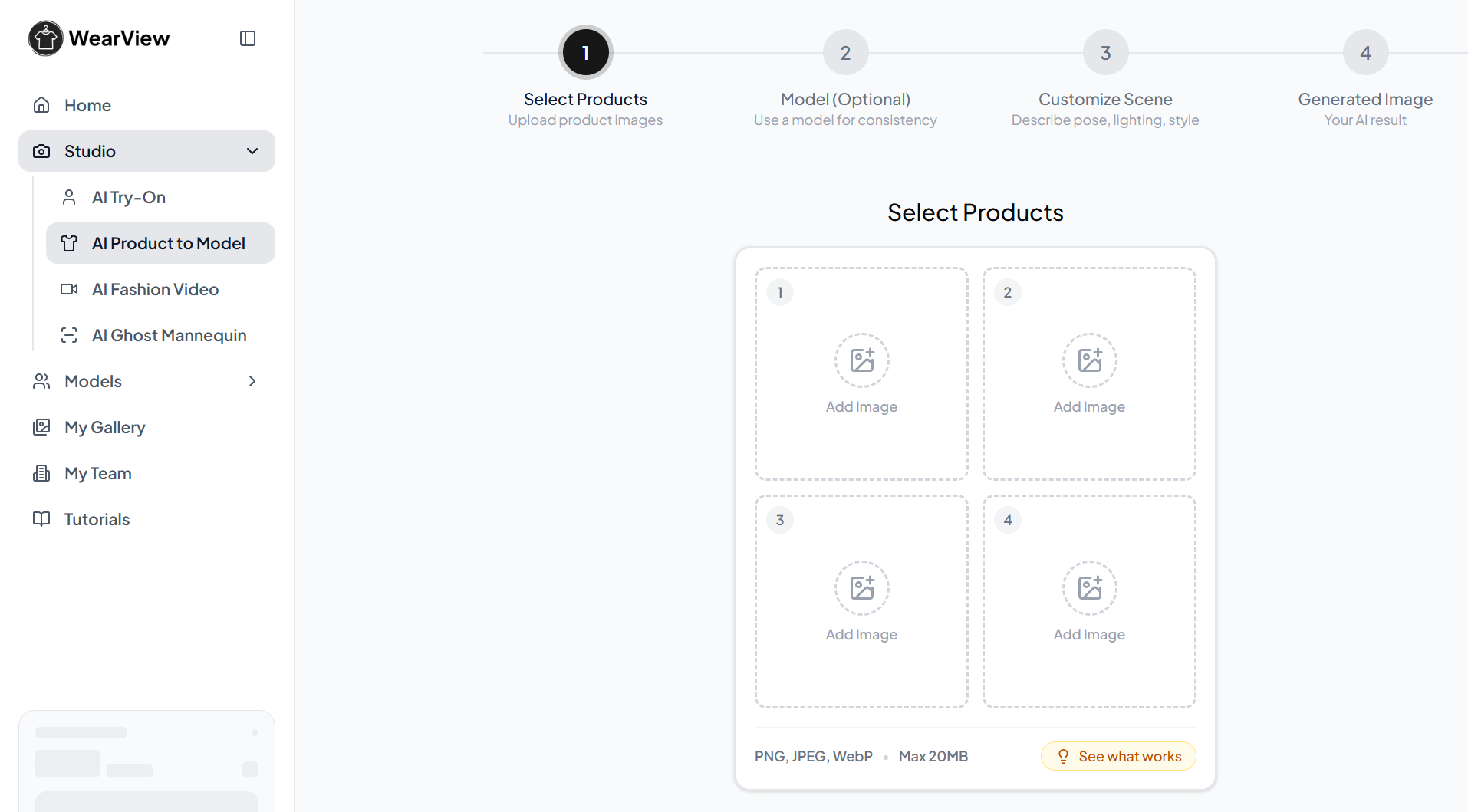
How Standalone Tools Turn Flat Lay to Model
Upload your flat lay photo.
Select a model from the available library.
Choose pose, background, and styling options.
Generate — results typically arrive in under a minute.
Download and use immediately.
Best for:
Sellers who only need flat-lay-to-model conversion and nothing else.
Small catalogs with occasional new product additions.
Testing the waters with an AI model for imagery before committing to a larger platform.
⚠️ Warning: Standalone tools don't always integrate with Shopify or Amazon — you'll need to download images, rename files, and manually upload them to each platform. This becomes a bottleneck as your catalog grows.
Method 3: Turn Flat Lay to Model with Traditional Photoshoot
AI hasn't made traditional photoshoots obsolete — and for some use cases, an in-person shoot is still the right call.
When to Choose Traditional
Your product has highly unusual draping or structure that AI might misinterpret (extreme silhouettes, transparent fabrics, complex layering).
You need extreme close-up detail shots for fabric texture, stitching, or embellishment.
You're building a premium luxury brand where custom creative direction and original photography are part of the brand identity.
You have budget and time — a professional shoot typically runs $5,000-$15,000 and takes 1-3 weeks from booking to final delivery.
The Hybrid Approach
The most efficient strategy for many apparel sellers: use AI for your catalog's model photos and product videos, reserve traditional shoots for campaign imagery and hero content. This gives you the best of both worlds — speed and coverage for daily listings, creative depth for brand campaigns.
Best for:
Premium and luxury brands.
Products with complex garment structures.
Hero campaign imagery and lookbooks where custom creative direction matters most.
Comparison: Which Method Is Right for You?
Method | Cost | Time Per Image | Best For | Limitations |
Standalone AI tool | $0.50–$2 per image | 1–2 minutes | Small catalogs, testing AI | No video, no Shopify sync, manual file management |
All-in-One AI (Koozee) | Free trial + credits | 30-60 seconds per image + videos/lookbooks | Growing catalogs, Shopify sellers, full visual workflow | May require credit top-ups for high-volume use |
Traditional photoshoot | $5,000–$15,000 per session | Days to weeks | Luxury brands, complex garments, campaign hero shots | Expensive, slow, logistically complex |
How to Shoot Flat Lays That Convert Well with AI
Not all flat lay clothing photos suit well with AI converters. The difference between a mediocre AI output and a professional one often comes down to your input photo. Here's how to prep flat lays that produce the best results.
Lighting
Use soft, diffused lighting — natural window light or a softbox setup.
Eliminate harsh shadows across the garment.
Ensure consistent lighting across the entire garment surface.
Background
Plain white or light gray background — no patterns, textures, or gradients.
Clean, wrinkle-free surface.
No visible edges, walls, or props in the frame.
Also Read: How to remove photo background
Garment Prep
Steam or iron the garment to remove wrinkles.
Lay it completely flat with symmetrical alignment.
Smooth out any bunching around the neckline, armholes, and hem.
Ensure sleeves and pant legs are laid out naturally (not twisted or folded under).
Camera Setup
Position directly above the garment at a 90-degree angle.
Use a tripod if available — even slight angles can distort results.
Phone cameras work fine as long as the lighting and positioning are right.
Shoot at the highest resolution your device supports.
Note: If you have existing ghost mannequin photos (garments shot on an invisible form), these often produce better AI results than pure flat lays because the garment already has three-dimensional shape and structure.
Common Mistakes to Avoid
1. Using Poorly Lit or Wrinkled Photos
If your input photo has deep shadows, strong wrinkles, or uneven lighting, the AI will either reproduce those flaws or distort the garment trying to compensate. Five minutes of steaming and repositioning can save you hours of rejected generations.
2. Choosing Models That Don't Match Your Audience
A diverse model library is a strength — Choose model styles that match your brand positioning and target market. A Gen Z streetwear brand, a premium workwear label, and a swimwear seller should not use the same model look, pose, or scene style.
3. Skipping the Quality Review
AI outputs are good — often excellent — but they're not perfect. Always review for:
Color accuracy (the AI rarely shifts color, but check).
Pattern alignment (stripes and plaids can occasionally warp).
Edge details (necklines, hems, cuffs — these are the most common failure points).
Background artifacts (stray elements in the generated background).
4. Using AI Images Without Platform-Specific Optimization
Amazon requires a pure white background for the main product images. Shopify product pages may need specific dimensions. Always export at the resolution and format required by your selling platform — don't assume one generated image works everywhere.
⚠️ Warning: Never publish AI-generated images without reviewing them first. While today's AI is remarkably accurate, a quick human quality check prevents publishing images with artifacts, distorted details, or unnatural proportions that erode buyer trust.
Frequently Asked Questions
Does AI flat lay to model actually preserve my garment details?
Yes, the leading flat lay to model AI tools are specifically designed to preserve original garment details, including cut, color, pattern, neckline, and even brand logos.
Can I make my clothes look 4D using AI?
Yes, you can make your clothes look 4D with Koozee. It achieves this through video generation capabilities: you can turn a flat lay photo into a model try-on image, then generate a dynamic lookbook video, a fit check video, or a short outfit clip that shows the garment in motion.
How much does flat lay to model AI cost?
Costs vary. Standalone AI tools typically charge $0.50-$2 per image, often with free trial credits to get started. All-in-one platforms like Koozee offer free trials and credit-based pricing, with the added value of generating videos, lookbooks, and listing assets from the same product input — not just static images.
Can I use AI-generated model images on Amazon and Shopify?
Yes. AI-generated model images are suitable for most major e-commerce platforms. You can review platform-specific image guidelines before uploading.
What types of clothing work best with flat lay to model AI?
Most standard apparel categories convert well: t-shirts, dresses, blouses, jackets, pants, skirts, and outerwear. Fitted garments and structured items tend to produce the best results because the AI has clear shape cues.
How long does it take to get results?
Most AI tools generate a model image in 30-90 seconds. Generating multiple model variations, product videos, or lookbooks may take 2-5 minutes. Compare that to a traditional photoshoot, which can take 1-3 weeks from booking to final image delivery.
Is the output quality consistent across all my SKUs?
Consistency depends on the quality of your input photos. When you shoot all your flat lays with the same lighting, background, and camera setup, the AI outputs tend to be remarkably consistent in style and quality.
What's Next: Start Turning Your Flat Lays Into Model Photos
There are 3 ways to turn flatlays into model photos. By using a standalone AI tool or an AI visual production platform like Koozee, you can make your clothing photos look 4D in seconds. For those who have a sufficient budget for product promotions, using traditional photoshoots appeals to your audience more. No matter which method you choose, don't hesitate to improve your shopping experience with flat to model photos!