8 Best Virtual Try-On Apps for Cosplay Costumes in 2026 (For Players & Sellers)
Looking for the best virtual try-on app for cosplay costumes? Compare 8 top apps for realistic costume fitting, plus-size support, and character accuracy.


For e-commerce apparel brands, the cosplay and seasonal costume niche is incredibly lucrative—but it comes with a notorious, margin-killing headache: skyrocketing return rates. Because costume sizing is notoriously inconsistent across international suppliers and designs feature complex, layered fabrics, online buyers are highly skeptical. In fact, many cosplay shoppers look for virtual try-on tools before buying costumes online.
If you run a Shopify, Amazon, or Etsy costume store, understanding this technology is no longer optional. You either need to know what tools your customers are using to benchmark your sizing, or better yet, you need to leverage heavy-duty backend visual platforms to generate these on-model previews yourself—eliminating buyer hesitation before they hit "Add to Cart."
In this guide, we analyze the top 8 virtual try-on solutions for cosplay in 2026 from a merchant’s perspective. We’ll cover the consumer apps driving buyer behavior and introduce professional B2B visual production platforms—like Koozee—that can help reduce reliance on traditional photoshoots for catalog-scale visual production.
Notes: This guide is written for costume sellers, not individual cosplayers. We compare consumer try-on apps because they shape buyer expectations, then explain which business-side tools help merchants create better product visuals.
Key Takeaways
What Buyers Use: Individual shoppers rely on consumer apps like YouCam (for character accuracy) or TryDrobe (to test raw product images before purchasing).
The Fit Anxiety: Shoppers use body-aware apps like Fashaion to verify how complex costumes drape on plus-size or non-standard body shapes.
The Merchant Solution: The Merchant Solution: Koozee is the ultimate B2B visual engine. It significantly reduces consumer-side trial friction by allowing you to pre-generate high-quality, diverse on-model photos directly for your product pages, providing a powerful foundation for your final review.
The Bottom Line: Don’t make customers leave your store to test your product images on third-party consumer apps. Use Koozee (detailed in Section 9 below) to display realistic, high-conversion model shots across diverse body types directly on your Shopify or Amazon listings, slashing return rates and photoshoot costs instantly.
The Cost of Poor Visualization: Why Costume Merchants Suffer
Cosplay and seasonal apparel are uniquely high-risk e-commerce categories. Unlike standard t-shirts or jeans, costume listings are plagued by distinct conversion killers:
Sizing Anxiety: Costume patterns often come from international manufacturers with highly inconsistent size charts.
Complex Construction: Multi-layered fabrics, corsets, faux armor, and bodycon cuts are incredibly difficult for buyers to visualize from a flat, single-model product listing.
The "Buyer vs. Seller" Reality Check: Shoppers are deeply skeptical of studio photos featuring professional, size-small models. They know a costume that looks perfect in highly edited, idealized lighting might drape completely differently on their own body shape.
For merchants, this skepticism manifests in two painful ways: cart abandonment and sky-high return rates.
When buyers cannot confidently visualize how a costume will fit their specific frame, they either don't buy, or they order multiple sizes with the intent of returning the ones that don't fit. This is why virtual try-on technology has rapidly shifted from a novelty to a critical business tool for costume brands.
How We Evaluated These Apps (Merchant Metrics)
To compile this list, we evaluated over a dozen virtual try-on tools. However, instead of looking at them merely as entertainment apps, we analyzed them through a commercial viability lens using the following criteria:
Rendering Realism: Does the AI accurately simulate fabric textures, draping, and lighting, or does it look like a cheap, low-quality Photoshop crop? (High-quality renders prevent post-purchase disappointment).
Inclusivity & Body Diversity: Does the tool support diverse body proportions, particularly plus-size figures? (An essential feature for reducing return rates across broader demographics).
Input Flexibility: Can the tool accurately process flat-lays, mannequin shots, or raw manufacturer product images?
Commercial Utility: Can a merchant leverage this technology to streamline their own product image pipeline, or is it strictly a consumer-facing toy?
Best Virtual Try-On Apps for Cosplay Costumes: Quick Comparison Table
| App | Best For | Pricing | Cosplay-Specific | Plus-Size Support | Platform |
| YouCam Online Editor | Overall cosplay try-on | Free; Start at $9.99/mo | ✅ AI Cosplay Generator | ✅ | Web, iOS, Android |
| Musely AI Cosplay Tester | Character accuracy | Free credits; Start at $9.99/mo | ✅ Character-specific | ⚠️ Limited info | Web |
| TryDrobe | Versatile costume fitting | Free; Start at $2.50/week | ✅ Any clothing image | ✅ | Web |
| AI Outfit Swap | Free photorealistic try-on | Free | ⚠️ General clothing | ✅ | Web |
| Fashaion | Plus-size body diversity | Freemium; Starter $19.99/month | ⚠️ General clothing | ✅ Explicit support | Web |
| Mirrago | Body shape accuracy | Freemium; Launch $249/mo | ⚠️ General clothing | ✅ Explicit support | Web |
| CostumePlay AI | Costume generation + try-on | Free / Paid | ✅ Costume-specific | ⚠️ Limited info | Web, iOS |
| DressMeAI | Casual outfit previewing | Free / Paid | ⚠️ General clothing | ✅ | Web |
8 Best Virtual Try-On Apps for Cosplay Costumes
1. YouCam Online Editor
Best Overall Virtual Try-On for Cosplay
YouCam Online Editor is a dominant player in the consumer AI try-on space. Its dedicated AI Cosplay Generator allows users to upload a selfie and virtually "transform" into recognizable anime, fantasy, or superhero characters. It also features an AI Clothe Changer that lets users manually upload product images from online listings to swap onto their photos.
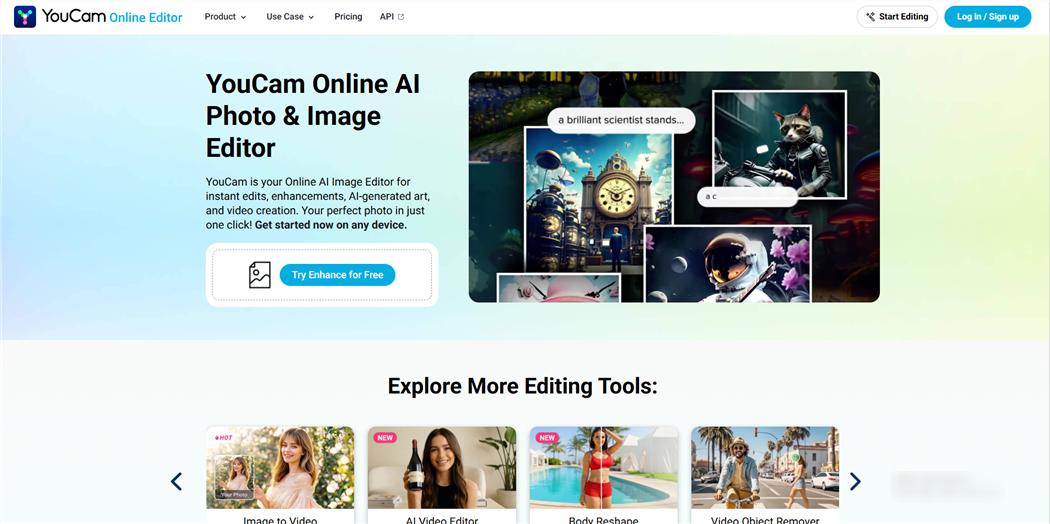
Key features:
AI Cosplay Generator (character-specific transformation)
AI Clothe Changer (upload any costume image)
Makeup and hair try-on (useful for full cosplay looks)
Works in-browser — no app download required
iOS and Android apps also available
Pricing: Free tier available; paid plans from $9.99/month for 100 credits.
Best for: Cosplayers who want a one-stop tool for full character looks — costume, makeup, and hair — without needing to download anything.
Limitations: Free tier limits the number of generations per day. Character accuracy can vary for very niche or obscure characters. Results may require a few attempts to get the best output.
💡 Merchant Insight: YouCam is where many of your customers go to test full character looks (makeup, hair, and clothing). To make your products "YouCam-friendly," ensure your product listings include clean, high-resolution flat-lays or mannequin photos. This allows your customers’ AI tools to cleanly extract your costume designs.
2. Musely AI Character Cosplay Tester
Best for Character Accuracy
Musely's AI Character Cosplay Tester is built specifically for high-fidelity character accuracy. It allows users to input a character name or reference image, and the AI renders a screen-accurate costume onto their body while keeping their actual facial features intact.
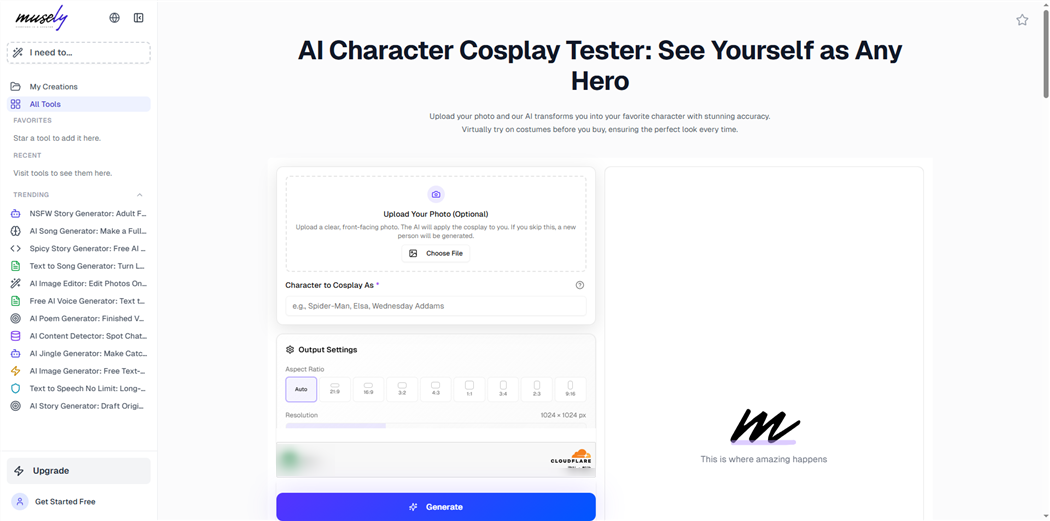
Key features:
Facial feature preservation during costume transformation
Screen-accurate costume rendering
Character name or reference image input
Supports anime, superhero, fantasy, and game characters
Pricing: Free credits on sign-up; Professional plan for $9.9/month; Creator plan for $19.9/month.
Best for: Cosplayers planning character-specific builds who want to see how the costume will look on their face and body before committing to a purchase or commission.
Limitations: Less useful for generic costume shopping (e.g., "I found this costume on Etsy, how does it look on me?"). Body diversity support is not explicitly documented. Works best with well-known characters.
💡 Merchant Insight: If you sell highly niche anime or gaming costumes, your buyers are likely using Musely to see if they can "pull off" the character's facial and body aesthetic. Offering highly accurate color palettes in your product listings is key to matching Musely’s generated reference standards.
3. TryDrobe
Best for Versatile Costume Fitting
TryDrobe is highly popular among shoppers because of its web-wide flexibility. Users do not need to choose from a pre-set catalog; they can grab a product photo from any online storefront—including Etsy, Amazon, or AliExpress—and try it on their uploaded photo.
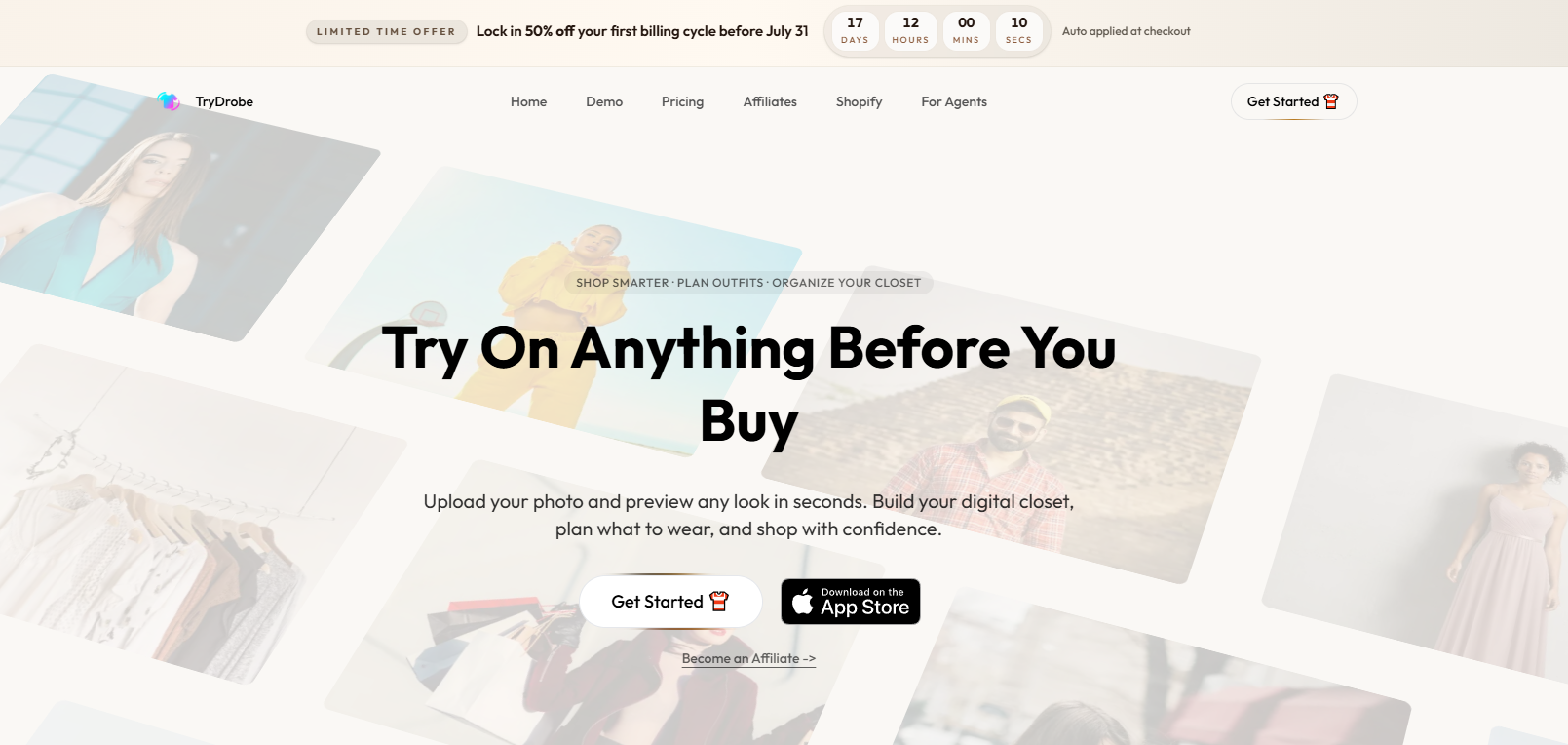
Key features:
Upload any clothing/costume image for try-on
Realistic body-shape-adjusted rendering
Works with product images from any source
Clean, simple interface
Pricing: Free tier available; Paid plans from $2.50/week (20 credits per week)
Best for: Cosplayers who shop across multiple platforms and want to preview costumes from any source — not just supported retailers.
Limitations: Complex multi-piece costumes (armor sets, layered fantasy outfits) may not render all components simultaneously. Best results come from clear, well-lit costume reference images.
💡 Merchant Insight: Because TryDrobe relies heavily on user-provided product images, having clear, front-facing, well-lit product photos on plain backgrounds is crucial. If your listing photos are cluttered or angled, TryDrobe’s AI will struggle, which might lead a customer to believe your costume won't fit them.
4. AI Outfit Swap
Best Free Option
AI Outfit Swap is one of the few genuinely free virtual try-on tools that produces photorealistic results without watermarks or paywalled outputs. Upload your photo and a costume image, and the AI swaps the outfit onto your body with realistic lighting and fabric simulation.
For cosplayers on a budget — or anyone who wants to test the concept before committing to a paid tool — AI Outfit Swap is the best starting point. The output quality is competitive with paid tools for straightforward costume swaps.
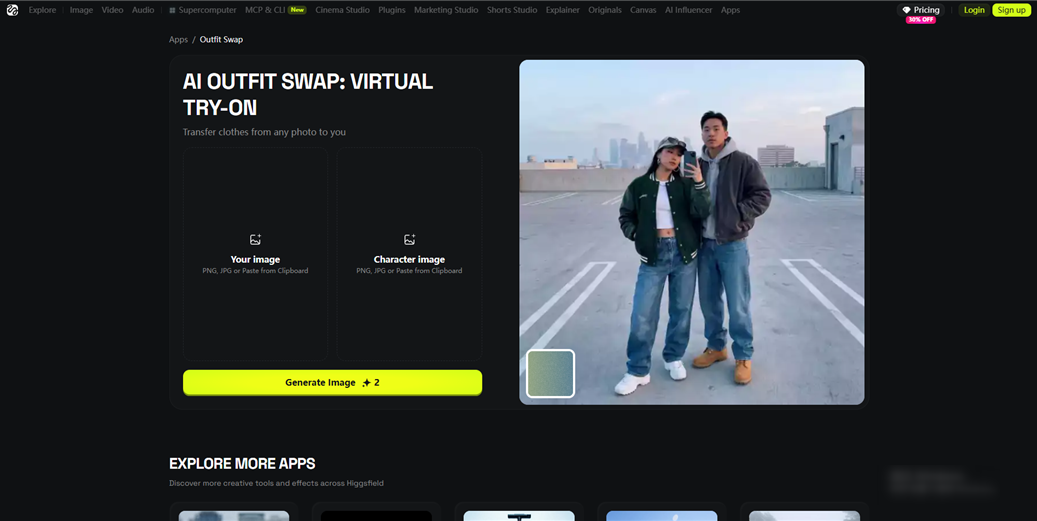
Key features:
Genuinely free with no watermarks
Photorealistic outfit replacement
Works with any clothing image
Fast processing time
Pricing: Free
Best for: Budget-conscious cosplayers who want to preview a costume before buying, without signing up for a paid subscription.
Limitations: Free tools typically have usage limits or slower processing during peak times. Less suited for complex, multi-layered cosplay costumes. No character-specific generation — you need to supply the costume image yourself.
⚠️ Warning: Free virtual try-on tools may have data privacy policies that differ from paid platforms. Review the terms before uploading personal photos.
💡 Merchant Insight: This is a entry-level tool for budget-conscious cosplayers. Because it is free, casual buyers use it frequently. However, it struggles with complex, multi-layered costumes like armor or capes, meaning it is best suited for merchants who sell casual or streetwear-aligned cosplay.
5. Fashaion
Virtual Try-On Apps for Plus-Size Cosplay Costumes
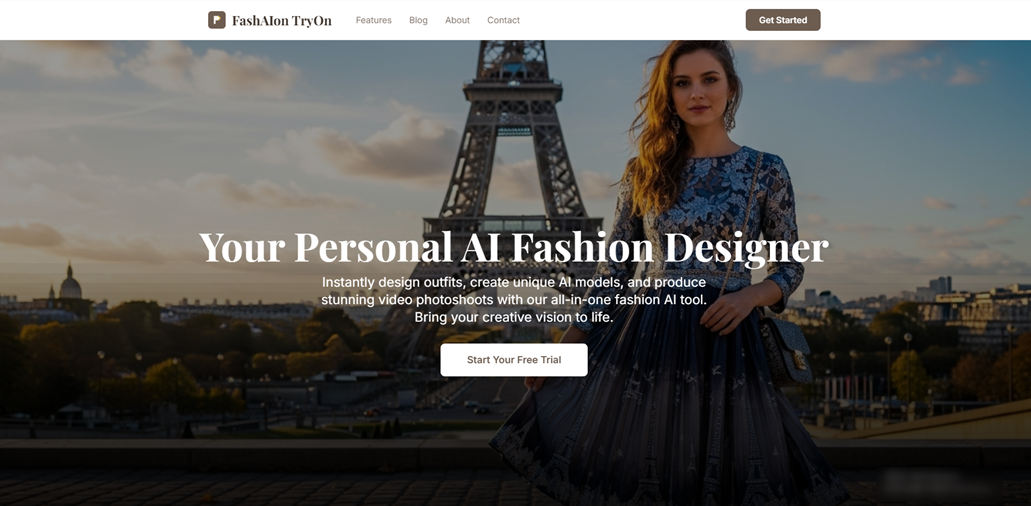
Unlike standard AI engines that simply stretch a costume overlay, Fashaion’s AI is specifically trained on diverse body proportions. It analyzes the user's actual body structure and simulates how fabrics will naturally drape, bunch, or fit across plus-size and diverse body shapes.
Key features:
AI trained on diverse body proportions including plus-size
Realistic drape and fit visualization for different body shapes
Personalized fit preview (sleeve length, waist placement, etc.)
Reduces guesswork for online costume purchases
Pricing: Freemium — Starter $19.99/month for 50 Credits; Professional $35.99/month for 100 Credits; Enterprise $75.99/month for 250 Credits.
Best for: Plus-size cosplayers who want an accurate preview of how a costume will actually fit and drape on their body, not just a generic overlay.
Limitations: Not cosplay-specific — you'll need to supply your own costume images. Character-specific generation is not a core feature. Best results require a clear, full-body photo.
💡 Merchant Insight: Plus-size cosplayers face the highest anxiety when shopping online. Platforms like Fashaion prove that representing diverse body types directly correlates with higher sales. If your store doesn't display plus-size models, buyers will use tools like this to check—or worse, they will buy from a competitor who does.
6. Mirrago
Best for Body Shape Accuracy
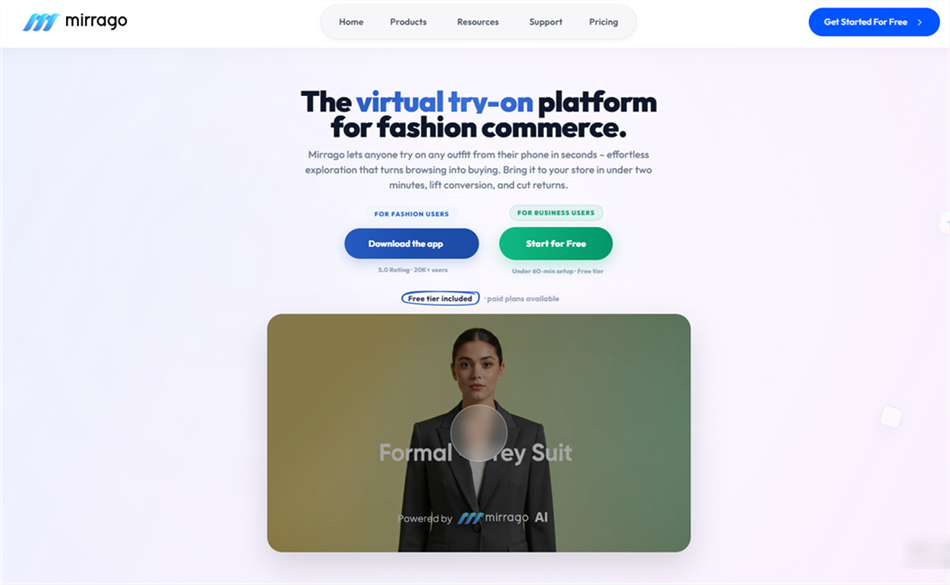
Mirrago takes a similar approach to Fashaion, building its virtual try-on around a detailed digital model of your actual body shape. The platform creates a body map from your uploaded photo, then renders clothing items — including costumes — with physics-aware fabric simulation that accounts for your proportions.
For cosplayers who've been frustrated by try-on tools that produce unrealistic results on non-standard body types, Mirrago's body-first approach is a significant improvement.
Key features:
Body shape mapping from uploaded photo
Physics-aware fabric simulation
Supports diverse body types including plus-size
Detailed fit visualization
Pricing: 14-day free trial (10 try-ons per day); Launch $249/mo (500 try-ons)
Best for: Cosplayers who prioritize fit accuracy over character-specific rendering — particularly useful when evaluating whether a specific costume will work for your body type before purchasing.
Limitations: Not cosplay-specific. Works best with clear, full-body reference photos. Character transformation features are limited compared to YouCam or Musely.
💡 Merchant Insight: Mirrago’s high-fidelity physics simulator is incredibly useful for tight-fitting costumes, catsuits, and structured bodice pieces. If you sell tight or elastic apparel, understanding how physics-based AI interacts with your sizing charts is incredibly valuable.
7. CostumePlay AI
Best for Costume Generation + Try-On
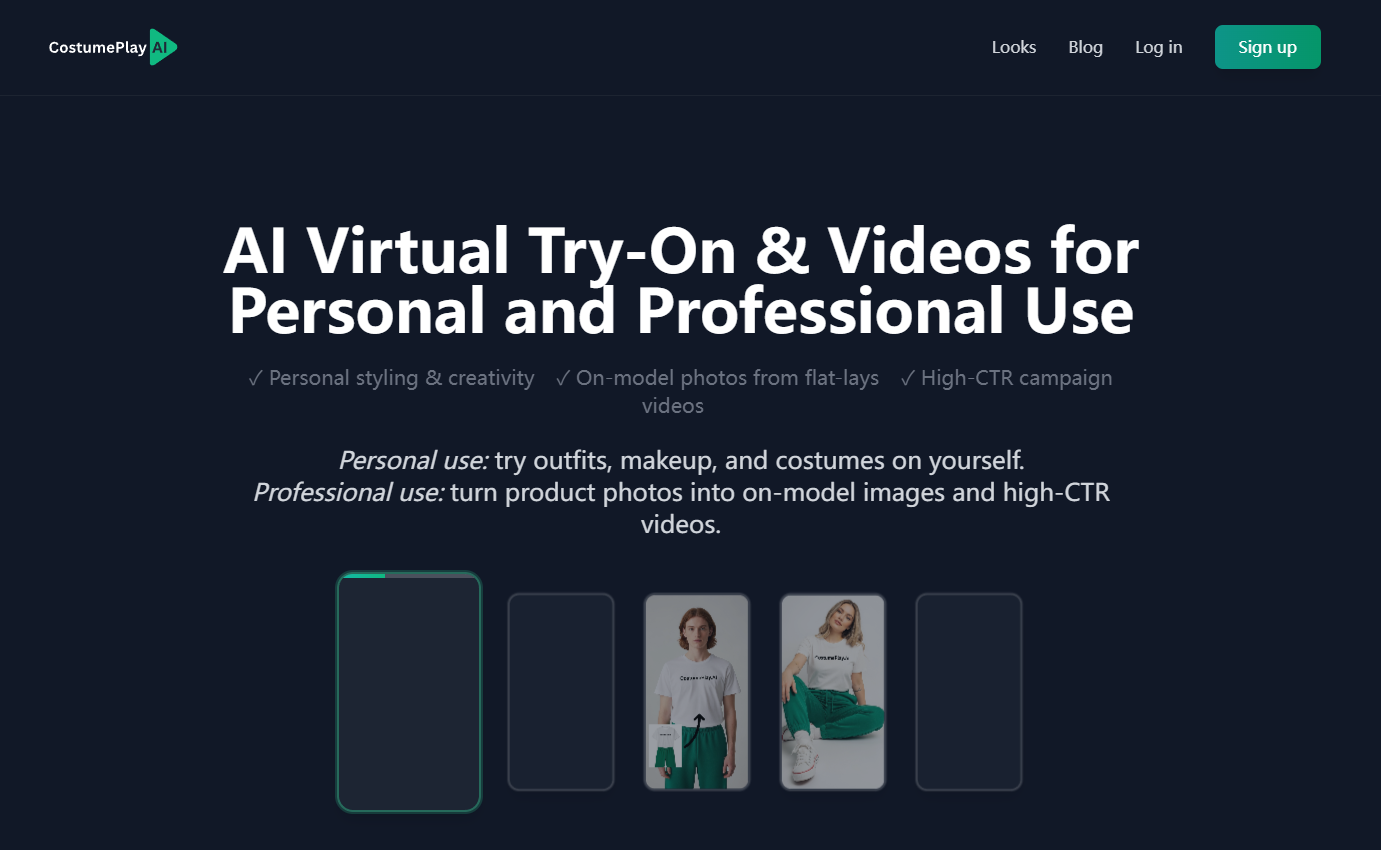
CostumePlay AI is explicitly designed for generating and trying on custom costume looks, including cosplay. Unlike tools that require you to supply a custom image, CostumePlay AI can generate costume concepts from a text prompt — useful when you're still in the planning phase and want to explore different looks before committing to a specific design.
The try-on feature then lets you see the generated costume on your own photo, combining costume design and fitting into one workflow.
Key features:
Text-to-costume generation (describe the look, AI creates it)
Try-on with your own photo
Cosplay and Halloween costume focus
iOS app available
Pricing: Free tier; Starter $8/mo (50 credits); Hobby $37/mo (200 credits); Pro $147/mo (1000 credits).
Best for: Cosplayers in the early planning phase who want to explore costume concepts before sourcing or commissioning a specific design.
Limitations: Generated costumes may not match specific character designs with high accuracy. Best used for concept exploration rather than evaluating a specific purchased costume. Output quality varies by prompt specificity.
💡 Merchant Insight: This tool is mostly used by buyers in the early ideation phase before they commission custom work. If you offer custom commissions or bespoke tailoring, monitoring the trends generated on CostumePlay AI can help you anticipate what custom designs will be in high demand next season.
8. DressMeAI
Best for Casual Cosplay Outfit Previewing
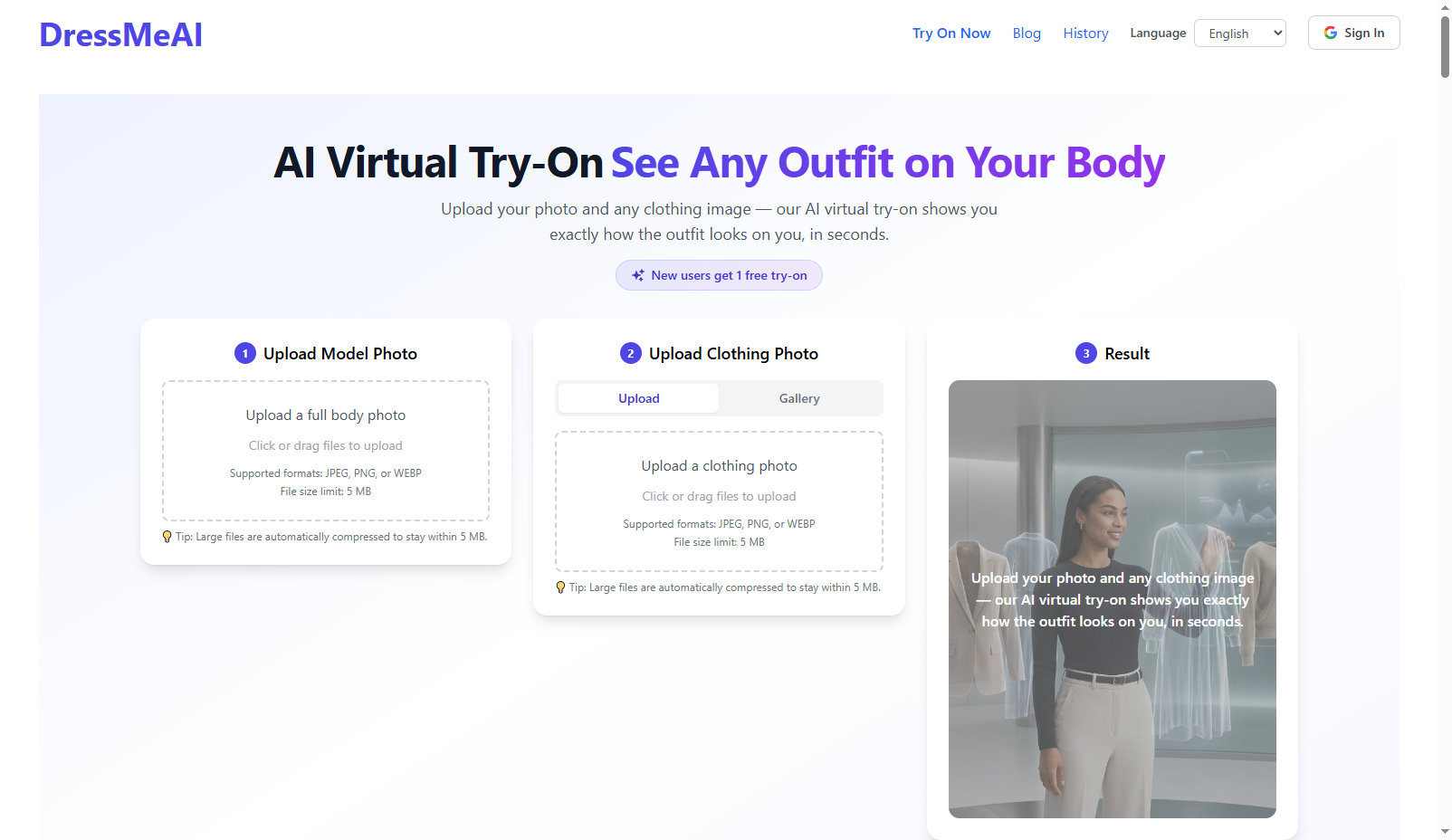
DressMeAI is a straightforward AI fashion app that lets users virtually try on various clothes and outfits using their own photos. While not cosplay-specific, it handles costume images well and produces realistic previews for simpler cosplay looks — particularly for costumes that resemble everyday clothing (historical fashion, casual character outfits, fantasy-adjacent styles).
Key features:
Upload your photo and any clothing images
Realistic AI-generated outfit preview
Simple, accessible interface
Works across a range of body types
Pricing: Free / Paid tiers
Best for: Cosplayers with simpler costume needs — historical fashion, casual character outfits, or any cosplay that doesn't involve heavy armor or complex construction.
Limitations: Less effective for elaborate, multi-piece cosplay costumes. No character-specific generation. Best suited for costume looks that resemble real-world clothing.
💡 Merchant Insight: If your catalog leans heavily toward casual cosplay, anime school uniforms, pop-culture streetwear, or basic historical pieces, your buyers are likely using general-fashion apps like DressMeAI. Because these everyday engines struggle with heavy props or complex layers, keeping your apparel items clearly separated in your listing photos (e.g., presenting the jacket, shirt, and trousers as separate flat-lays) will help your customers' consumer-grade apps render your products much more cleanly.
Bonus: Koozee- Best B2B AI Virtual Try-On & Visual Production for Costume Sellers
While the other apps on this list are built for individual cosplayers trying on outfits for fun, Koozee takes a completely different, heavy-duty approach. It is suitable for an online merchant selling cosplay-inspired apparel, fitted character costumes, bodysuits, swimwear, lingerie, bodycon, and clothing-based seasonal costumes on Shopify, Amazon, or Etsy.
Selling cosplay online is notoriously difficult due to sky-high return rates and the massive cost of hiring professional models for every single complex costume design. Koozee solves this by turning flat-lay, mannequin, or product photos into on-model visuals, apparel videos, and listing assets faster than traditional photoshoot workflows.
By showcasing how the costume can look on an on-model visual, you bridge the gap between "flat product" and "reality," giving your customers the confidence to buy without worrying about the fit.
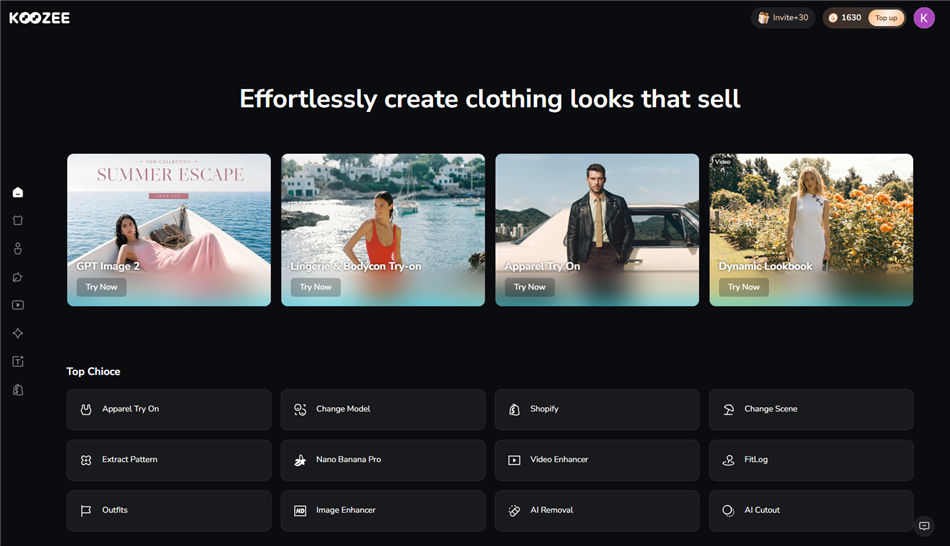 Key Features:
Studio-Grade AI Model Generation: Generate photorealistic models in various poses and settings from just a flat-lay or ghost-mannequin product image. No expensive camera gear or model booking required.
Optimized for Form-Fitting & Specialty Apparel: Mainstream AI generators often struggle with complex, tight-fitting cuts. Koozee is purpose-built to accurately render challenging categories like bodycon, swimwear, and cosplay-inspired apparel with high fidelity.
Change Models & Dynamic Backgrounds: Upload your preferred model photos and easily customize backgrounds, poses, or styling. Koozee adapts directly to your provided assets—fully supporting diverse ethnicities and plus-size figures to match your brand's unique aesthetic.
How Koozee Compares to Traditional Photography
To put this into perspective, here is how traditional photoshoots compare to using Koozee's AI for your costume store:
| Pain Point / Metric | Traditional Model Photoshoots | Using Koozee AI Visual Production |
| Photoshoot Cost | $500 – $2,000 per session (Models, location booking, photographer, etc.) | Under $0.50 per image (Highly cost-effective AI rendering) |
| Time-to-Market | 2 – 3 weeks (Shipping samples, booking slots, post-editing) | A few minutes (Upload model & apparel photos for rapid review and deployment) |
| Size & Body Diversity | Highly limited (Usually restricted to a single model size, typically Size S) | Tailored to Your Uploads (Adapts directly to your provided models, fully supporting plus-size and diverse ethnicities) |
| Complex Cut & Bodycon Optimization | No platform restrictions, but highly expensive and difficult to shoot | Specialized Garment Algorithm (Optimized to accurately render challenging categories like fitted, swimwear, and cosplay apparel without technical friction) |
Strategic Cheat Sheet: Mapping Try-On Tech to Business Goals
Different try-on apps serve different customer psychological triggers. Use this quick-reference matrix to understand what drives your buyers—and where your backend production should focus:
| If Your Customer Wants To... | Best Consumer App | Your Strategic Move as a Merchant |
| Transform into specific anime/game characters | YouCam, Musely | Ensure your product titles use accurate character names so their AI can cross-reference styles. |
| Test a specific product listing image | TryDrobe, AI Outfit Swap | Use high-resolution, front-facing flat-lays on plain white backgrounds so consumer AI can crop them cleanly. |
| Verify plus-size fit and fabric draping | Fashaion, Mirrago | Leverage diverse models. If you don't show plus-size options on your site, customers will drop off to test them elsewhere. |
| Explore concepts before buying | CostumePlay AI, DressMeAI | Watch trending prompts on these apps to anticipate next season's high-demand inventory. |
| ⚡ Streamline Store Visuals & Boost Conversions | Koozee | Skip consumer friction entirely. Generate studio-grade models directly for your storefront to answer all buyer questions instantly. |
FAQ: Virtual Try-On for Costume Merchants
1. As a seller, what is the best virtual try-on app for cosplay costumes to benchmark?
For individual shoppers tracking character accuracy, YouCam and Musely lead the consumer market. However, for e-commerce merchants looking to optimize storefront visuals, Koozee is a B2B-oriented alternative—allowing you to pre-generate studio-quality model photos directly for your product pages instead of forcing buyers to use third-party apps.
2. Can merchants use free virtual try-on apps for cosplay costumes to save budget?
While apps like AI Outfit Swap offer free consumer tiers, they are completely unsuited for commercial use. Free tools lack the high resolution, batch processing, and commercial usage licensing that online stores require. For true store optimization, a dedicated B2B engine like Koozee is a business necessity.
3. Which virtual cosplay try-on app handles plus-size bodies best to reduce store returns? While consumers look to Fashaion or Mirrago for individual fitting, merchants use Koozee. Koozee's physics-aware apparel engine is fully optimized to adapt to your uploaded models—including diverse and plus-size figures. Displaying these inclusive fits directly in your Shopify gallery is a powerful way to neutralize fit anxiety and reduce return rates.
4. How accurate are virtual try-on results for complex costume materials?
Accuracy depends heavily on your input image. If you upload a clean flat-lay or ghost-mannequin photo on a solid background, Koozee provides high-fidelity texture rendering and realistic fabric draping, ensuring your product listings match the physical items perfectly.
5. Can I integrate virtual try-on directly onto my Shopify cosplay store?
If you mainly need stronger product-page visuals without custom coding, Koozee can help generate model visuals and videos from product images for your Shopify gallery.