What Are Amazon's Product Photo Requirements? (Best Practices)
Staying on top of Amazon's image requirements is one of the highest-leverage things you can do for your listing performance. A compliant, high-quality image set doesn't just keep you out of suppression — it directly drives clicks, conversions, and sales.


Getting your Amazon listing images right isn't optional — it's the difference between showing up in search and getting suppressed entirely. Amazon enforces image standards through automated and manual review, and non-compliant images can lead to listing suppression. That makes image compliance a basic requirement before every product launch or catalog refresh. Whether you're launching your first product or refreshing an existing catalog, this guide, covers every official requirement you need to know.
Quick Reference: Amazon Image Specifications Cheat Sheet
Before diving into the details, here's the full spec table you can bookmark and reference before every upload.
| Spec Metric | Main (Hero) Image | Secondary Images |
| Minimum Size | 1,000 pixels on the longest side | 1,000 pixels on the longest side |
| Recommended Size | 2,000 × 2,000 pixels (1:1 square) | 2,000 × 2,000 pixels (1:1 square) |
| Background Color | Pure White (RGB 255, 255, 255) | Any (lifestyle, colored, gradient) |
| Product Fill Area | At least 85% of the frame | At least 50% of the frame |
| Text & Graphics | Strictly prohibited | Allowed (infographics, callouts, text overlays) |
| File Formats | JPEG (preferred), PNG, TIFF, static GIF | JPEG (preferred), PNG, TIFF, static GIF |
| Max File Size | 10 MB | 10 MB |
| Color Space | sRGB | sRGB |
Quick rule of thumb: If it's your main image, think clean, white, and product-only. If it's a secondary image, use it to sell.
What Are Amazon Product Photo Requirements? Crucial Technical Rules
1. Universal Technical Rules (Size & File Formats)
Why Pixel Count Controls Your "Hover-Zoom" Feature
Amazon's hover-to-zoom feature — the one that lets shoppers magnify product details without clicking away — is one of the most powerful conversion tools on the platform. But it only activates when your image meets the pixel threshold.
Here's how it breaks down:
Under 500 pixels: Image will be rejected outright
500–999 pixels: Image uploads, but hover-zoom is disabled
1,000+ pixels: Hover-zoom activates
2,000 × 2,000 pixels: The sweet spot for 2026 — sharp on retina displays, crisp on mobile, and fully zoom-enabled
With mobile shopping now accounting for the majority of Amazon traffic, uploading anything below 2,000 pixels is leaving conversion on the table. A blurry zoom experience on a phone screen is a fast path to a lost sale.
Accepted Formats & The RGB Color Space Trap
Amazon accepts JPEG, PNG, TIFF, and static GIF files. JPEG is the standard for a reason — it delivers the best balance of image quality and file size, and it processes fastest through Amazon's catalog system.
The color space trap that catches a lot of sellers: If you're working with a designer or exporting from print-oriented software like Adobe InDesign or Illustrator, your files may default to CMYK color mode. CMYK is built for print. When Amazon's servers convert a CMYK file to display on screen, the colors shift — often dramatically. Reds go muddy, whites go gray, and your carefully shot product looks nothing like it does in real life.
⚠️ Warning: Always export and save your product images in sRGB color space, not CMYK. Check this in Photoshop under Image → Mode → RGB Color, or in your export settings before uploading.
2. The Golden Rules of the Amazon Main Image (Hero Shot)
Your main image is the single most important asset in your listing. It's what shoppers see in search results, on category pages, and in ads. Amazon enforces its main image rules more strictly than any other image slot.
The "Pure White" Challenge (RGB 255, 255, 255)
"White background" sounds simple. It isn't.
Shooting against a white foam board, a white wall, or even a professional white sweep doesn't guarantee you'll hit RGB 255, 255, 255. Lighting variations, shadows, and camera settings all introduce subtle gray or warm tones that Amazon's automated system will flag.
How to verify before uploading:
Open your image in Photoshop or any image editor with a color picker tool
Sample the background in multiple corners and the center
All readings should show R: 255, G: 255, B: 255 (or very close — within 2–3 points)
If not, use a Levels or Curves adjustment to push the background to true white
Free tools like GIMP or even Canva's background remover can help if you don't have Photoshop. The goal is a background that is genuinely white, not "looks white on my monitor."
Calculating the 85% Fill Requirement
Your product needs to occupy at least 85% of the image frame. This rule exists to prevent sellers from uploading tiny product images surrounded by empty white space — which looks unprofessional and makes it impossible for shoppers to evaluate the product.
Practical approach:
Crop tightly to the product's outer edges, leaving only a small margin of white space on each side
Don't cut off any part of the product — edges, handles, tags, or packaging that's part of the product must be fully visible
For products with irregular shapes (like a dress on a hanger), the 85% rule applies to the bounding box of the product, not just the garment itself
What Is Forbidden on the Main Image?
Amazon's main image is a strict no-decoration zone. Here's the complete checklist of what will get your listing suppressed:
❌ Text overlays of any kind (product name, features, dimensions, promotional copy)
❌ Watermarks or brand logos placed on the image
❌ Mockup frames, device frames, or lifestyle scene backgrounds
❌ Product packaging shown separately (unless the packaging is the product, such as boxed cosmetics or food items)
❌ Props or accessories not included in the sale
❌ Badges resembling "Best Seller," "Amazon's Choice," or any Amazon trademark
❌ Borders, color blocks, or decorative frames around the image
❌ 3D renders or illustrations that don't look like a real physical product
What Are Amazon Product Photo Requirements by Category?
Amazon's general rules apply across the board, but several categories have additional requirements that override the defaults. Getting these wrong is one of the most common reasons category-specific listings get suppressed.
Apparel & Clothing
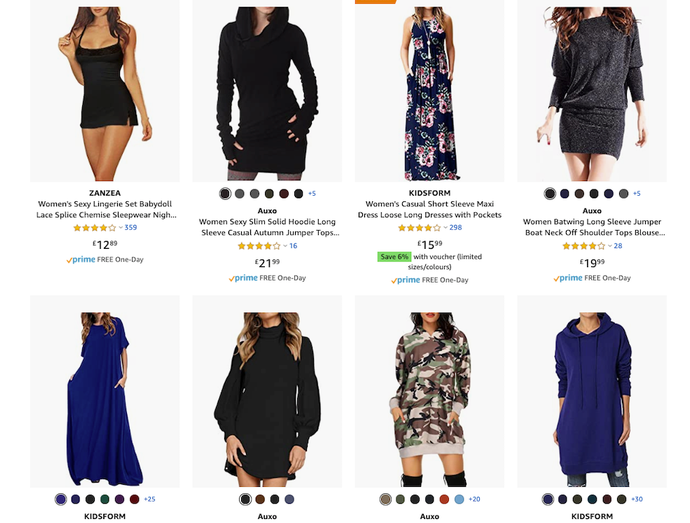
Apparel has some of the most specific main image rules on the platform:
Model Poses: Adult apparel shown on live models must feature a standing human model — no sitting, kneeling, or lying down poses. The model must be facing forward or at a slight angle, as extreme side profiles are generally flagged.
Mannequin Policy: Amazon strictly prohibits the use of visible physical mannequins for adult clothing main images.
Approved Alternatives for Main Images: However, you are fully permitted to use ghost mannequin (invisible mannequin) images or high-quality flat-lay photography as the main image for adult apparel, provided they feature a crisp, pure white background.
Baby & Kids' Clothing: Baby and children's clothing should be photographed flat (flat-lay style) or via ghost mannequin — child models are not required for the main image.
For apparel sellers, this means you need either real model photography or a compliant AI-generated model image for your main image slot. For many adult apparel categories, flat-lay images are not suitable for the main image slot because Amazon expects the item to be shown on a standing model.
Shoes & Footwear
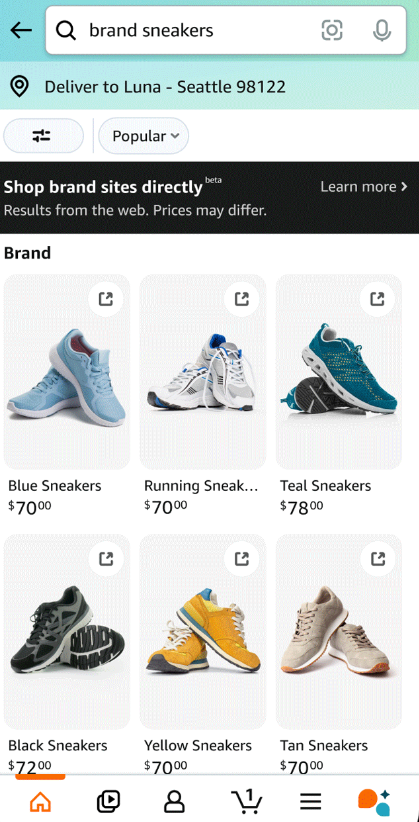
Footwear has a very specific main image convention:
Must feature a single shoe (not a pair)
The shoe must face left at approximately a 45-degree angle
Clean white background applies as standard
Books, Media, and DVDs
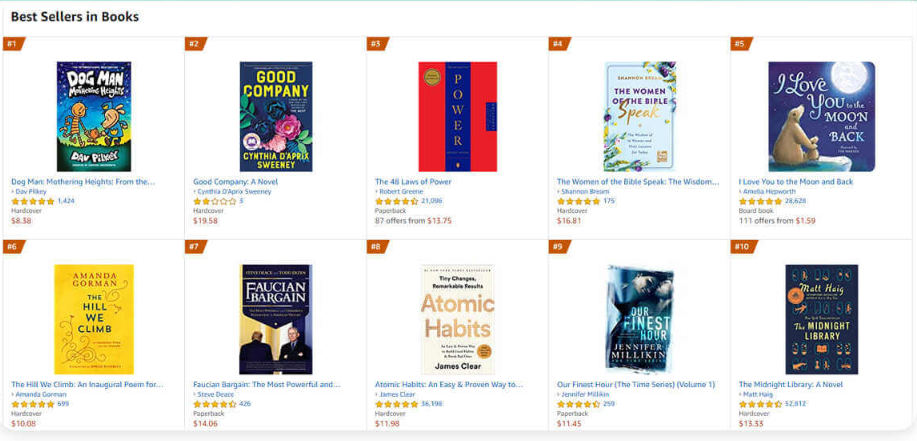
The cover art must fill 100% of the image frame — no white background showing around the edges
No additional text, stickers, or promotional overlays on the cover
How to Design High-Converting Amazon Product Images (Best Practices)
Once your main image passes compliance, your secondary images and video slots are where you actually sell the product. While Amazon allows up to 9 image slots, only 7 display by default on desktop and mobile. You need to make every slot count by optimizing your visual stack.
Leveraging Secondary Images for High Conversions
Once your main image is compliant, your secondary images are where you actually sell the product. Amazon allows up to 9 image slots, but only 7 are displayed by default on desktop and mobile without the shopper clicking into the full gallery. Make every slot count.
Here's the sequence that consistently performs well for apparel and product listings:
| Slot | Image Type | Purpose |
| Image 1 | Compliant main image (hero shot) | Pass compliance, win the click |
| Image 2 | Alternate angle or back view | Show the full product |
| Image 3 | Close-up detail shot | Fabric, stitching, material quality |
| Image 4 | Infographic with key features | Dimensions, materials, compatibility callouts |
| Image 5 | Lifestyle photo (product in use) | Help shoppers visualize ownership |
| Image 6 | Second lifestyle or model variation | Build desire, show versatility |
| Image 7 | Comparison chart or size guide | Reduce purchase hesitation |
Pro Tip: Amazon allows up to 9 images, but only 7 display by default on desktop and mobile without the user clicking into a gallery. Keep your most persuasive sales points in slots 1 through 7.
Secondary images can include text overlays, infographics, colored backgrounds, and lifestyle scenes — but keep text overlays to under 20% of the total image area to avoid triggering Amazon's content moderation.
How Koozee Helps Apparel Sellers Meet Amazon's Image Standards
For clothing sellers specifically, Amazon's main image rules create a real production challenge: you need on-model photography for adult apparel, but traditional photoshoots are expensive, slow, and hard to scale across a large SKU catalog.
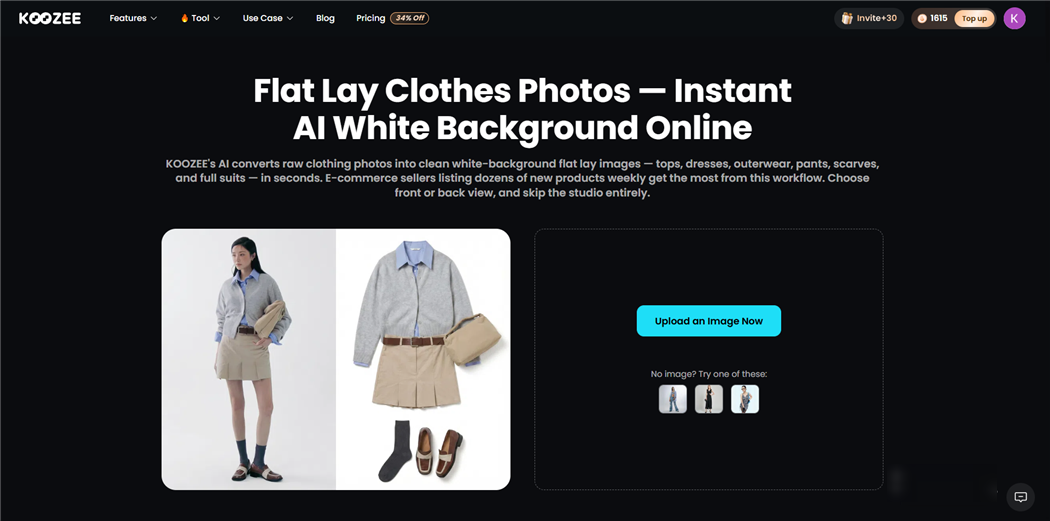
Koozee is an AI visual production platform built specifically for apparel e-commerce sellers. It helps clothing sellers create compliant, listing-ready product images without the overhead of traditional photoshoots.
What Koozee does for Amazon apparel sellers:
AI apparel try-on: Generate on-model clothing visuals from flat product photos — meeting Amazon's requirement for standing human models on adult apparel main images
Apparel Video Generation: Amazon highly rewards listings with videos. Koozee turns your static clothing images into dynamic lookbooks, fit check/OOTD videos, and short outfit clips to fill your Amazon video slots instantly
Main image production: Create clean, white-background product images optimized for Amazon's 85% fill and pure white background requirements
Ghost mannequin images: Produce structured garment images for secondary image slots
Flat-lay images: Generate flat-lay visuals for children's clothing main images (per Amazon's category rules)
Model and scene variations: Create multiple model variations and lifestyle secondary images from a single product photo
Image enhancement: Upscale and sharpen existing product images to meet Amazon's 2,000 × 2,000 pixel recommendation
Instead of juggling photographers, video editors, and Photoshop experts, Koozee gives you one AI workflow for clothing product images, try-ons, videos, and listings.
Image Mistakes That Trigger Suppressions: Violating Amazon Product Photo Guidelines
Amazon's automated moderation catches these errors consistently. Run through this checklist before every upload:
Unrealistic 3D Renders: Avoid cartoonish mockups or wireframes for main images.
💡 The Compliant Way: Use hyper-realistic, photo-accurate imagery. Professional visual tools can easily generate flawless, retail-ready main images that pass Amazon's realism checks.
Heavy Drop Shadows: Avoid thick, dark shadows that disrupt the pure white background. Keep shadows extremely subtle to pass the RGB (255,255,255) check.
Promotional Text: Never include text like "BPA Free" or "50% Off" on the main image. Save all graphics for secondary images.
Incorrect File Naming: Format your files as [ASIN].[VariantCode].[Extension] (e.g., B08XYZ1234.MAIN.jpg) for seamless catalog matching.
CMYK Color Space: Always export in sRGB to avoid color distortion.
Low-Quality AI Images: Avoid poorly generated AI photos with distorted product details, which trigger automated flags.
💡 The Safe AI Strategy: AI is a powerful asset when used correctly. Advanced, e-commerce-focused AI tools generate pristine, studio-quality backgrounds while preserving your exact product details—allowing you to scale content safely, efficiently, and in full compliance.
Summary
Amazon's image requirements aren't a one-time setup — they're an ongoing compliance responsibility. Amazon updates its visual search guidelines regularly, and what passed moderation in 2024 may trigger suppression in 2026. Build a habit of reviewing your image specs whenever you refresh a listing or launch a new product.
FAQ: Amazon Product Photo Requirements
Can I use AI-generated backgrounds for main images?
Main images need a verified pure white background. If an AI tool creates a white-looking background, check the final RGB values and make sure there are no gradients, shadows, props, or lifestyle elements.
Can I Use AI-Generated Product Images on Amazon?
Amazon’s image rules focus on whether the image accurately represents the product and complies with category requirements. If you use AI-assisted tools, review the final image carefully: the product must match the real item, the background must meet main-image rules, and the image must not add accessories, features, model details, or fabric behavior that the customer will not receive. Policies around AI disclosure may evolve, so always check the latest Seller Central guidance before publishing AI-generated or AI-assisted product images.
Will Amazon delete my listing if my image is non-compliant?
Not immediately. Amazon typically "suppresses" the listing — removing it from search results and category pages — until you upload a compliant replacement. You'll usually receive a notification in Seller Central identifying the issue. The listing isn't deleted, but it's effectively invisible to shoppers until the image is fixed.
What's the difference between listing suppression and a listing violation?
Suppression is an automated action triggered by image non-compliance — it's reversible once you upload a compliant image. A violation is a more serious policy breach that can result in listing removal or account action. Image issues almost always result in suppression, not violations, as long as the content itself isn't prohibited.
Do I need a different image for every marketplace (Amazon US, UK, EU)?
The core technical requirements (white background, pixel size, file format) are consistent across Amazon's global marketplaces. However, some category-specific rules and A+ Content specifications can vary by region. Always check the Seller Central guidelines for the specific marketplace you're selling on.
How many images should I upload for a new listing?
Use all 7 visible slots at minimum. A listing with only 1–2 images signals low effort to both Amazon's algorithm and shoppers. The 7-image stack outlined above gives you the best coverage of compliance, product detail, and conversion-focused content.